here!
here!
I’m your shopping assistant for PC builds, upgrades, and everything tech.
Got questions? Ask away!
Start a conversation
here!
I’m your shopping assistant for PC builds, upgrades, and everything tech.
Got questions? Ask away!
Start a conversation







Limited time offer, ends 10/25
Limited time offer, ends 10/25

Limited time offer, ends 10/22

Limited time offer, ends 11/16
Limited time offer, ends 11/17
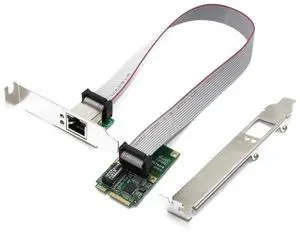
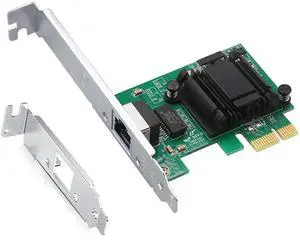
Limited time offer, ends 10/25
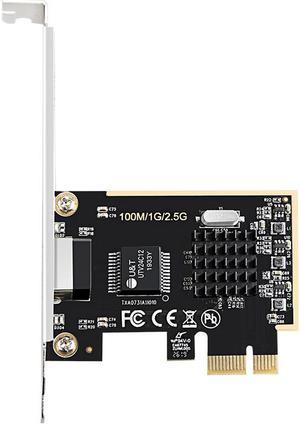
Limited time offer, ends 10/22
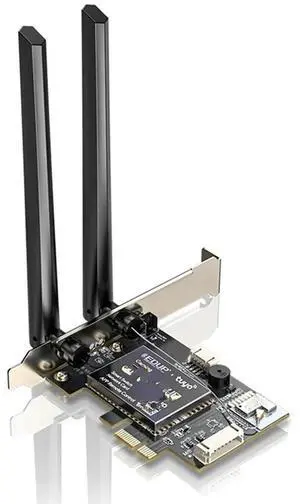
Limited time offer, ends 11/12
Limited time offer, ends 11/11
Limited time offer, ends 11/12
Limited time offer, ends 11/12
Limited time offer, ends 10/27
Limited time offer, ends 10/25
Network Interface Cards provide direct connectivity between computers and networks, supporting speeds from 1Gbps Ethernet to multi-gig wireless standards. This page offers a range of NICs including PCIe Ethernet adapters and wireless cards, designed for desktops, servers, and laptops to enhance network performance.
The defining specification for any Network Interface Card is its supported throughput. Bandwidth dictates how fast data moves between your device and the network, directly affecting performance. For everyday users, the jump from 100Mbps to 10/100/1000Mbps Gigabit connectivity provides a compelling speed boost without overhauling existing cabling or hardware. Power users or data centers will look toward NICs offering 10Gbps, 25Gbps, or even 100Gbps for ultra-fast, low-latency transfers. Understanding your current network infrastructure and anticipating future upgrades will help you pick a NIC with the right performance tier, ensuring efficient data flow and reduced bottlenecks.
For developers, IT administrators, and professionals managing complex network environments, selecting the right NIC can be mission-critical. High-performance NICs with capabilities such as SR-IOV virtualization support, RDMA offloading, or multi-queue processing enable servers to handle heavy workloads with improved efficiency. For instance, upgrading to a 25Gbps or 50Gbps NIC can dramatically reduce latency in virtualization clusters or AI training setups. Additionally, fiber channel cards rated at 4Gbps through 8Gbps provide reliable connections for Storage Area Networks (SANs), enhancing data throughput and storage efficiency.
Newegg shopping tip: When choosing a network interface card, make sure to check compatibility with your system's slot type and supported connection speeds, like Gigabit Ethernet or Wi-Fi standards. Also consider the number of ports and any additional features such as wake-on-LAN or advanced network management tools.
Supports stable 1Gbps speeds, perfect for basic high-speed home or office setups using standard Gigabit Ethernet over copper cables.
Automatically adjusts between 10, 100, and 1000Mbps speeds for versatile compatibility with legacy and modern network gear.
Dual-speed option up to 2Gbps for bandwidth-hungry tasks, ideal when upgrading beyond Gigabit without switching infrastructure.
If you’re new to network interface cards, think of them as the bridge between your computer and the network—whether wired or wireless. For most typical home or office setups, a basic Ethernet NIC that supports 1000Mbps is enough to ensure smooth internet and local network connectivity. These cards usually fit into a PCIe slot on your desktop or come as USB adapters for laptops. Wireless NICs, by contrast, connect through Wi-Fi adapters, ideal if running cables isn’t feasible. Before choosing, consider what devices you'll connect and whether you need a wired or wireless connection.
Gamers and power users demand low latency and solid bandwidth to keep gameplay smooth and streaming uninterrupted. Network interface cards with speeds that can go beyond the standard Gigabit are common in this space. Many gaming motherboards include on-board NICs, but upgrading to a dedicated PCIe NIC offering 10/100/1000/2000Mbps or higher can significantly reduce lag and increase overall network stability. Wireless NICs supporting the latest standards also offer an alternative for those preferring a cable-free setup, but for ultimate speed, a wired connection using a high-quality NIC is preferred.
SMB environments require NICs capable of handling more traffic and delivering reliable uptime. These scenarios often call for advanced NICs supporting 10Gbps or higher speeds to manage multiple simultaneous connections without bottlenecks. For organizations using storage area networks (SANs), fiber channel NICs with 4Gbps or 8Gbps speeds can optimize data flow while minimizing latency. When networking between multiple servers or to cloud services, options supporting 10Gbps or greater ensure future-proof performance for growing infrastructure demands.
Research more: When picking a Network Interface Card, consider whether you need wired Ethernet or wireless connectivity, along with the supported speeds to match your network setup. For a deeper dive into choosing the right card and understanding compatibility, check out the Newegg Insider buying guides.
Last Updated: October 2026 | Newegg Network Interface Cards Buying Guide
PCIe NICs generally offer faster and more stable connections with lower latency, making them better for gaming or heavy data transfer. USB NICs are easier to install and more portable but typically have lower throughput.
Intel NICs are known for superior driver support and reliability, especially in professional setups, while TP-Link cards tend to be more budget-friendly and good for casual home use. Your choice depends on whether you prioritize performance or cost.
Most NICs support a range of speeds from 10/100 Mbps up to 1 Gbps for standard models, while more advanced ones can handle 10 Gbps or even higher for data-intensive applications.
NICs are mostly designed for desktops and servers with PCI or PCIe slots, but laptops usually rely on built-in Wi-Fi or USB network adapters instead of internal cards.
Look for a card that supports the highest speed your internet can handle, ideally Gigabit or faster, and check if it has low latency features to reduce lag. Also, make sure it’s compatible with your PC’s motherboard slot type.
For typical web browsing and streaming, a basic Gigabit NIC is usually enough, so spending extra on advanced options won’t make a noticeable difference. Save the higher-end cards for professional setups or heavy network traffic.
Look for consistent feedback about stable connections and long-term performance. If multiple users mention frequent disconnections or driver problems, it’s a red flag to consider.
Many problems come down to compatibility with your motherboard or outdated drivers, so check if others had trouble installing the card or needed multiple driver updates to get it working smoothly.
First, power down and unplug your computer, then open the case. Locate an empty PCIe slot, carefully insert the card, and secure it. After closing the case, power up your system and install any necessary drivers for the card to work properly.
Use a compatible high-quality Ethernet cable, like Cat6 or better, and connect to a router or switch that supports the same speed as your NIC. Also, double-check that your network settings on your computer are configured to utilize the full bandwidth available.
“ -Works without dropping connection (unlike like my onboard intel wired network adapter). ”
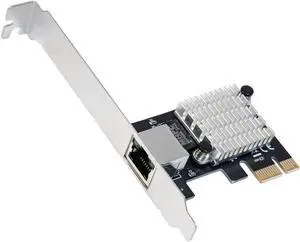
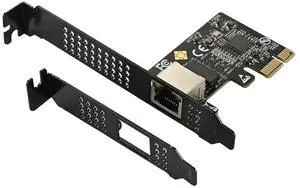
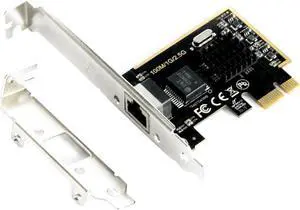
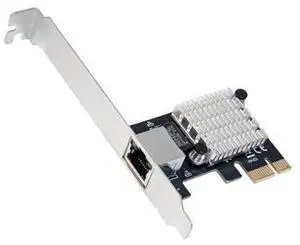
TP-Link TX201 Interface Cards 2.5Gbps PCI-Express 1 x RJ45