

Your Browsing History





Featured Brands









Shop Power Supplies





Popular Brands



The CORSAIR RMx Series has been powering top-performing PCs for years. These fully modular low-noise PSUs are Cybenetics Gold-certified for lower power consumption, less noise, and cooler temperatures. Fully modular cables make PC builds easy, as you connect only the cables your system requires. On top of that, the RMx Series’ ultra-flexible embossed cables help take the hassle out of installing and connecting your PSU.
Shop CORSAIR RMx Series ATX 3.1 Power Supply
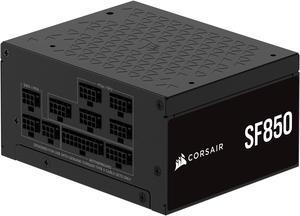
Corsair SF Series (2024) SF850, 80 PLUS Platinum, Fully Modular SFX Power Supply, CP-9020256-NA
- Fans: 92mm PWM cooling fan
- Input Voltage: 100 - 240 V
- Input Frequency Range: 47 - 63 Hz
- Input Current: 10A-5A
- Model #: CP-9020256-NA
- Item #: N82E16817139331
- Return Policy: 30-Day Return Policy
- $224.99
- $199.99 –
- Save: 11%
- More options from $187.99 - $199.99
- Free Shipping
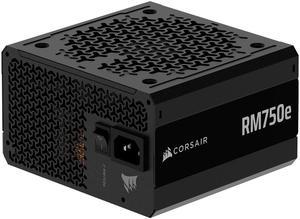
CORSAIR RM750e (2025) Fully Modular Low-Noise ATX Power Supply with 12V-2x6 Cable – ATX 3.1 & PCIe 5.1 Compliant, Cybenetics Gold Efficiency, 105°C-Rated Capacitors, Modern Standby Mode – Black
- Brand: CORSAIR
- Series: RMx Series
- Type: ATX 3.1 Compatible
- Maximum Power: 750 W
- Model #: CP-9020295-NA
- Item #: N82E16817139339
- Return Policy: 30-Day Return Policy
- $114.99
- $89.99 –
- Save: 21%
- More options from $86.99 - $90.00
- Free Shipping
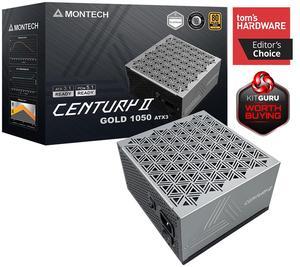
MONTECH CENTURY II - 1050W High-End ATX Gaming Power Supply - 80 Plus Gold & Cybenetics Platinum
Save even more w/ combo, limited offer
- Brand: Montech
- Type: ATX
- Maximum Power: 1050 W
- Modular: Full Modular
- Model #: Century II 1050
- Item #: N82E16817959009
- Return Policy: 30-Day Return Policy
- $109.90 –
- Free Shipping
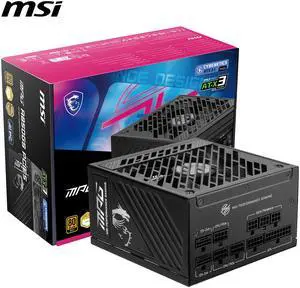
MSI MPG A850GS PCIE5, Fully Modular Gaming 850W Power Supply, 80+ Gold, Dual 12V-2x6 Cables, Server-grade Capacitor, ATX 3.1 & PCIe 5.1 Ready, Low-Noise, Semi Digital, 10 Year Warranty
- Brand: MSI
- Type: ATX12V
- Maximum Power: 850 W
- Modular: Full Modular
- Model #: MPG A850GS PCIE5
- Item #: N82E16817701031
- Return Policy: 30-Day Return Policy
- $109.99 –
- $99.99 after $10.00 rebate card
- More options from $95.99 - $153.67
- Free Shipping
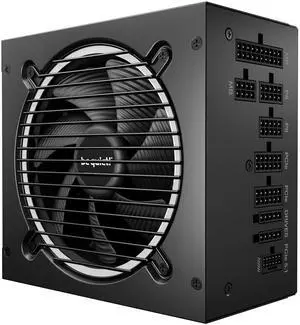
be quiet! Pure Power 13 M 1000W ATX 3.1 Power Supply | 80 Plus Gold efficiency | PCIe 5.1 GPUs | Modular | BP028US
+ $10 off w/ promo code KGA248, limited offer
- Brand: be quiet
- Type: temperature-controlled quality fan
- Maximum Power: 1000 W
- Fans: 1 x 120 mm
- Model #: BP028US
- Item #: N82E16817222042
- Return Policy: 30-Day Return Policy
- $139.99
- $139.90 –
- Free Shipping
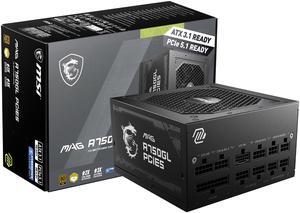
MSI MAG A750GL PCIE5, Fully Modular Compact Gaming 750W Power Supply, 80+ Gold, ATX 3.1 & PCIe 5.1 Ready, Native Dual-color 12V-2x6 cable, 10 Year Warranty
- Fans: 1 x 120 mm
- SATA Power Connector: 5
- Input Voltage: 100 - 240 V
- Input Frequency Range: 47 - 63 Hz
- Model #: MAG A750GL PCIE5
- Item #: N82E16817701022
- Return Policy: 30-Day Return Policy
- $109.99
- $99.99 –
- Save: 9%
- More options from $90.88 - $145.45
- Free Shipping
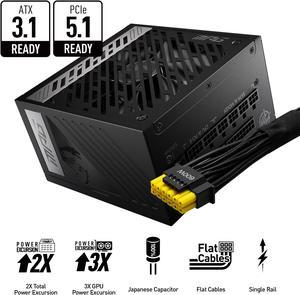
MSI MPG A850G PCIE5, Fully Modular Compact Gaming 850W Power Supply, 80+ Gold, Native 12V-2x6 Cable, 100% Japanese Capacitor, ATX 3.1 & PCIe 5.1 Ready, Low-Noise, 10 Year Warranty
- Brand: MSI
- Model: MPG A850G PCIE5
- Series: RMx Series
- Type: ATX / ATX 3.0 Compatible
- Model #: MPG A850G PCIE 5
- Item #: N82E16817701017
- Return Policy: 30-Day Return Policy
- $139.99
- $132.99 –
- Save: 5%
- More options from $107.99 - $133.00
- Free Shipping
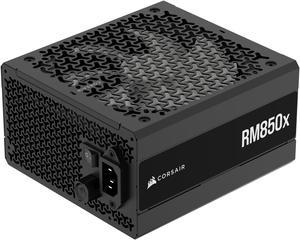
CORSAIR RMx Series RM850x ATX Power Supply - Fully Modular - ATX 3.1 - PCIe 5.1 - Cybenetics Gold - Low-Noise - Japanese Capacitors - 850 Watts
- Brand: CORSAIR
- Series: RMx Series
- Type: ATX 3.1 Compatible
- Maximum Power: 850 W
- Model #: CP-9020270-NA
- Item #: N82E16817139333
- Return Policy: 30-Day Return Policy
- $169.99
- $139.99 –
- Save: 17%
- More options from $125.99 - $190.99
- Free Shipping
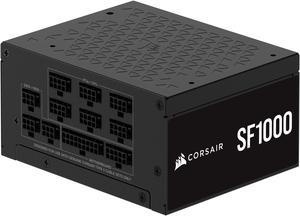
Corsair SF Series (2024) SF1000, 80 PLUS Platinum, Fully Modular SFX Power Supply, CP-9020257-NA
$40 promotional gift card w/ purchase, limited offer
- Fans: 92mm PWM cooling fan
- Input Voltage: 100 - 240 V
- Input Frequency Range: 47 - 63 Hz
- Input Current: 12A-6A
- Model #: CP-9020257-NA
- Item #: N82E16817139332
- Return Policy: 30-Day Return Policy
- $269.99
- $239.99 –
- Save: 11%
- More options from $195.99 - $304.54
- Free Shipping
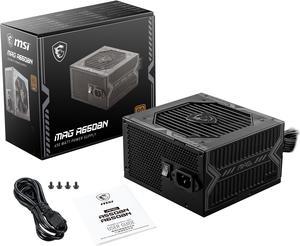
MSI MAG A650BN, Non-Modular Compact 650W Power Supply, 80+ Bronze, Low-Noise Fan, Active PFC Design, 5 Year Warranty
- Fans: 1 x 120 mm
- Input Voltage: 100 - 240 V
- Input Frequency Range: 50/60 Hz
- Input Current: 115Vac/10.0A max. 230Vac/5.0A max.
- Model #: MAG A650BN
- Item #: N82E16817701013
- Return Policy: 30-Day Return Policy
- $64.99
- $59.99 –
- Save: 7%
- More options from $58.98 - $104.60
- Free Shipping
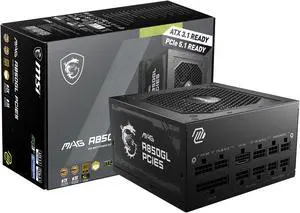
MSI MAG A850GL PCIE5, Fully Modular Compact Gaming 850W Power Supply, 80+ Gold, ATX 3.1 & PCIe 5.1 Ready, Native Dual-color 12V-2x6 cable, 10 Year Warranty
- Brand: MSI
- Model: MAG A850GL PCIE5
- Series: RMx Series
- Type: ATX12V
- Model #: MAG A850GL PCIE5
- Item #: N82E16817701021
- Return Policy: 30-Day Return Policy
- $123.99 –
- More options from $106.99 - $199.61
- Free Shipping
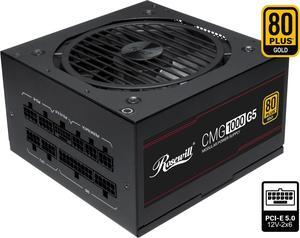
Rosewill CMG5 1000W, ATX 3.0 & 3.1 Compatible, 80+ Gold 1000W Full Modular Power Supply, PCIe 5.0 600W 12V-2x6 Connector, 100% Japanese Electrolytic Capacitors, 120mm FDB Fans - CMG1000G5
- Brand: Rosewill
- Series: CMG
- Type: ATX 3.0 Compatible / ATX 3.1 Compatible
- Maximum Power: 1000 W
- Model #: CMG1000G5
- Item #: N82E16817182453
- Return Policy: 30-Day Return Policy
- $119.99
- $99.99 –
- Save: 16%
- More options from $99.99 - $119.99
- Free Shipping
Related searches
| Learn about Power Supplies (PSU) & PC Power Standards | |
|---|---|
|
Computer power supplies convert the alternating current (AC) electricity from your wall outlet into direct current (DC), which is the kind of power your PC uses. They power all the other PC components with dedicated connectors that limit the need for additional outlets. ATX power supplies have a 20-pin connector, while the ATX12V versions have a 24-pin power connector to fit compatible motherboards. ATX12V motherboards have dual 12V rails that split amperage for added safety. Smaller power supplies take up little space in small laptop cases. Many power supply unit (PSU) models have an 80 PLUS® certification to ensure optimal energy efficiency. The Right PSU Improves Your Computer's PerformanceWhen putting together server power supplies , consider the needs of the PCs connected to the system. The computer wattage should be equal or greater than the amount of power required by all the components of your PC, and you can use simple online tools to calculate this value. You only need to input the model of your CPU, GPU, motherboard and other computer accessories , and these tools automatically calculate the minimum wattage you need. Using a computer power supply with a slightly higher wattage than needed provides protection for your components. The PSU runs at less than its maximum capacity, which could prevent overheating inside the computer case. Higher wattage computer power supplies let you upgrade your CPU or GPU in the future without worrying about power consumption. A PSU only consumes the amount of electricity your computer components use, so you won't have to worry about electric bills, even if you choose a model with a higher wattage. If you have a limited budget, choose a refurbished power supply that provides the same performance of a brand-new one at a lower price point. |
80 PLUS Power Supplies Provide Optimal Energy EfficiencyMany power supplies have an 80 PLUS certification that classifies their energy efficiency. PSUs with the standard 80 PLUS certification offer 80% efficiency at 20%, 50% and 100% loads. There are also Bronze, Silver, Gold, Platinum and Titanium 80 PLUS power supplies with higher energy efficiency than the standard 80 PLUS options. This helps maximize efficiency even in high-load situations. ATX Power Supplies Connect Storage DrivesATX computer power supplies feature a 20-pin main power connector and SATA connectors for storage drives that require an outside power source. ATX12V PSUs have a 24-pin main connector, and do not require the auxiliary power connector. This PSU standard supports dual 12V rails to power modern computer components safely and effectively. EPS12V power supplies use an 8-pin power connector for plugging directly into the processor. Many servers or high-end desktop computers use these power supplies for efficient energy options. There are also smaller power supplies that fit easily into laptop cases. Modular Power Supplies Offer FlexibilityMany PSUs feature hardwired cables to power all the CPU accessories . Modular computer power supplies offer flexibility, as they let you add or remove cables as needed. Removing unneeded cables allows optimal airflow inside the computer case for protection against overheating. |
Last Updated: June 2026 | Newegg Power Supply Buying Guide
Power Supply (PSU) Frequently Asked Questions:
What does a power supply do in a PC?
A power supply converts wall power into stable power for your PC components, including the CPU, GPU, motherboard, and storage. It is one of the most important parts for overall system stability and reliability.
What does PSU wattage mean?
PSU wattage is the maximum amount of power the unit can deliver to your system. Choosing the right wattage helps ensure stable performance under load and gives your build enough headroom for upgrades.
What is the difference between a PSU's continuous power output and its peak power output?
Continuous power is the wattage a PSU can deliver reliably over time, while peak power refers to short bursts it can handle briefly. For real-world builds, Newegg recommends focusing on continuous rated wattage.
What are the built-in safety protections in a PSU (OVP, OCP, SCP, etc.), and what do they do?
Protections like OVP, OCP, SCP, OPP, and OTP help guard your system against abnormal voltage, overcurrent, short circuits, overpower events, and overheating. Quality PSUs clearly list these protections in their specifications.
What PSU sizes are available for different PC builds?
Common PSU sizes include ATX for standard desktop builds and SFX or SFX-L for smaller systems. Always match the PSU form factor to your case before purchasing.
What's the difference between modular, semi-modular, and non-modular power supplies?
Non-modular PSUs have all cables permanently attached, semi-modular units keep essential cables fixed, and fully modular models let you connect only the cables you need. Modular designs are popular for cleaner cable management and easier building.
What's the difference between a standard ATX PSU and a smaller SFX PSU (small form factor)?
ATX PSUs are the standard size used in most mid tower and full tower cases, while SFX PSUs are smaller and designed for compact systems. SFX units are common in Mini-ITX and other small form factor builds.
What sets a high-end, premium PSU apart from a budget PSU with similar wattage?
Premium PSUs often offer better efficiency, stronger voltage regulation, quieter operation, higher-quality components, and longer warranty coverage. Wattage alone does not tell the full story of PSU quality.
What is the difference between 80 Plus Bronze, Gold, Platinum, and Titanium PSU efficiency ratings?
Higher efficiency tiers waste less power as heat and can support cooler, quieter operation. Gold is a popular sweet spot for many Newegg builds, while Platinum and Titanium are more premium efficiency options.
What is the difference between ATX 3.0 and ATX 3.1 power supplies?
Both are newer PSU standards designed for modern systems and GPU power requirements. When shopping on Newegg, check connector support and compatibility details to make sure the PSU fits your graphics card and upgrade plans.
How can I determine how much wattage my PC's power supply should have?
Start with your CPU and GPU, then add overhead for storage, cooling, and future expansion. Newegg’s power supply calculator is a helpful starting point for estimating your build’s total power needs.
Should I get a PSU with more wattage than I currently need (to allow for future upgrades)?
In many cases, yes. Extra wattage headroom can support future GPU or CPU upgrades and may help the PSU run more efficiently and quietly under typical loads.
Is it worth paying extra for an 80 Plus Gold or Platinum PSU instead of a Bronze-rated unit?
For gaming PCs, workstations, and systems that run for long periods, higher efficiency can be worth the added cost. Many Newegg shoppers choose Gold-rated PSUs as a strong balance of quality, performance, and value.
Do I need a modular power supply, or will a non-modular (fixed-cable) PSU be okay for my build?
A non-modular PSU can work well for value-focused builds, but modular units make cable routing cleaner and easier. They are especially useful in compact or tempered-glass builds where airflow and presentation matter more.
Do I need an ATX 3.0 or ATX 3.1 power supply for a new GPU?
It can be a smart choice for newer graphics cards with updated power requirements or high transient loads. Always check your GPU connector needs and compare them with the PSU specifications before buying.
What are common issues to watch out for when buying a PSU?
Common issues include insufficient wattage, missing GPU connectors, incompatible form factors, and low-quality internals. Reviewing the specifications carefully can help you avoid costly compatibility mistakes.
How important are customer reviews when choosing a power supply?
Customer reviews can provide useful insight into noise levels, cable quality, stability, and real-world reliability. On Newegg, verified reviews are especially helpful when comparing similar PSU models.
Are budget power supplies reliable?
Some budget PSUs can be reliable for entry-level builds, but quality varies more at the low end. It is worth checking protections, warranty coverage, and review history before choosing a low-cost unit.
What compatibility issues should I check before buying a PSU?
Check wattage, PSU size, motherboard and GPU connectors, cable reach, and case fit. Compatibility matters just as much as total power output.
What happens if my PSU is underpowered for my system (not enough wattage)?
An underpowered PSU can lead to boot failures, random shutdowns, crashes under load, or reduced stability during gaming and heavy workloads. Choosing adequate wattage helps avoid these problems.
How do I install a power supply in a PC?
Mount the PSU in the correct orientation, secure it with screws, and connect the required cables to the motherboard, CPU, GPU, and storage devices. Follow your case layout and PSU manual during installation.
What cables from the PSU connect to my components?
Common PSU cables include the 24-pin motherboard cable, CPU power cable, GPU power cables, SATA power, and other peripheral connectors. The exact cables you need depend on your hardware.
How do I know if my PSU has the right GPU connectors?
Check your graphics card power requirements and compare them with the PSU specifications. Newegg product listings typically show the number and type of PCIe or newer GPU power connectors included.
How should I manage PSU cables inside my case?
Route cables behind the motherboard tray when possible and use only the cables your build requires. Cleaner cable routing improves airflow and makes future upgrades easier.
Should I turn off or unplug the PSU when I'm installing or removing PC components?
Yes. Turn off the PSU switch and unplug it from the wall before working inside your PC. This helps reduce the risk of shorts or accidental power delivery while installing or removing components.
Bestselling Power Supply Reviews:
Anonymous
8/7/2026 1:48:57 PM
Working well!
“ Made my computer stable. ”
CORSAIR RMe Series RM850e 850 W ATX 3.1 Compatible Cybenetics Gold Full Modular Power SupplyJose A.
7/15/2026 8:17:36 AM
Most affordable 1200 w power supply on the market
“ The smart technology on this power supply honestly saved my computer. ”
MONTECH CENTURY II - 1200W High-End ATX Gaming Power Supply - 80 Plus Gold & Cybenetics Platinum - Fully Modular - ATX 3.1 & PCIe 5.1 Ready with 12V-2x6 Cable - 10 Years WarrantyAnonymous
6/2/2026 6:11:35 AM
Great product
“ Easy fix though i went to the local computer shop in town and bought a splitter for the 4 pins within the PSU already provided. ”
CORSAIR CX Series CX750 80 PLUS Bronze ATX Power SupplyCharles
5/5/2026 8:50:07 AM
Great power supply
“ Typical MSI MAG power supply runs quietly and does not get hot. ”
MSI MAG A650GLS PCIE5, Fully Modular Compact Gaming 650W Power Supply, 80+ Gold, ATX 3.1 & PCIe 5.1 Ready, Native Dual-color 12V-2x6 cable, Low-Noise, Embossed Jacket Cables, 10 Year WarrantyAnonymous
4/21/2026 9:21:22 AM
Bought 2 and they run great
“ Upgraded 2 computers to 850w after my old PSUs failed. ”
CORSAIR RMe Series RM850e 850 W ATX 3.1 Compatible Cybenetics Gold Full Modular Power SupplyJeremy M.
4/9/2026 8:15:40 PM
Great power supply
“ Gave my PC the power I need 100% working great and a 10 year warranty after register even better ”
MSI MPG A1000GS PCIE5, Fully Modular Gaming 1000W Power Supply, 80+ Gold, Dual 12V-2x6 Cables, Server-grade Capacitor, ATX 3.1 & PCIe 5.1 Ready, Low-Noise, Semi Digital, 10 Year WarrantyDaniel J.
3/24/2026 1:48:17 PM
Good PSU, enough power
“ This power supply delivers ample power for my setup. ”
CORSAIR RMe Series RM850e 850 W ATX 3.1 Compatible Cybenetics Gold Full Modular Power SupplyAnonymous
3/17/2026 8:03:59 AM
ASRock SL-850G 850W Power Supply
“ Wiring seems just a little short for my gaming computer case Antec Eleven Thousand. ”
ASRock Steel Legend SL-850G 850W 80 PLUS GOLD & Cybenetics PLATINUM Full Modular Power Supply, ATX3.1 & PCIe5.1 Ready with Dual Color 12V-2x6 Cable, 10 Years Warranty