



Uber E-Gift Card
Give the gift of Uber and Uber Eats
Send an Uber E-gift card to the people you care about via email. The gift of Uber provides them reliable rides and meals from their favorite local restaurants.
Use it your way

For rides
Give friends and family the gift of tapping a button and getting a ride—any time of the day, any day of the year—in 10,000+ cities globally.

For food
Uber gift cards can also be used for Uber Eats orders. Enjoy food from thousands of restaurants in cities around the world.
How to redeem your gift card
Step 1: Download the Uber or Uber Eats app if you're not currently an Uber user.
Step 2: Open the Account section and select Wallet.
Step 3: Choose + Add Funds in the Uber Cash card.
Step 4: Select Gift card.
Step 5: Enter your gift code and choose Add.
Use the Uber app to help you travel your way
Ride Options
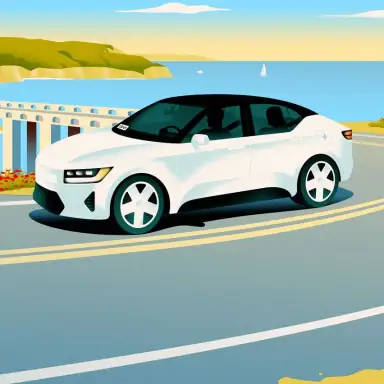
There’s more than one way to move with Uber, no matter where you are or where you’re headed next.

700+ airports
You can request a ride to and from most major airports. Schedule a ride to the airport for one less thing to worry about.

15,000+ cities
The app is available in thousands of cities worldwide, so you can request a ride even when you’re far from home.
Reserve a ride that’s ready when you are
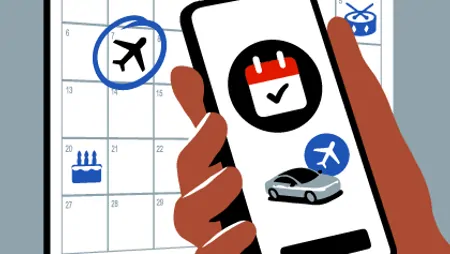
Now more than ever, reservations are a way of life. Reserve a premium Uber experience, up to 90 days in advance, for whenever you’re ready to ride.

Use teen accounts on Uber**
Peace of mind for you, independence for them. With a teen account, they’ll have the freedom to request their own rides—and you’ll be notified every time they do. Plus, with live safety features and real-time updates, you can follow along from pickup to dropoff. Currently available only in select locations.

Car rentals nearby for any occasion
Whether you need a car today or in the future, Uber’s online booking experience will help you find the right vehicle for a family vacation, a weekend getaway, a road trip, airport travel, and more. With Uber Rent, your car rental needs are prioritized.
Use Uber Eats app to get tasty food gifts delivered anytime

Browse
Uber Eats has hundreds of restaurants to choose from. When you open the app, you can scroll through for inspiration or search for a particular restaurant or cuisine. When you find something you like, tap to add it to your order.
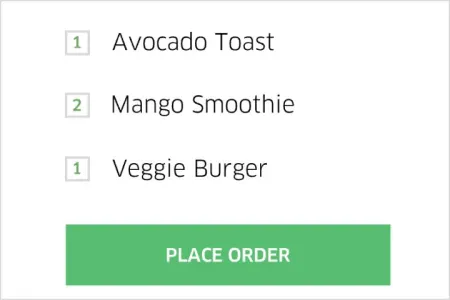
Order
When you’re ready to check out, you’ll see your address, an estimated delivery time, and the price of the order including tax and delivery fee. When everything looks right, just tap Place order—and that’s it. You can use the same payment methods you use on Uber trips.
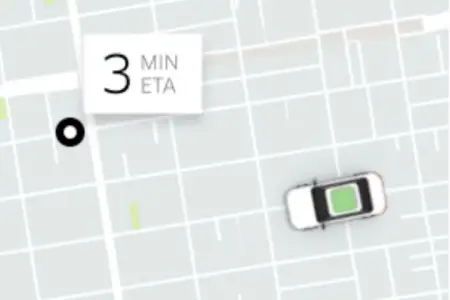
Track
Follow your order in the app. First you’ll see the restaurant accept and start prepping. Then, when the order’s almost ready, a nearby delivery person—in a car, on a bike, or on a scooter—will go to the restaurant to pick it up. Next, they’ll drive or ride to you. You’ll be able to see their name and photo and track their progress on the map.
The ride options on this page are a sample of Uber’s products, and some might not be available where you use the Uber app. If you check your city’s web page or look in the app, you’ll see what rides you can request.
** Uber for Teens availability may vary by location. Must be at least 13 years old to hold an Uber for Teens account. Check the Uber app for availability in your area.
Certain requirements and features vary by country, region, and city.