Newegg.com cannot guarantee the compatibility of Combo items. Please contact the manufacturer(s) directly if you have issues or concerns regarding compatibility.
Some combos are restricted from returning individual products for a refund and must be returned in their entirety.
Combos may be removed from orders if any item is out of stock, or if you order a quantity beyond the set limit.
Using PC components and systems for cryptocurrency mining is known to significantly decrease the lifespan of the product due to overuse. This includes, but is not limited to: CPUs, video cards, solid-state and hard disk drives. In general, Newegg will not accept returns of products which have exceeded the product’s lifespan due to overuse.
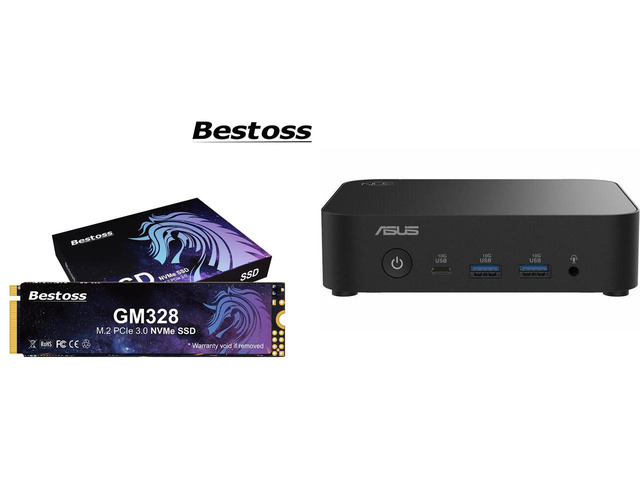
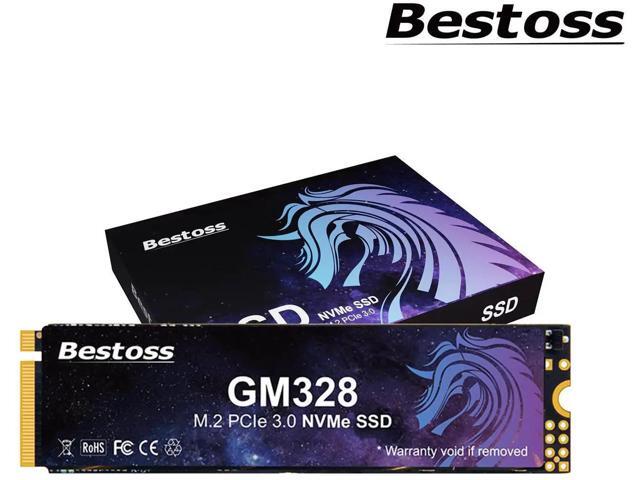
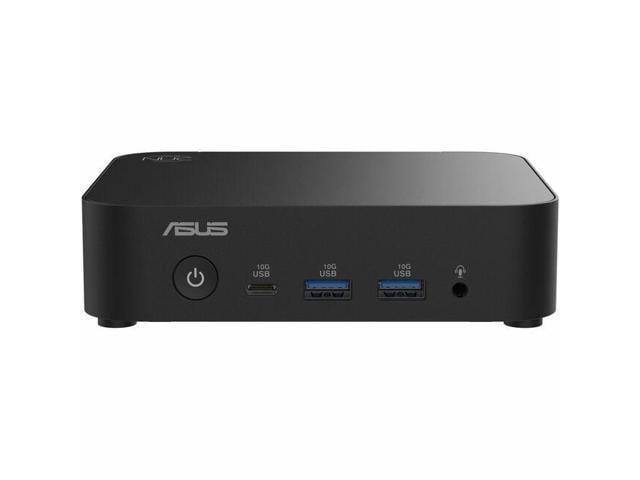
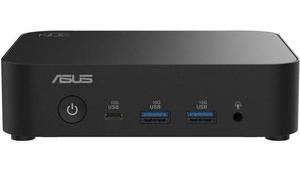
Bestoss 2TB NVMe SSD M.2 PCIe 3.0, 3200MB/s, Laptop/PC Compatible ASUS NUC 14 Essential Barebone Kit, Intel N150, DDR5-4800 RAM slot, Single Storage, Triple Display, 2.5G LAN, Wi-Fi 6E, Bluetooth 5.3, VESA Mount
Internal SSDs
Mini-PC Barebone
Eternal Guardian of Data: Enduring Security: Features HMB+ Dynamic SLC Cache for perfect software-hardware synergy. With read speeds of up to 3200MB/s, enjoy smooth loading, efficient stability, and system responsiveness. Experience system startup, multi-tasking, and game loading as light and smooth as a unicorn.
Unleash Your Unicorn's Fantastical Space: Offers a range of capacity options from 256GB to 2TB. Save numerous files, documents, photos, videos, games, and apps to fulfill all your data storage needs.
Passed Rigorous Quality Testing: Undergoes strict endurance testing to ensure zero quality issues. Adopts TLC NAND flash for longer write endurance compared to QLC, ensuring a more reliable data storage solution. Enhances product lifespan and stability, offers good shock resistance, high data security, a reduced failure rate, and lag-free continuous operation.
Wide Compatibility & Flexible Adaptation: Supports the PCIe 3.0 interface and is compatible with Windows/Linux systems. Adapts seamlessly to laptops, desktops, all-in-one PCs, and other devices. Plug and play for effortless installation.
3-Year Warranty for Your Peace of Mind: All built-in SSDs are covered by a 3-year limited warranty, backed by lifetime technical support.
Intel N150 Processor, Intel UHD Graphics
SO-DIMM DDR5-4800 MHz (support up to 16GB (via 1 x 16 GB))
Why is my M.2 SSD not recognized after installation?
When using it for the first time, you need to initialize, partition, and format the SSD using the Windows "Disk Management tool". Once completed, it will be available for normal use in File Explorer.
Why is the actual displayed capacity less than the rated 1TB/2TB?
The difference between SSD's nominal capacity and formatted actual capacity comes from calculation methods: Manufacturers label 1024GB as 1024GB×1000³ bytes (decimal); OS uses 1GB=1024MB (binary), so 1TB shows 953.7GB=1024GB×1000³÷1024³.
Is this SSD compatible with mainstream laptops and desktop computers? Is the installation convenient?
Yes! This product adopts an M.2 interface and supports PCIe 3.0 and PCIe 4.0 protocols, making it compatible with the motherboard slots of most laptops and desktop computers on the market.
Does the product include installation accessories?
The package includes a screwdriver and M.2 SSD fixing screws for installing the NVMe M.2 SSD, compatible with mainstream motherboards. No need to purchase additional tools; it can be installed upon arrival.
Where should we send the solid-state drive for repair?
Bestoss offers professional quality and dependable service. Should you have any questions or problems with the product, please get in touch with our help team. Fixes within the coverage period need proof of purchase.
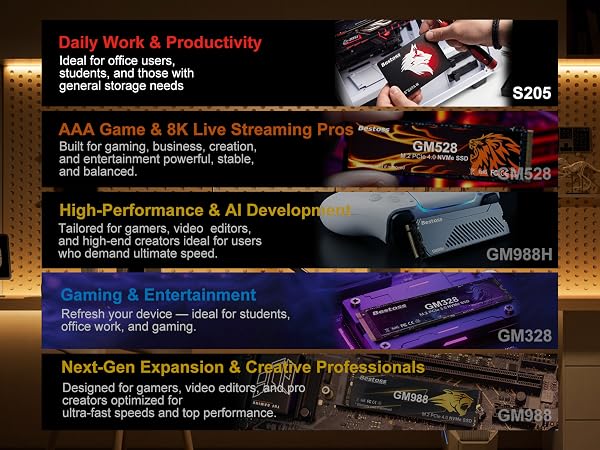
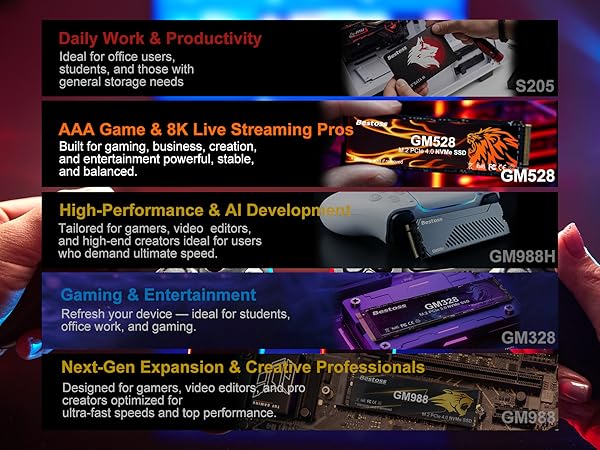
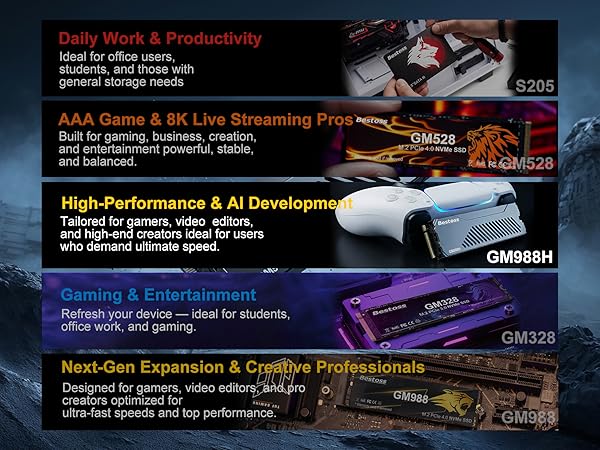
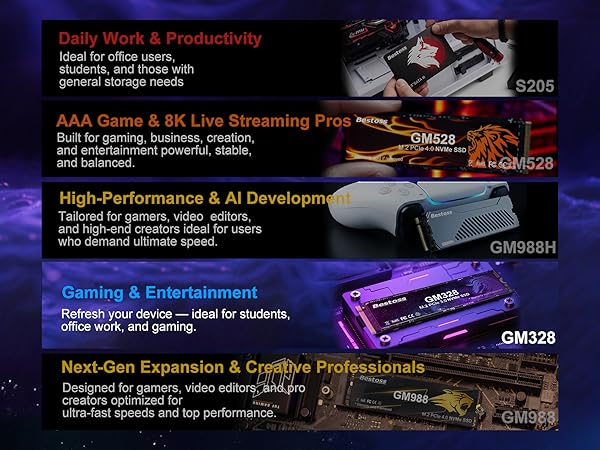
Daily Work & Productivity
Ideal for office users, students, and those with general storage needs
AAA Game & 8K Live Streaming Pros
Built for gaming business, creation, and entertainment-powerful, stable, and balanced
High-Performance & Al development
Tailored for gamers, video editors, and high-endcreators ideal for users who demand ultimate speed.
Gaming & Entertainment
Refresh your device-ideal for students, office work, and gaming.
Next-Gen Expansion & Creative Professionals
Designed for gamers, video editors, and pro creators optimized for ultra-fast speeds and top performance.
Why is my M.2 SSD not recognized after installation?
When using it for the first time, you need to initialize, partition, and format the SSD using the Windows "Disk Management tool". Once completed, it will be available for normal use in File Explorer.
Why is the actual displayed capacity less than the rated 1TB/2TB?
The difference between SSD's nominal capacity and formatted actual capacity comes from calculation methods: Manufacturers label 1024GB as 1024GB×1000³ bytes (decimal); OS uses 1GB=1024MB (binary), so 1TB shows 953.7GB=1024GB×1000³÷1024³.
Is this SSD compatible with mainstream laptops and desktop computers? Is the installation convenient?
Yes! This product adopts an M.2 interface and supports PCIe 3.0 and PCIe 4.0 protocols, making it compatible with the motherboard slots of most laptops and desktop computers on the market.
Does the product include installation accessories?
The package includes a screwdriver and M.2 SSD fixing screws for installing the NVMe M.2 SSD, compatible with mainstream motherboards. No need to purchase additional tools; it can be installed upon arrival.
Where should we send the solid-state drive for repair?
Bestoss offers professional quality and dependable service. Should you have any questions or problems with the product, please get in touch with our help team. Fixes within the coverage period need proof of purchase.
ASUS NUC 14 Essential
Efficient Performance. Smart Savings.
ASUS NUC 14 Essential is the next-generation mini PC that takes performance, portability, and versatility to greater heights. Powered by the latest energy-efficient Intel® Core™ N-series processors and equipped with diverse connectivity options, this sleek, compact device is built to boost productivity and makes light work of diverse applications.
Low Power N-Series Processor
Compact size
0.56L Chassis
Bluetooth 5.3
Support for three 4K Displays
2.5G LAN
Easy Access Design
Achieve More With Less
Intel® Core™ N-Series
Faster Performance
Exceptional responsiveness makes the NUC 14 Essential ideal for image editing and speedier web navigation?
Reduced Power Consumption
The energy-efficient Intel® Core™ N-Series processor that powers NUC 14 Essential delivers outstanding performance while consuming less power
Learn, Create, and Stream Anywhere
The Intel® Core™ N-series processor supports improved graphics processing so you can create digital content and stream videos at the same time without slowing down?
Multitask with Triple Display Support?
Unleash the power of multitasking in a compact 0.56L chassis, supporting up to three 4K displays with reduced latency, minimized power consumption, and smoother data transfer.
Supports three 4K Displays?
Run Software Smoothly
Collaborative Conference & Learning?
Immersive Video Streaming
Connect Seamlessly with Intel® Wi-Fi 6E (Gig+)?
Versatile, Lightweight Design
The lightweight 0.56-liter chassis blends well in any setting and can be VESA mounted on a wall or on the back of a monitor, saving space at home or in the office
VESA-Mounting
Design
0.56L
Chassis
Compact Size, Abundant I/O
NUC 14 Essential offers seamless connectivity with a host of I/O ports on its front and rear panels, supporting up to three 4K displays and offering high-speed networking performance. The front panel features a headset jack, one USB-C® (10 Gbps ) and a USB Type-A (10 Gbps) port; while the rear includes two USB Type-A (10 Gbps) ports, one USB 2.0, one USB-C with DisplayPort™ (10 Gbps), one DisplayPort, HDMI™, and one LAN port.
Front View
Rear View
Target Usage
Powered by the latest Intel® Core™ N-Series processor?, NUC 14 Essential strikes a harmonious balance between energy consumption and efficiency, at a reasonable price. From office productivity to supporting digital signage, it offers outstanding versatility and can be deployed across diverse industries.
Office Productivity
Use NUC 14 Essential as a modern mini PC for everyday productivity tasks.
Interactive Learning
Create, learn and excel anywhere with high-speed wireless connectivity, Bluetooth 5.3 service, and 2.5G networking.
Digital Signage, Kiosks, POS
Comprehensive connectivity to monitors or legacy devices in field operations?.
Easy Access Design
With ASUS easy access design, customize and upgrade NUC 14 Essential with ease
1
Open System
Loosen the four screws on the bottom of the system. Remove the bottom cover.
2
DDR5 SO-DIMM Installation
Push the DDR5 SO-DIMM down until the retaining clips into place.
3
M.2 Installation
Insert the M.2 module into the M.2 slot on the system board.
Your One-Stop Portal For ASUS Software
MyASUS
A one-stop shop for systems manage, software updates, performance optimization, and contact supports.
Customer Support
Round-the-clock ASUS customer support is available, providing answers to questions or quick diagnosis and fixes for software or hardware issues.
Customization
A range of settings allows users to personalize the PC, including AI-powered noise cancelation, fan modes, and network parameters.
Link to MyASUS
Integrate ASUS PCs like NUC 14 Essential with mobile devices for easier multitasking and improved productivity.
ASUS Promotion
Enjoy discounts on premium apps and ASUS-exclusive deals via AppDeals.
ASUS Control Center
Easy Monitor
Customer Support
Round-the-clock ASUS customer support is available, providing answers to questions or quick diagnosis and fixes for software or hardware issues.
Customization
A range of settings allows users to personalize the PC, including AI-powered noise cancelation, fan modes, and network parameters.
Link to MyASUS
Integrate ASUS PCs like NUC 14 Essential with mobile devices for easier multitasking and improved productivity.
Remote Control
Remote Control
Remotely control the device power on/off and service start/stop to reduce the on-site servicing
Security
Enable/disable USB storage
Management
Software dispatch and device-metadata management
ASUS Support for Business
Maximum Support, Minimal Effort
Service Package tailored to your specific needs
Default
Comprehensive 24x7 support
24x7 priority access to hardware and software experts
Three-year Warranty
100% free of charge, with no hidden costs. Covers over 50 countries
Multiple Service term Available
Enjoy a comprehensive service including pick up, repair and return of supported hardware
MyASUS app
This exclusive app lets you get in touch with customer service, know your device’s repair status, access product instruction manuals, etc.
To Order
ASUS Premium Care
ASUS Premium Care Provides customized services to protect your products. Please see https://www.asus.com/tw/support/premium_care/ for more information
Warranty Extension
This allows customers to extend service coverage of products to match the expected length of time they will be used
Accidental Damage Protection (ADP)
This helps avoid repair or replacement costs due to mishaps that occur during normal operation of devices
Defective HDD Retention (DHR)
DHR allows customers to retain their malfunctioning hard drive while their defective drive is replaced