• $219.29
  • Free 30-day Returns
  • Sold by Direct from manufacturerA-Tech
    Top Rated
    4.7 (356 seller ratings)

    Shipped by Direct from manufacturerA-Tech

    Price alert
    Server System configurator/ABS
    Shop it at NeweggBusiness.

    Meet Your Seller

    32GB RAM Replacement for Hynix HMA84GR7AFR4N-UH, HMA84GR7CJR4N-UH, HMA84GR7DJR4N-UH, HMA84GR7MFR4N-UH, HMAA4GR8AMR4N-UH | DDR4 2400MHz PC4-19200 ECC RDIMM 2Rx4 Server Memory

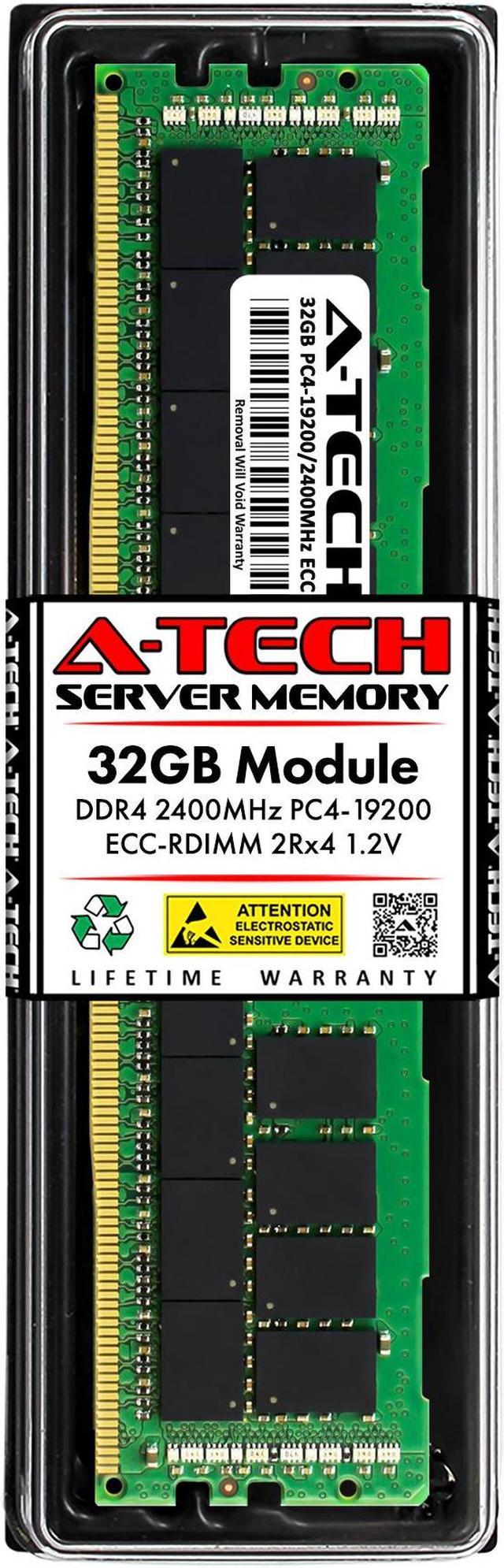
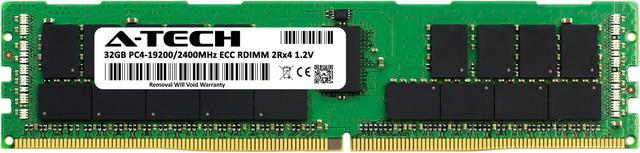
    • 32GB ( 1x 32GB Module ) | DDR4 2400 MHz ( PC4-19200 ) | DDR4 DIMM ( 288-Pin ) | ECC RDIMM ( Registered DIMM ) | 1.2V - DDR4 Standard Voltage
    • Compatible Equivalent for Hynix HMA84GR7AFR4N-UH, HMA84GR7CJR4N-UH, HMA84GR7DJR4N-UH, HMA84GR7MFR4N-UH, HMAA4GR8AMR4N-UH
    • High performance Memory RAM upgrade designed for Server/Workstation Systems
    • All modules undergo quality assurance testing to ensure dependable and reliable performance | Please verify the supported memory (RAM) specifications of your system prior to purchase to ensure compatibility
    • A-Tech provides a Lifetime Warranty for all orders & offers complimentary United States based Tech Support before, during, & after your purchase
    +
    +
    Overview
    Specs
    Reviews

    Any questions? Ask CelesteSM will help you find out quickly.

    An A-Tech Memory (RAM) upgrade is an easy, quick way to boost your system's performance by speeding up loading times, improving system responsiveness, and increasing your system's ability to handle higher workloads. Take on more and multitask with ease with a simple and affordable A-Tech Memory upgrade!

    Compatible Memory Module Replacement for Hynix:
    HMA84GR7AFR4N-UH
    HMA84GR7CJR4N-UH
    HMA84GR7DJR4N-UH
    HMA84GR7MFR4N-UH
    HMAA4GR8AMR4N-UH


    Memory Specs
    Memory Size: 32 GB ( 1 x 32 GB Module )
    Memory Type: DDR4
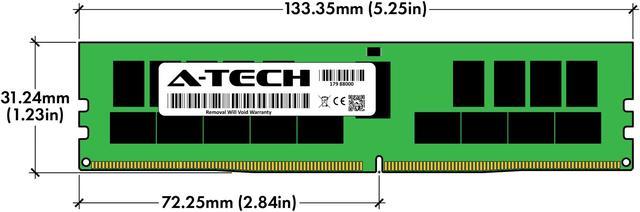
    Form Factor: DIMM ( 288 Pin )
    Speed: DDR4 2400 MHz ( PC4-19200 )
    ECC Type: ECC RDIMM ( Registered DIMM )
    Voltage: 1.2V

    Ensured Reliability
    All A-Tech Memory products are rigorously tested to ensure that your memory meets our stringent quality and performance standards.

    Lifetime Warranty
    Purchase with confidence knowing that all A-Tech orders are backed with our Lifetime Warranty.

    US Based Technical Support
    Need help? Have questions? Our 5 star United States based support team is here to help before, during, and after your purchase to make sure you are completely satisfied with your A-Tech Memory!

    Warranty & Returns

    Warranty, Returns, And Additional Information

    Warranty

    • Please contact the Seller directly for warranty information. Warranty information may also be found on the Manufacturer's website.
    • CONTACT

    Return Policies

    • Return for refund within: 30 days
    • Return for replacement within: 30 days
    • This item is covered by A-Tech Return Policy

    Manufacturer Contact Info

    LOADING...

    A-Tech 32GB DDR4-2400 ECC Registered DIMM is a single 288-pin, 2Rx4 server memory module for compatible servers and workstations that support PC4-19200 RDIMMs. Check your system’s memory specifications before purchasing.

    Recommended For

    • Server administrators replacing a failed 32GB DDR4 ECC RDIMM, especially when matching the listed Hynix part numbers or equivalent specifications.
    • Homelab operators adding memory to a DDR4 server for virtualization, file services, or other workloads—provided the system supports 32GB 2Rx4 ECC registered DIMMs.
    • Workstation users with a platform that specifically supports DDR4 ECC RDIMMs who need a single 32GB module for memory expansion or replacement.
    • IT teams maintaining compatible DDR4 server fleets that use 2400MHz, 32GB, dual-rank x4 registered memory and need a like-for-like replacement module.

    Real-World Use Scenarios

    • On a compatible DDR4 server, add memory when a virtualization host is running short on RAM for its virtual machines. The extra capacity can give the host more room for VM workloads, though CPU, storage, and total system memory still affect how many it can support.
    • For a homelab server running Proxmox, use added memory to make more room for a mix of virtual machines and lightweight containers. The practical benefit depends on how much memory those services are assigned and actually use.
    • In a compatible TrueNAS or OpenZFS server, use added memory to give the system more capacity for file caching and storage services. Whether users notice faster access depends on their data-access patterns and the server’s overall memory needs.
    • For a server running a database or other memory-demanding application, add capacity when the workload needs a larger working set. This can ease memory constraints, but a single 32GB module does not guarantee faster database performance.
    • When replacing a failed or unsupported module in a compatible server, use a supported RDIMM with the correct memory type and population order. After installation, check that the server recognizes the new capacity; requirements vary by system.