Your Browsing History
Meet Your Seller
Visit A-Tech Store
FOLLOW
4GB RAM Replacement for Samsung M393B5270CH0-CH9, M393B5270DH0-CH9 | DDR3 1333MHz PC3-10600 ECC RDIMM 1Rx4 Server Memory
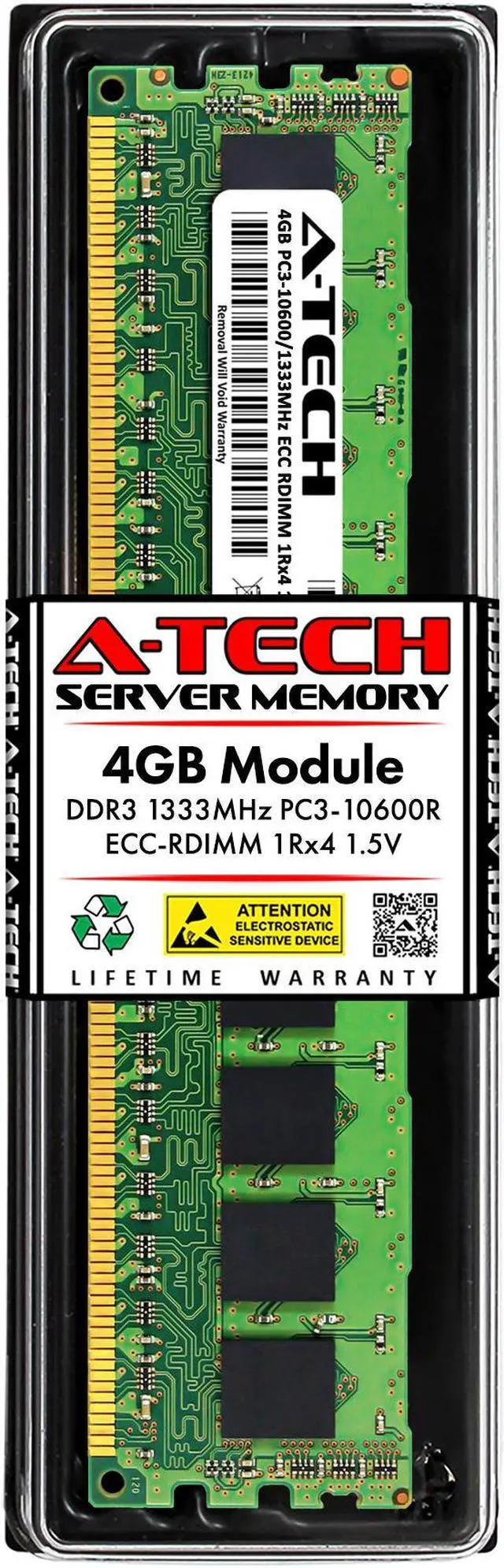
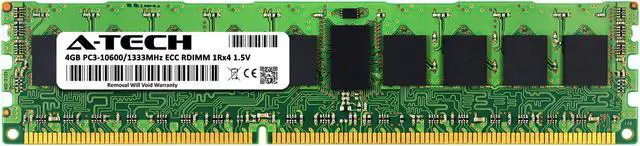
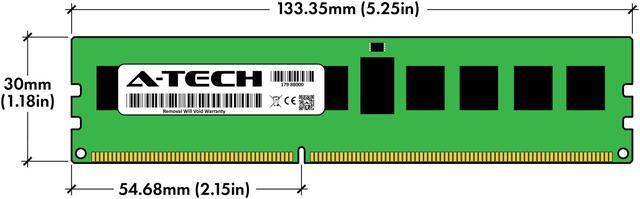
- 4GB ( 1x 4GB Module ) | DDR3 1333 MHz ( PC3-10600 ) | DDR3 DIMM ( 240-Pin ) | ECC RDIMM ( Registered DIMM ) | 1.5V - DDR3 Standard Voltage
- Compatible Equivalent for Samsung M393B5270CH0-CH9, M393B5270DH0-CH9
- High performance Memory RAM upgrade designed for Server/Workstation Systems
- All modules undergo quality assurance testing to ensure dependable and reliable performance | Please verify the supported memory (RAM) specifications of your system prior to purchase to ensure compatibility
- A-Tech provides a Lifetime Warranty for all orders & offers complimentary United States based Tech Support before, during, & after your purchase
+
+
Overview
Specs
Reviews
Any questions? Ask CelesteSM will help you find out quickly.
Try me now
An A-Tech Memory (RAM) upgrade is an easy, quick way to boost your system's performance by speeding up loading times, improving system responsiveness, and increasing your system's ability to handle higher workloads. Take on more and multitask with ease with a simple and affordable A-Tech Memory upgrade!
Compatible Memory Module Replacement for Samsung:
M393B5270CH0-CH9
M393B5270DH0-CH9
Memory Specs
Memory Size: 4 GB ( 1 x 4 GB Module )
Memory Type: DDR3
Form Factor: DIMM ( 240 Pin )
Speed: DDR3 1333 MHz ( PC3-10600 )
ECC Type: ECC RDIMM ( Registered DIMM )
Voltage: 1.5V
Ensured Reliability
All A-Tech Memory products are rigorously tested to ensure that your memory meets our stringent quality and performance standards.
Lifetime Warranty
Purchase with confidence knowing that all A-Tech orders are backed with our Lifetime Warranty.
US Based Technical Support
Need help? Have questions? Our 5 star United States based support team is here to help before, during, and after your purchase to make sure you are completely satisfied with your A-Tech Memory!
Warranty & Returns
Warranty, Returns, And Additional Information
Warranty
- Please contact the Seller directly for warranty information. Warranty information may also be found on the Manufacturer's website.
- CONTACT
Return Policies
- Return for refund within: 30 days
- Return for replacement within: 30 days
- This item is covered by A-Tech Return Policy
Manufacturer Contact Info
- For a directory of all our manufacturers, please click below.
- Manufacturers Directory
LOADING...
The A-Tech 4GB DDR3-1333 ECC Registered DIMM is a replacement memory module for compatible servers and workstations, including systems using Samsung M393B5270CH0-CH9 or M393B5270DH0-CH9 memory; confirm your system supports 240-pin, 1Rx4 RDIMMs before buying.
Recommended For
- Owners of a compatible DDR3 server replacing a failed 4GB RDIMM or matching an existing Samsung M393B5270CH0/CH9 or M393B5270DH0/CH9 module.
- Operators of older DDR3 servers who want to add memory in a small increment for light file-serving or home-server duties, provided the system supports 4GB 1Rx4 registered ECC DIMMs.
- Homelab builders maintaining a compatible legacy Xeon server who need an additional low-capacity DIMM for a modest NAS or server setup, rather than a large memory expansion.
Real-World Use Scenarios
- When a compatible older server reports a failed DIMM, use this module as a replacement; if the server supports its capacity, rank, and RDIMM type, it can restore the memory the system lost.
- For a legacy server that is short on memory, add the module as part of a supported DIMM configuration; the extra capacity can give lightweight services more room, though the benefit depends on the server’s existing memory and workload.
- When experimenting with a home-lab server, add the module to an existing compatible memory pool for a little more room to test a lightweight service or small VM; a single 4GB module is not, by itself, a large multi-VM setup.
- For a small NAS or home server, add compatible capacity to support basic file-sharing or self-hosted services; this module adds system memory, not storage, and its impact depends on the total RAM in the machine.
- For a server running workloads where memory errors matter, install it in a compatible ECC RDIMM system; ECC can automatically correct certain single-bit memory errors, but it does not prevent every failure or guarantee uninterrupted operation.