

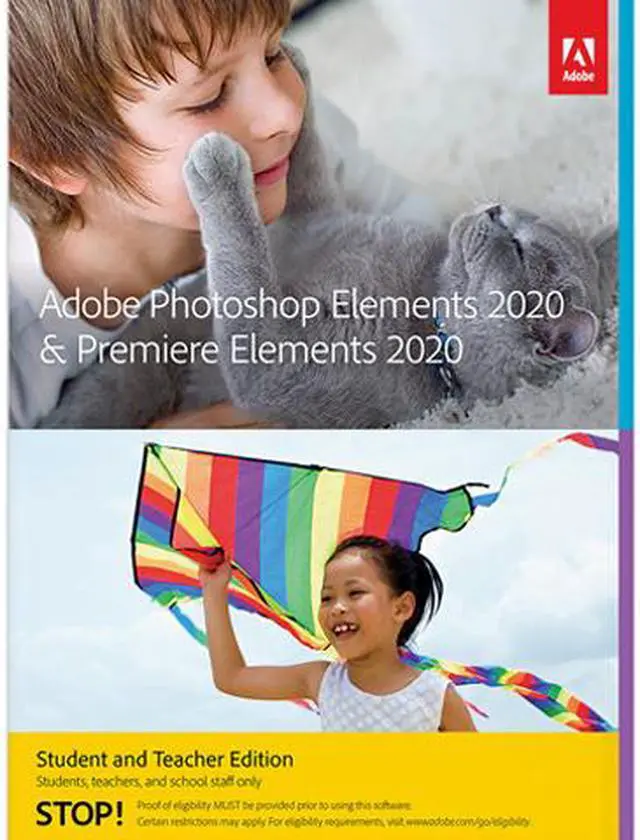


Adobe Photoshop Elements 2020 & Adobe Premiere Elements 2020 Student and Teacher Edition

You take more photos and videos than ever—to capture your moods, relate your experiences, and express your point of view. And since your life is wall-to-wall classes and clubs, studying and socializing, you need a better, faster way to manage and make the most of all those shots and clips sitting in your phone or camera.
Check out Elements. It offers automatic organization and easy editing so you can create amazing photos and movies, fun creations, and forever memories.
- It’s not Quantum Mechanics 101. Step-by-step Guided Edits show you how to do just about anything with your photos and videos. Easily remove unwanted objects or replace backgrounds in your photos, create time-lapse videos or bounce-back effects, and much more.
- Your photos will look amazing—everywhere. Whether you’re taking a quick selfie for social media, a team photo for the yearbook, or a series of shots for a class poster or presentation, Photoshop Elements offers simple editing options to make your photos look great.
- It’s easy to go viral with your videos. Turn your raw footage into videos that get attention with Premiere Elements. Find clips of certain people or subjects fast thanks to auto-tagging. Easily improve grainy videos and automatically trim bad scenes. Make animated GIFs or full-length features with titles, effects, transitions, and music. Then get it out there on YouTube, Vimeo, and more.
NEW Automatically colorize your photos
Change up the colors in your photos or give black-and-whites new life with automatic colorization. POWERED BY ADOBE SENSEI*
NEW One-click subject selection
Automatically select the subject of your photo with a single click. Then easily apply an effect, or cut out your subject and add it to another photo. POWERED BY ADOBE SENSEI
NEW Enjoy new Auto Creations
B&W Selection, Pattern Brush, Painterly, and Depth of Field photo effects are automatically applied to your photos and delivered to you in the home screen, and there’s always room to add your personal touch. POWERED BY ADOBE SENSEI

B&W Selection

Depth of Field

Pattern Brush
NEW Smooth skin automatically
Make people look their best with skin smoothing. POWERED BY ADOBE SENSEI
NEW Order photo prints, gifts, and gear (U.S. only)
It only takes a few clicks to create and order prints, wall art, mugs, phone accessories, dorm room décor, and more with the new FUJIFILM Prints & Gifts service right inside Photoshop Elements. Choose from over 140 options.†
ENHANCED Guided Edits for next-level results
Discover easy ways to make incredible creations and effects that you can customize to look exactly the way you want. Get step-by-step help with 78 Guided Edits, including 5 all-new options:
-
NEW Make unwanted photo objects vanish
Put the focus on your subject by removing power lines, pedestrians, and other distractions.
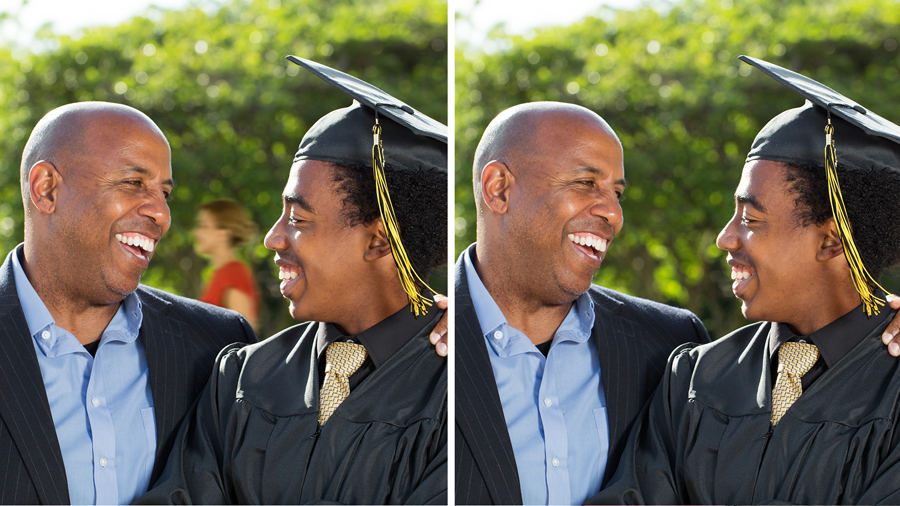
Remove unwanted object
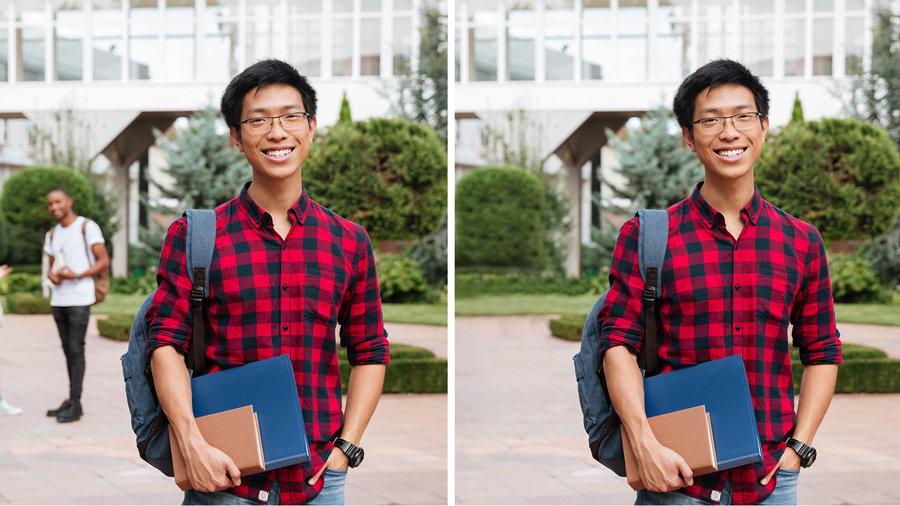
Remove unwanted object
-
NEW Add creative sparkle with photo patterns
Give any photo a little something extra by adding a fun pattern. Brush on hearts, stars, and more to create a photo that looks amazing on printed cards, wall art, or social media.
-
NEW Create dynamic time-lapse videos
Turn a series of photos or videos into a time-lapse that speeds up the action.
-
NEW Animate skies in your photos
Replace static skies with moving ones to create an eye-catching effect.
-
NEW Fill the frame to match your video
Bring a vertical clip or photo into a horizontal video (or vice versa) so it looks seamless. No more black bars—this Guided Edit makes it easy to fill them in to match the look of your video.
NEW Improve grainy videos
Shot your video in low light? Make it look more crisp with a simple drag and drop of the Reduce Noise effect.
NEW Find videos faster with Smart Tags
Just like your photos, your videos are auto-tagged based on subjects like sunsets, birthdays, dogs, cats, and more. POWERED BY ADOBE SENSEI
NEW Find by faces
Just like in your photos, the faces in your videos are automatically recognized during import, and then the videos are stacked by person so it’s easy to tag and find them later. POWERED BY ADOBE SENSEI
Faster performance and expanded HEIF and HEVC support
Experience speedier performance for everyday tasks. Also, import and edit HEIF photo files and HEVC video files on Windows as well as macOS.
* Adobe Sensei is the technology that powers intelligent features across all Adobe products to dramatically improve the design and delivery of digital experiences, using artificial intelligence and machine learning in a common framework.
†FUJIFILM Prints & Gifts service is available in the U.S. only.