


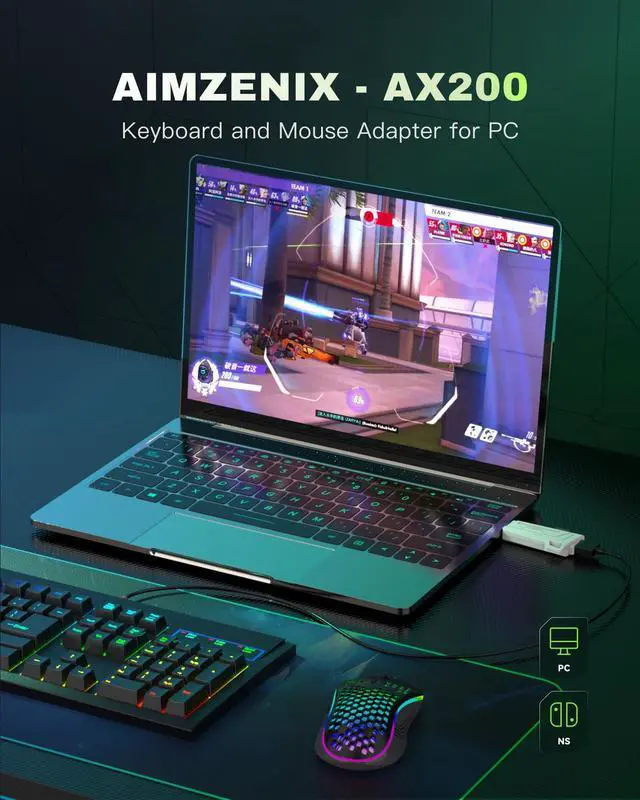


AX200 - Keyboard and Mouse Adapter for PC/NS/NS2

Exclusive Geekvice Control APP

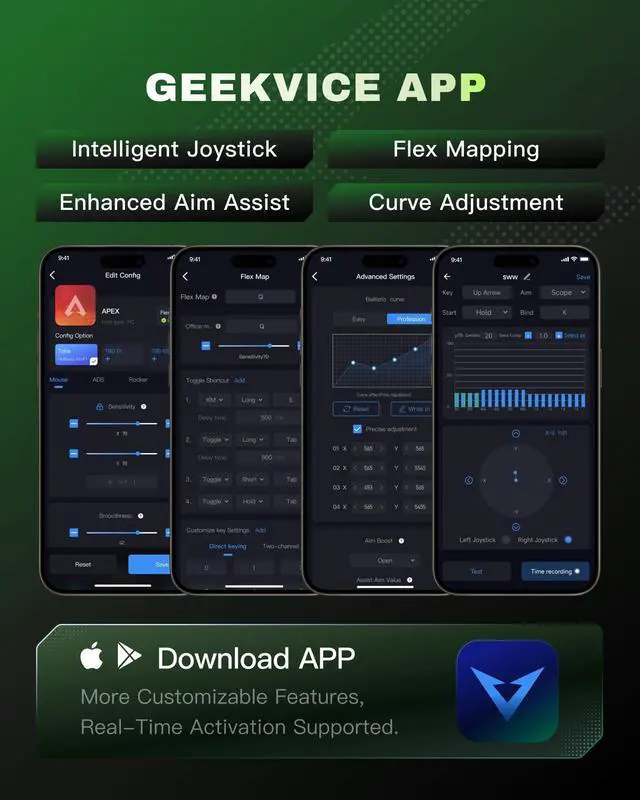
Unlike traditional peripherals, Aimzenix abandons PC-based software drivers, offering enhanced convenience and security. All settings can be managed with a single phone. Note: Please turn on the Bluetooth permission and location permission on your phone to avoid connection failure.

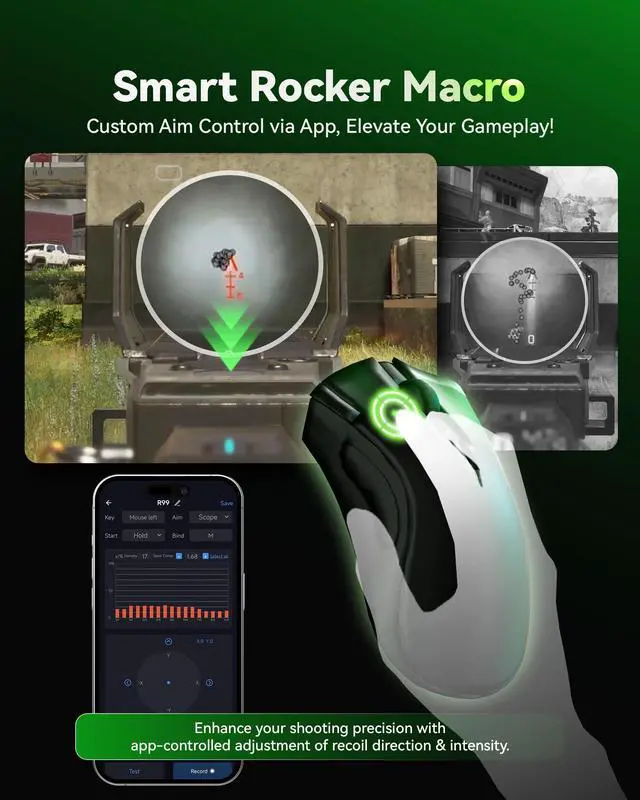
SMART ROCKER MACRO presents a graphical list of recoil macros, making it easy for even beginners to edit their own. You can also import recoil data shared by other players, making it simple and user-friendly.
Tutorial on connecting AX200 to NS2
Merchant VideoDoes the AX200 support usage on the PS5, PS4, and Xbox platforms?
No, the AX200 is primarily recommended for use on PC and Nintendo Switch. Additional controllers are required for connectivity with other game platforms due to port restrictions.
Why does the indicator light continue flashing even after connecting the AX200 to the PC?
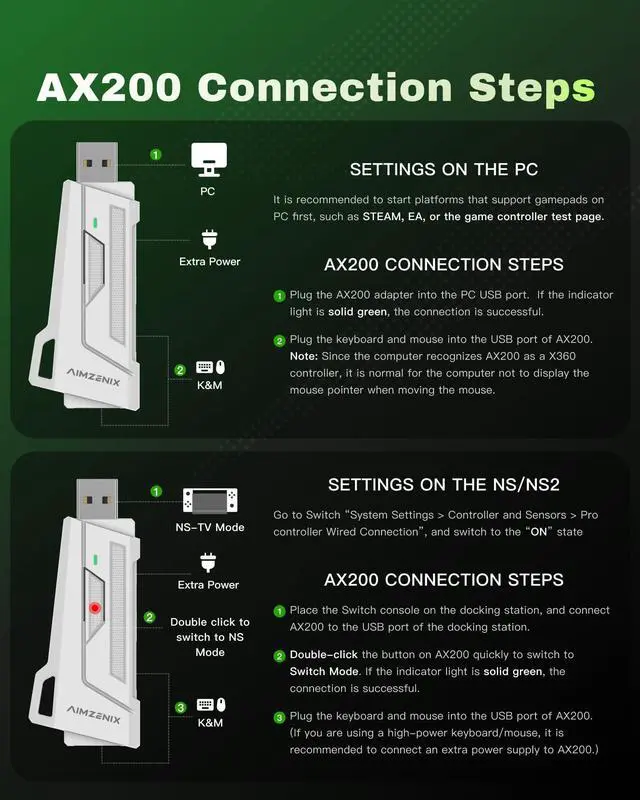
The AX200 is recognized by the computer as an X360 controller. To establish a proper connection, you need to launch a platform that supports X360, such as Steam or EA. Open the respective game platform first and then proceed to connect the AX200.
Why am I unable to connect to the AX200 through the [GEEKVICE] app?
Ensure that the app has been granted necessary permissions to access Bluetooth and location services. On the Bluetooth pairing page, cancel any existing Bluetooth connection with the AX200 and utilize the app to scan and establish a new connection.
Why is there no controller effect after successful connection?
After successful connection, AX200 is in office mode. Please press F10 to switch to controller mode, or connect to GEEKVICE APP and set the switch key through the FLEX MAPPING function.
Why can’t AX200 connect to my Nintendo Switch?
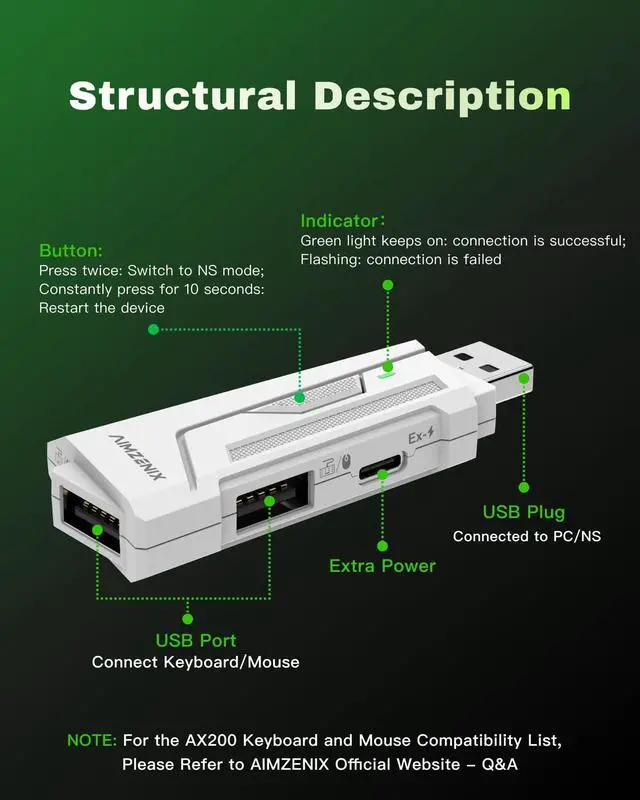
Please make sure you switch the AX200 to NS mode correctly (either by double-clicking the button or switching through the GEEKVICE App). You also need to enable the “Pro Controller Wired Connection” option in the Nintendo Switch settings.
AX200 Specification Table


AlMZENIX is a self-developed brand committed to providing the best gaming experience for users. Our team of passionate gaming enthusiasts and technical experts infuses endless creativity into every AlMZENIX product. We specialize in console game controllers and connectors, designed and tested to deliver exceptional performance and reliability.
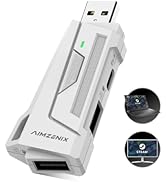
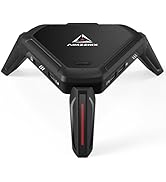
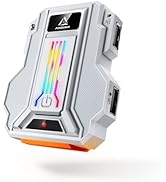
AIMZENIX Gaming Adapters
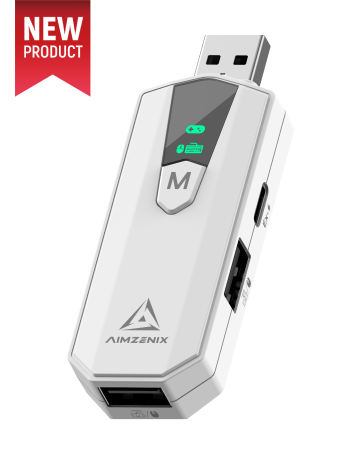
AX200 PRO
- PC dedicated converter upgrade version
- More powerful game features
- One-click switch between game and office mode
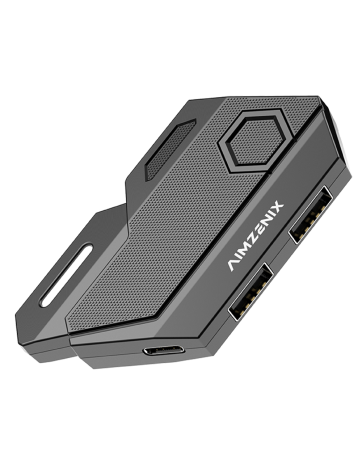
BLADER: Entry-level Converter
BLADER, an entry-level converter, ensures a simple, plug-and-play experience. It's reliable for basic gaming needs.
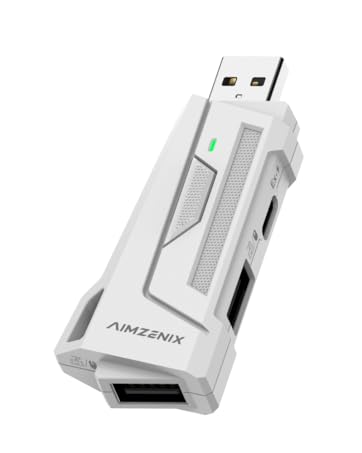
AX200: PC-exclusive Adapter
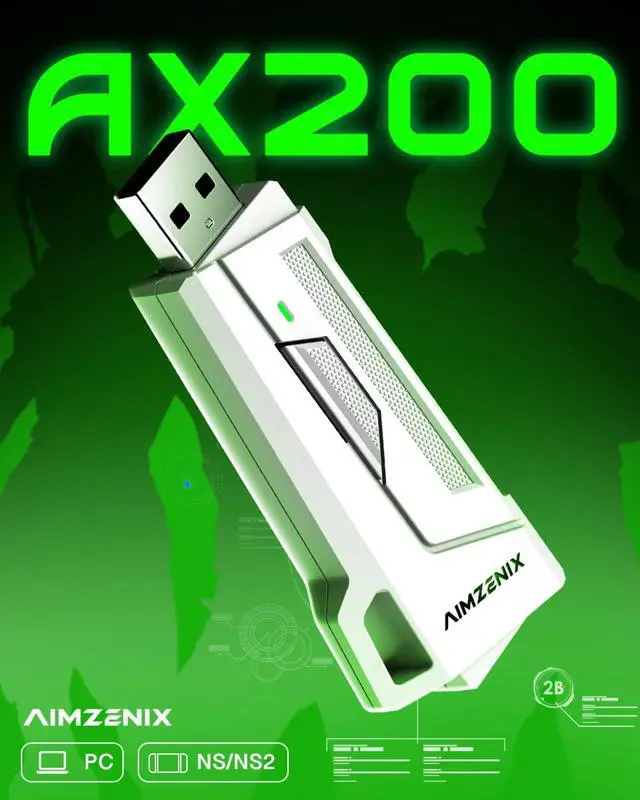
The AX200 is a keyboard and mouse adapter tailored specifically for PC, providing powerful features to enhance your gaming control.
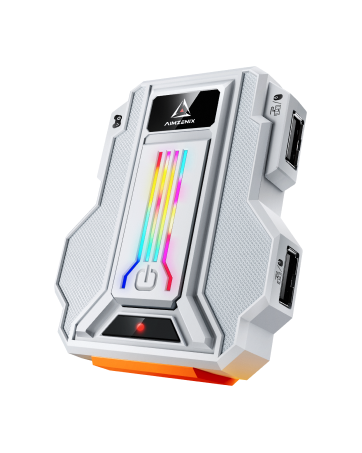
STRIKER PRO: Universal Adapter
Universal gaming adapter, lacks PS5 support but retains core functionalities. Perfect for versatile gaming across platforms.
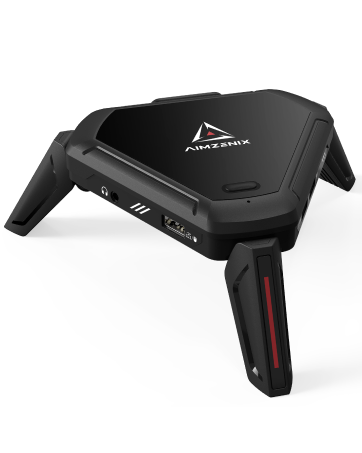
MONSTER: Ultimate Converter
The ultimate gaming adapter, supports PS5 console and provides a dedicated app for seamless customization. Ideal for avid gamers.
AX200 - Keyboard and Mouse Adapter for PC/NS/NS2

Exclusive Geekvice Control APP

Unlike traditional peripherals, Aimzenix abandons PC-based software drivers, offering enhanced convenience and security. All settings can be managed with a single phone. Note: Please turn on the Bluetooth permission and location permission on your phone to avoid connection failure.

SMART ROCKER MACRO presents a graphical list of recoil macros, making it easy for even beginners to edit their own. You can also import recoil data shared by other players, making it simple and user-friendly.
Tutorial on connecting AX200 to PC
Merchant VideoTutorial on connecting AX200 to NS2
Merchant VideoDoes the AX200 support usage on the PS5, PS4, and Xbox platforms?
No, the AX200 is primarily recommended for use on PC and Nintendo Switch. Additional controllers are required for connectivity with other game platforms due to port restrictions.
Why does the indicator light continue flashing even after connecting the AX200 to the PC?
The AX200 is recognized by the computer as an X360 controller. To establish a proper connection, you need to launch a platform that supports X360, such as Steam or EA. Open the respective game platform first and then proceed to connect the AX200.
Why am I unable to connect to the AX200 through the [GEEKVICE] app?
Ensure that the app has been granted necessary permissions to access Bluetooth and location services. On the Bluetooth pairing page, cancel any existing Bluetooth connection with the AX200 and utilize the app to scan and establish a new connection.
Why is there no controller effect after successful connection?
After successful connection, AX200 is in office mode. Please press F10 to switch to controller mode, or connect to GEEKVICE APP and set the switch key through the FLEX MAPPING function.
Why can’t AX200 connect to my Nintendo Switch?
Please make sure you switch the AX200 to NS mode correctly (either by double-clicking the button or switching through the GEEKVICE App). You also need to enable the “Pro Controller Wired Connection” option in the Nintendo Switch settings.
AX200 Specification Table
| Compatible Platforms | PC (Windows 10/11, with Xbox 360 driver installed), Nintendo Switch, Nintendo Switch 2 |
|---|---|
| Keyboard Compatibility | Supports most wired and 2.4G mechanical keyboards. Not compatible with magnetic switch keyboards (Hall effect/optical switch). Bluetooth-only keyboards not supported. |
| Mouse Compatibility | Supports most wired and 2.4G mice. Best performance at 1000Hz polling rate. Not compatible with high-speed polling (4K/8K/16K) unless switched to 1000Hz. Bluetooth-only mice not supported. |
| APP Support | GEEKVICE APP (Android & iOS). Functions: custom key mapping, smart rocker macro, sensitivity adjustment, configuration sharing, firmware upgrades. |
| Firmware Updates | The latest firmware is 2610. Regularly available via APP. Keep updated for best compatibility. |
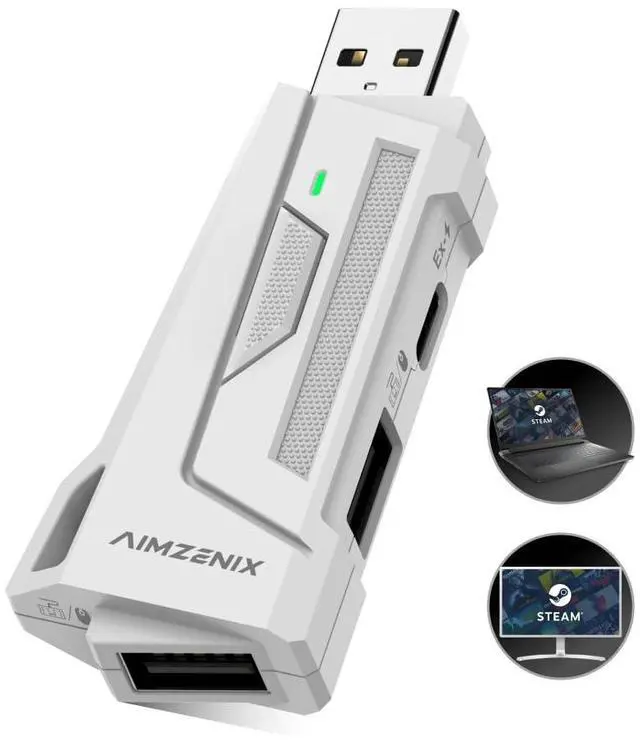
| Host Connection | 1 × USB-A (plug into PC / Nintendo Switch). |
| Power Input | 1 × USB-C (5V/2A, optional, for powering high-performance peripherals). |
| Peripheral Ports | 2 × USB-A (for keyboard and mouse, supports wired or 2.4G dongle). |
| Package Contents | AX200*1, Operation Guide*1 |
AlMZENIX is a self-developed brand committed to providing the best gaming experience for users. Our team of passionate gaming enthusiasts and technical experts infuses endless creativity into every AlMZENIX product. We specialize in console game controllers and connectors, designed and tested to deliver exceptional performance and reliability.
AIMZENIX Gaming Adapters
AX200 PRO
- PC dedicated converter upgrade version
- More powerful game features
- One-click switch between game and office mode
BLADER: Entry-level Converter
BLADER, an entry-level converter, ensures a simple, plug-and-play experience. It's reliable for basic gaming needs.
AX200: PC-exclusive Adapter
The AX200 is a keyboard and mouse adapter tailored specifically for PC, providing powerful features to enhance your gaming control.
STRIKER PRO: Universal Adapter
Universal gaming adapter, lacks PS5 support but retains core functionalities. Perfect for versatile gaming across platforms.
MONSTER: Ultimate Converter
The ultimate gaming adapter, supports PS5 console and provides a dedicated app for seamless customization. Ideal for avid gamers.