





Product Description

Compatibility information:
- MacBook Pro 15-inch (2012-2015 models) needs to be used with a PD85W or above charger. (A1424, A1398 and other 15/17-inch Retina screen series notebooks A1398, MC975, MD506, MC975CH, MC976ZP, MC975, MC976MD506B/A, MD506LL/A, ME665, ME664)
- MacBook Pro 13-inch (2012-2015 models) needs to be used with a PD85W or above power charger. (MD212ZP/A,MD213ZP/A,MD101CH/A, MD102CH/AME864CH/A, ME865CH/A, ME866CH/A, ME662CH/A)
- MacBook Air (2012-2017 models) needs to be used with a PD65W or above power charger.(A1465, A1466, MD761, MD711, MD223CH/A, MD224CH/AMD23CH/A, MD232CH/A, MD711ZP/A, MD712ZP/AMD760ZP/A, MD761ZP/A)
How to determine laptop and charger compatibility.

Confirmation method and steps
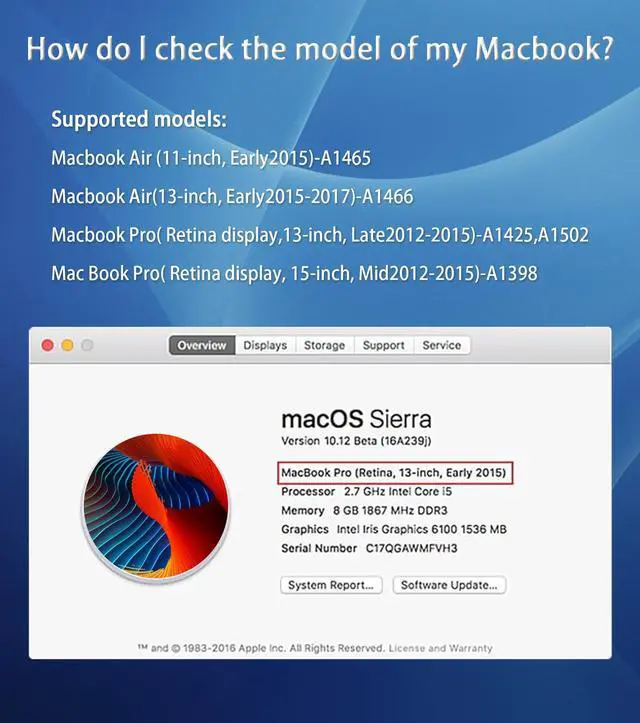
- Step 1: Confirm the compatibility and model of the laptop.
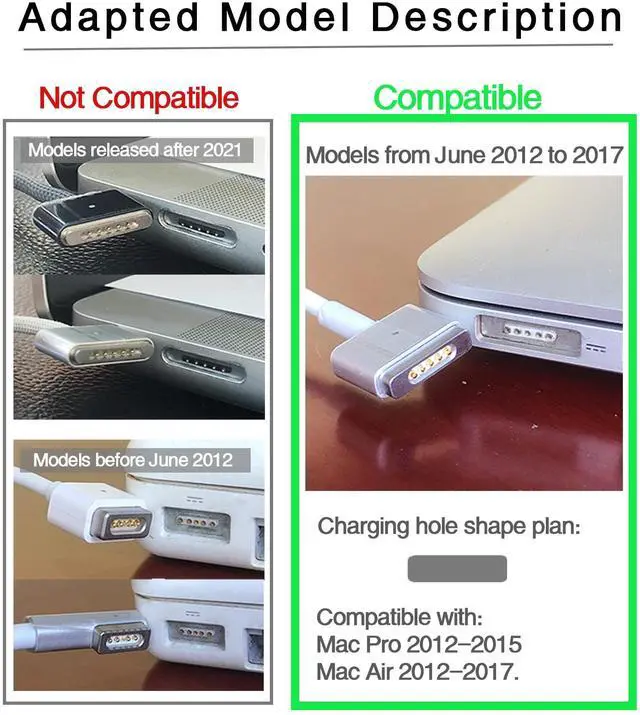
Click the "Apple" logo in the upper left corner of the Mac laptop desktop--"About this Mac"--check the release year and model.
The product is only compatible with MacBook models from June 2012 to 2017.
- Step 2: Confirm whether the charger you are using is compatible.
Check the output parameter information printed on the charger. If it shows (output: 20V 3.2A) or (output:20V 4.25A) itmeets the charging requirements of the laptop.
Detailed display

- The indicator light shows the charging status at a glance.
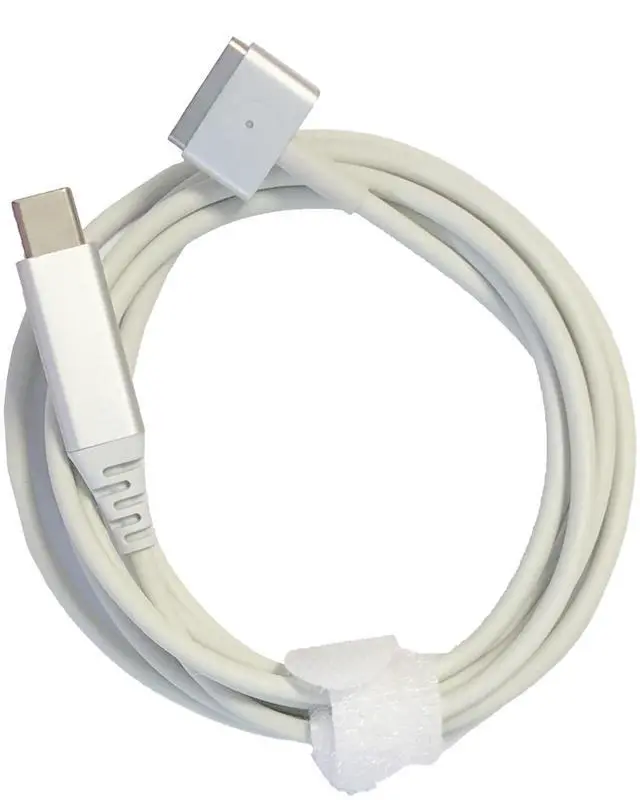
- The aluminum housing is durable and lightweight.
- Magnetic charging is convenient, and the gold needle connection cable is good.

Product specification
- Line length 1.8M
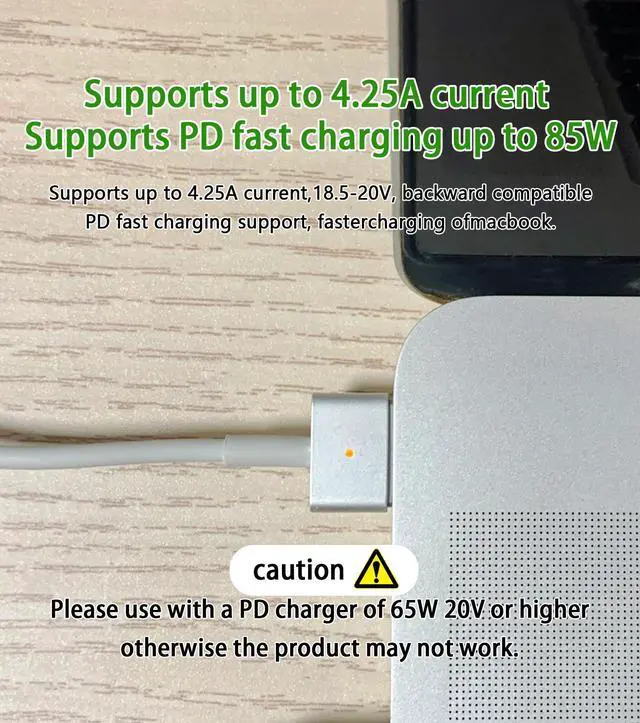
- Output power: 85W MAX
- Output power: 20V MAX
- Output current: 4.25A MAX
(The product only comes with a charging cable and must be used with a charger with a 20V output.)
Use model
- MacBook Air 2012-2017
- MacBook Pro 2012-2015

Key Usage Guidelines
1?Keep the Port Clean
Before Use: Inspect the magnetic port for dust, stains, or oxidation.If Spark Marks Are Present: Gently clean the port with a dry microfiber cloth or alcohol wipe (70% isopropyl alcohol). Do not use abrasive materials.
2?Ensure Proper Connection
Align the magnetic port fully before charging. Avoid angled or loose connections. Do not expose the port to moisture, extreme heat, or direct sunlight.
3?Troubleshooting InterruptionsIf
Charging Stops Suddenly:Unplug the cable immediately.Check port cleanliness and confirm your charger meets the 65W/85W 20V PD protocol requirement.Reconnect after cleaning.
Persistent Issues: Contact support for troubleshooting or replacements.
Charging Issues? Fix It in 3 Steps!

Pro Tip: 90% of issues solved by checking charger specs or cleaning the port!
Charging Problem Fix Guide: 1. Select issue type 2. Follow steps 3. Get solution
Note:
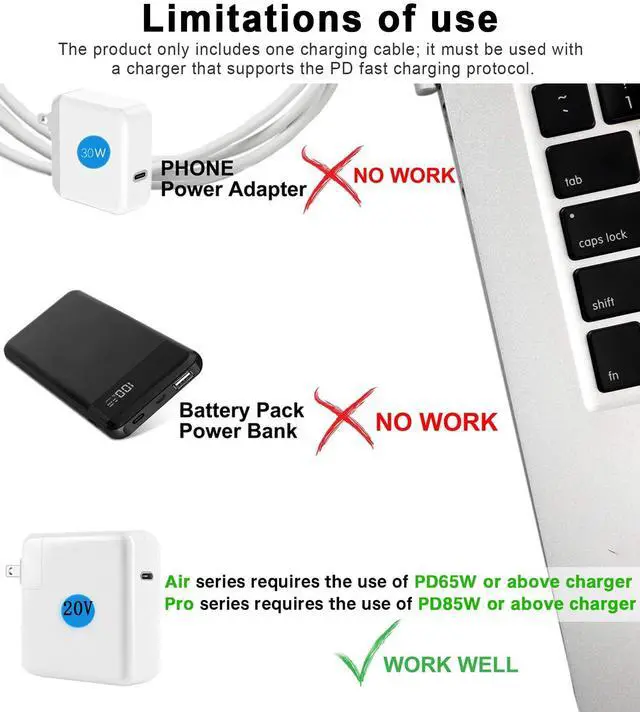
- Mac Air requires a PD 65W 20V or above charger; Mac Pro requires a PD 85W 20V or above charger.
- You cannot use the phone charging head.
- Please note that your notebook model matches.The product is only compatible with MacBook Air Pro from June 2012 to 2017 (2nd generation magnetic charging head model.)
- Smart Safety Design: Automatically pauses charging if debris or oxidation is detected. Clean the magnetic port with alcohol wipes before use.
Product Description
Compatibility information:
- MacBook Pro 15-inch (2012-2015 models) needs to be used with a PD85W or above charger. (A1424, A1398 and other 15/17-inch Retina screen series notebooks A1398, MC975, MD506, MC975CH, MC976ZP, MC975, MC976MD506B/A, MD506LL/A, ME665, ME664)
- MacBook Pro 13-inch (2012-2015 models) needs to be used with a PD85W or above power charger. (MD212ZP/A,MD213ZP/A,MD101CH/A, MD102CH/AME864CH/A, ME865CH/A, ME866CH/A, ME662CH/A)
- MacBook Air (2012-2017 models) needs to be used with a PD65W or above power charger.(A1465, A1466, MD761, MD711, MD223CH/A, MD224CH/AMD23CH/A, MD232CH/A, MD711ZP/A, MD712ZP/AMD760ZP/A, MD761ZP/A)
How to determine laptop and charger compatibility.
Confirmation method and steps
- Step 1: Confirm the compatibility and model of the laptop.
Click the "Apple" logo in the upper left corner of the Mac laptop desktop--"About this Mac"--check the release year and model.
The product is only compatible with MacBook models from June 2012 to 2017.
- Step 2: Confirm whether the charger you are using is compatible.
Check the output parameter information printed on the charger. If it shows (output: 20V 3.2A) or (output:20V 4.25A) itmeets the charging requirements of the laptop.
Detailed display
- The indicator light shows the charging status at a glance.
- The aluminum housing is durable and lightweight.
- Magnetic charging is convenient, and the gold needle connection cable is good.
Product specification
- Line length 1.8M
- Output power: 85W MAX
- Output power: 20V MAX
- Output current: 4.25A MAX
(The product only comes with a charging cable and must be used with a charger with a 20V output.)
Use model
- MacBook Air 2012-2017
- MacBook Pro 2012-2015
Key Usage Guidelines
1?Keep the Port Clean
Before Use: Inspect the magnetic port for dust, stains, or oxidation.If Spark Marks Are Present: Gently clean the port with a dry microfiber cloth or alcohol wipe (70% isopropyl alcohol). Do not use abrasive materials.
2?Ensure Proper Connection
Align the magnetic port fully before charging. Avoid angled or loose connections. Do not expose the port to moisture, extreme heat, or direct sunlight.
3?Troubleshooting InterruptionsIf
Charging Stops Suddenly:Unplug the cable immediately.Check port cleanliness and confirm your charger meets the 65W/85W 20V PD protocol requirement.Reconnect after cleaning.
Persistent Issues: Contact support for troubleshooting or replacements.
Charging Issues? Fix It in 3 Steps!
Pro Tip: 90% of issues solved by checking charger specs or cleaning the port!
Charging Problem Fix Guide: 1. Select issue type 2. Follow steps 3. Get solution
Note:
- Mac Air requires a PD 65W 20V or above charger; Mac Pro requires a PD 85W 20V or above charger.
- You cannot use the phone charging head.
- Please note that your notebook model matches.The product is only compatible with MacBook Air Pro from June 2012 to 2017 (2nd generation magnetic charging head model.)
- Smart Safety Design: Automatically pauses charging if debris or oxidation is detected. Clean the magnetic port with alcohol wipes before use.