



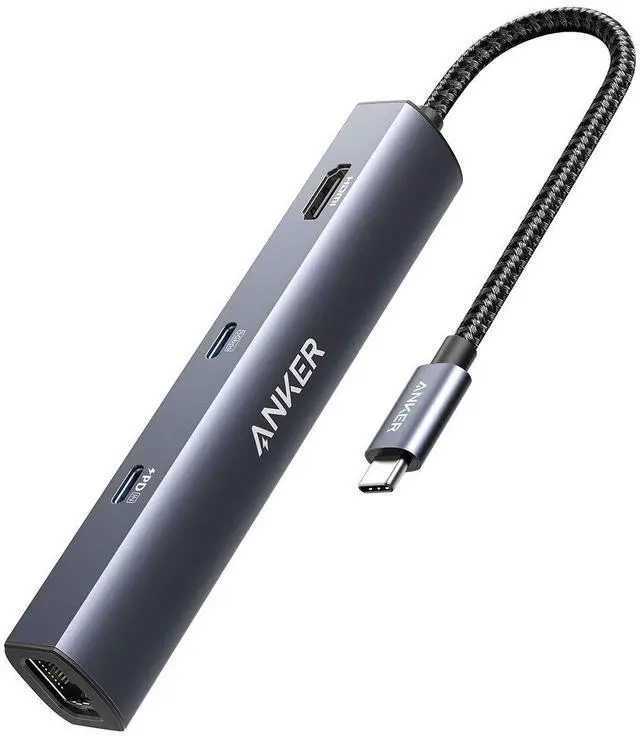



Model Number: A8365 6-in-1 USB-C PD Ethernet Hub
Frequently Asked Questions:
Comparison
 6-in-1 USB-C Hub |  7-in-1 USB-C Hub |  5-in-1 USB-C Hub |  7-in-1 USB-C Hub |  6-in-1 USB-C Hub |  11-in-1 USB-C Hub | |
|---|---|---|---|---|---|---|
Customer Reviews | — | — | — | — | — | — |
Price | — | — | — | — | — | — |
USB-A Data Port | 2 | 2 | 3 | 2 | 2 | 3 |
USB-C Data Port | 1 | 1 | / | 1 | / | 1 |
USB-C PD Input | 53W | 85W | / | 85W | 85W | 85W |
HDMI Port | 4K @ 30Hz | 4K @ 30Hz | 4K @ 30Hz | 4K @ 60Hz | 4K @ 60Hz | 4K @ 60Hz |
Audio | / | / | / | / | 1 | 1 |
SD / TF Slot | / | 2 | / | 2 | 1 | 2 |
Ethernet | 1 | / | 1 | / | / | 1 |
Product Dimension (inches) | 5.2 * 0.9 * 0.72 | 4.61 * 2.1 * 0.57 | 4.41 * 0.91 * 0.67 | 5.17 × 1.46 × 0.47 | 4.25 * 2.17 * 0.55 | 5.39 * 2.24 * 0.55 |








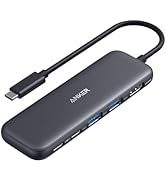
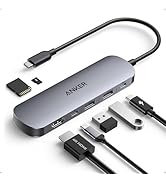
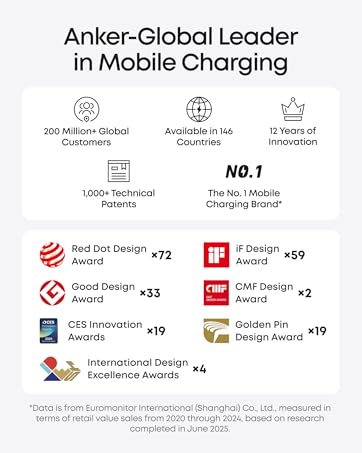


Model Number: A8365 6-in-1 USB-C PD Ethernet Hub
| PowerExpand | Use Minimal Space to Connect More Devices |
|---|---|
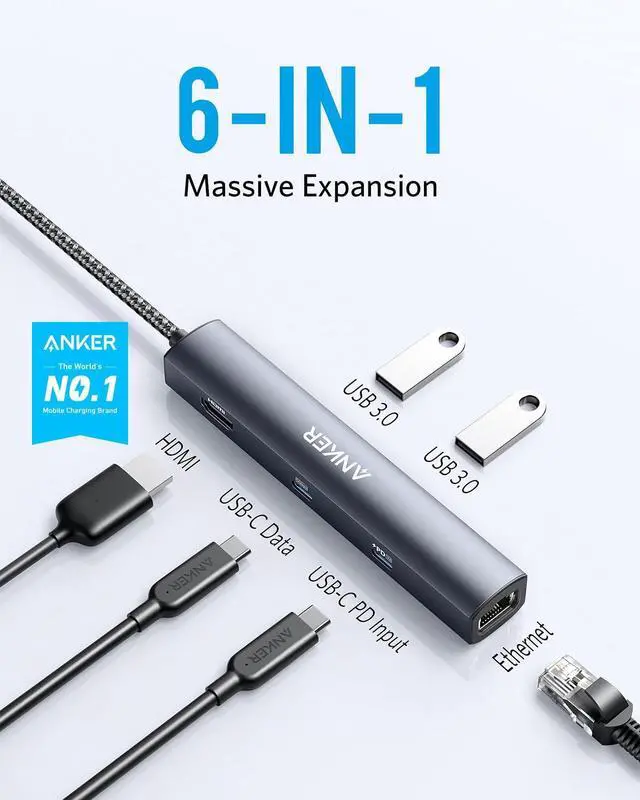
| More Ports More Options | With a total of 6 ports, you can expand the functionality of your laptop’s single USB-C port to include Power Delivery pass-through charging, media display, ethernet connectivity, and data transfer. |
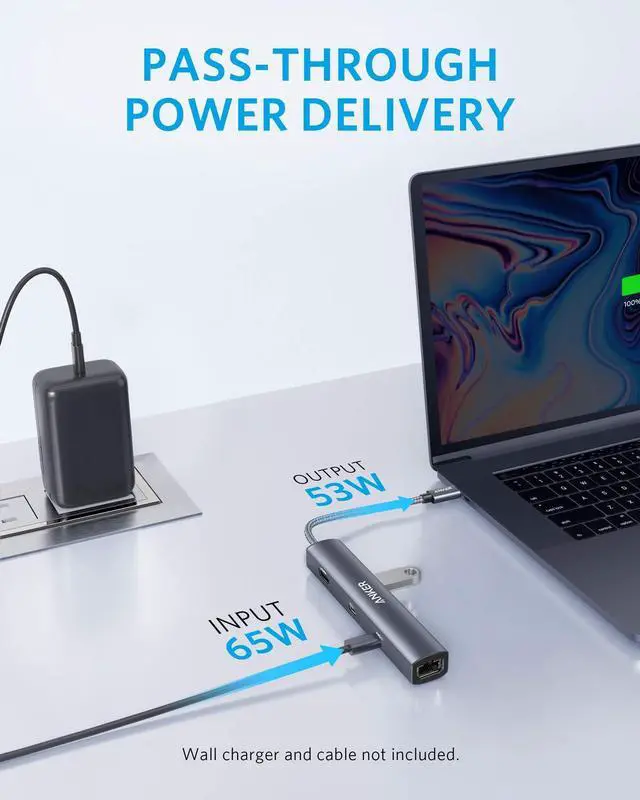
| Supports High-Speed Charging | The USB-C Power Delivery input port supports up to 53W pass-through charging to your connected laptop when used with a 65W charger (not included). This means you can fully refuel a 2020 MacBook Air 13" in just 2 hours. |
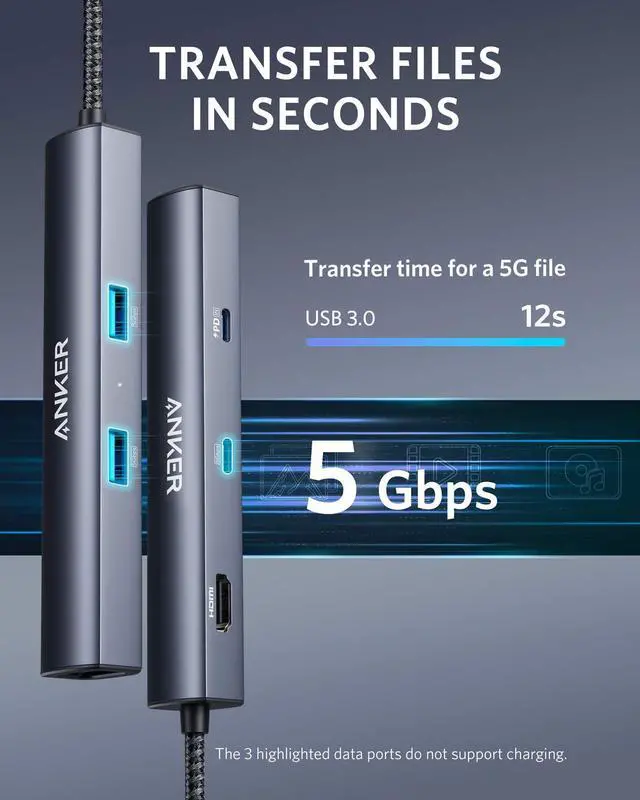
| High-Speed High-Def | USB-C and USB-A data ports provide file transfer at speeds up to 5 Gbps, while an HDMI port supports media display at resolutions up to 4K@30Hz. Note: The Adopted Trademarks HDMI, HDMI High-Definition Multimedia Interface, and the HDMI Logo are trademarks or registered trademarks of HDMI Licensing Administrator, Inc. in the United States and other countries. |
| Fast and Reliable Connection | Connect your Wi-Fi router to the Ethernet port for a more stable online connection at speeds up to 1 Gbps. |
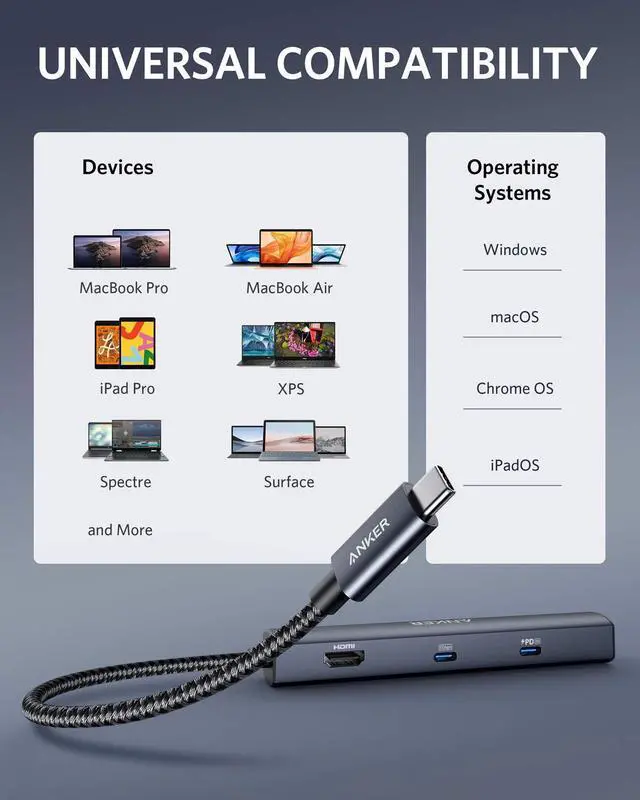
| Compatible Devices: | MacBook / MacBook Pro ( 2021/ 2020 / 2019 / 2018 / 2017) ?MacBook Air (2022/ 2021 / 2020 / 2019 / 2018) ?iPad Pro (2022/ 2021 /2020 / 2019 / 2018) ?XPS (13 inch / 15 inch) ?YOGA 720 ? ThinkPad X1 ?Spectre Folio ? SF314 ?Pixelbook (2019 / 2018 / 2017) |
| Incompatible Devices: | Nintendo Switch ? USB SuperDrive |
| Supported Systems: | Windows 10, 8, 7, Vista, XP, macOS X 10.6 or later, iPadOS, Linux 2.6.14 or later. |
| Notes | The USB-A and USB-C data ports do not support media display or charging. Charger and cable not included. |
Frequently Asked Questions:
| Question 1: | How can I use this hub to get 53W pass-through charging? |
|---|---|
| Answer 1: | Make sure your laptop supports a 65W input and that your charger and cable both support 65W charging. |
| Question 2: | I can't get the Ethernet port to work. What should I do? |
| Answer 2: | 1) Reinstall the Ethernet driver. 2) Try this device with a different computer or different ethernet cable and see if the issue persists. |
| Question 3: | I can't get the HDMI port to work. What should I do? |
| Answer 3: | 1) Confirm if the connected USB-C port of your device supports DP Alt Mode. To do this, please consult your device's user manual, or check the manufacturer's website. 2) Try a different computer and HDMI cable to see if the issue still persists. 3) Plug your HDMI cable directly into your device and see if you get a stable connection. If you can't get a stable connection, then the problem is with your HDMI cable. 4) Verify that your monitor is configured to the correct input (HDMI). |
| Question 4: | What resolution does this device support? |
| Answer 4: | The HDMI port supports a variety of resolutions up to 4K@30Hz and 1080p@60Hz, including 1080p, 1080i, 720p, and 480p. |
| Question 5: | Does this hub work with iPad Pro? |
| Answer 5: | Yes, but you must update to the latest version of the iPadOS. And due to the power input limit of iPad Pro, the maximum pass-through charging speed is 30W for an 11-inch iPad Pro and 35W for a 12.9-inch iPad Pro. |
| Question 6: | Does this hub get hot? |
| Answer 6: | When the hub is fully loaded, it may reach a surface temperature of around 122?. However, this is normal for products of this kind. |
Comparison
6-in-1 USB-C Hub | 7-in-1 USB-C Hub | 5-in-1 USB-C Hub | 7-in-1 USB-C Hub | 6-in-1 USB-C Hub | 11-in-1 USB-C Hub |
|---|---|---|---|---|---|
| Customer Reviews | |||||
| — | — | — | — | — | — |
| Price | |||||
| — | — | — | — | — | — |
| USB-A Data Port | |||||
| 2 | 2 | 3 | 2 | 2 | 3 |
| USB-C Data Port | |||||
| 1 | 1 | / | 1 | / | 1 |
| USB-C PD Input | |||||
| 53W | 85W | / | 85W | 85W | 85W |
| HDMI Port | |||||
| 4K @ 30Hz | 4K @ 30Hz | 4K @ 30Hz | 4K @ 60Hz | 4K @ 60Hz | 4K @ 60Hz |
| Audio | |||||
| / | / | / | / | 1 | 1 |
| SD / TF Slot | |||||
| / | 2 | / | 2 | 1 | 2 |
| Ethernet | |||||
| 1 | / | 1 | / | / | 1 |
| Product Dimension (inches) | |||||
| 5.2 * 0.9 * 0.72 | 4.61 * 2.1 * 0.57 | 4.41 * 0.91 * 0.67 | 5.17 × 1.46 × 0.47 | 4.25 * 2.17 * 0.55 | 5.39 * 2.24 * 0.55 |
Anker Smart Display Charger
Power to Drive Your Prime
Pro Fast Charging in a Nano
Get Powered Up Now
Best Sellers
Highly Rated
