here!
here!
I’m your shopping assistant for PC builds, upgrades, and everything tech.
Got questions? Ask away!
Start a conversation
here!
I’m your shopping assistant for PC builds, upgrades, and everything tech.
Got questions? Ask away!
Start a conversation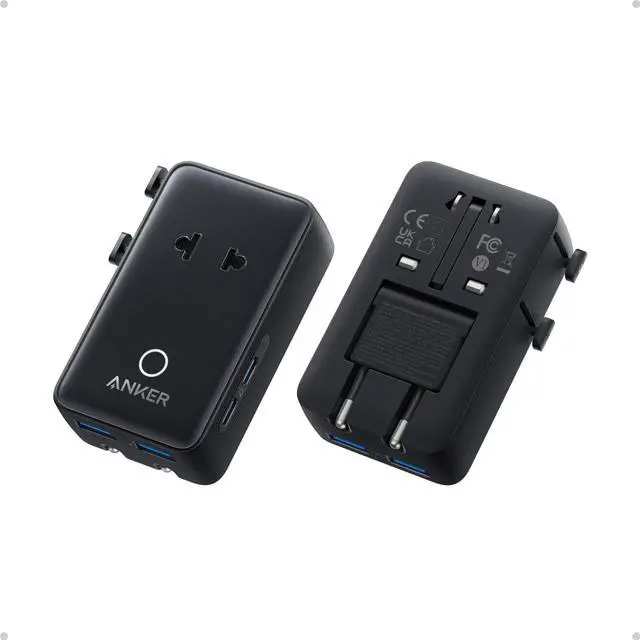




Any questions? Ask CelesteSM will help you find out quickly.


Is this a voltage converter?
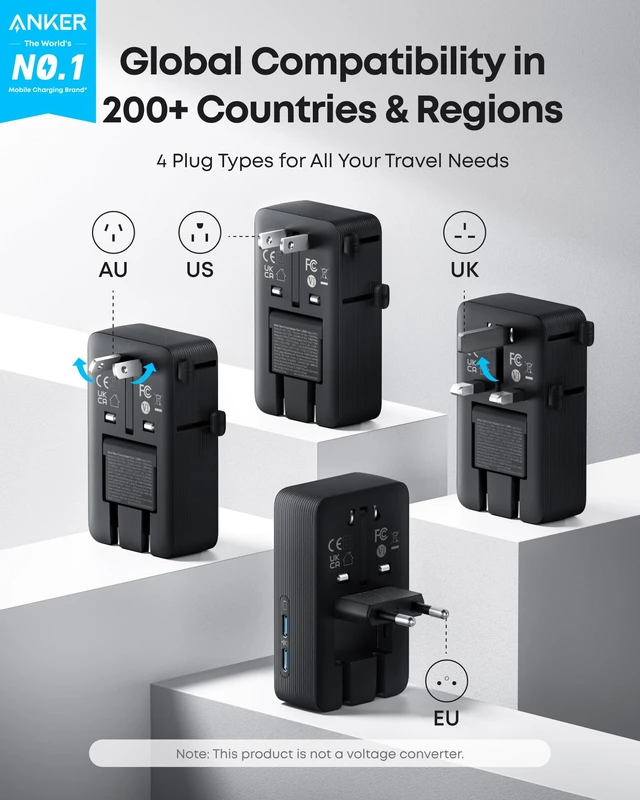
This travel adapter is not a voltage converter. It is compatible with 100 - 240V (50 / 60 Hz) AC-powered devices.
Why is my device charging slowly or intermittently when using the USB ports?
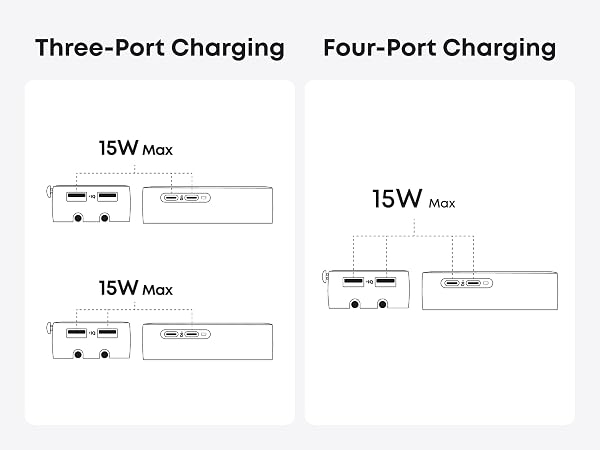
Multiple USB ports share a 15W max output, which may slow charging. USB-A does not support Quick Charge 3.0. Avoid connecting multiple high-power devices, such as laptops, phones, and tablets, at once, as this may cause intermittent charging.
What should I do if my device isn't charging with the USB-A port?
If you are using a USB-A to Lightning or USB-A to MagSafe cable, disconnect and reconnect the cable before charging.
Why does the AC port fail to charge or charge intermittently?
This travel adapter supports a maximum current of 6A. If a device connected to the AC port exceeds this rating, it may not charge or may charge intermittently.
Which types of plugs are supported by the AC port?
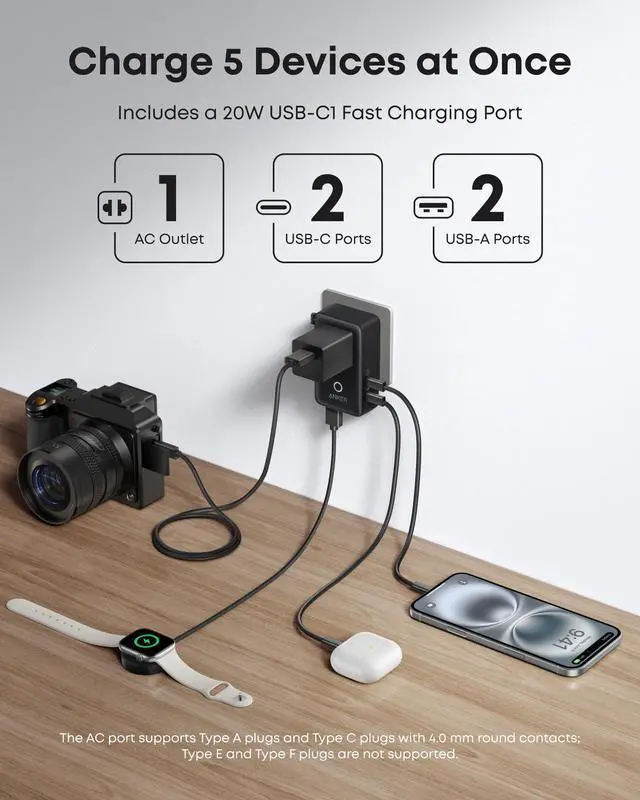
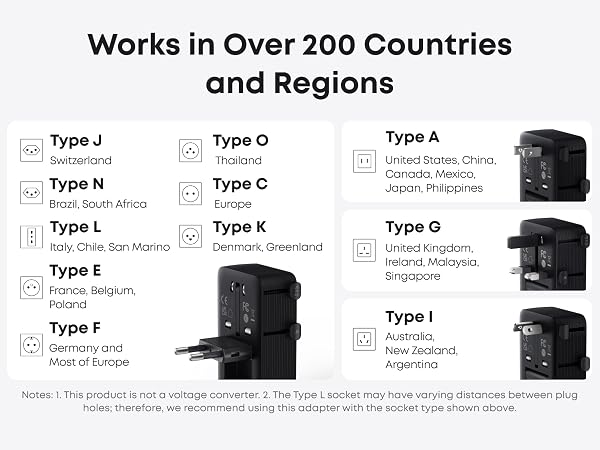
The AC port supports Type A plugs and Type C plugs with 0.16 in (4.0 mm) round pins. Type E and Type F plugs are not supported.






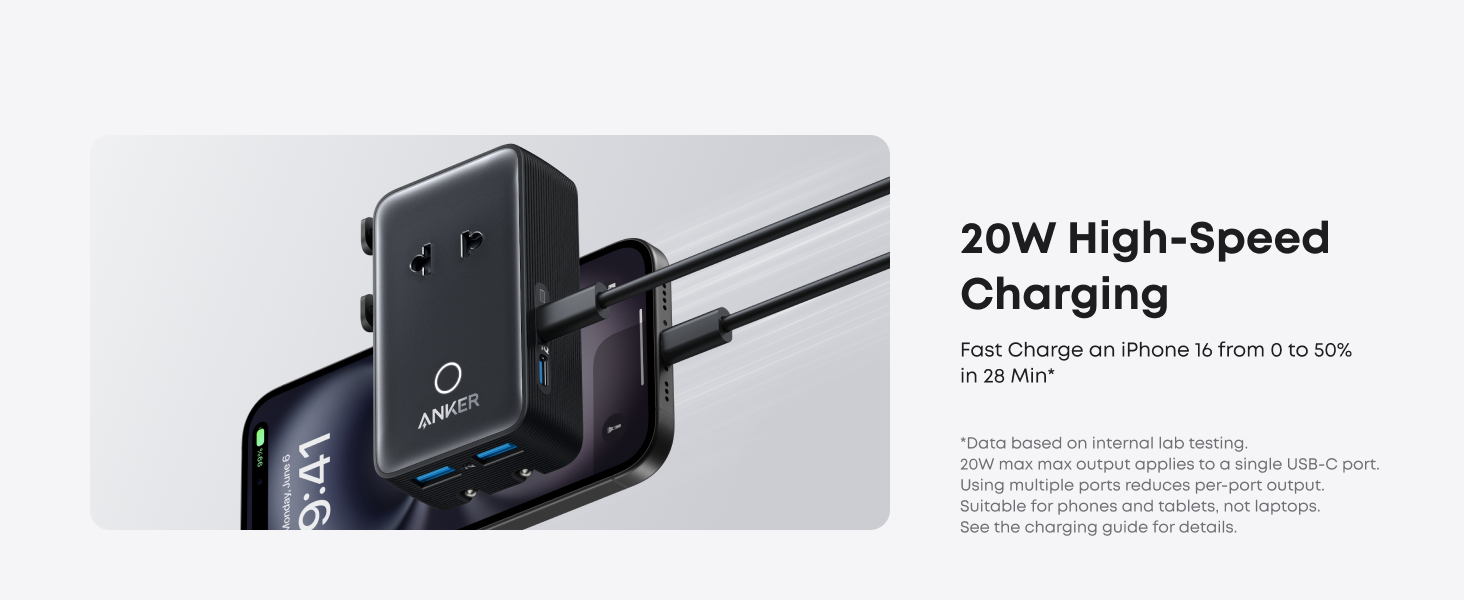
| Total USB Wattage | 20W Max |
|---|---|
| Rating for US | 125V~, 50 / 60Hz, 6A Max, 750W Max |
| Rating for EU | 230V~, 50 / 60Hz, 6A Max, 1,380W Max |
| USB Output: 1-Port | USB-A1 / USB-A2 Output: 5V?2.4A, 12W (12W Max); USB-C1 Output: 5V?3A, 15W / 9V?2.22A, 20W / 12V?1.67A, 20W (20W Max); USB-C2 Output: 5V?3A, 15W (15W Max) |
| USB Output: Multiple Ports | 15W Shared Max |
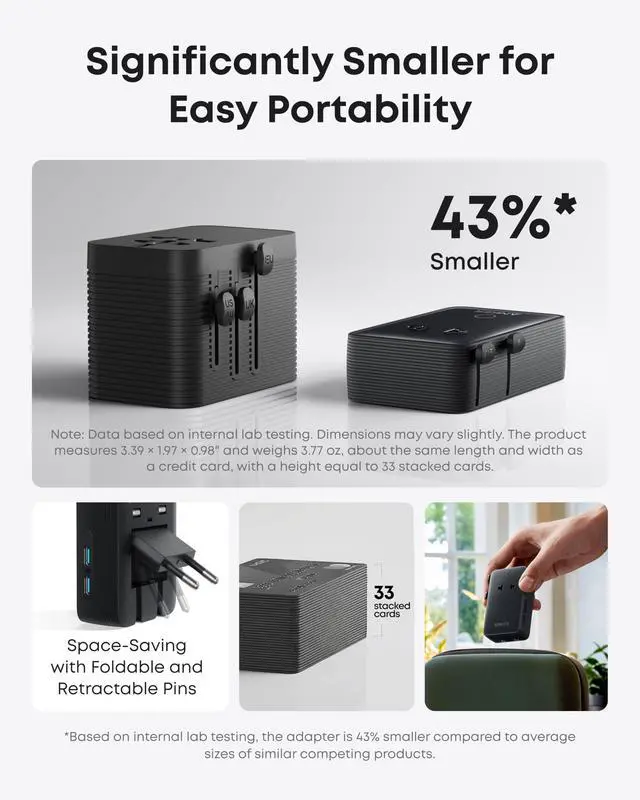
| Dimensions | 3.39 × 1.97 × 0.98 in |
| Weight | 3.77 oz |
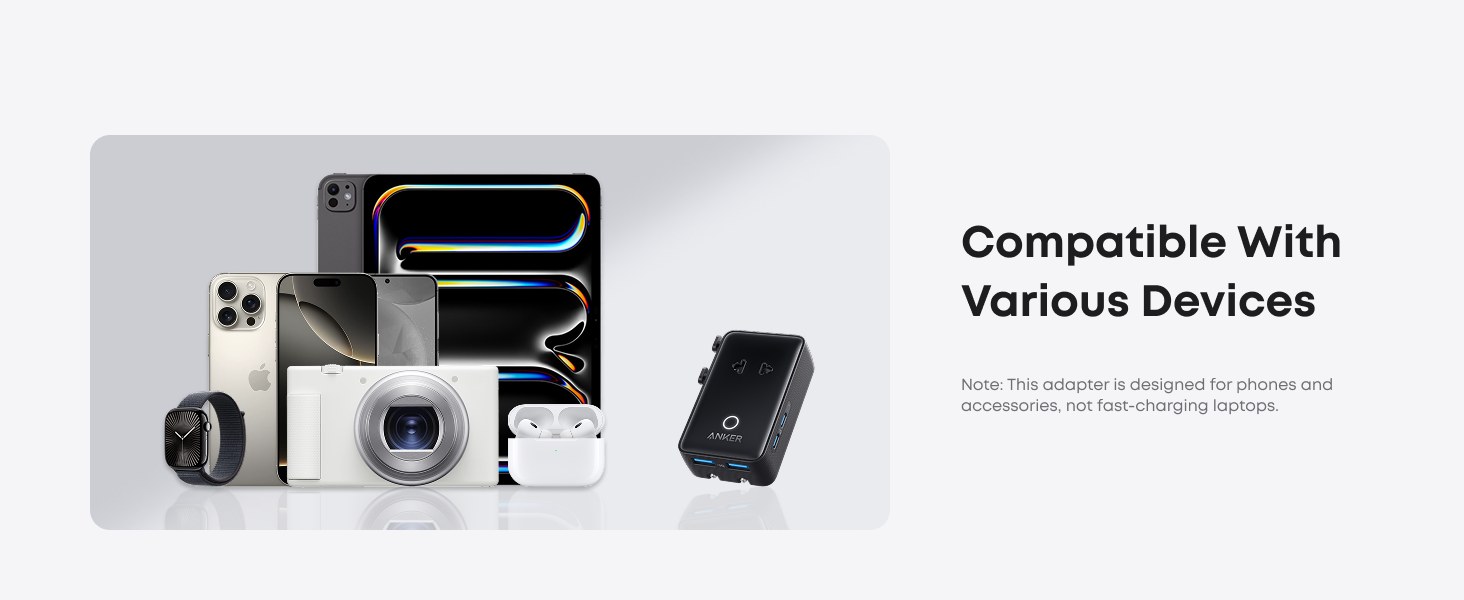
| Note1 | This travel adapter is not a voltage converter. It is compatible with 100-240V, (50/60Hz) AC-powered devices. |
| Note2 | When multiple USB ports are used at the same time, they share a maximum output of 15W, which may result in slower charging. We do not recommend connecting high-power devices such as laptops, phones, or tablets simultaneously, as this may cause intermittent charging. |
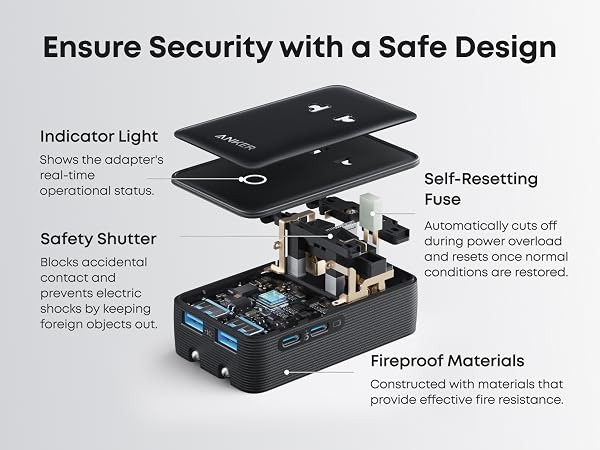
| Note3 | This travel adapter supports a maximum of 6A. If a device connected to the AC port exceeds this rating, it may not charge or charge intermittently. |
| Note4 | When an AC-powered device overloads, remove the device and wait about 10 seconds before using it again. |
| Note5 | The indicator light stays on during normal operation; it turns off if the device is not securely plugged in or if the device connected to the AC port draws more than the rated 6A. |
| Note6 | If you have a USB-A to Lightning or USB-A to MagSafe cable with the USB-A port, please disconnect and then reconnect the cable before charging. |
| Note7 | The USB-A port does not support Quick Charge 3.0. Devices that utilize Quick Charge technology, such as the Galaxy series, will charge at regular speed. |
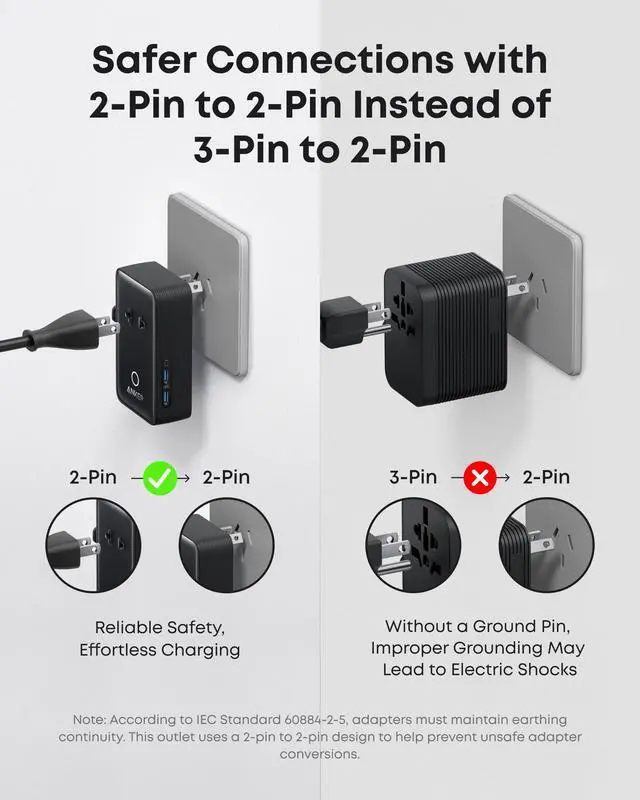
| Note8 | The AC port supports Type A plugs and Type C plugs with 4.0 mm round contacts; Type E and Type F plugs are not supported. |
Is this a voltage converter?
This travel adapter is not a voltage converter. It is compatible with 100 - 240V (50 / 60 Hz) AC-powered devices.
Why is my device charging slowly or intermittently when using the USB ports?
Multiple USB ports share a 15W max output, which may slow charging. USB-A does not support Quick Charge 3.0. Avoid connecting multiple high-power devices, such as laptops, phones, and tablets, at once, as this may cause intermittent charging.
What should I do if my device isn't charging with the USB-A port?
If you are using a USB-A to Lightning or USB-A to MagSafe cable, disconnect and reconnect the cable before charging.
Why does the AC port fail to charge or charge intermittently?
This travel adapter supports a maximum current of 6A. If a device connected to the AC port exceeds this rating, it may not charge or may charge intermittently.
Which types of plugs are supported by the AC port?
The AC port supports Type A plugs and Type C plugs with 0.16 in (4.0 mm) round pins. Type E and Type F plugs are not supported.