6 in 1 USB C Hub, 4K@60Hz USBC to HDMI Adapter with 1000Mbps Ethernet, 100W PD Charging, USB A/USB C Data Ports USB C Splitter for MacBook Neo/Pro/Air, Acer, iPad, iPhone 17/16/15
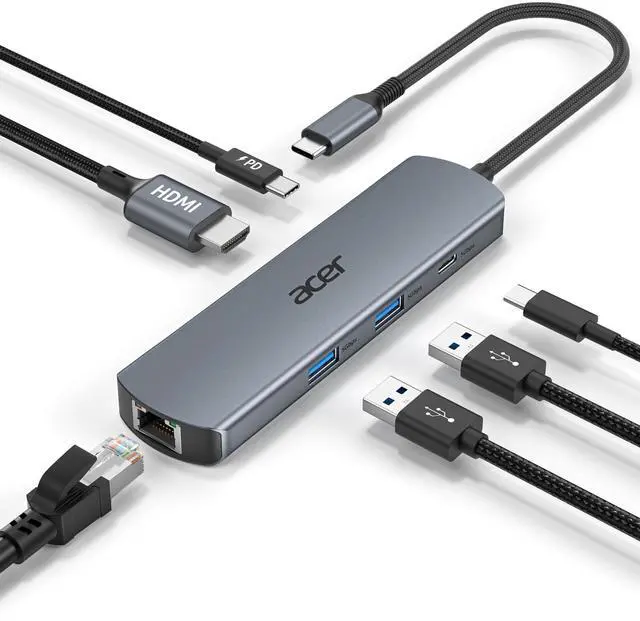
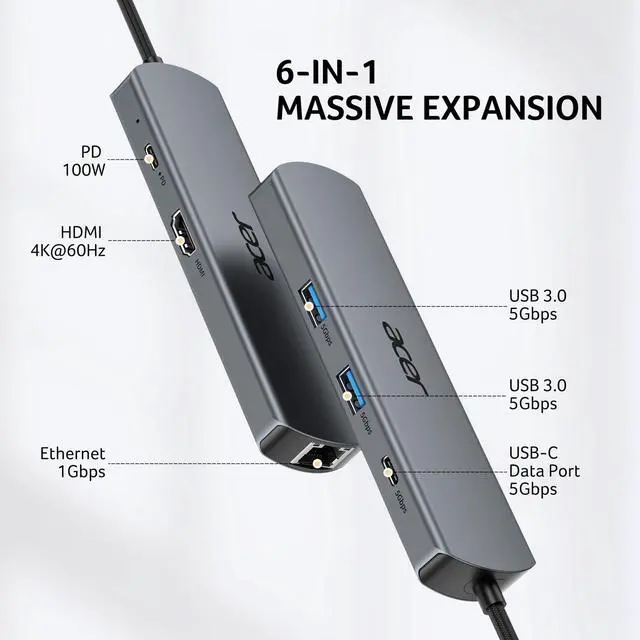
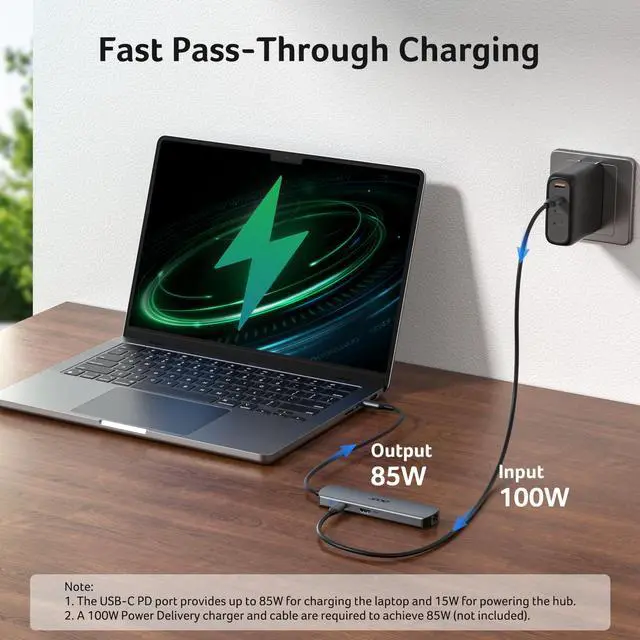
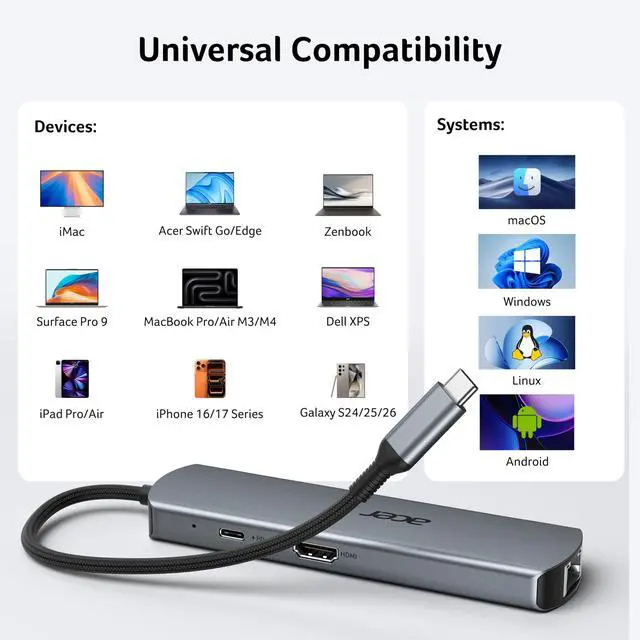
6-in-1 USB C HubExpand one USB-C port into 6 essential portsincluding 4K@60Hz HDMI, Gigabit RJ45 Ethernet (1000Mbps), 100W PD charging, 2× USB-A 3.1 Gen1 (5Gbps), and USB-C 3.1 Gen1 data port (5Gbps). Built for seamless multitasking, this all-in-one USB C to USB adapter lets you charge, transfer data, and connect external displays at the same time.
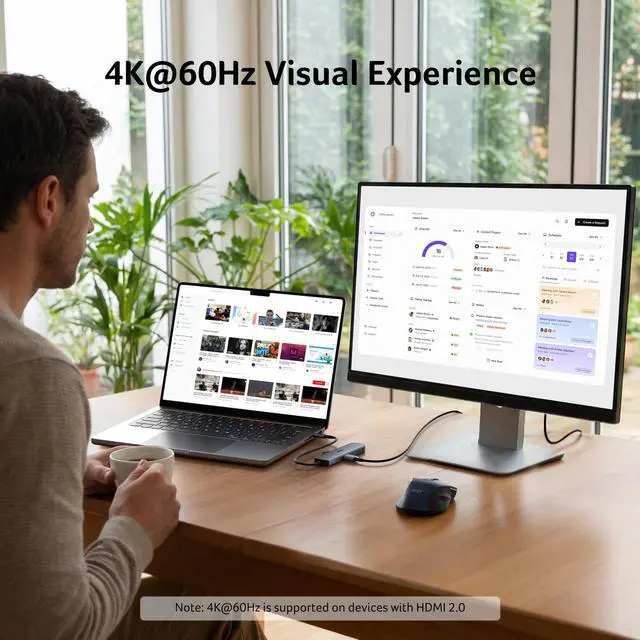
4K Visual FeastMirror or extend your screen in stunning 4K@60Hz with this HDMI to USB C adapter. Stream to an HDTV, monitor, or projector with vivid clarity and stable transmissiongreat for video calls, streaming, presentations, or creative work. Note: To achieve 4K@60Hz, your device must support DP 1.4 Alt Mode and HDMI 2.0 or higher.
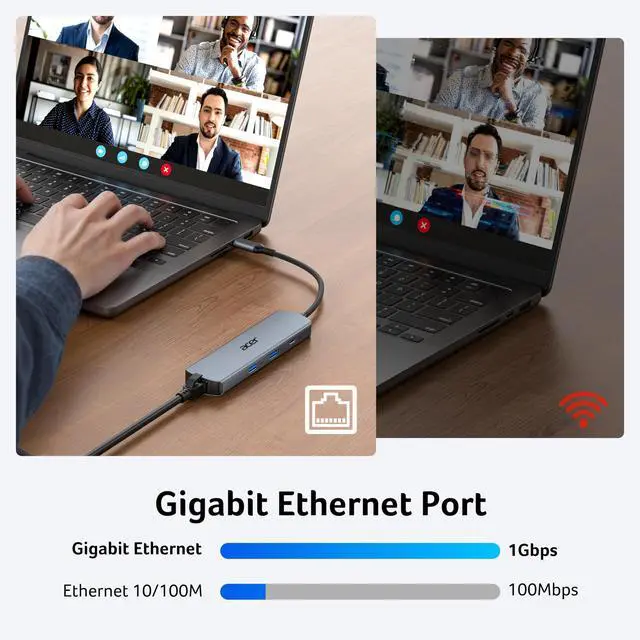
Stable Gigabit EthernetConnect reliably with the USB C hub ethernet adapter and its built-in RJ45 port supporting 10/100/1000Mbps wired connectivity. Enjoy a faster and more reliable wired connection for online meetings, streaming, gaming, and large file transfers. Note: 1000Mbps requires CAT6 (or higher) cable and compatible equipment.
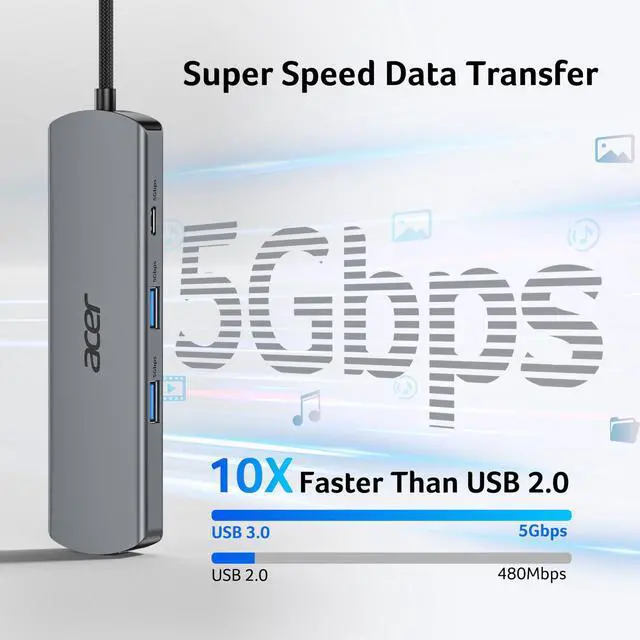
High-speed Data TransferThis USB C splitter with HDMI includes 2× USB-A and 1× USB-C ports with a total bandwidth of 5Gbps, letting you connect keyboards, mice, printers, and flash drives for fast file transfers. All ports work simultaneously, keeping your workflow smooth. Note: Data ports support transfer only and do not support charging.
+
+
Overview
Specs
Reviews
Any questions? Our AI beta will help you find out quickly.
Try me now
6-IN-1 USB-C Hub with Immersive 4K Spectacle, Smooth Online Meetings with Gigabit Ethernet, Fast Data and Reliable Host Power Delivery
1) Ensure your device supports DP 1.4 Alt Mode and HDMI 2.0 or higher. 2) Check your HDMI cable and monitor settings. 3) Connected correctly.
Q2
How can I achieve 1000Mbps with this hub?
A2
Please make sure: 1) Your network service and your device is compatible 1 Gbps. 2) Use CAT6 & up Ethernet cables. 3) The cable is securely plugged into the usb hub.
Q3
Why isn’t my laptop charging at full speed with PD?
A3
1) Ensure your laptop supports USB-C PD. 2) Use a PD-compatible host charger of 100W or higher. 3) Use a compatible cable and connect correctly.
Q4
The external monitor does not automatically reconnect after sleep. What should I do?
A4
This may occur due to system power management after sleep, where the HDMI signal is not automatically restored. To fix it: 1) Reconnect the HDMI cable or hub; 2) Wake the computer before the monitor; 3) Update system and graphics drivers; 4) Use a high-quality HDMI cable. For better stability, we recommend disabling deep sleep or adjusting power settings when using external displays for extended periods.
Q5
Why is my Ethernet connection unstable or disconnecting?
A5
This issue may be caused by multiple factors such as cable quality, network environment, or system settings. To improve stability: 1) Check and replace the Ethernet cable if needed; 2) Try a different router port; 3) Reconnect the hub and ensure a secure connection; 4) Update system and network drivers. Using a high-quality cable and a stable network can also help improve performance.
6-IN-1 USB-C Hub with Immersive 4K Spectacle, Smooth Online Meetings with Gigabit Ethernet, Fast Data and Reliable Host Power Delivery
Q1
Why is my HDMI not working with the hub?
A1
1) Ensure your device supports DP 1.4 Alt Mode and HDMI 2.0 or higher. 2) Check your HDMI cable and monitor settings. 3) Connected correctly.
Q2
How can I achieve 1000Mbps with this hub?
A2
Please make sure: 1) Your network service and your device is compatible 1 Gbps. 2) Use CAT6 & up Ethernet cables. 3) The cable is securely plugged into the usb hub.
Q3
Why isn’t my laptop charging at full speed with PD?
A3
1) Ensure your laptop supports USB-C PD. 2) Use a PD-compatible host charger of 100W or higher. 3) Use a compatible cable and connect correctly.
Q4
The external monitor does not automatically reconnect after sleep. What should I do?
A4
This may occur due to system power management after sleep, where the HDMI signal is not automatically restored. To fix it: 1) Reconnect the HDMI cable or hub; 2) Wake the computer before the monitor; 3) Update system and graphics drivers; 4) Use a high-quality HDMI cable. For better stability, we recommend disabling deep sleep or adjusting power settings when using external displays for extended periods.
Q5
Why is my Ethernet connection unstable or disconnecting?
A5
This issue may be caused by multiple factors such as cable quality, network environment, or system settings. To improve stability: 1) Check and replace the Ethernet cable if needed; 2) Try a different router port; 3) Reconnect the hub and ensure a secure connection; 4) Update system and network drivers. Using a high-quality cable and a stable network can also help improve performance.
6 in 1 USB C Hub, 4K@60Hz USBC to HDMI Adapter with 1000Mbps Ethernet, 100W PD Charging, USB A/USB C Data Ports USB C Splitter for MacBook Neo/Pro/Air, Acer, iPad, iPhone 17/16/15
Learn more about the Generic Brand ODK5D0
Model
Brand
Anker
Series
ODK5D0 acer
Model
ODK5D0
Details
Color
Black
Type
USB
Standards
USB 3.0
Max Devices Supported
127
Video Ports
1 x HDMI
Supported Cards
SD Card / MicroSD Card
LEDs
Power/Activity
Dimensions
14.33in W x 12.83in H x 9.06in D
Additional Information
First Listed on Newegg
April 18, 2026
Customer Reviews of the Generic Brand ODK5D0
There are no reviews yet.
Do you own this product?
Warranty & Returns
Warranty, Returns, And Additional Information
Warranty
Please contact the Seller directly for warranty information. Warranty information may also be found on the Manufacturer's website.