- Free 30-day Returns
Meet Your Seller
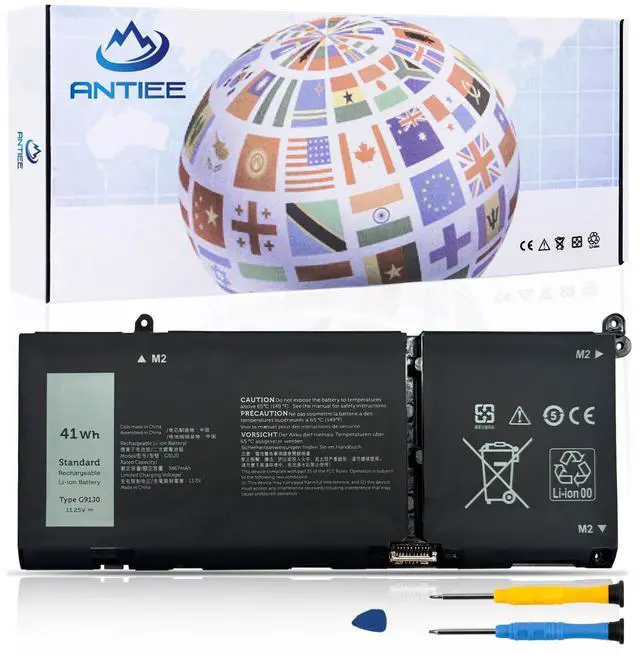
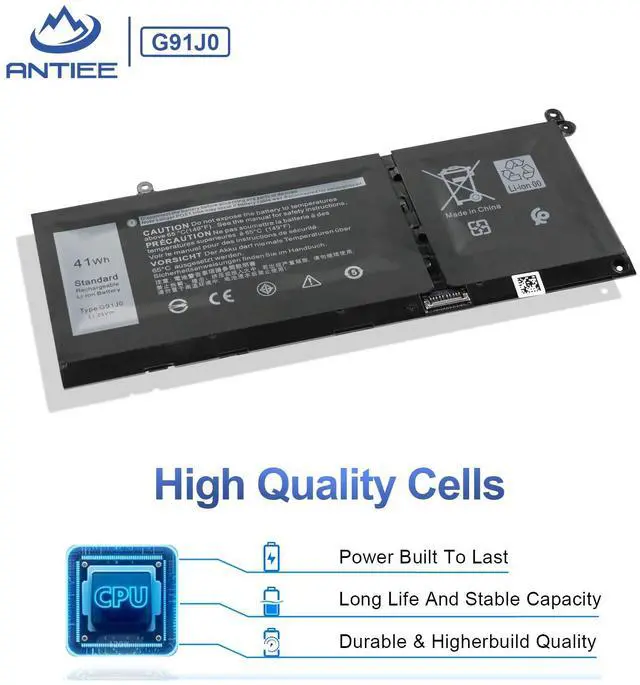
ANTIEE G91J0 41Wh Battery Replacement for Dell Latitude 3520 3420 3320 3330 | Inspiron 15 3000 3510 3511 3515 5310 5410 5418 14 Plus 7420 7415 2-in-1 Vostro 5620 5625 Series V6W33 TN70C 11.25V 3467mAh
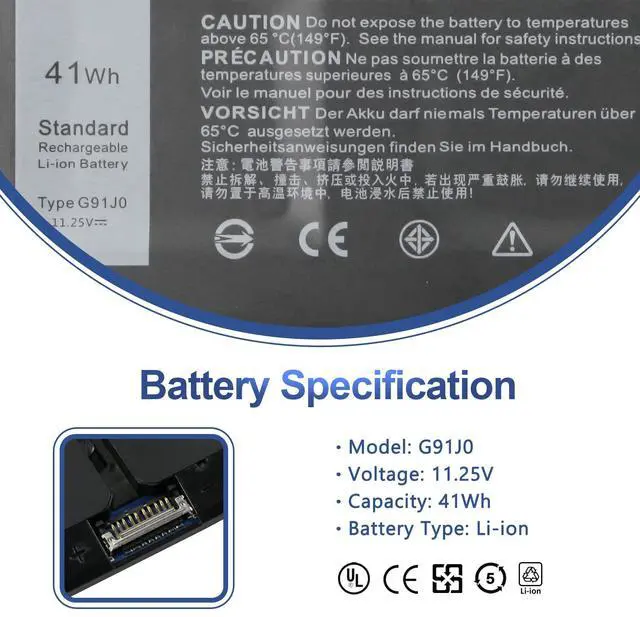
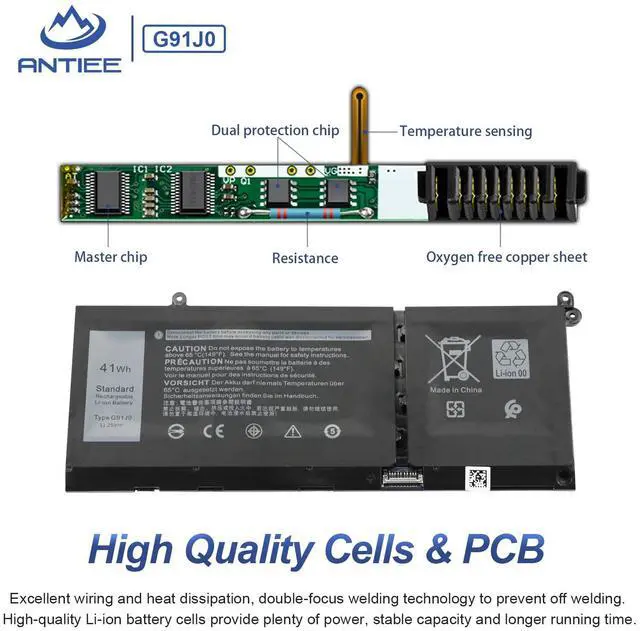
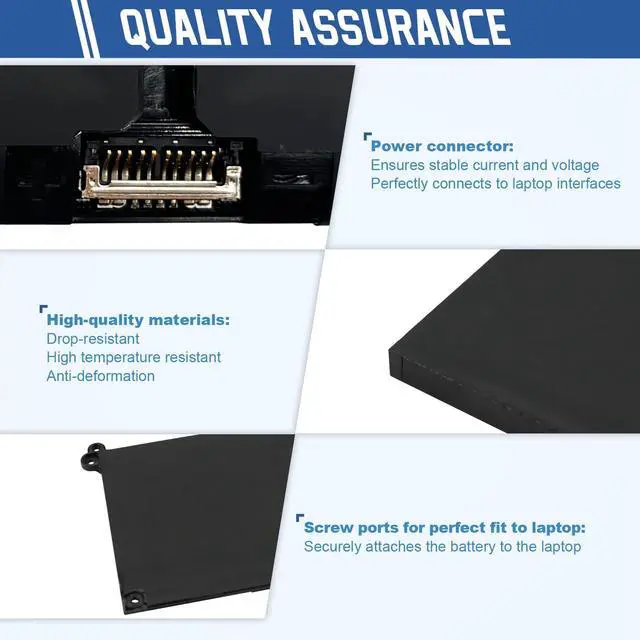
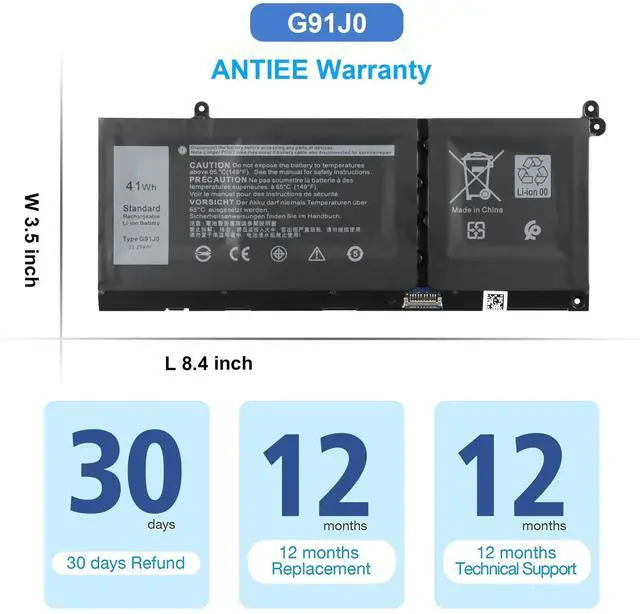
- SpecificationVoltage: 11.25V. Capacity: 41Wh 3467mAh. Battery Type: Li-Polymer. Condition: Brand new, from durable materials, top circuit boards and smart chip
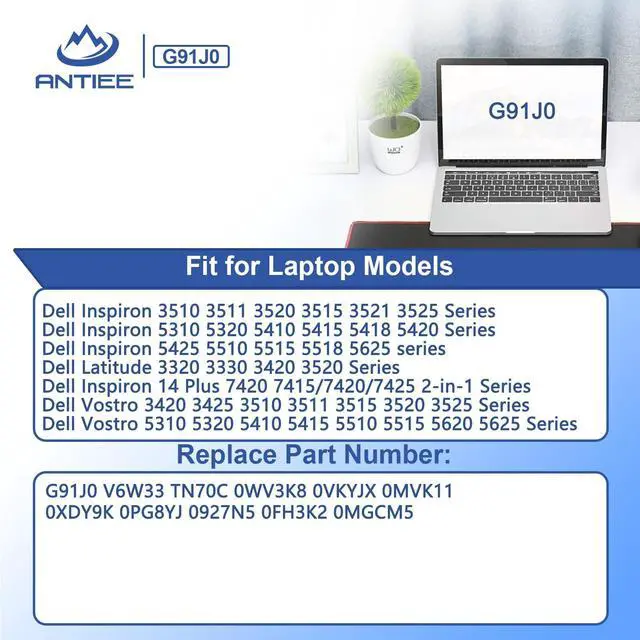
- Replace Part NumberFit for G91J0 FH3K2 0FH3K2 TN70C 0WV3K8 0VKYJX 0MVK11 0XDY9K PG8YJ 0PG8YJ 927N5 0927N5 MGCM5 0MGCM5 JGCCT N9XX1 V6W33
- Compatible Laptop ModelsFit for Dell Inspiron 3510 3511 3520 3515 3521 3525 5310 5320 5410 5415 5418 5420 5425 5510 5515 5518 5625 series; For Dell Latitude 3320 3330 3420 3520 series; For Dell Inspiron 14 Plus 7420 Series; For Dell Inspiron 5410 2-in-1 7415 2-in-1 7420 2-in-1 7425 2-in-1 series; For Dell Vostro 3420 3425 3510 3511 3515 3520 3525 5310 5320 5410 5415 5515 5510 5620 5625 series
- SafetyEach products has undergone rigorous testing to ensure the correct voltage, circuit protection, stable current, low self-discharge and CE / FCC / RoHS Certified for safety. About 500 recharge cycles over the life
- IMPORTANT NOTE If the new battery is not recognized during the initial installation, please reinstall and ensure interface is fully connected. Discharge the new battery to 5% --- 10% (not 0%), then charge and cycle 3-4 times to activate battery for optimal performance. For any product issues, please use Amazon's 'Ask a Question' feature to contact us for assistance
Any questions? Ask CelesteSM will help you find out quickly.
Specifications:
Battery Voltage11.25V
Battery Capacity: 41Wh 3467mAh
Condition: 100% New from Manufacturer
Battery Type:Li-ion
Compatible Part Numbers
G91J0 / TN70C / 927N5 / 0927N5 / 0VKYJX / 0WV3K8 / 0MVK11 / 0XDY9K / 0MGCM5 / PG8YJ / 0PG8YJ / FH3K2 / 0FH3K2 / MGCM5 JGCCT / N9XX.
Compatible With Laptop Models (Use "Ctrl+F to find your model quickly)
- Dell Inspiron 15 3510 3511 3515 3520 3525 3530 3535 Series,
- Dell Inspiron 13 5310 5320 5330 Series,
- Dell Inspiron 14 5410 5415 5418 5420 5425 5430 5435 Series,
- Dell Inspiron 14 Plus 7420 Series,
- Dell Inspiron 15 5510 5515 5518 Series,
- Dell Inspiron 16 5625 5630 5635 Series,
- Dell Inspiron 14 5410 2-in-1 Series,
- Dell Inspiron 14 7415 2-in-1 Series,
- Dell Inspiron 14 7420 2-in-1 Series,
- Dell Inspiron 14 7425 2-in-1 Series,
- Dell Inspiron 14 7430 2-in-1 Series,
- Dell Inspiron 14 7435 2-in-1 Series,
- Dell Inspiron 16 7620 2-in-1 Series,
- Dell Latitude 3320 3330 3420 3520 Series,
- Dell Vostro 15 3510 3511 3515 3520 3525 Series,
- Dell Vostro 13 5310 5320 Series,
- Dell Vostro 14 3420 3425 5410 5415 Series,
- Dell Vostro 15 5510 5515 Series,
- Dell Vostro 5620 5625 Series.
Why the laptop does not recognize the battery
·Could be caused by battery loose. Please re-install the battery and make sure that the battery cable and the motherboard interface are tightly inserted.
·Maybe due to conductive material damaged which the laptop motherboard and battery anode and cathode contact position, you can try to confirm it with your original battery.
·Check whether the battery drive is in normal condition, if not, download the corresponding driver software to update.
·There is a problem with the computer detection software, which usually just restart the computer.
Warranty & Returns
Warranty, Returns, And Additional Information
Warranty
- Please contact the Seller directly for warranty information. Warranty information may also be found on the Manufacturer's website.
- CONTACT
Return Policies
- Return for refund within: 30 days
- Return for replacement within: 30 days
- This item is covered by Temonick shop Return Policy
Manufacturer Contact Info
- For a directory of all our manufacturers, please click below.
- Manufacturers Directory