AV Access Docking Station KVM Switch 1 Laptop & 2 Desktop PCs, Dual 4K@60Hz Monitors, EDID Emulation, 100W USB-C Charging, Gigabit Ethernet,High Refresh Rates,Ideal for Gaming, Office & Creative Work
  •  
  • $219.99 
  • $199.99
  • Free 30-day Returns
  • Ships from China.
    Price alert
    Shop it at NeweggBusiness.

    Meet Your Seller

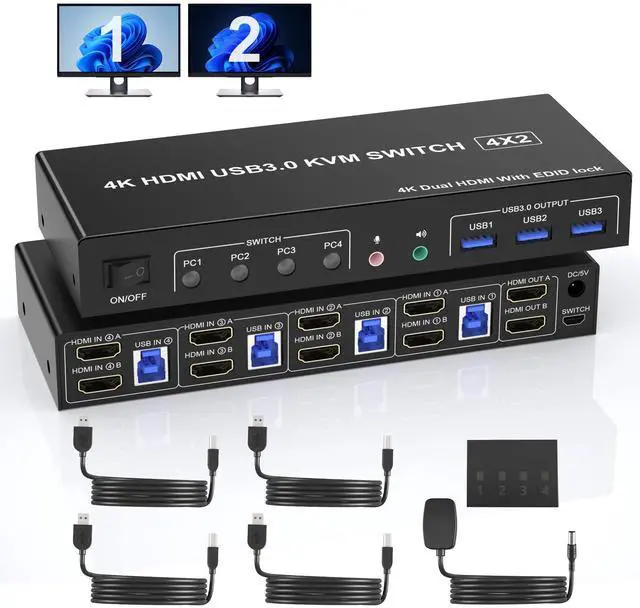
    USB 3.0 HDMI Dual Monitor KVM Switch for 4 PCs, Supports EDID, 4K 60Hz KVM Switch 2 Monitors 4 Computers, with Audio Microphone Output and 3 USB 3.0 Ports, PC Monitor Keyboard Mouse Switcher for 4 PC

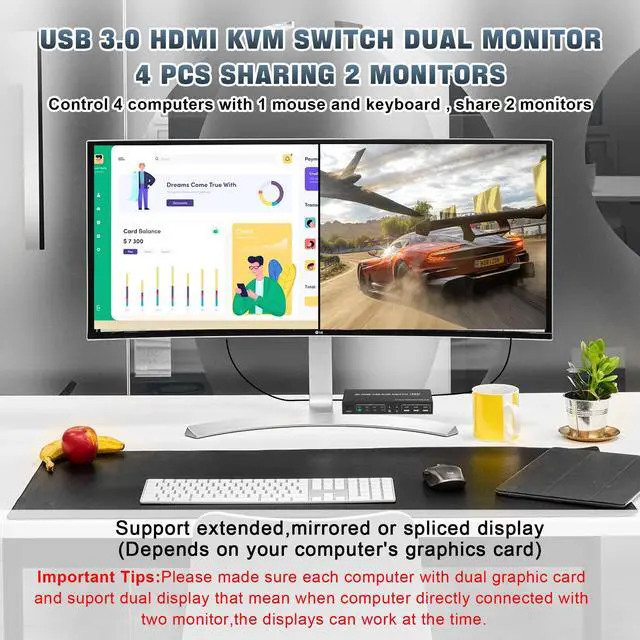
    • 4 Port USB 3.0 HDMI Dual Monitor KVM Switch: This 4 IN 2 OUT HDMI dual monitor KVM Switch allows you to control 4 computers or laptops with one set of keyboard, mouse, and single or dual monitors to make your workspace tidy and efficient, also a premium choice for working from home. Note: This dual monitor KVM supports HDMI dual-screen display (This function requires your PC to support dual display or multi-display, then you can use this KVM to achieve 4 PCs to share 2 monitors. )
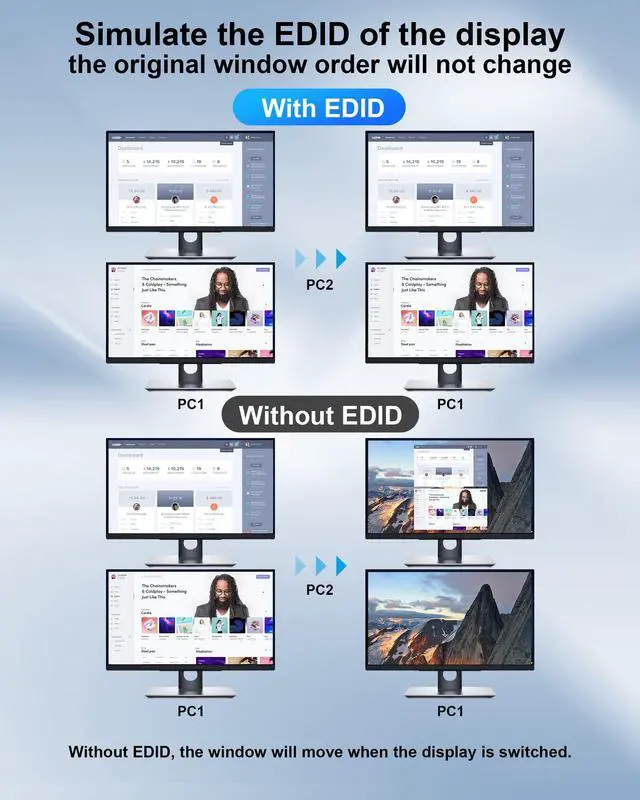
    • With Simulation EDID: This KVM dual monitor switch can simulate the EDID of the display, and store the resolution and refresh rate of the display, it comes with EDID emulators in each input port, keeping PCs always having correct display information. Without EDID, your windows may move around when switching. No longer have to sit and wait for the windows to adjust. Another feature of EDID is the ability to automatically identify the best resolution.
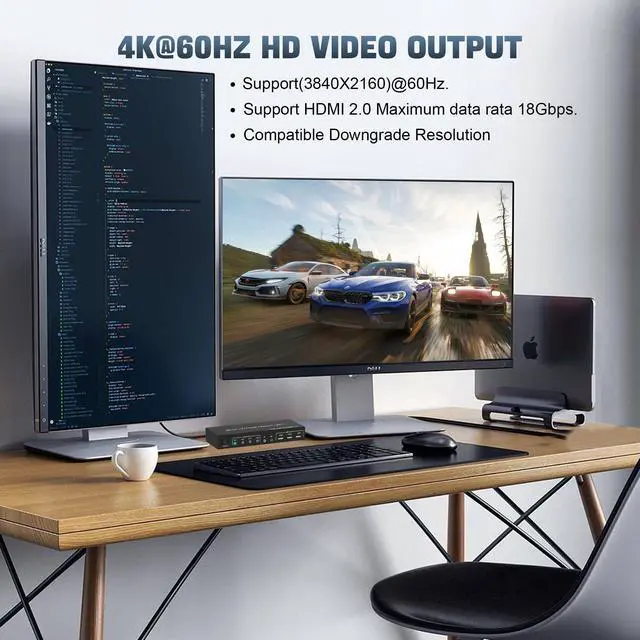
    • USB 3.0 HDMI KVM Switch Dual Monitor 4K 60Hz: Our dual monitor HDMI KVM switch Confirms to HDMI 2.0 protocol, supports a maximum resolution of 4K@60Hz, and is compatible downwards. Also supports separate audio and microphone output. Note: Only when both your computer Graphics card and monitor support 4K@60Hz you can get the 4K@60Hz effect, so if you want the maximum resolution you have to check your devices first.
    +
    +
    Overview
    Specs
    Reviews
    avatar

    Any questions? Our AI beta will help you find out quickly.

    4 Port USB 3.0 Dual Monitor (HDMI+HDMI ) KVM Switch 4K@60Hz

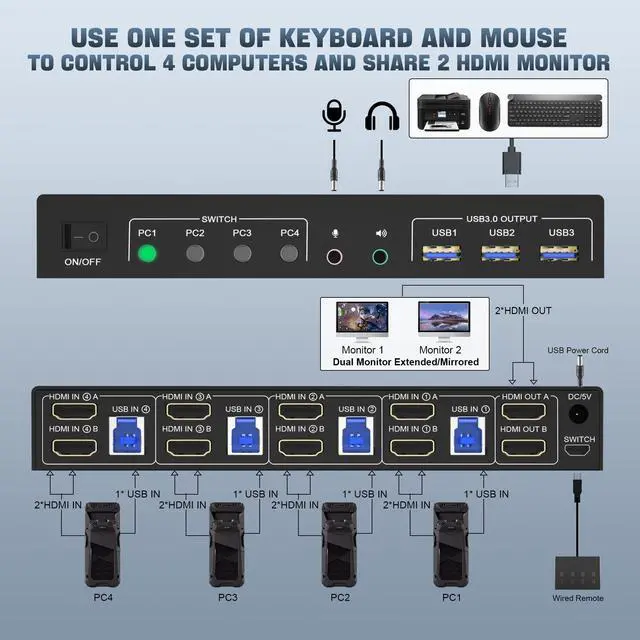
    With this 4 port USB 3.0 dual-monitor HDMI KVM Switch (HDMI+HDMI), you can easily control 4 signal sources at the same time, share the same keyboard and mouse, and share 2 monitors.

    Note: Each input source device must be connected to two dual monitors.

    Product Features

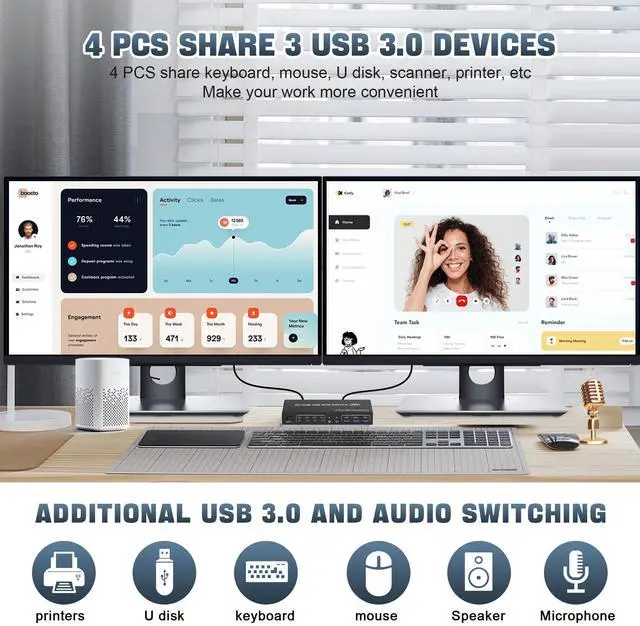
    1. 4 computers share one set of keyboard, mouse, 2 monitors, and more USB 3.0 peripherals.

    2. This dual monitor HDMI KVM switch Supports maximum resolution up to 4K 60Hz YUV 4:4:4, HDCP 1.4, HDR 2.2, with EDID Emulator; Dual monitors output support up to 4K@60Hz for extended, mirrored or spliced displayDepends on your computer's graphics card.;

    3. Compatible with Windows 11/10/7/2000/XP/Vista, Linux, UNIX, Ubuntu, Fedora, and other systems;

    4. 2 Switching modes: Button switch and wired remote.

    5. The ports that need to plug in HDMI/USB cables are all hidden behind the KVM, so the desktop doesn't get cluttered;

    6. No complicated installation is required, and non-professionals can easily operate it.

    7. Independent Audio Microphone output.

    Support EDID Lock Screen

    USB3.0 dual monitor KVM switch can simulate the EDID of the display, when the monitor is switched between 4 computers, the original window order will not change.

    Installation steps:

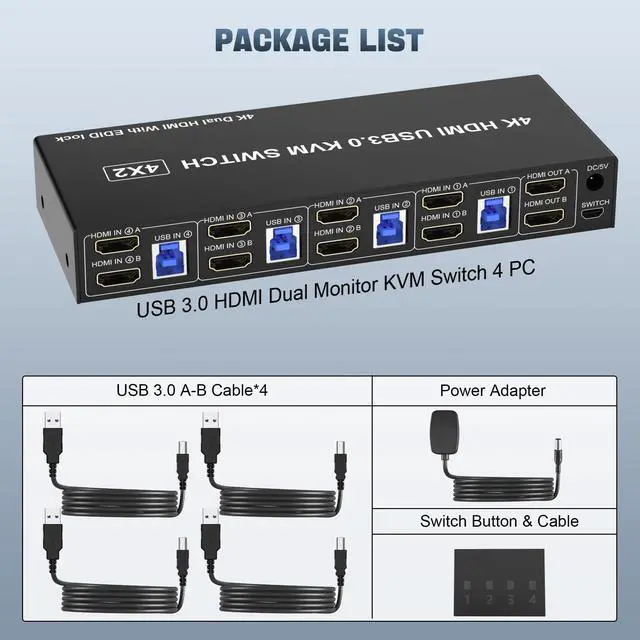
    1. Insert the DC/5V adapter into the KVM ;

    2. Plug the HDMI cable into the KVM and monitor;(Output)

    3. Plug the HDMI cable and USB cable into the KVM and your computer/laptop (HDMI cables are not included)(Input)

    HDM1 IN1 A + HDM1IN1 B + USB IN1=PC1

    HDM1 IN2 A + HDM1IN2 B + USB IN2=PC2

    HDM1 IN3 A + HDM1IN3 B + USB IN2=PC3

    HDM1 IN4 A + HDM1IN4 B + USB IN2=PC4

    Warranty & Returns

    Warranty, Returns, And Additional Information

    Warranty

    • Please contact the Seller directly for warranty information. Warranty information may also be found on the Manufacturer's website.
    • CONTACT

    Return Policies

    Manufacturer Contact Info

    LOADING...