



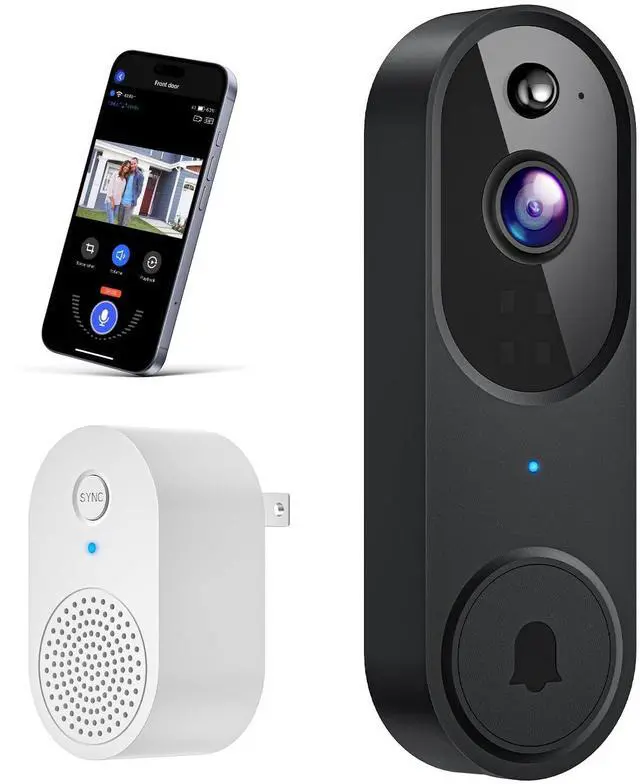
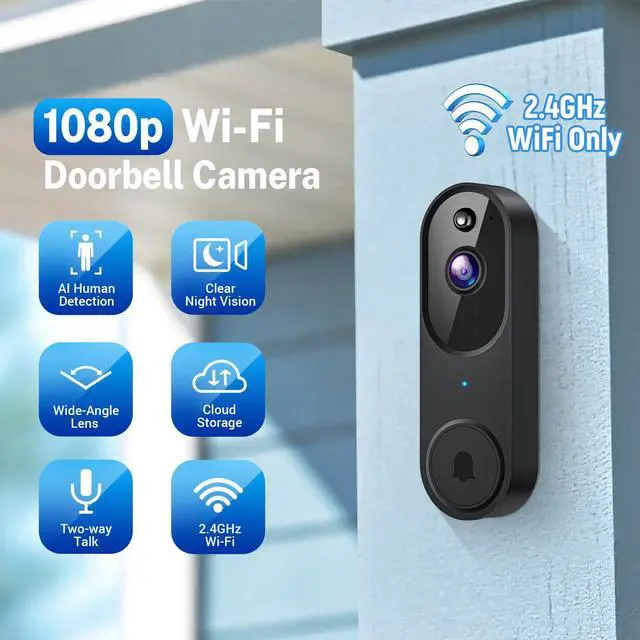



Note: 2.4GHz Wi-Fi Only- Connects to 2.4GHz Wi-Fi for a strong, reliable connection (not compatible with 5GHz).


Note: Cloud storage subscription is not mandatory. With a subscription, you can save and replay recordings, without a subscription.
You can still use features like two-way audio, human detection,and real-time notifications.


Troubleshoot Wi-Fi connection issues
Try the following steps if you're having trouble connecting your camera to Wi-Fi:
- Make sure you’re connecting to a 2.4GHz Wi-Fi network (5GHz is not supported).
- Double-check that your Wi-Fi name (SSID) and password are entered correctly.
- Ensure the camera is within 33 feet (10 meters) of your Wi-Fi router.
- Turn on Bluetooth on your phone during setup (no need to manually pair via Bluetooth).
- If you changed your Wi-Fi password or the camera was disconnected: Press and hold the doorbell button until the camera resets. Re-add the camera to your app account and reconnect it to Wi-Fi.
FAQs
1. How many users can view the camera at the same time?
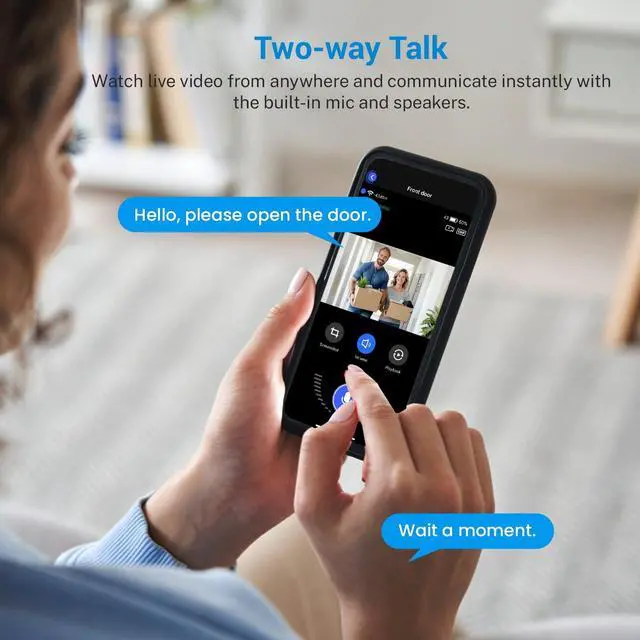
A: The primary (owner) account can share access with up to 8 other users. Up to 3 users can view the live video feed simultaneously, but only one user at a time can use the two-way audio intercom feature.
2. Do I need a subscription to view live video? Can I use an SD card instead of paying for cloud storage?
A: Live viewing is free and does not require a subscription. However, this camera does not support local SD card storage—video recordings are only saved if you subscribe to the cloud storage service.
3. What’s the range for human motion detection?
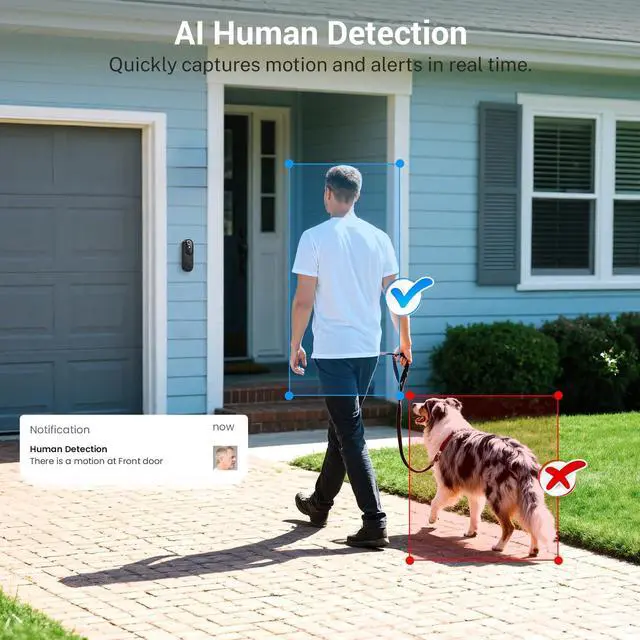
A: The human detection feature typically works within a range of 20 to 25 feet.
4. Does the doorbell camera support 5GHz Wi-Fi?
A: No, this device only supports 2.4GHz Wi-Fi. If your router supports both 2.4GHz and 5GHz bands, make sure they have separate network names (SSIDs) so you can connect to the correct one.
Note: 2.4GHz Wi-Fi Only- Connects to 2.4GHz Wi-Fi for a strong, reliable connection (not compatible with 5GHz).
Note: Cloud storage subscription is not mandatory. With a subscription, you can save and replay recordings, without a subscription.
You can still use features like two-way audio, human detection,and real-time notifications.
Troubleshoot Wi-Fi connection issues
Try the following steps if you're having trouble connecting your camera to Wi-Fi:
- Make sure you’re connecting to a 2.4GHz Wi-Fi network (5GHz is not supported).
- Double-check that your Wi-Fi name (SSID) and password are entered correctly.
- Ensure the camera is within 33 feet (10 meters) of your Wi-Fi router.
- Turn on Bluetooth on your phone during setup (no need to manually pair via Bluetooth).
- If you changed your Wi-Fi password or the camera was disconnected: Press and hold the doorbell button until the camera resets. Re-add the camera to your app account and reconnect it to Wi-Fi.
FAQs
1. How many users can view the camera at the same time?
A: The primary (owner) account can share access with up to 8 other users. Up to 3 users can view the live video feed simultaneously, but only one user at a time can use the two-way audio intercom feature.
2. Do I need a subscription to view live video? Can I use an SD card instead of paying for cloud storage?
A: Live viewing is free and does not require a subscription. However, this camera does not support local SD card storage—video recordings are only saved if you subscribe to the cloud storage service.
3. What’s the range for human motion detection?
A: The human detection feature typically works within a range of 20 to 25 feet.
4. Does the doorbell camera support 5GHz Wi-Fi?
A: No, this device only supports 2.4GHz Wi-Fi. If your router supports both 2.4GHz and 5GHz bands, make sure they have separate network names (SSIDs) so you can connect to the correct one.