




 here!
here!
I’m your shopping assistant for PC builds, upgrades, and everything tech.
Got questions? Ask away!
Start a conversation
here!
I’m your shopping assistant for PC builds, upgrades, and everything tech.
Got questions? Ask away!
Start a conversation





Any questions? Ask CelesteSM will help you find out quickly.

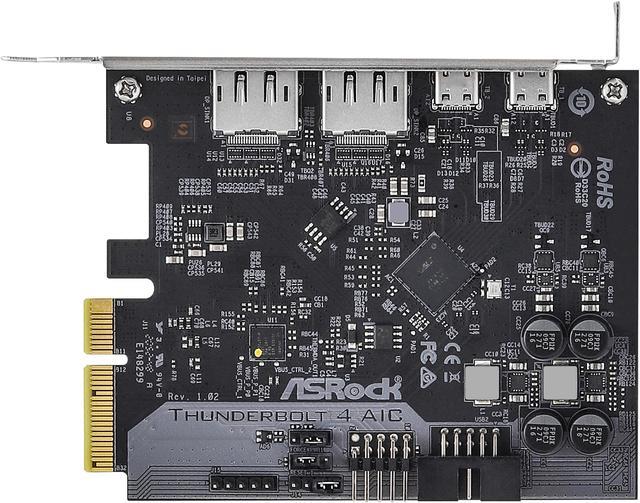
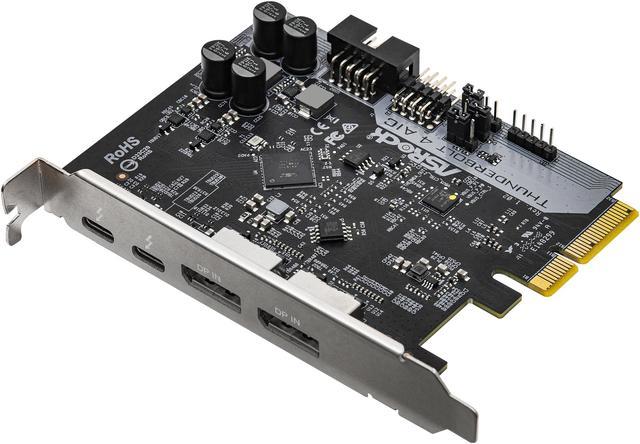
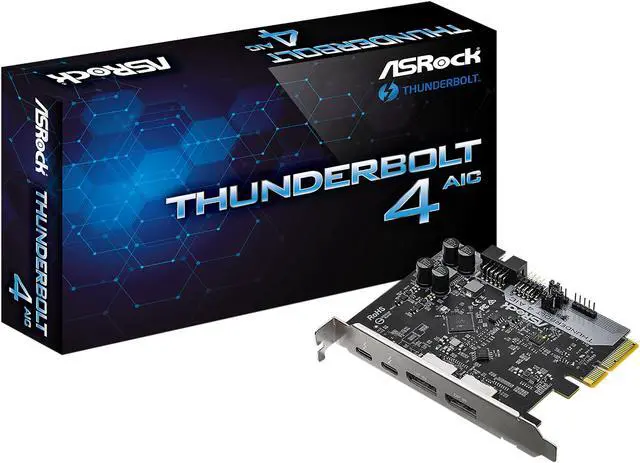
Designed for select ASRock motherboards based on Intel 500 series chipset, this add-on card instantly adds two Thunderbolt 4 ports to your desktop. With lighting-fast data transfer of up to 40 Gbps, support for 5K display, and power delivery of up to 27W, the next-generation connectivity is ready for you today.
* Only Intel 500 series motherboards are supported with Thunderbolt 4 AIC.

Delivers breathtaking 40 Gb/s data transfer speeds!

Single-cable connection for connecting a 5K@60Hz or two 4K@60Hz displays.

Supports USB charging up to 9V@3A (27W).

Support USB 4 protocol with 40 Gb/s throughput, and backwards compatible with USB 3.2 and USB 2.0.

The ASRock THUNDERBOLT 4 AIC is a PCI Express add-on card for adding Thunderbolt 4 connectivity to compatible Windows 10 64-bit desktops. It delivers up to 40Gbps bandwidth, supports one 5K@60Hz display or two 4K@60Hz displays, and suits creators, professionals, and power users needing high-speed data and display connections.
| Attribute | Value |
|---|---|
| Best For | PCI Express systems that need Thunderbolt 4 connectivity for high-speed peripherals and single-cable setups with one 5K or two 4K displays |
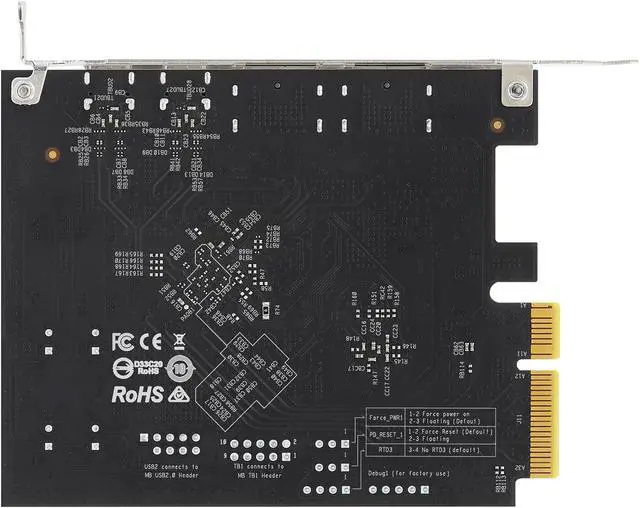
| Thunderbolt And PCIe Connectivity | Adds two Thunderbolt 4 Type-C ports with up to 40 Gbps bandwidth through a PCI Express 3.0 interface, plus a TBT header and USB 2.0 header |
| Display Support | Supports one 5K display at 60Hz or two 4K displays at 60Hz over a single Thunderbolt connection, with two DisplayPort inputs, up to two DisplayPort streams, and DisplayPort monitor daisy-chaining |
| Standards And Operating System | Supports Thunderbolt 4 Type-C, DisplayPort, and USB 2.0 standards on 64-bit Microsoft Windows 10 systems |
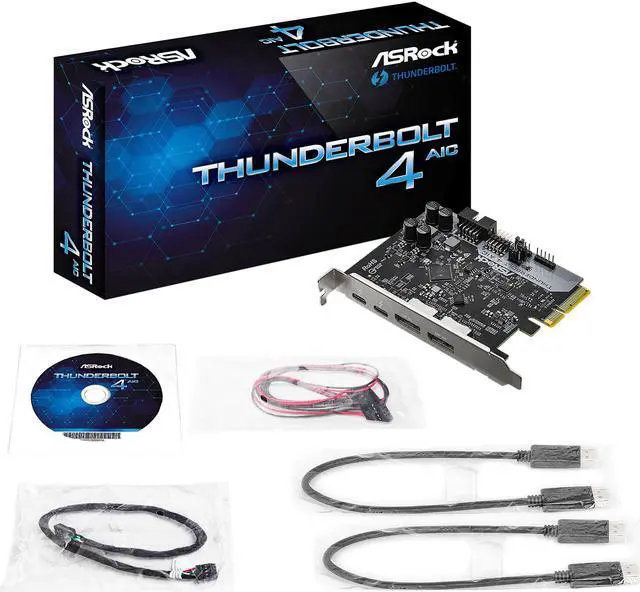
| Physical And Package Details | The add-on card measures 3.30 x 4.10 inches and includes a quick installation guide, support CD, TBT header cable, two DisplayPort cables, and a USB 2.0 cable |
| Model Identifiers | ASRock THUNDERBOLT 4 AIC, model number 90-MCA0N0-00UAYZ |
Q: Should I buy the ASRock Thunderbolt 4 AIC or ASUS ThunderboltEX 4?
A: Choose the ASRock Thunderbolt 4 AIC when you have a supported ASRock motherboard and need two Thunderbolt 4 ports, up to 40Gbps bandwidth, and one 5K or two 4K displays. Choose the ASUS ThunderboltEX 4 when your motherboard is on ASUS's compatibility list or when higher device-charging capacity matters: ASUS specifies up to 100W on one port and 27W on the other, while the ASRock card specifies up to 27W. Both use Intel's JHL8540 Thunderbolt 4 controller and PCIe 3.0 x4 interface, so motherboard compatibility is the primary buying factor.
Q: ASRock Thunderbolt 4 AIC vs Gigabyte GC-MAPLE RIDGE: which should I get?
A: Choose the ASRock card for a compatible ASRock motherboard and the Gigabyte GC-MAPLE RIDGE for a compatible Gigabyte Thunderbolt-ready motherboard. Both cards use Intel's JHL8540 controller, provide two Thunderbolt 4 ports with up to 40Gbps bandwidth, and support dual-display connectivity. The Gigabyte card offers greater specified charging capacity, including up to 97W on one port, while the ASRock card specifies USB PD 2.0 up to 27W. The cards are not interchangeable solely because they share the same Thunderbolt controller; each manufacturer requires specific motherboard headers, BIOS support, and compatibility lists.
Q: Is the ASRock Thunderbolt 4 AIC better than an older Thunderbolt 3 add-in card?
A: Choose the ASRock Thunderbolt 4 AIC when you need Thunderbolt 4 and USB4 compatibility, one 5K display or two 4K displays at 60Hz, and a more current desktop connectivity platform. An older Thunderbolt 3 card can still provide up to 40Gbps Thunderbolt bandwidth, but its supported display modes, USB behavior, charging, and motherboard compatibility depend on the specific model. For example, ASUS's ThunderboltEX 3 lists one Thunderbolt port, DisplayPort 1.2, and up to 36W charging, while the ASRock card provides two Thunderbolt 4 ports, USB4 support, and up to 27W charging.
Q: Should I use the ASRock Thunderbolt 4 AIC or buy a motherboard with built-in Thunderbolt 4?
A: Choose the ASRock Thunderbolt 4 AIC when you already own a compatible desktop motherboard and want to add Thunderbolt 4 without replacing the system. The card requires an available PCIe 3.0 x4 slot, an onboard Thunderbolt header, a USB 2.0 connection, and DisplayPort input connections from the motherboard or graphics card. Choose a motherboard with integrated Thunderbolt when you are building a new system and want fewer internal cables and fewer compatibility checks. A Thunderbolt add-in card does not provide a portable solution for laptops or small systems without the required expansion slot and headers.
Q: Is the ASRock Thunderbolt 4 AIC worth it for a single USB-C monitor or basic external storage?
A: Choose the ASRock Thunderbolt 4 AIC when you need Thunderbolt-specific devices, high-speed PCIe storage, a Thunderbolt dock, or multiple displays from one cable. For a single USB-C monitor, ordinary USB-C display output, or basic external storage, a lower-cost USB-C or USB 3.2 expansion solution may provide the required connectivity with less installation work. The ASRock card's main advantages are its 40Gbps Thunderbolt 4 link, PCIe and DisplayPort tunneling, support for one 5K or two 4K displays, and daisy-chaining of Thunderbolt devices.
Q: Will this Thunderbolt 4 add-on card work with my motherboard?
A: Compatibility should be confirmed before purchase. The card requires an available PCIe 3.0 x4 slot, a compatible Thunderbolt header, and a motherboard USB 2.0 header. ASRock also recommends using a supported motherboard model and enabling Thunderbolt in the BIOS. The listed operating-system support is Windows 10 64-bit.
Q: Can this card connect displays through Thunderbolt 4?
A: Yes. The card accepts video through two DisplayPort input connections and can deliver up to one 5K display at 60Hz or two 4K displays at 60Hz over Thunderbolt 4, depending on the graphics source, cables, and monitor configuration. The package includes two DisplayPort cables, but a Thunderbolt cable for the external device is not listed as included.
Q: Is this card useful for docks, external SSDs, and other high-speed Thunderbolt devices?
A: It is suitable for desktop users who need Thunderbolt connectivity for docks, external storage, professional peripherals, or displays. The two Thunderbolt 4 Type-C ports provide up to 40Gbps bandwidth and support PCIe, USB, and DisplayPort protocols. Actual performance depends on the connected device, cable, and workload, and multiple devices can share the available bandwidth.
Q: Is this a portable accessory for a laptop or travel setup?
A: No. This is an internal PCIe add-on card designed for a compatible Windows desktop motherboard. It must be installed inside the computer and connected to the motherboard's Thunderbolt and USB 2.0 headers, so it is not a practical plug-and-play solution for laptops or travel use.
Q: How much power can this card provide over USB-C?
A: The card supports USB Power Delivery up to 9V at 3A, or 27W. That is useful for compatible peripherals and some smaller devices, but it is not equivalent to a high-power laptop charger and should not be purchased as a full laptop-charging solution.
Q: Will the ASRock THUNDERBOLT 4 AIC work with any motherboard?
A: No. It is not a universal PCIe Thunderbolt card. Compatibility depends on the motherboard having the required ASRock Thunderbolt header, BIOS support, and an appropriate PCIe slot. Check ASRock’s motherboard support list before buying.
Q: Is this card a good way to add Thunderbolt 4 to an AMD PC?
A: It can be, but only with a supported AMD motherboard. Community installations show the card working on some ASRock X670E and AM5 boards, while other AMD boards lack the required support or need specific BIOS settings. Verify the exact motherboard model and BIOS requirements first.
Q: What installation requirements should I expect?
A: Installation requires more than inserting the card into a PCIe slot. The card uses the included Thunderbolt header cable, DisplayPort input cables for display support, and a USB 2.0 connection. The motherboard may also require Thunderbolt settings to be enabled in BIOS and the card to be installed in a specific PCIe slot.
Q: Is it worth buying if my motherboard already has USB4 or another Thunderbolt option?
A: The card is most useful when you specifically need Thunderbolt 4 connectivity, PCIe-connected devices, daisy chaining, or up to 40Gbps bandwidth. If the motherboard already provides equivalent USB4 or Thunderbolt functionality, the card may add little value. A supported native implementation can also avoid add-on-card compatibility and installation issues.


