• $738.88
  • Free 30-day Returns
  • Sold by Velztorm
    Hot Seller
    4.4 (2,201 seller ratings)

    Shipped by Velztorm

    Price alert
    Shop it at NeweggBusiness.

    Meet Your Seller

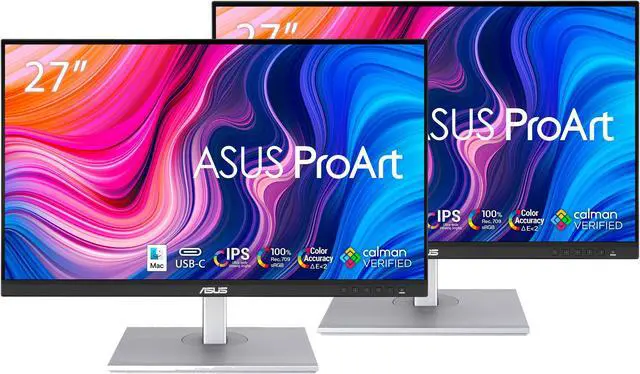
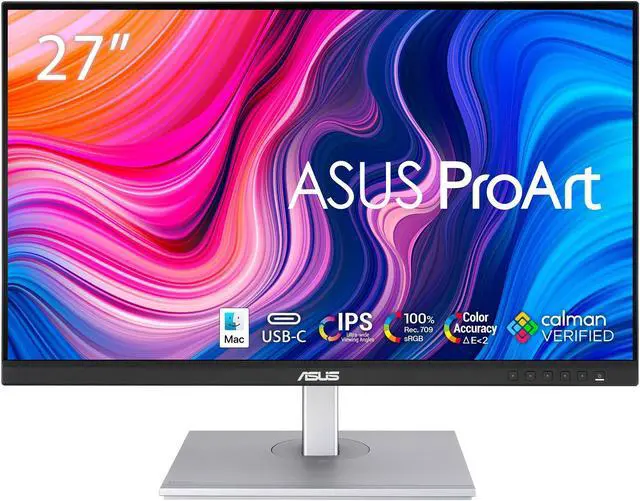
    ASUS PA278CV 27" Monitor: 75Hz Refresh Rate, 5 ms response time, Quad HD (2560x1440) IPS, Anti-glare Screen, VESA Compatible- Ideal for Home & Business Use, Pack-2

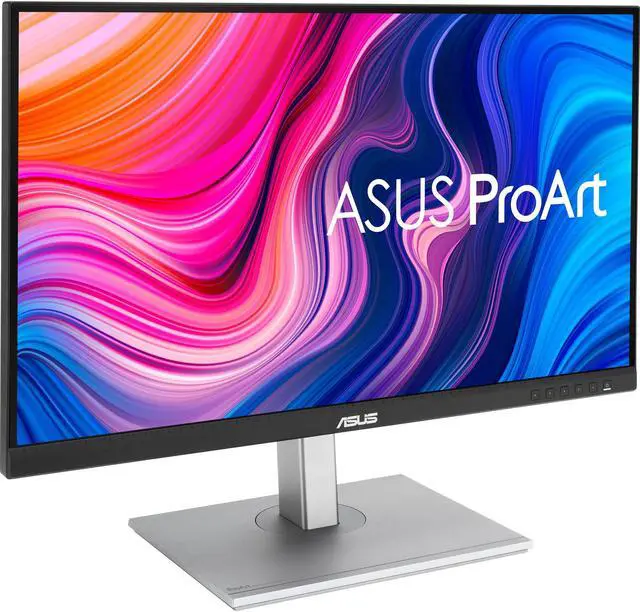
    • Stunning, Crystal Clear Image: Enjoy beautiful images on a 27" Anti-glare Screen and a Quad HD (2560x1440) (16:9 Aspect Ratio) resolution for dazzling visuals with brilliant colors
    • Fast Response Time: With a 75Hz refresh rate and a response time of 5 ms, enjoy smoother and more reactive content from business applications, games, videos, and other forms of media
    • Customizable Comfort: With a 178° (H) / 178° (V) viewing angle , and a pivot adjustment (Yes (+45° ~ -45°) degrees) and a swivel adjustment (Yes (+90° ~ -90°) degrees), this display can be adjusted to fit any home, office, or gaming setup
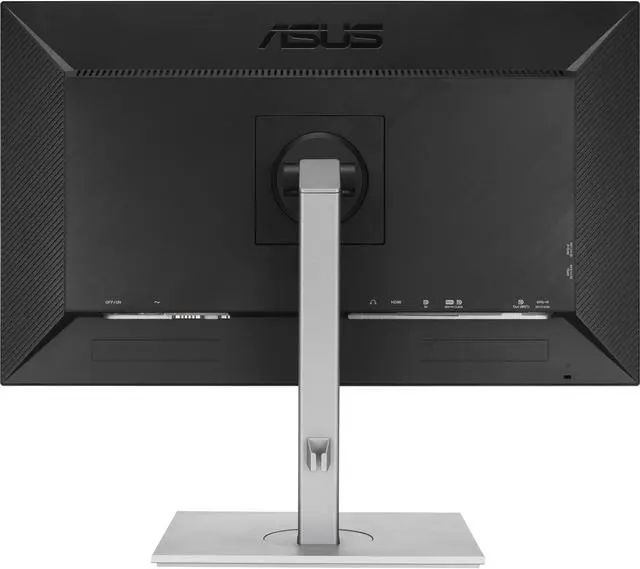
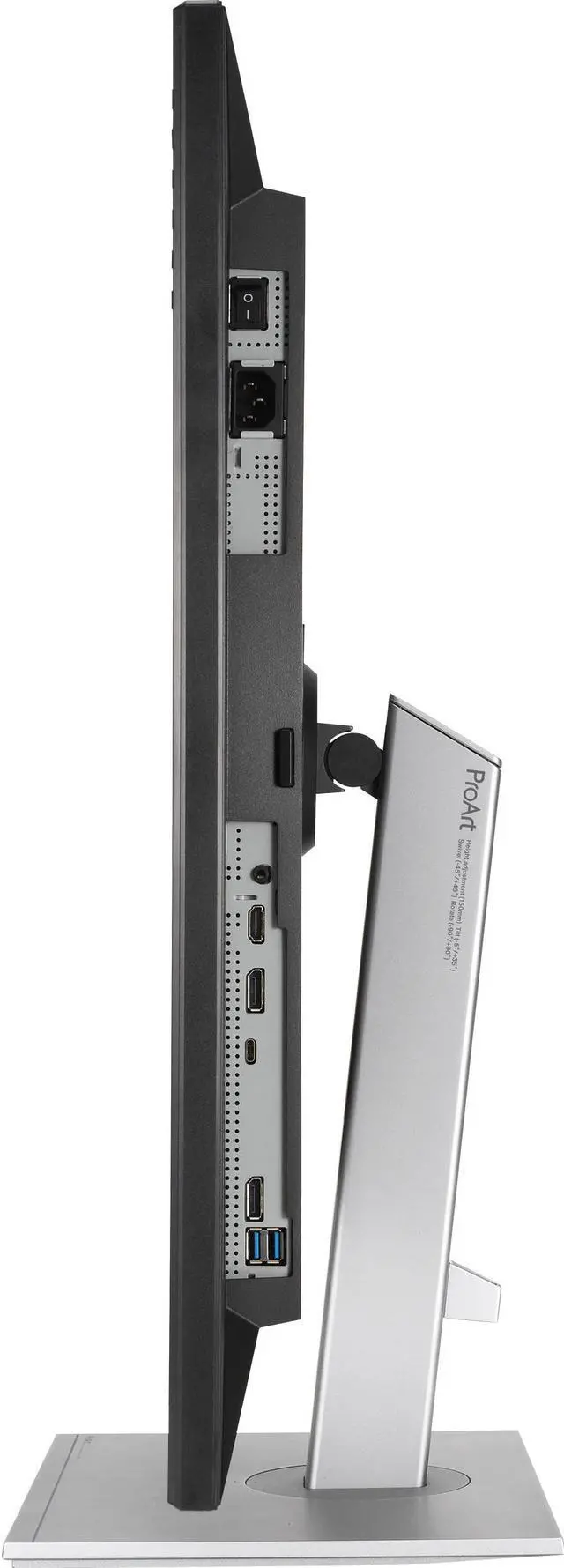
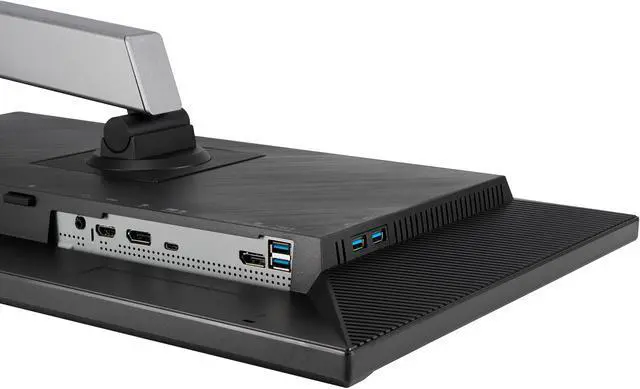
    • Quick Connections:Comes with plenty of ports (1 Display Port (DP), HDMI) for connecting any and all your devices easily, Additional Features: Brightness: 350 NIT VESA Compatible; Eye-Care Features: Low Blue Light; Flicker-Free TechnologyYes (+45° ~ -45°)Yes (+90° ~ -90°), monitorwarinfo
    • Includes ASUS Monitor/ HDD()
    +
    +
    Overview
    Specs
    Reviews
    See all Q & A

    Any questions? Ask CelesteSM will help you find out quickly.

    monitorwarinfo

  • Model: ASUS PA278CV
  • Color: Black
  • Display Size: 27"
  • Resolution: Quad HD (2560x1440)
  • Refresh Rate: 75Hz
  • Panel Type Details: Panel, Anti-glare Screen,
  • Video Ports: , 1 Display Port (DP), HDMI
  • 4 USB 3.2 Gen2
  • USB 3.1 Type-C,
  • Aspect Ratio: 16:9
  • Contrast Ratio: 1,000:1
  • Built-In Audio: Built-in Speakers
  • Response Time: 5 ms
  • Viewing Angle: 178° (H) / 178° (V)
  • Display Colors: 16.7 Million
  • Brightness: 350
  • Display Pixel Pitch: 0.233mm (109 Pixels Per Inch)
  • Additional Audio Ports: 3.5mm Audio Output
  • VESA Compatibility: 100x100mm
  • Eye Care Features: Low Blue Light
  • AMD Freesync:
  • Flicker Free Technology: Yes
  • Adjustments: Yes (+45° ~ -45°), Yes (+90° ~ -90°),
  • Product Dimensions (WxLxH): 24.21 IN x 8.98 IN x 20.63 IN Weight: 19.18lb
  • monitorwarinfo
  • Warranty & Returns

    Warranty, Returns, And Additional Information

    Warranty

    • Please contact the Seller directly for warranty information. Warranty information may also be found on the Manufacturer's website.
    • Read full details
    • CONTACT

    Return Policies

    • Return for refund within: 30 days
    • Return for replacement within: 30 days
    • This item is covered by Velztorm Return Policy

    Manufacturer Contact Info

    LOADING...

    The ASUS PA278CV Pack-2 is a pair of 27-inch QHD (2560 × 1440) IPS monitors with anti-glare screens, suited to home and business users who want sharp, wide-viewing-angle displays for everyday work and media.

    Recommended For

    • Photo editors, graphic designers, and other creators working mainly in sRGB or Rec. 709 who want a factory-calibrated 1440p display for everyday editing and design.
    • Laptop-based office workers who want one USB-C connection for display, USB data, and up to 65W laptop charging, plus a built-in USB hub for desk peripherals.
    • Desk-based multitaskers who keep documents, spreadsheets, or creative apps open side by side and value a 27-inch 1440p workspace with adjustable positioning.
    • Shared or flexible workspaces where users need wide viewing angles and a stand with height, tilt, swivel, and pivot adjustments for different viewing positions.

    Real-World Use Scenarios

    • For a laptop-based work-from-home desk, connect a compatible laptop over USB-C to send video, access the monitor’s USB hub, and deliver up to 65W of charging; this can reduce cable clutter, though some higher-power laptops may need their own charger.
    • For everyday office work such as spreadsheets, documents, and browser tabs, use the 27-inch screen to keep two windows visible side by side; text appears sharp, and the adjustable stand helps position the display for a more comfortable desk setup.
    • For editing photos or preparing web graphics, work in the monitor’s accurate sRGB mode to preview color-oriented content with less need for immediate calibration; it is aimed at standard-gamut work rather than workflows that require broad Adobe RGB coverage.
    • For editing standard-definition video intended for web or broadcast-style delivery, use the Rec. 709 picture mode to work with a standard video color space; the monitor is not suited to HDR mastering because it does not support HDR.
    • For a desk that needs more than one display, connect another compatible monitor through DisplayPort daisy-chaining to expand the workspace; this can make it easier to keep reference material or chat visible beside the main task.
    • For casual gaming or watching videos at a desk, the 1440p screen provides a sharp picture and the refresh rate can feel smoother than a standard 60Hz display; fast competitive games may show motion blur, and the monitor lacks HDR.

    Spec Summary

    AttributeValue
    Best ForDesktop work and general viewing on a 27-inch QHD IPS display
    Panel And Resolution27-inch IPS panel with 2560 × 1440 resolution, 16:9 aspect ratio, 178° horizontal and vertical viewing angles, 16.7 million colors, and 1,000:1 contrast ratio
    Refresh Rate And Response75 Hz refresh rate with a 5 ms response time
    Brand And ModelASUS

    Reference Q&A

    Q: ASUS PA278CV vs PA278QV: which is better for a laptop setup?

    A: Choose the PA278CV for a laptop setup that benefits from USB-C video, data, and up to 65W charging through one cable, plus DisplayPort daisy-chaining. Both monitors are 27-inch QHD IPS displays with a 75Hz refresh rate and factory-calibrated color; the PA278QV offers a different mix of legacy video connections.

    Q: ASUS PA278CV vs PA279CV: should I choose QHD or 4K?

    A: Choose the PA278CV for 2560 × 1440 resolution and a 75Hz refresh rate. Choose the PA279CV if you prioritize 3840 × 2160 resolution for finer detail on a 27-inch screen; it has a 60Hz maximum refresh rate. Both are ProArt IPS monitors with 100% sRGB coverage and USB-C connectivity with up to 65W power delivery.

    Q: ASUS PA278CV vs PA278CGV: is the higher-refresh model worth choosing?

    A: Choose the PA278CV for QHD creative and everyday work at up to 75Hz. Choose the PA278CGV if you want a higher 144Hz refresh rate for smoother motion and 90W USB-C power delivery. Both are 27-inch QHD ProArt IPS monitors with factory-calibrated color and USB-C connectivity.

    Q: Is this monitor suitable for everyday office work and meetings?

    A: Yes. Its 27-inch QHD IPS screen and adjustable viewing position suit documents, browsing, and multitasking. The provided product information does not list a webcam or microphone, so plan to use separate equipment for video calls.

    Q: Is it good for gaming?

    A: It can suit casual gaming, but its 75Hz refresh rate and 5ms response time are better suited to general use than to players prioritizing very high refresh rates or fast competitive play.

    Q: Can I mount it on a monitor arm or adjust its position?

    A: Yes. The product information says it is VESA compatible and supports pivot and swivel adjustment. Check the mount’s VESA pattern and weight limits against the monitor before installation.

    Q: Does this listing include two monitors for a dual-screen setup?

    A: The title describes the item as a pack of two, but confirm the quantity and included accessories with the seller before ordering. The provided information lists DisplayPort and HDMI connections; check that your computer has suitable outputs for your setup.

    Q: Is the ASUS PA278CV a good choice for work and photo or video editing?

    A: It is a reasonable fit for general productivity and color-focused creative work: it has a 27-inch QHD IPS panel, and a YouTube review describes the PA278CV as having full sRGB coverage and good Adobe RGB coverage. The provided product information does not confirm calibration results for the units in this two-monitor pack.

    Q: Is the PA278CV suitable for gaming?

    A: It can handle casual gaming, but its 75Hz refresh rate is a limitation for high-frame-rate gaming. A Reddit discussion comparing 27-inch monitors describes 75Hz as only a modest step up from 60Hz; consider a higher-refresh model if gaming is the main use.

    Q: Should I choose this 27-inch monitor or a 4K model for use with a MacBook?

    A: Choose this model if 2560×1440 resolution meets your needs; choose 4K if sharper detail is a priority. Reddit discussions about 27-inch MacBook monitors specifically compare QHD with 4K, so check your text and workspace preferences before deciding.