




Smart, connected, large with AT&T BL108-3
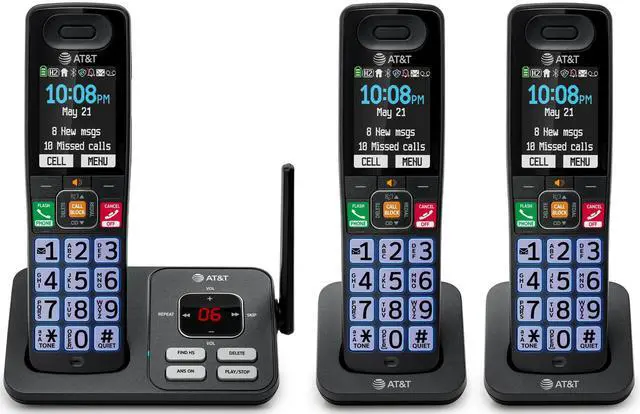
The AT&T BL108-3 is equipped with 3 handsets and exceptional built-in features to elevate your home or home office communication. Smart Call Blocker automatically filters out robocalls before they even ring. Experience essential built-in features that deliver a seamless calling experience, including an extra-large 2.36-inch extra large color LCD backlit display, big buttons, unsurpassed range, Caller ID announce, and more.

Backlit Screen, Colorful Icons

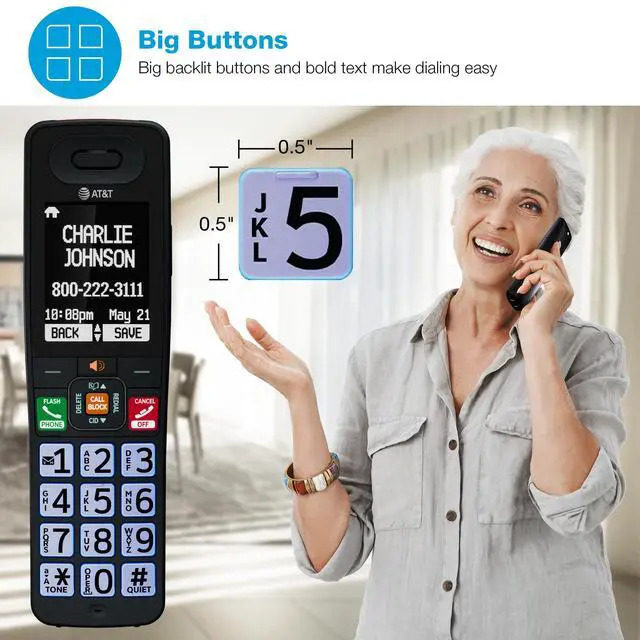
Big Buttons

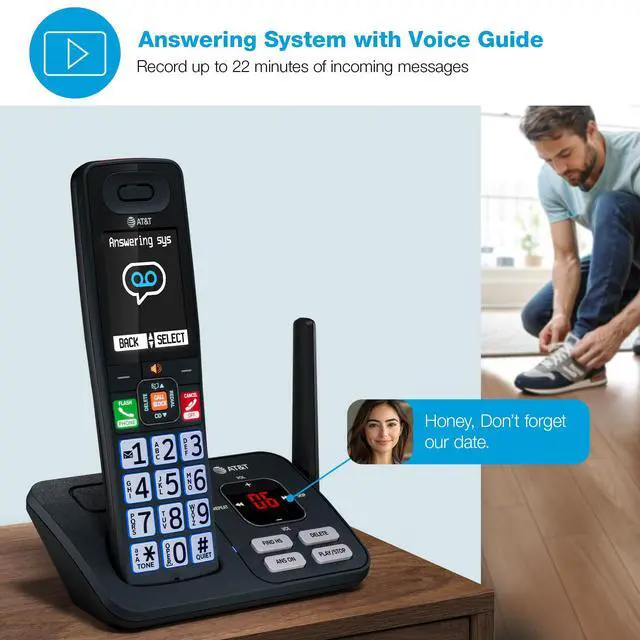
Digital Answering System

Caller ID Announce

Connect to Cell
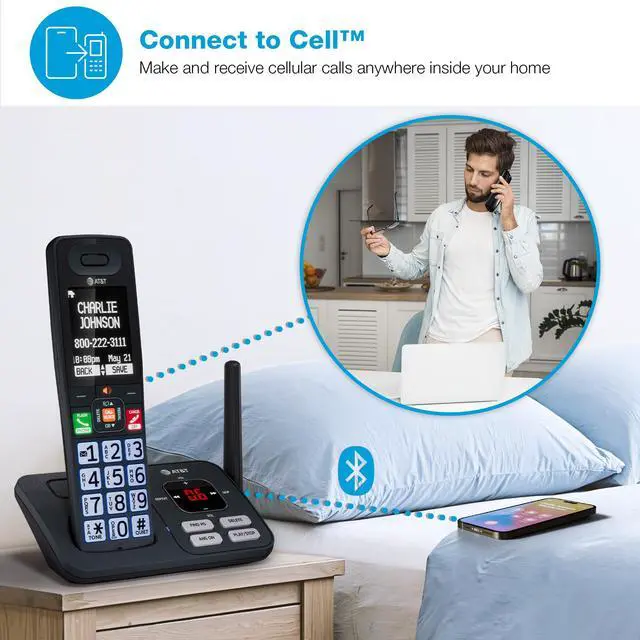
Be freed from your cell phone at home with Connect to Cell. It removes any cellular signal dead zone by placing the system’s base and your cell phones to where the stronger signal is.
• Pair and connect up to two cell phones or one cell phone and one Bluetooth headset for use with landline calls
• Eliminates cellular signal dead zones by placing the system’s base and your cell phones where the signal is strongest

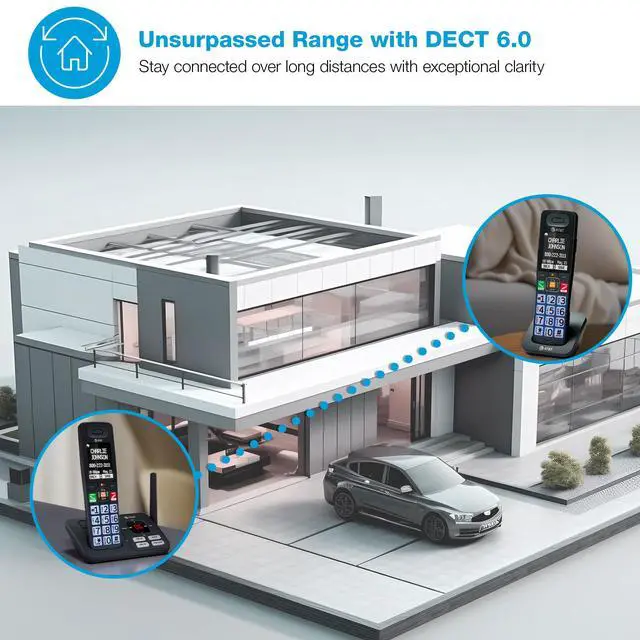
Unsurpassed Range x DECT 6.0 Digital Technology
Experience the best in long-range coverage and clarity, provided by a unique antenna design and advances in noise-filtering technology.
• Improved sound quality and enhanced security
• Offers supreme range and reliable connection
Disclaimer - Audio quality is dependent on your service provider's network quality

Phonebook Directory
Call your frequent contacts quickly and easily with a phonebook directory that stores up to 1500 names and numbers.

Built-in Simulated Full-Duplex Handset Speakerphone
Enjoy clear, two-way conversations with the full-duplex speakerphone. The built-in speakerphone allows both parties to speak and be heard simultaneously, ensuring natural, uninterrupted communication.
• Make conversations more inclusive by allowing both ends to speak and be heard simultaneously

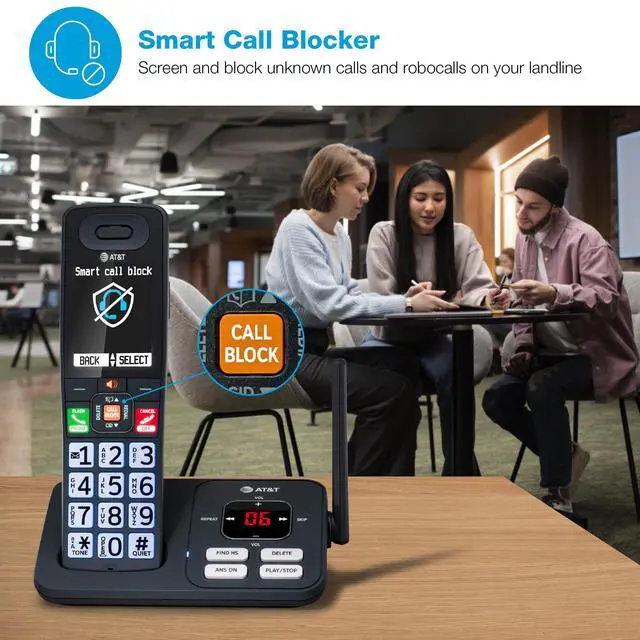
What's a Smart Call Blocker?
A simple one-time setup to filter unwanted calls while letting trusted ones through
Quick Setup to let the system working for you
Set Directory - for your family so their calls will go through without the screening. 1. Press MENU on handset. 2. Press Up/Down arrow key to Directory, then Select. 3. Press Select again to choose Add new entry, then Select. 4. Enter the telephone number, then Select.
Set Allow list - so their calls do not get through the screening. 1. Press CALL BLOCK. 2. Press Up/Down arrow key to Allow list, then Select. 3. Press Up/Down arrow key to Add new entry, then Select. 4. Enter telephone number, then Select. 5. Enter name, then Select.
Set Block List - to prevent their calls from ringing through. 1. Press CALL BLOCK. 2. Press Up/Down arrow key to Block list, Select. 3. Press Up/Down to Add new entry, Select. 4. Enter the telephone number, then press Select.
Set Star name list for your trusted organizations - 1. Press CALL BLOCK. 2. Press Up/Down arrow key to Star name list, Select. 3. Press Up/Down to Add new entry, Select. 4. Enter the name (up to 15 characters), then press Select.
Pick one of our Smart Call Block options which suits your preferences:
Screen and block robocalls - 1. Press CALL BLOCK. 2. Press Up/Down arrow key to Set profile, then Select. 3 Press Up/Down arrow key to Screen robot, then Select.
The callers will be asked to press the pound key.
Screen all unknown calls - 1. Press CALL BLOCK. 2. Press Up/Down arrow key to Set profile, then Select. 3. Press Up/Down key to Screen Unknown, then Select.
The callers will be asked to record their names and press the pound key. After your caller completes the request, the phone rings and announces the caller's name. You then can choose to block or answer the call, or forward the call to the answering system.
Block calls on the block list only - (This is also the Default settings of the system.) 1. Press CALL BLOCK. 2. Press Up/Down arrow key to Set profile, then Select. 3. Press Up/Down arrow key to Allow unknown, then Select.
For complete operation instructions, the user's manual can be found from the Product Support section of our company website.
Smart, connected, large with AT&T BL108-3
The AT&T BL108-3 is equipped with 3 handsets and exceptional built-in features to elevate your home or home office communication. Smart Call Blocker automatically filters out robocalls before they even ring. Experience essential built-in features that deliver a seamless calling experience, including an extra-large 2.36-inch extra large color LCD backlit display, big buttons, unsurpassed range, Caller ID announce, and more.
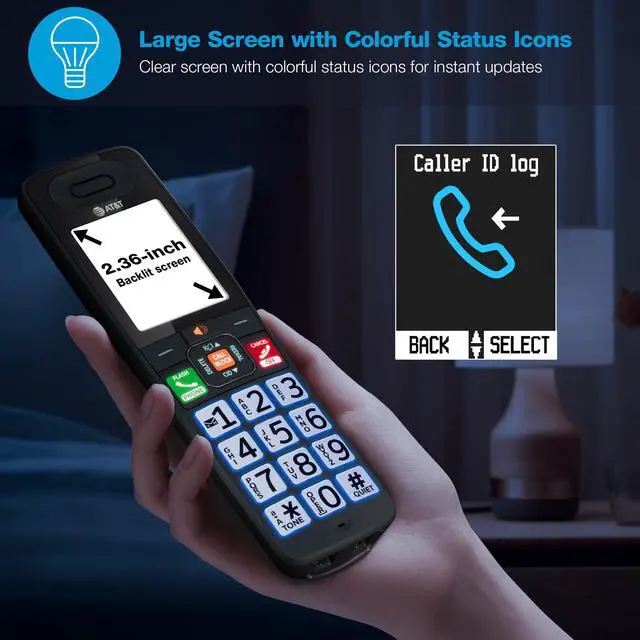
Extra Large Backlit Screen and Lighted Keypad with Colorful Status Icons
The extra large backlit screen and lighted keypad make it easy to read caller ID and call history. Colorful status icons at the top of the screen help you stay updated on important details like voicemail, battery life, missed calls, messages, and more.
Big Buttons
The phone features large, backlit keys and easy-to-read text on the handset makes every call easier for everyone. This user-friendly design is ideal for those with visual impairments or anyone who prefers larger buttons and simplicity.
Digital Answering System with Voice Guide
The digital answering system with voice guide stores up to 22 minutes of messages with clear playback and intuitive prompts, so you’re always connected and never miss a call.
Caller ID Announce
When your hands are full, relaxing, or working, your phone has you covered. The handset announces who's calling, so you can decide if you want to answer.
Connect to Cell
Be freed from your cell phone at home with Connect to Cell. It removes any cellular signal dead zone by placing the system’s base and your cell phones to where the stronger signal is.
• Pair and connect up to two cell phones or one cell phone and one Bluetooth headset for use with landline calls
• Eliminates cellular signal dead zones by placing the system’s base and your cell phones where the signal is strongest
Unsurpassed Range x DECT 6.0 Digital Technology
Experience the best in long-range coverage and clarity, provided by a unique antenna design and advances in noise-filtering technology.
• Improved sound quality and enhanced security
• Offers supreme range and reliable connection
Disclaimer - Audio quality is dependent on your service provider's network quality
Phonebook Directory
Call your frequent contacts quickly and easily with a phonebook directory that stores up to 1500 names and numbers.
Built-in Simulated Full-Duplex Handset Speakerphone
Enjoy clear, two-way conversations with the full-duplex speakerphone. The built-in speakerphone allows both parties to speak and be heard simultaneously, ensuring natural, uninterrupted communication.
• Make conversations more inclusive by allowing both ends to speak and be heard simultaneously
What's a Smart Call Blocker?
A simple one-time setup to filter unwanted calls while letting trusted ones through
Quick Setup to let the system working for you
Set Directory - for your family so their calls will go through without the screening. 1. Press MENU on handset. 2. Press Up/Down arrow key to Directory, then Select. 3. Press Select again to choose Add new entry, then Select. 4. Enter the telephone number, then Select.
Set Allow list - so their calls do not get through the screening. 1. Press CALL BLOCK. 2. Press Up/Down arrow key to Allow list, then Select. 3. Press Up/Down arrow key to Add new entry, then Select. 4. Enter telephone number, then Select. 5. Enter name, then Select.
Set Block List - to prevent their calls from ringing through. 1. Press CALL BLOCK. 2. Press Up/Down arrow key to Block list, Select. 3. Press Up/Down to Add new entry, Select. 4. Enter the telephone number, then press Select.
Set Star name list for your trusted organizations - 1. Press CALL BLOCK. 2. Press Up/Down arrow key to Star name list, Select. 3. Press Up/Down to Add new entry, Select. 4. Enter the name (up to 15 characters), then press Select.
Pick one of our Smart Call Block options which suits your preferences:
Screen and block robocalls - 1. Press CALL BLOCK. 2. Press Up/Down arrow key to Set profile, then Select. 3 Press Up/Down arrow key to Screen robot, then Select.
The callers will be asked to press the pound key.
Screen all unknown calls - 1. Press CALL BLOCK. 2. Press Up/Down arrow key to Set profile, then Select. 3. Press Up/Down key to Screen Unknown, then Select.
The callers will be asked to record their names and press the pound key. After your caller completes the request, the phone rings and announces the caller's name. You then can choose to block or answer the call, or forward the call to the answering system.
Block calls on the block list only - (This is also the Default settings of the system.) 1. Press CALL BLOCK. 2. Press Up/Down arrow key to Set profile, then Select. 3. Press Up/Down arrow key to Allow unknown, then Select.
For complete operation instructions, the user's manual can be found from the Product Support section of our company website.