




Effortless, unmatched, reliable with AT&T DL72219

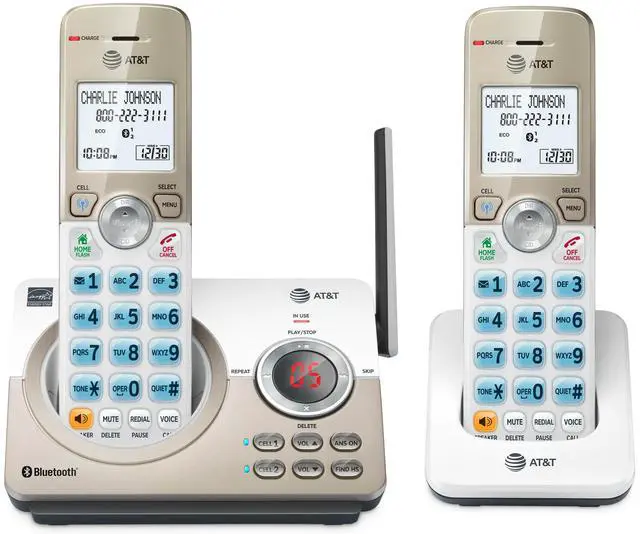
The AT&T DL72219 2-Handsets DECT 6.0 Expandable Cordless Home Phone features a built-in digital answering machine, smart call blocker, and a large white backlit display. It offers unsurpassed range, is expandable up to 5 handsets, and with the touch of a button, you can enjoy the high-tech benefits your smartphone offers. Connect to Cell lets you pair and connect up to 2 cell phones or one cell phone and one Bluetooth headset for use with landline calls, as well as access Siri, S Voice, and Google Now.
Key Features Highlights
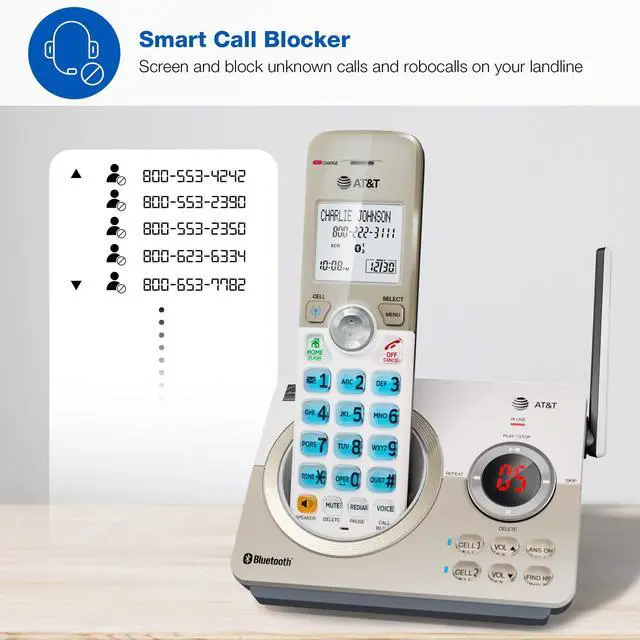
- Smart Call Blocker - Stores up to 1000 names and numbers on your block list
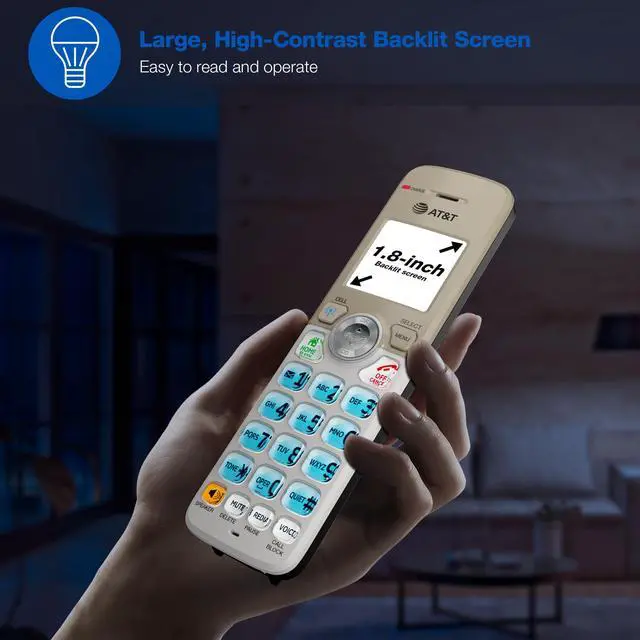
- Handset screen and keypad - Large 1.8” white backlit display on the handset, high contrast text, lighted keypad
- Download Cellphone Phonebook - Up to 1000 Name and number
- Caller ID / Call waiting – Storing up to 50 call records*
- Quiet mode – Silence the ringer to prevent interruptions
- ECO Mode - This power conserving technology reduces power consumption for optimal battery performance.
- Call Screening - View the caller details in real time to decide whether to answer
- Call Intercept - Blocks calls with no valid caller ID before the phone rings
- Expandable up to 5 handsets using just one phone jack (using the DL70019 accessory handset)
*Disclaimer - Use of Caller ID features require a subscription from your telephone service provider.

Connect to Cell

Answering System

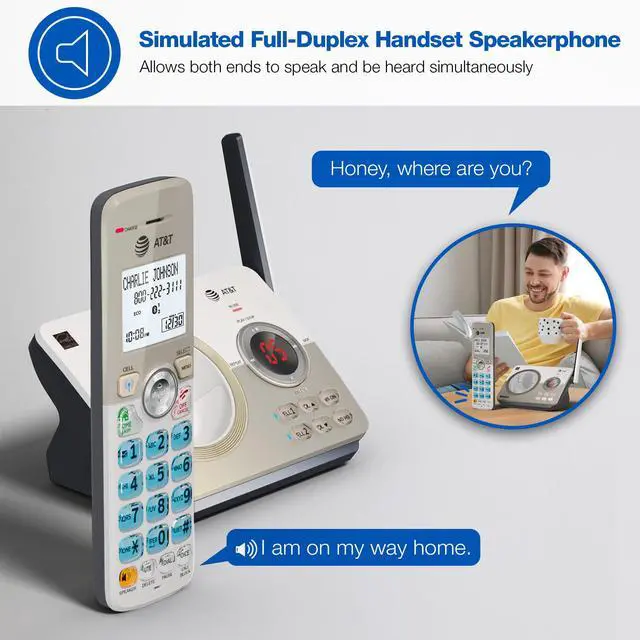
Simulated Full-Duplex

Multi-Line Operation

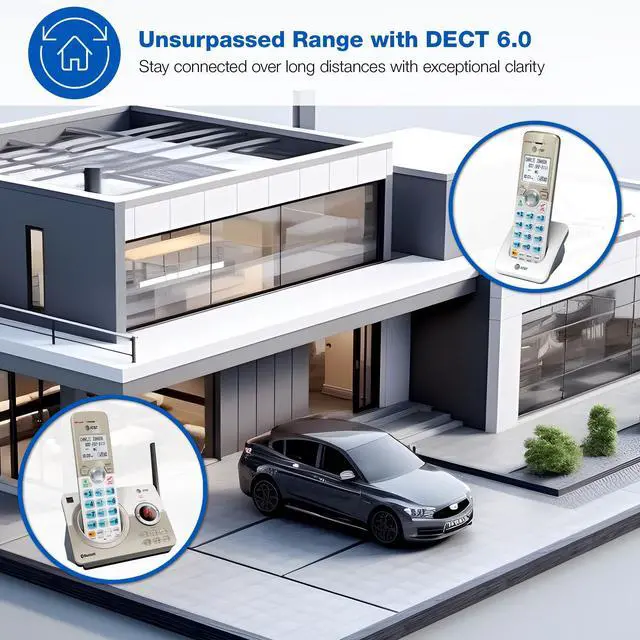
Unsurpassed Range x DECT 6.0
Experience the best in long-range coverage and clarity, provided by a unique antenna design and advances in noise-filtering technology.
- Improved sound quality and enhanced security
- Offers supreme range and reliable connection
Disclaimer - Audio quality is dependent on your service provider's network quality

Base with Handset Dimensions
- Height: 7.094 inches (18.02 cm)
- Width: 5.677 inches (14.42 cm)
- Depth: 3.488 inches (8.86 cm)
Handset Dimensions
- Height: 6.929 inches (17.6 cm)
- Width: 2.952 inches (7.5 cm)
- Depth: 3.358 inches (8.53 cm)
More Features
- Message counter, Message retrieval from handset, Message time stamp
- Voicemail waiting indicator, Quick access key for voicemail box
- Last 10 number redial, Any key answer
- Table and wall mountable
- English/Spanish/French setup menu

What's a Smart Call Blocker?
A simple one-time setup to filter unwanted calls while letting trusted ones through
Quick Setup to let the system working for you
Set Directory - for your family so their calls will go through without the screening. 1. Press MENU on handset. 2. Press Up/Down arrow key to Directory, then Select. 3. Press Select again to choose Add new entry, then Select. 4. Enter the telephone number, then Select.
Set Allow list - so their calls do not get through the screening. 1. Press CALL BLOCK. 2. Press Up/Down arrow key to Allow list, then Select. 3. Press Up/Down arrow key to Add new entry, then Select. 4. Enter telephone number, then Select. 5. Enter name, then Select.
Set Block List - to prevent their calls from ringing through. 1. Press CALL BLOCK. 2. Press Up/Down arrow key to Block list, Select. 3. Press Up/Down to Add new entry, Select. 4. Enter the telephone number, then press Select.
Set Star name list for your trusted organizations - 1. Press CALL BLOCK. 2. Press Up/Down arrow key to Star name list, Select. 3. Press Up/Down to Add new entry, Select. 4. Enter the name (up to 15 characters), then press Select.
Pick one of our Smart Call Block options which suits your preferences:
Screen and block robocalls - 1. Press CALL BLOCK. 2. Press Up/Down arrow key to Set profile, then Select. 3 Press Up/Down arrow key to Screen robot, then Select.
The callers will be asked to press the pound key.
Screen all unknown calls - 1. Press CALL BLOCK. 2. Press Up/Down arrow key to Set profile, then Select. 3. Press Up/Down key to Screen Unknown, then Select.
The callers will be asked to record their names and press the pound key. After your caller completes the request, the phone rings and announces the caller's name. You then can choose to block or answer the call, or forward the call to the answering system.
Block calls on the block list only - (This is also the Default settings of the system.) 1. Press CALL BLOCK. 2. Press Up/Down arrow key to Set profile, then Select. 3. Press Up/Down arrow key to Allow unknown, then Select.
For complete operation instructions, the user's manual can be found from the Product Support section of our company website.
Effortless, unmatched, reliable with AT&T DL72219
The AT&T DL72219 2-Handsets DECT 6.0 Expandable Cordless Home Phone features a built-in digital answering machine, smart call blocker, and a large white backlit display. It offers unsurpassed range, is expandable up to 5 handsets, and with the touch of a button, you can enjoy the high-tech benefits your smartphone offers. Connect to Cell lets you pair and connect up to 2 cell phones or one cell phone and one Bluetooth headset for use with landline calls, as well as access Siri, S Voice, and Google Now.
Key Features Highlights
- Smart Call Blocker - Stores up to 1000 names and numbers on your block list
- Handset screen and keypad - Large 1.8” white backlit display on the handset, high contrast text, lighted keypad
- Download Cellphone Phonebook - Up to 1000 Name and number
- Caller ID / Call waiting – Storing up to 50 call records*
- Quiet mode – Silence the ringer to prevent interruptions
- ECO Mode - This power conserving technology reduces power consumption for optimal battery performance.
- Call Screening - View the caller details in real time to decide whether to answer
- Call Intercept - Blocks calls with no valid caller ID before the phone rings
- Expandable up to 5 handsets using just one phone jack (using the DL70019 accessory handset)
*Disclaimer - Use of Caller ID features require a subscription from your telephone service provider.
Connect to Cell
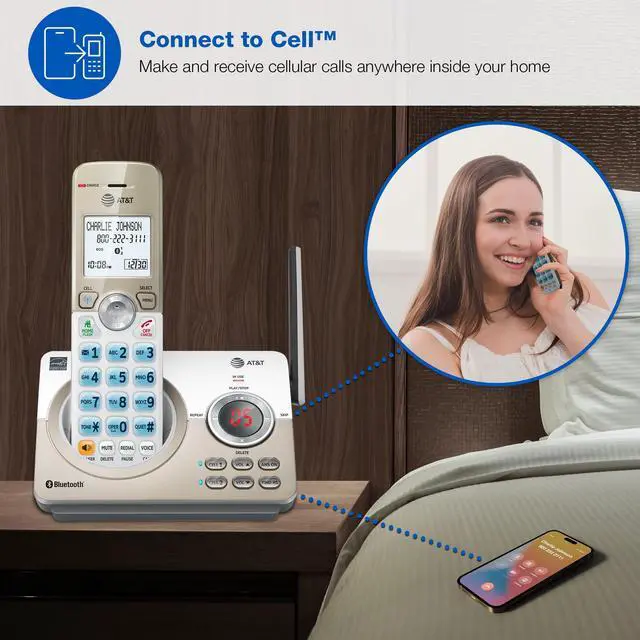
Be freed from your cell phone at home with Connect to Cell. It removes any cellular signal dead zone by placing the system’s base and your cell phones to where the stronger signal is.
- Pair and connect up to two cell phones or one cell phone and one Bluetooth headset for use with landline calls
- Eliminates cellular signal dead zones by placing the system’s base and your cell phones where the signal is strongest
- Siri, S Voice and Google Now access
Digital Answering System with Voice Guide
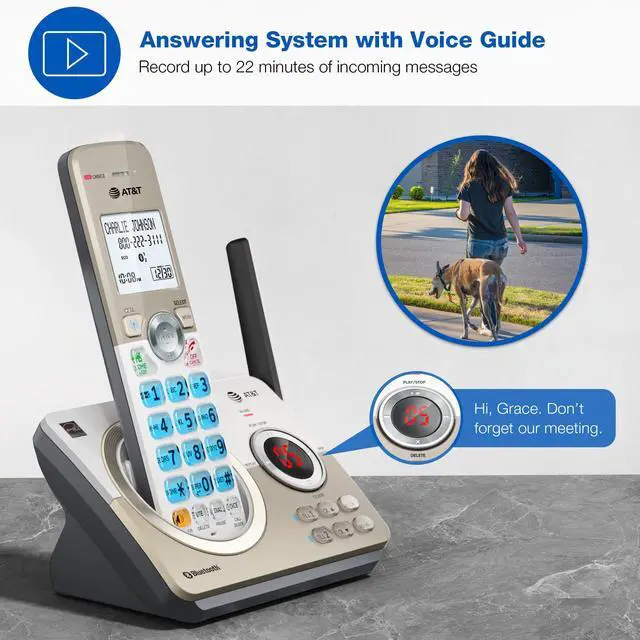
Stay informed even when you are away from home. All calls are routed to the built-in digital answering machine when necessary, recording key messages for you.
- Up to 22 minutes of recording time for incoming messages
Built-in Simulated Full-Duplex Handset Speakerphone
Enjoy clear, two-way conversations with the simulated full-duplex speakerphone. The built-in speakerphone allows both parties to speak and be heard simultaneously, ensuring natural, uninterrupted communication.
- Increase participation by allowing both ends to speak and be heard simultaneously
Working From Home Made Easy
Manage you calls anywhere in your home or home office through both landline and cell-lines with a cordless handset and full-function base station.
- Intercom between handsets
- Virtual multi-line operation
- Conference between an outside line and up to 4 cordless handsets
- Expandable up to 5 handsets (using the DL70019 accessory handset)
Unsurpassed Range x DECT 6.0
Experience the best in long-range coverage and clarity, provided by a unique antenna design and advances in noise-filtering technology.
- Improved sound quality and enhanced security
- Offers supreme range and reliable connection
Disclaimer - Audio quality is dependent on your service provider's network quality
Base with Handset Dimensions
- Height: 7.094 inches (18.02 cm)
- Width: 5.677 inches (14.42 cm)
- Depth: 3.488 inches (8.86 cm)
Handset Dimensions
- Height: 6.929 inches (17.6 cm)
- Width: 2.952 inches (7.5 cm)
- Depth: 3.358 inches (8.53 cm)
More Features
- Message counter, Message retrieval from handset, Message time stamp
- Voicemail waiting indicator, Quick access key for voicemail box
- Last 10 number redial, Any key answer
- Table and wall mountable
- English/Spanish/French setup menu
What's a Smart Call Blocker?
A simple one-time setup to filter unwanted calls while letting trusted ones through
Quick Setup to let the system working for you
Set Directory - for your family so their calls will go through without the screening. 1. Press MENU on handset. 2. Press Up/Down arrow key to Directory, then Select. 3. Press Select again to choose Add new entry, then Select. 4. Enter the telephone number, then Select.
Set Allow list - so their calls do not get through the screening. 1. Press CALL BLOCK. 2. Press Up/Down arrow key to Allow list, then Select. 3. Press Up/Down arrow key to Add new entry, then Select. 4. Enter telephone number, then Select. 5. Enter name, then Select.
Set Block List - to prevent their calls from ringing through. 1. Press CALL BLOCK. 2. Press Up/Down arrow key to Block list, Select. 3. Press Up/Down to Add new entry, Select. 4. Enter the telephone number, then press Select.
Set Star name list for your trusted organizations - 1. Press CALL BLOCK. 2. Press Up/Down arrow key to Star name list, Select. 3. Press Up/Down to Add new entry, Select. 4. Enter the name (up to 15 characters), then press Select.
Pick one of our Smart Call Block options which suits your preferences:
Screen and block robocalls - 1. Press CALL BLOCK. 2. Press Up/Down arrow key to Set profile, then Select. 3 Press Up/Down arrow key to Screen robot, then Select.
The callers will be asked to press the pound key.
Screen all unknown calls - 1. Press CALL BLOCK. 2. Press Up/Down arrow key to Set profile, then Select. 3. Press Up/Down key to Screen Unknown, then Select.
The callers will be asked to record their names and press the pound key. After your caller completes the request, the phone rings and announces the caller's name. You then can choose to block or answer the call, or forward the call to the answering system.
Block calls on the block list only - (This is also the Default settings of the system.) 1. Press CALL BLOCK. 2. Press Up/Down arrow key to Set profile, then Select. 3. Press Up/Down arrow key to Allow unknown, then Select.
For complete operation instructions, the user's manual can be found from the Product Support section of our company website.