







External CD/DVD Drive for Laptop
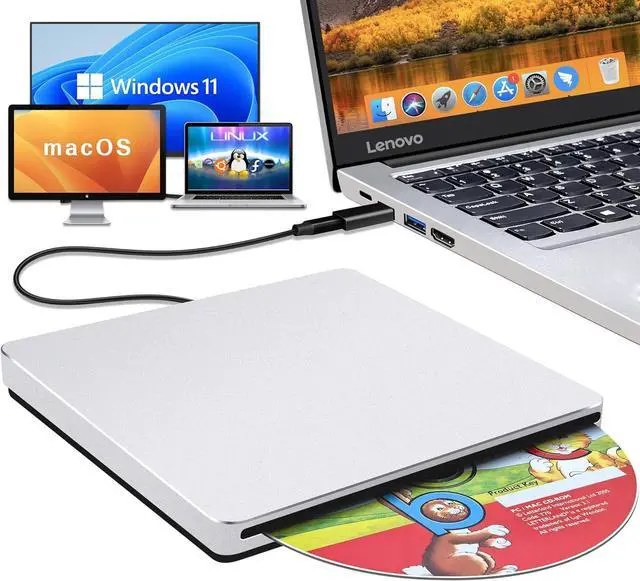
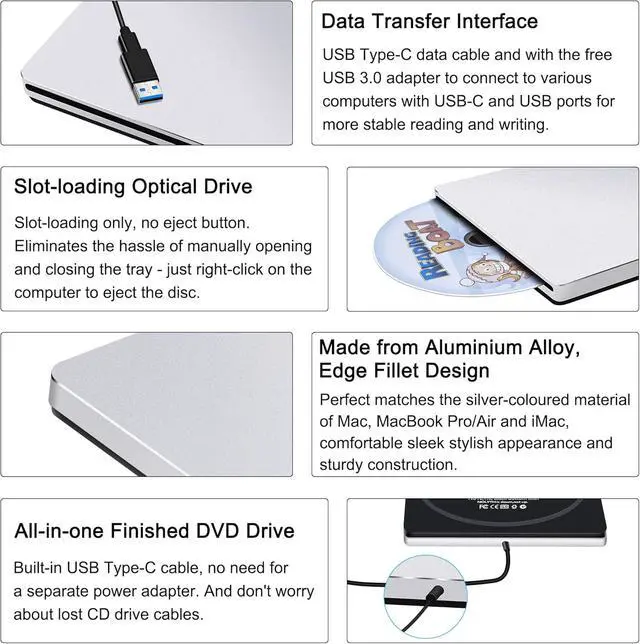
This slot-loading external SuperDrive has no eject button, simply plug it in, insert a disc and your Mac automatically recognises it. Crafted from 100% recycled aluminium with a classic silver finish, this USB-C SuperDrive is the perfect complement to your Mac, MacBook Air/Pro/Neo or iMac.


External DVD Drive
The external CD drive is made of full aluminium alloy and features a USB Type-C connector. Its silver aluminium casing matches the material of your Mac, MacBook Air or MacBook Pro perfectly.
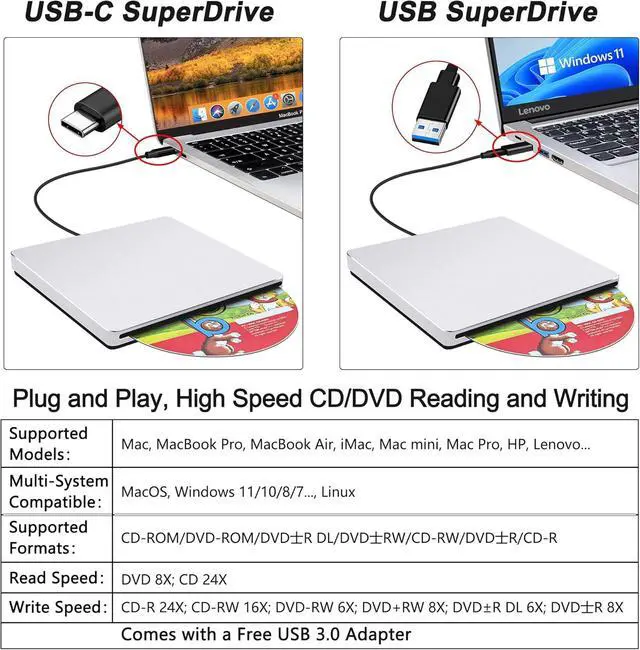
This external CD drive for laptop comes with a free USB 3.0 adapter and is a good solution for using this CD burner on computers with USB and USB-C ports and easily use this CD drive on some laptops without a USB-C port.
This external DVD player for laptop features a USB-C high-speed interface with a maximum speed of 10 Gbps, providing stable performance and strong fault tolerance. It is shockproof, low-noise, anti-interference and highly durable. This CD ROM external drive for laptop adopted unique intelligent burning technology with a maximum DVD-ROM read speed of 8X, a maximum CD-ROM read speed of 24X, a maximum CD-R write speed of 8X and a maximum DVD±R write speed of 8X. This CD DVD external drive for laptop is equipped with brand new chip and strong error-correction ability.
Well workmanship, Specially Designed. This external CD/DVD drive for PC is also a great choice as a gift. High-end atmosphere, sleek and compact, portable slim!
This external CD drive for Mac is not only a CD/DVD player but also an CD/DVD burner, supports reading and writing of CD±R/RW, DVD±RW, DVD±R, CD-ROM, DVD-ROM, DVD-RAM, DVD±R DL, VCD-ROM and SVCD.
Support: CD±R/RW, DVD±RW, DVD±R, CD-ROM, DVD-ROM, DVD-RAM, DVD±R DL, VCD-ROM and SVCD.
Read Speed: 24x CD / 8x DVD; Write Speed: 24x CD / 8x DVD±R / 6x DVD±R DL; Rewrite Speed: 16x CD / 6x DVD-RW / 8x DVD+RW
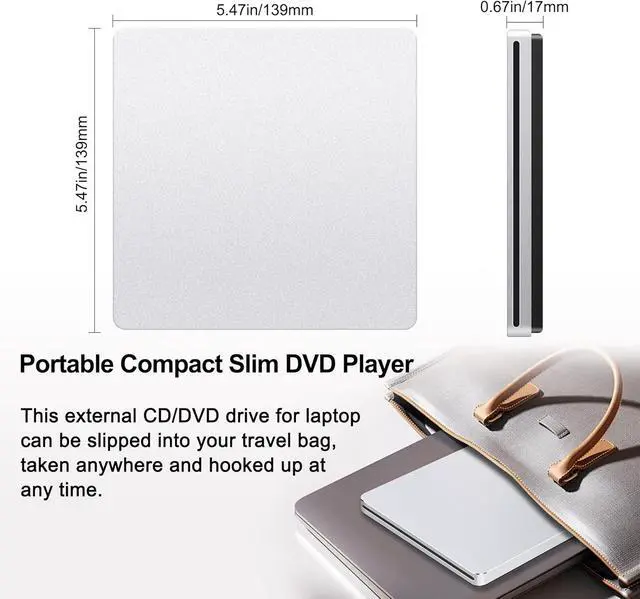
The size of this CD drive: 13.8 x 13.8 x 1.6cm.
If this external superdive is difficult to eject the disc out, please try the following: 1). Reboot the computer again to eject the disc. 2).Turn the drive upside down, reboot the computer to eject the disc out. 3) Connect the USB adapter to this DVD drive, connect this drive to the a USB port of the Windows system computer, restart the computer to eject the disc.
High-Speed Read and Write

Nowadays, most PCs don't come with a built-in CD/DVD drive. As laptops become thinner and lighter, internal CD and DVD drives are becoming rare. However, many people still need a DVD drive for their PC to burn discs, convert their music to digital MP3 files and preserve their CD and DVD collections containing old photos and movies. Such as store and back up data; copy files; play classical music CDs and DVD movies; view old photos and preserve family images(such as family DVDs: wedding videos/photos, birthday parties, Christmas night or other celebrating days, etc.); install software(the new Win 11 or older Win system or other application system); learning software, operating systems, drivers or old games; or read game discs and educational data discs(school class teaching DVDs and student study DVDs); Burn/Rip CDs and DVDs(such as burning downloaded music to CDs, burning images or videos to disks, backing up your CD collections to a computer and uploading them to iTunes and so on).
So the AUBEAMTO USB CD drive is therefore a great option. It provides you with fast data transfer speeds and stable performance. This USB DVD drive external is not just a simple CD/DVD player for playing music and movies; it's also a burner, writer, rewriter and ripper recorder.
Whether you have a laptop or desktop computer running Windows (11, 10, 8, 7, Vista or XP), a Linux OS, or all versions of Mac OS(including MacBook Pro, MacBook Air, iMac, Mac Mini, Mac Apple), this USB DVD drive has you covered. Simply plug it into your laptop's USB or USB Type-C port and insert your CDs or DVDs and it will be detected automatically. For Windows, you can see the DVD RW drive icon in Windows Explorer; and for Mac, the icon appears on the desktop. You can use media player software such as Windows Media Player, Apple Music, iTunes, or VideoLAN VLC Player, as well as burning or ripping software, to read or write your discs.
Easy to Read/Write CD/DVD

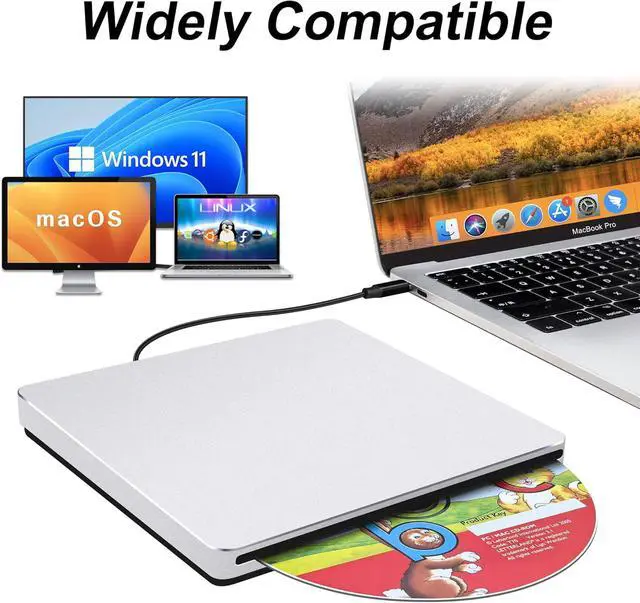
Widely Compatible

AUBEAMTO external DVD drive for PC is wide compatible with Windows and all versions of Mac OS. We can use this external CD/DVD drive for laptop Windows 11 on almost all computers including MacBook Pro, MacBook Air, iMac, Mac Mini, Windows laptop, ASUS, Lenovo, HP, LG, Thinkpad and desktop PCs, etc. Only if there are equipped with Windows OS, Mac OS and Linux OS, this external DVD drive for laptop will quickly show up on your computer.
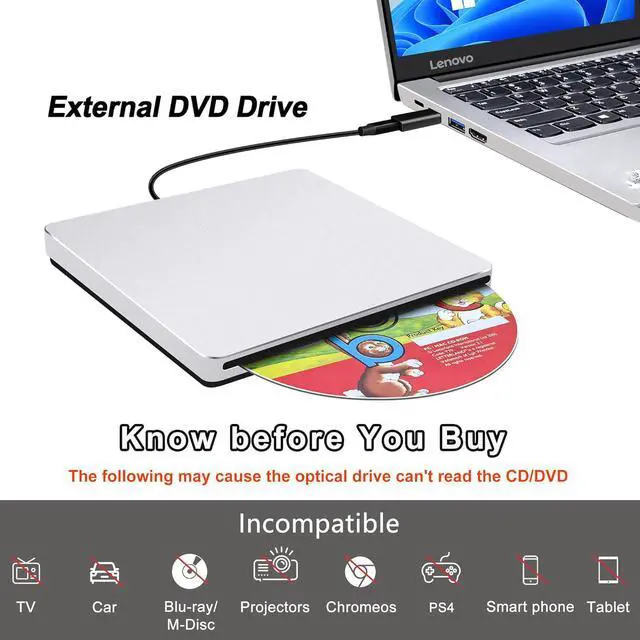
NOTE: This external DVD burner is not compatible with Chromebooks, TVs, cars, tablets, iPads, PS4/5s, Xboxes, Switches, projectors, Surface (some models), Blu-ray discs or 4K discs.
Enjoy Life More Easily

Enjoy Life More Easily

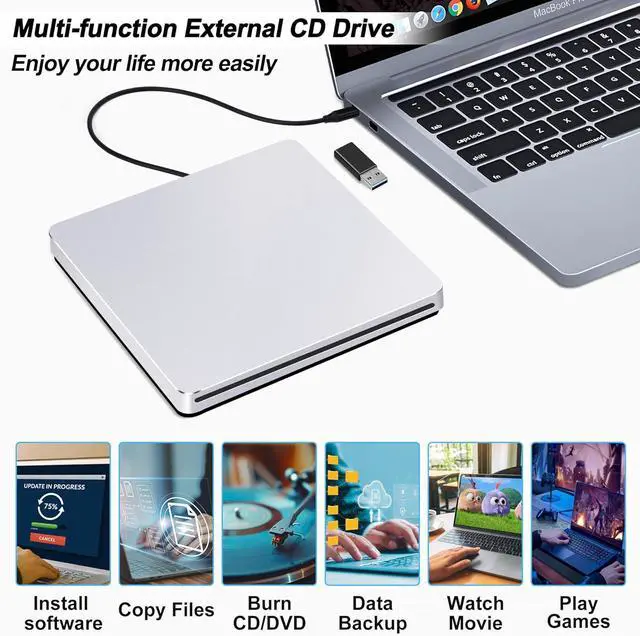
This DVD drive supports play and burn both CDs and DVDs whether you're at the office or on the road. After we installed this external DVD player, put CDs/DVDs inside this DVD drive USB external, you can use a playback software, burning software and ripping software to complete various tasks such as watching DVD movies, burning/ripping CDs & DVDs, installing software/system/games, backing up data to discs, and more.
Good CD and DVD Burning App on Mac OS: 1.Free audio CD burning software (Apple Music, old iTunes, Burn, Express Burn). 2.Free video DVD burning software: Burn, HandBrake, iDVD (Legacy), DVDStyler and iDVD (for older Macs).
NOTES: Use the Mac OS built-in burning function. Connect the AUBEAMTO slot-in DVD drive and insert a blank disc. Then click 'File' in the top menu and select 'New Burn Folder'. Drag the files you want to burn into this folder. Click 'Burn to Disc' and then eject the disc when you have finished. Please note that Mac OS only supports burning to blank discs and that each disc can only be burned once.
If your MacBook, iMac or Mac Pro/Air is not recognised please try the following suggestions:
The Mac OS computer will not display the device icon until the disc is inserted into the optical drive and the disc is successfully read, or move the data cable to different USB ports on your Mac computer, and try different discs.

Slim and Protable
Portable slim, sleek and compact, this CD drive external USB slips easily into your travel bag when you hit the road and takes up little space on your desk or tray table when you're working. Just plug this CD drive for laptop directly into your USB C/USB port and this USB CD/DVD exteranl drive will be detected. Insert a disc inside this external CD drive for PC, it will play automatically, don't need to install software to set up DVD driver. ( NOTE: There must be a playback software in computer system.)

Work and Professionals

Great and Gift for Apple Fans