



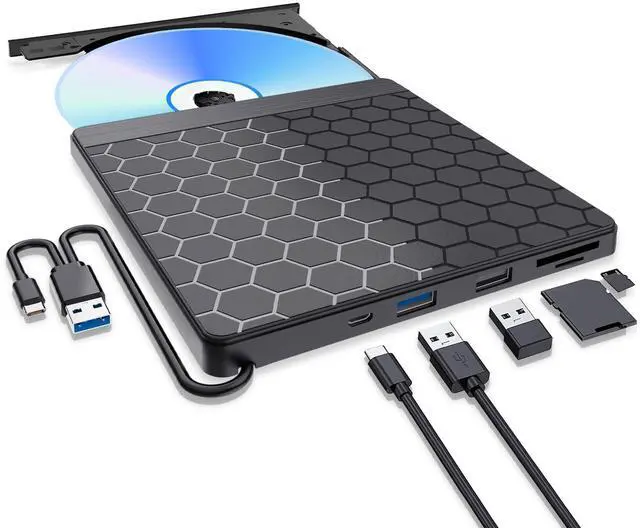
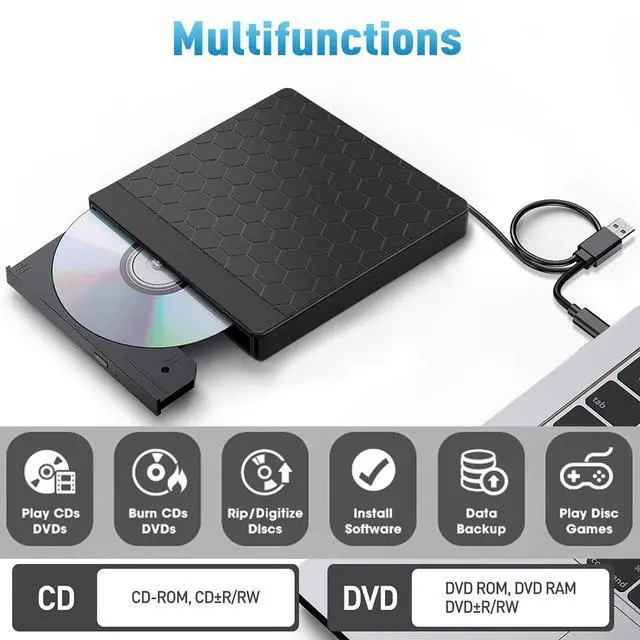
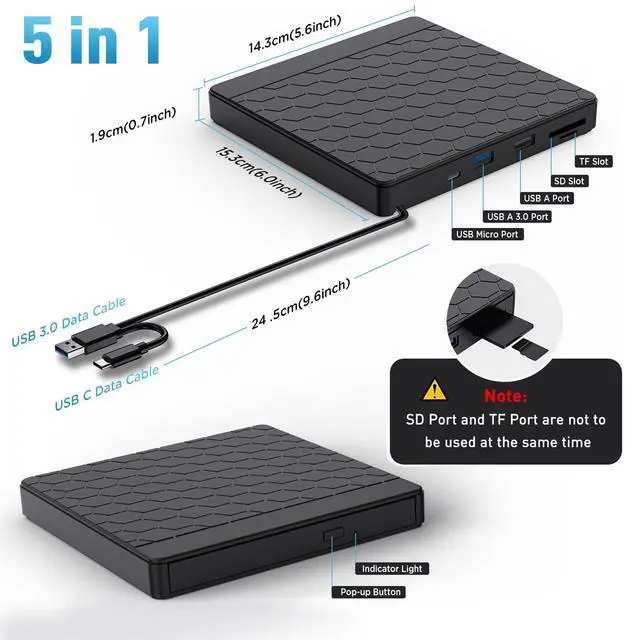


5 IN 1 External DVD Drive, USB 3.0 External CD Drive with SD/TF Card Reader Slot & 2 USB Ports for Laptop PC Mac OS MacBook Windows 11/10/8.1/7/Linux


Extra SD/TF Slot
It is not only External CD/DVD Drive, but also a SD/TF card Reader. Extra built-in SD/TF card slot is perfect for you to transfer photos shooting or videos by your camera from memory cards to your computers

Portable Design
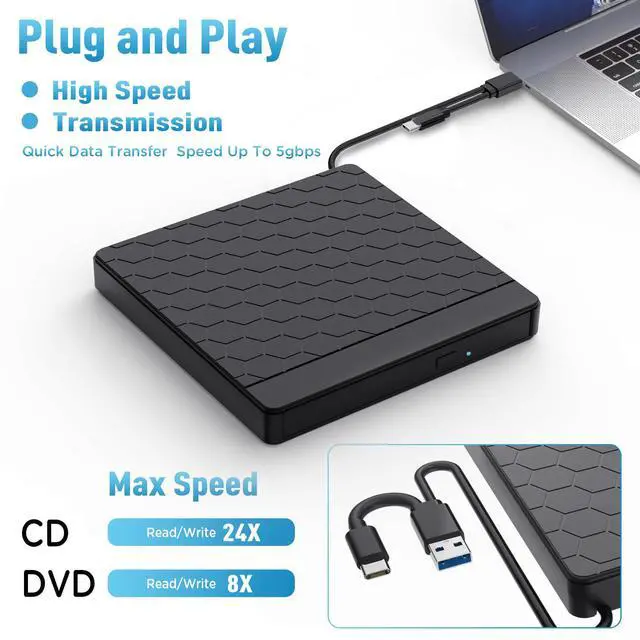
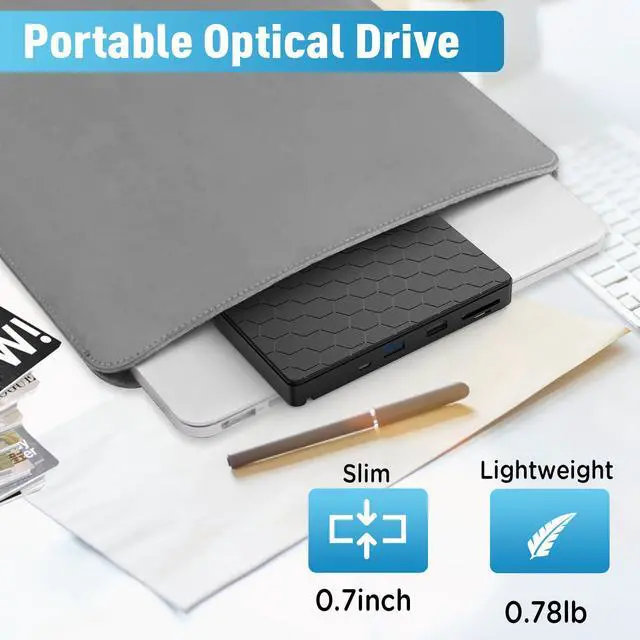
The embedded data cable is easy to use and organize, don't worry about the cable lose.This external cd drive can easily carry in your laptop bag ideal for home, office, or anywhere you go.

2-in-1 USB 3.0 Connector
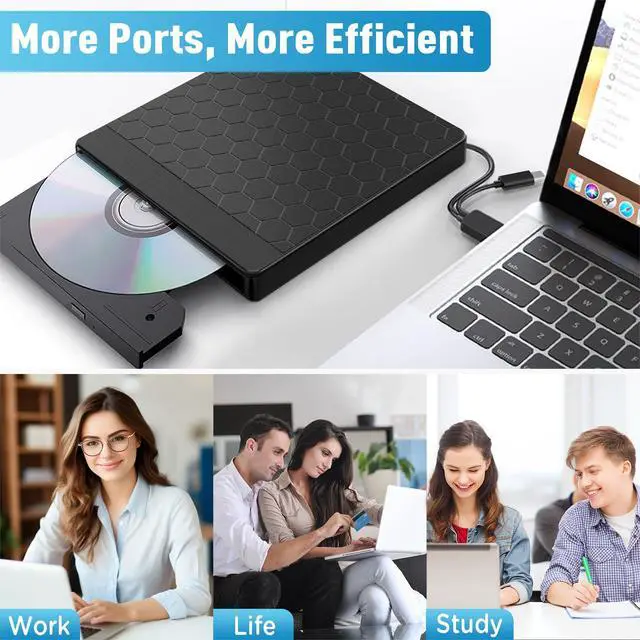
Equipped with USB-C and USB-A connectors make it easier to connect to more laptops and desktop computers. Plug and Play

How to use on windows and Mac system computer?
For Windows
First, Plug the usb 3.0/usb c port into your laptop usb port or type c port. (If your device is desktop, please connect the cd drive to the motherboard usb port).
Then, click the windows laptop's "my computer", you will see the cd/dvd icon. You need confirm that the laptop's has recognized the external cd drive.
Third, use VLC Media Player to play the video. If you want to burn cd, please use the NERO software. It can help you quickly finish.
For Mac OS
First, you need insert a cd into the external cd drive. Then you will see the cd/dvd icon.
Second, put the cd into the cd drive.Waite a moment, you will see the cd content. (If the files was can't be seen, the external cd drive may have problem.)
Third, use VLC Media Player to play the video. If you want to burn cd, please use the NERO software. It can help you quickly finish.
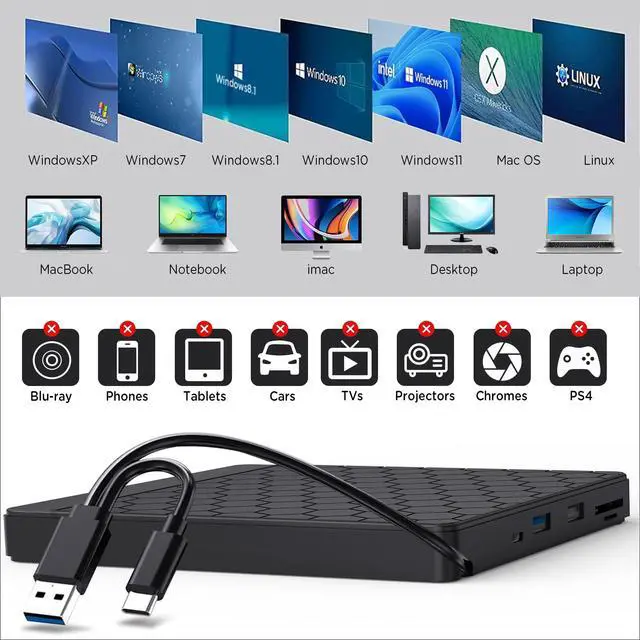
Aumdie External cd dvd drive is compatible with many system devices:
Windows: Windows XP/2003/Vista/7/8.1/10/11, Linux Mac OS: all version Mac OS (8.6 to 10.14) system Laptop, Notebook, PC, Desktop Computer Not support: Cars, TV, Tablets, Smartphones, Projectors, Xbox, Chrombook, iPad, Phones, Surface,Blu-ray disk ,m1 chip and m2 chip
Setting Refion Code: Notice: Remember you can only reset the country 5 times.
Windows : This PC– dvd drive- Properties – Hardware Tab – Properties button – Choose Region
Mac: Menu-System Preference-Language & Region - Region - Select Country - Apply

Warm Tips
If the driver cannot be recognized by computer or it cannot play cd well
For iOS system using the mac commands to eject the disc, ios system refuse to perform the command made by the drive.
- The external dvd drive should be connected with USB port on laptop rather than connect with USB HUB. In addition, please connect the item with USB port behind of computer host if you use a desktop.
- Ensure cd is placed well and not scratched.
- Ensure there is a build-in practical driver software. Or try it with another computer.
- Setting area code according to different regions, you should set the same region code to play dvd discs.
- It's better to use the external power adapter to increase the power if your devices don't have enough power to support the external dvd drive.(The micro power cable in the package)
- Make sure your computer has a driver before using the external cd drive.(VLC Media Player or other player software.)
Trusted Software for Windows and Mac:
- Trusted Free Software for Windows: For audio CD playback, use Windows Media Player or VLC; for video DVD playback, try VLC, Kodi, or 5KPlayer; to burn audio CDs, use CDBurnerXP or ImgBurn; for burning video DVDs, use ImgBurn, BurnAware Free, or CDBurnerXP; to rip audio CDs, consider Windows Media Player, iTunes, Exact Audio Copy (EAC), or Fre:ac; to rip video DVDs, use HandBrake or MakeMKV.
- Trusted Free Software for Apple Mac: For audio CDs, use Apple Music, iTunes, or VLC; for video DVD playback, use VLC or Apple DVD Player; for burning audio CDs, try Apple Music, Burn, or Express Burn; to burn video DVDs, use Burn for Mac, HandBrake, DVDStyler, or iDVD (for older systems); to rip audio CDs, use Apple Music, X Lossless Decoder (XLD), or HandBrake; to rip video DVDs, use MakeMKV or HandBrake with VLC (to read protected DVDs).
5 IN 1 External DVD Drive, USB 3.0 External CD Drive with SD/TF Card Reader Slot & 2 USB Ports for Laptop PC Mac OS MacBook Windows 11/10/8.1/7/Linux
Extra SD/TF Slot
It is not only External CD/DVD Drive, but also a SD/TF card Reader. Extra built-in SD/TF card slot is perfect for you to transfer photos shooting or videos by your camera from memory cards to your computers
Portable Design
The embedded data cable is easy to use and organize, don't worry about the cable lose.This external cd drive can easily carry in your laptop bag ideal for home, office, or anywhere you go.
2-in-1 USB 3.0 Connector
Equipped with USB-C and USB-A connectors make it easier to connect to more laptops and desktop computers. Plug and Play
How to use on windows and Mac system computer?
For Windows
First, Plug the usb 3.0/usb c port into your laptop usb port or type c port. (If your device is desktop, please connect the cd drive to the motherboard usb port).
Then, click the windows laptop's "my computer", you will see the cd/dvd icon. You need confirm that the laptop's has recognized the external cd drive.
Third, use VLC Media Player to play the video. If you want to burn cd, please use the NERO software. It can help you quickly finish.
For Mac OS
First, you need insert a cd into the external cd drive. Then you will see the cd/dvd icon.
Second, put the cd into the cd drive.Waite a moment, you will see the cd content. (If the files was can't be seen, the external cd drive may have problem.)
Third, use VLC Media Player to play the video. If you want to burn cd, please use the NERO software. It can help you quickly finish.
Aumdie External cd dvd drive is compatible with many system devices:
Windows: Windows XP/2003/Vista/7/8.1/10/11, Linux Mac OS: all version Mac OS (8.6 to 10.14) system Laptop, Notebook, PC, Desktop Computer Not support: Cars, TV, Tablets, Smartphones, Projectors, Xbox, Chrombook, iPad, Phones, Surface,Blu-ray disk ,m1 chip and m2 chip
Setting Refion Code: Notice: Remember you can only reset the country 5 times.
Windows : This PC– dvd drive- Properties – Hardware Tab – Properties button – Choose Region
Mac: Menu-System Preference-Language & Region - Region - Select Country - Apply
Warm Tips
If the driver cannot be recognized by computer or it cannot play cd well
For iOS system using the mac commands to eject the disc, ios system refuse to perform the command made by the drive.
- The external dvd drive should be connected with USB port on laptop rather than connect with USB HUB. In addition, please connect the item with USB port behind of computer host if you use a desktop.
- Ensure cd is placed well and not scratched.
- Ensure there is a build-in practical driver software. Or try it with another computer.
- Setting area code according to different regions, you should set the same region code to play dvd discs.
- It's better to use the external power adapter to increase the power if your devices don't have enough power to support the external dvd drive.(The micro power cable in the package)
- Make sure your computer has a driver before using the external cd drive.(VLC Media Player or other player software.)
Trusted Software for Windows and Mac:
- Trusted Free Software for Windows: For audio CD playback, use Windows Media Player or VLC; for video DVD playback, try VLC, Kodi, or 5KPlayer; to burn audio CDs, use CDBurnerXP or ImgBurn; for burning video DVDs, use ImgBurn, BurnAware Free, or CDBurnerXP; to rip audio CDs, consider Windows Media Player, iTunes, Exact Audio Copy (EAC), or Fre:ac; to rip video DVDs, use HandBrake or MakeMKV.
- Trusted Free Software for Apple Mac: For audio CDs, use Apple Music, iTunes, or VLC; for video DVD playback, use VLC or Apple DVD Player; for burning audio CDs, try Apple Music, Burn, or Express Burn; to burn video DVDs, use Burn for Mac, HandBrake, DVDStyler, or iDVD (for older systems); to rip audio CDs, use Apple Music, X Lossless Decoder (XLD), or HandBrake; to rip video DVDs, use MakeMKV or HandBrake with VLC (to read protected DVDs).