





Warm Tips
Setting Refion Code: Notice: Remember you can only reset the country 5 times.
Windows : This PC– dvd drive- Properties – Hardware Tab – Properties button – Choose Region
Mac: Menu-System Preference-Language & Region - Region - Select Country - Apply
If the driver cannot be recognized by computer or it cannot play cd well
For iOS system using the mac commands to eject the disc, ios system refuse to perform the command made by the drive.
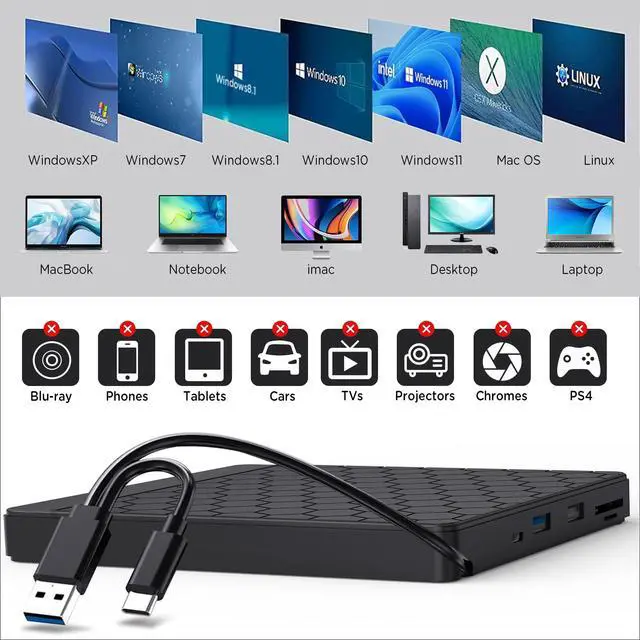
- The external dvd drive should be connected with USB port on laptop rather than connect with USB HUB. In addition, please connect the item with USB port behind of computer host if you use a desktop.
- Ensure cd is placed well and not scratched.
- Ensure there is a build-in practical driver software. Or try it with another computer.
- Setting area code according to different regions, you should set the same region code to play dvd discs.
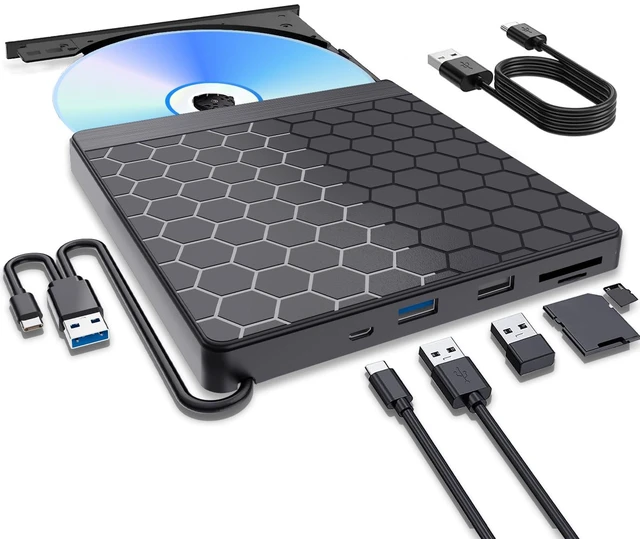
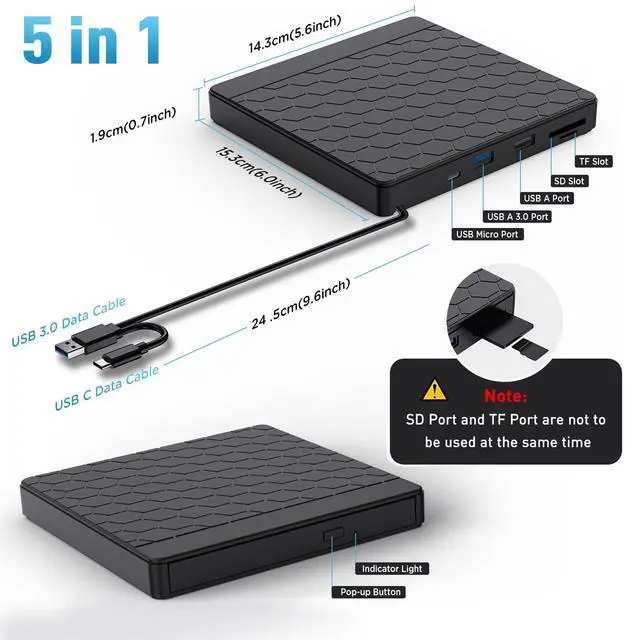
- It's better to use the external power adapter to increase the power if your devices don't have enough power to support the external dvd drive.(The micro power cable in the package)
- Make sure your computer has a driver before using the external cd drive.(VLC Media Player or other player software.)
Trusted Software for Windows and Mac:
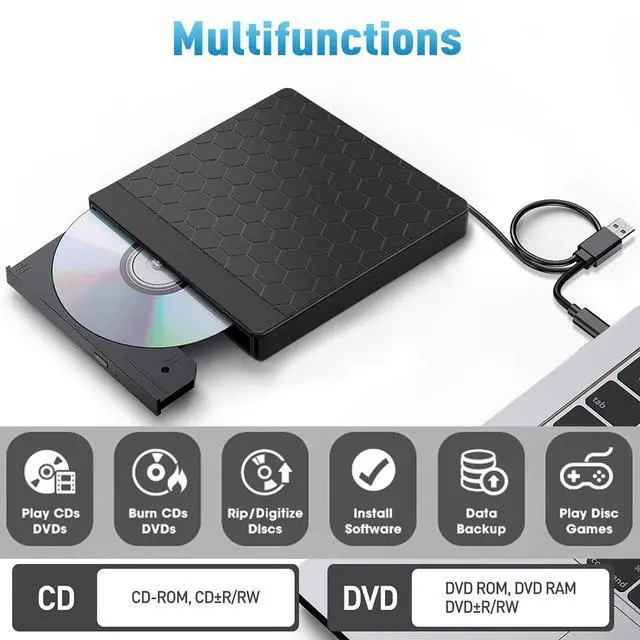
- Trusted Free Software for Windows: For audio CD playback, use Windows Media Player or VLC; for video DVD playback, try VLC, Kodi, or 5KPlayer; to burn audio CDs, use CDBurnerXP or ImgBurn; for burning video DVDs, use ImgBurn, BurnAware Free, or CDBurnerXP; to rip audio CDs, consider Windows Media Player, iTunes, Exact Audio Copy (EAC), or Fre:ac; to rip video DVDs, use HandBrake or MakeMKV.
- Trusted Free Software for Apple Mac: For audio CDs, use Apple Music, iTunes, or VLC; for video DVD playback, use VLC or Apple DVD Player; for burning audio CDs, try Apple Music, Burn, or Express Burn; to burn video DVDs, use Burn for Mac, HandBrake, DVDStyler, or iDVD (for older systems); to rip audio CDs, use Apple Music, X Lossless Decoder (XLD), or HandBrake; to rip video DVDs, use MakeMKV or HandBrake with VLC (to read protected DVDs).
Warm Tips
Setting Refion Code: Notice: Remember you can only reset the country 5 times.
Windows : This PC– dvd drive- Properties – Hardware Tab – Properties button – Choose Region
Mac: Menu-System Preference-Language & Region - Region - Select Country - Apply
If the driver cannot be recognized by computer or it cannot play cd well
For iOS system using the mac commands to eject the disc, ios system refuse to perform the command made by the drive.
- The external dvd drive should be connected with USB port on laptop rather than connect with USB HUB. In addition, please connect the item with USB port behind of computer host if you use a desktop.
- Ensure cd is placed well and not scratched.
- Ensure there is a build-in practical driver software. Or try it with another computer.
- Setting area code according to different regions, you should set the same region code to play dvd discs.
- It's better to use the external power adapter to increase the power if your devices don't have enough power to support the external dvd drive.(The micro power cable in the package)
- Make sure your computer has a driver before using the external cd drive.(VLC Media Player or other player software.)
Trusted Software for Windows and Mac:
- Trusted Free Software for Windows: For audio CD playback, use Windows Media Player or VLC; for video DVD playback, try VLC, Kodi, or 5KPlayer; to burn audio CDs, use CDBurnerXP or ImgBurn; for burning video DVDs, use ImgBurn, BurnAware Free, or CDBurnerXP; to rip audio CDs, consider Windows Media Player, iTunes, Exact Audio Copy (EAC), or Fre:ac; to rip video DVDs, use HandBrake or MakeMKV.
- Trusted Free Software for Apple Mac: For audio CDs, use Apple Music, iTunes, or VLC; for video DVD playback, use VLC or Apple DVD Player; for burning audio CDs, try Apple Music, Burn, or Express Burn; to burn video DVDs, use Burn for Mac, HandBrake, DVDStyler, or iDVD (for older systems); to rip audio CDs, use Apple Music, X Lossless Decoder (XLD), or HandBrake; to rip video DVDs, use MakeMKV or HandBrake with VLC (to read protected DVDs).