• $61.99
  • Free 30-day Returns
  • Sold by Music Street

    Shipped by Music Street

    Price alert
    Shop it at NeweggBusiness.

    Meet Your Seller

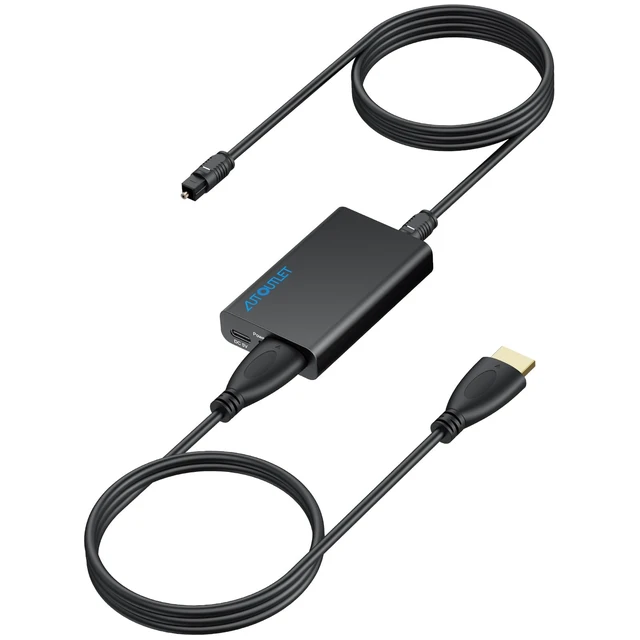
    HDMI eARC to Optical Audio Adapter, Support Dolby 5.1 and DTS 5.1 | eARC/ARC to Optical Converter for TVs, Soundbars, Home Theaters, and Audio Systems, Support 192KHz Sampling Rate(NO CEC)

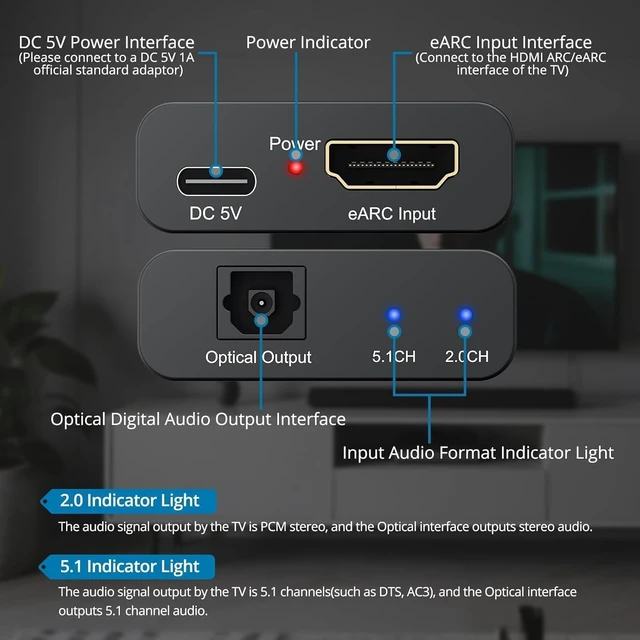
    • eARC to Optical Audio ConversionThis hdmi earc audio extractor can efficiently converts HDMI eARC/ARC signals from your TV to optical audio, providing seamless connection to your soundbar or home theater system
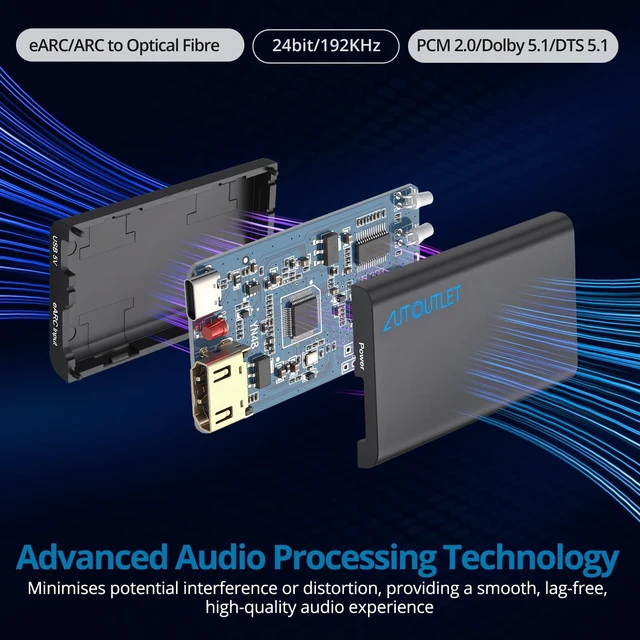
    • High-Quality Audio TransmissionThe hdmi eARC audio extractor supports up to 24bit/192KHz audio for crystal-clear sound output, ensuring a lossless audio experience
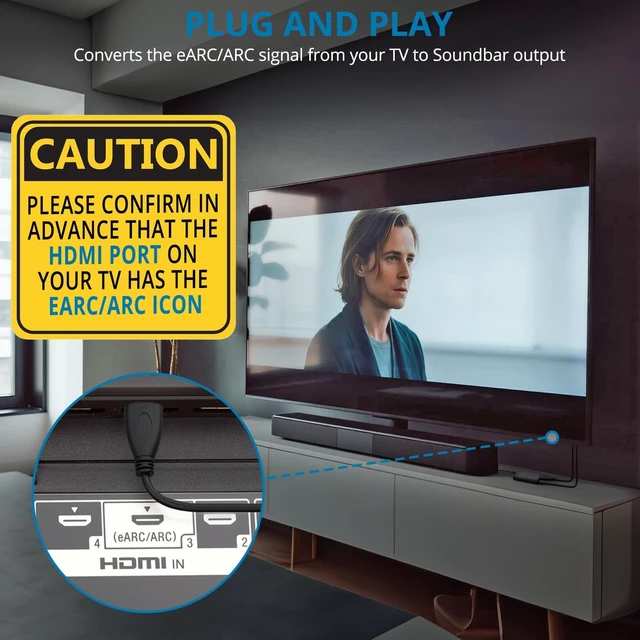
    • Plug and PlayThis earc audio extractor is no software or drivers needed, simply connect to the HDMI eARC/ARC port and enjoy instant high-quality audio without delay or distortion
    • Supports Multiple Audio FormatsPCM 2.0, Dolby 5.1, and DTS 5.1 are supported, this hdmi arc adapter is providing immersive surround sound for your home entertainment system
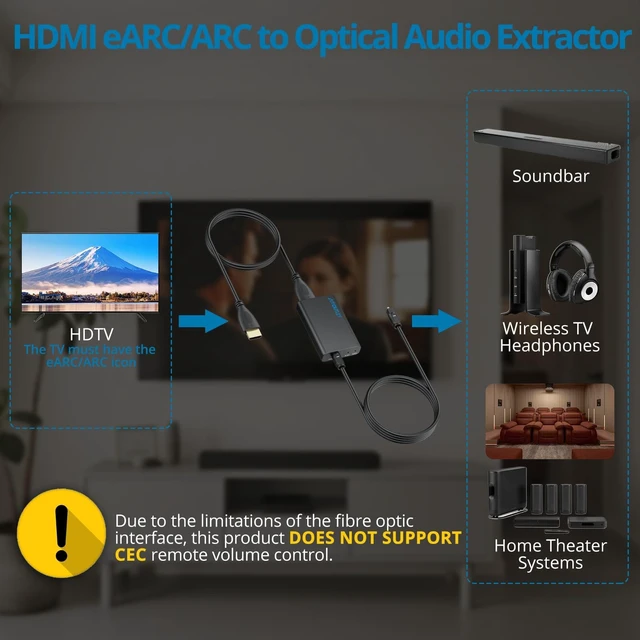
    • Wide CompatibilityThe hdmi arc to optical audio adapter is compatible with HDTVs, soundbars, wireless headphones, and home theater systems, making it a versatile solution for all your audio needs
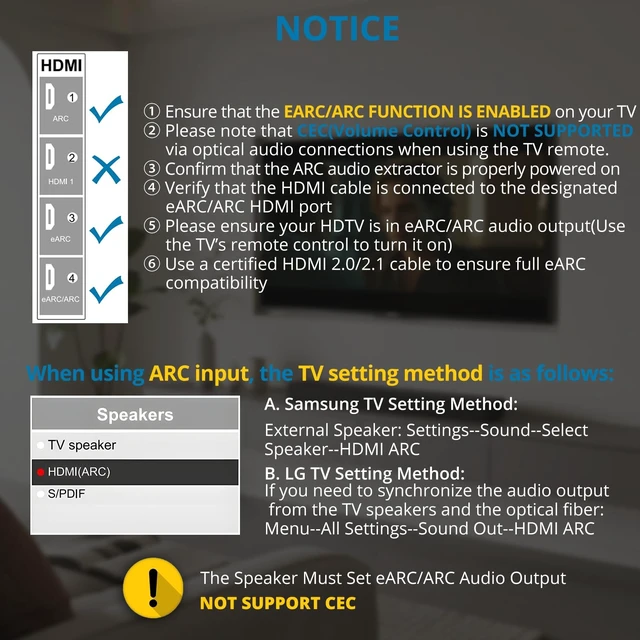
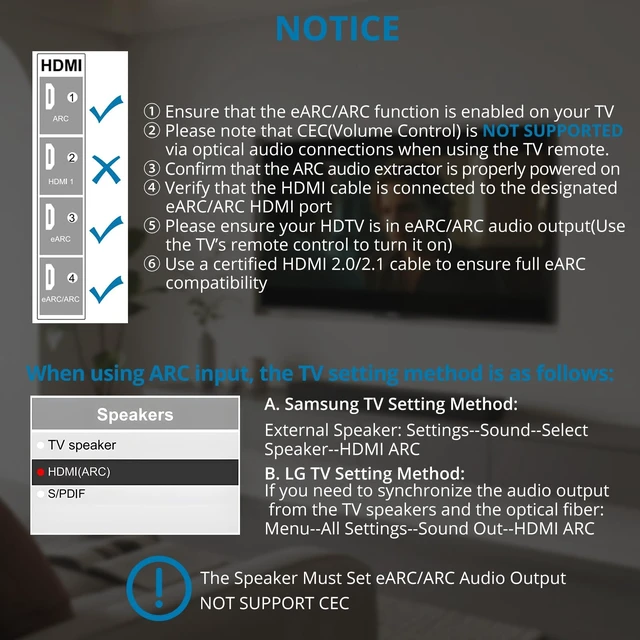
    • Important Notes Requires DC 5V/1A power (1m cable included). Strictly one-way, DO NOT reverse input. NO CEC support; TV speakers will be muted when using external audio
    +
    +
    Overview
    Specs
    Reviews

    Any questions? Ask CelesteSM will help you find out quickly.

    Specification: Input interface: eARC/ARC Output interface: Optical Supported audio formats: PCM2.0 ,Dolby, DTS5.1 Optical Outputs interface Supports up to 5.1 channels. Supports transmission of 24bit/192KHz audio sampling rate. Package : 1 x eARC Audio Extractor 1 x Optical Cable 1 x HDMI Cable 1 x USB Power Cable 1 x User Manual Note: 1. When there is no sound output from the device after turning on the power, please check the following problems: A: Does the TV support eARC/ARC function B: Whether the adapter is powered on C: Whether the HDMI cable is connected to the TV support HDMI eARC/ARC interface D: Whether the TV is in HDMI eARC/ARC audio output (use the TV's remote control to turn it on). 2. Please connect the HDMI port with the eARC/ARC mark and make sure the eARC/ARC function is enabled on your TV, otherwise it cannot be used. 3.Make sure to use an HDMI 2.0/2.1 cable for eARC support. 4.Please be aware that CEC (Volume control) is NOT supported on optical ports using the TV remote. 5.Is not compatible with soundbars that only have HDMI input.

    Warranty & Returns

    Warranty, Returns, And Additional Information

    Warranty

    • Please contact the Seller directly for warranty information. Warranty information may also be found on the Manufacturer's website.
    • CONTACT

    Return Policies

    Manufacturer Contact Info

    LOADING...