AV Access KVM Switch 2 Computers 2 Monitors DisplayPort 8K@60Hz 4K@165hz/144hz, DP KVM Switch Dual Monitors with USB 3.0 Ports, Audio Out, IR Remote, Hotkey Switch, with 6 DP Cables
  •  
  • $159.99 
  • $119.99
  • Free 30-day Returns
  • Ships from China.
    Price alert
    Shop it at NeweggBusiness.

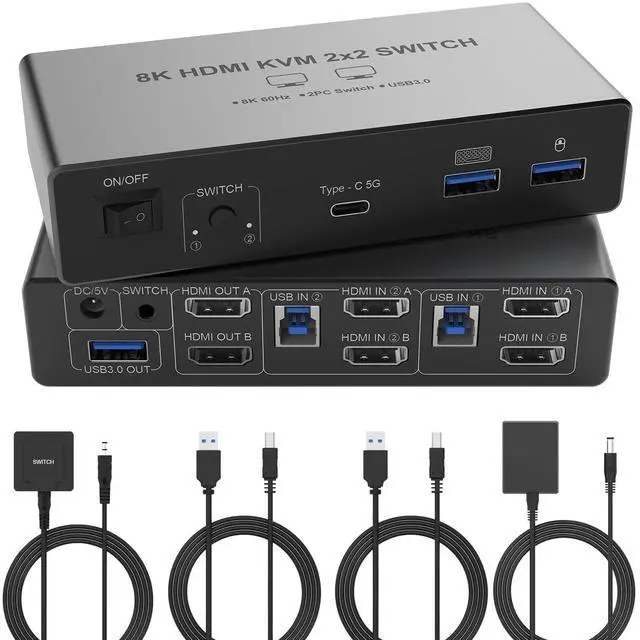
    AUTYUE 8K@60Hz HDMI KVM Switch 2 Monitors 2 Computers, Aluminum KVM Switch with 4 USB 3.0 Ports for 2 Computers Sharing 2 Monitors Keyboard Mouse Printer with 2 USB Cables/Power Adapter/Controller

    Limited time offer, ends 01/10 By Shenzhen Qiuyiyue Store

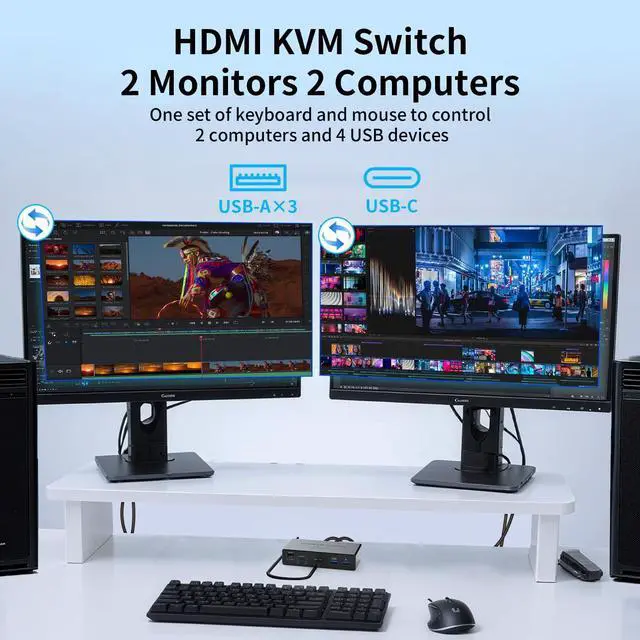
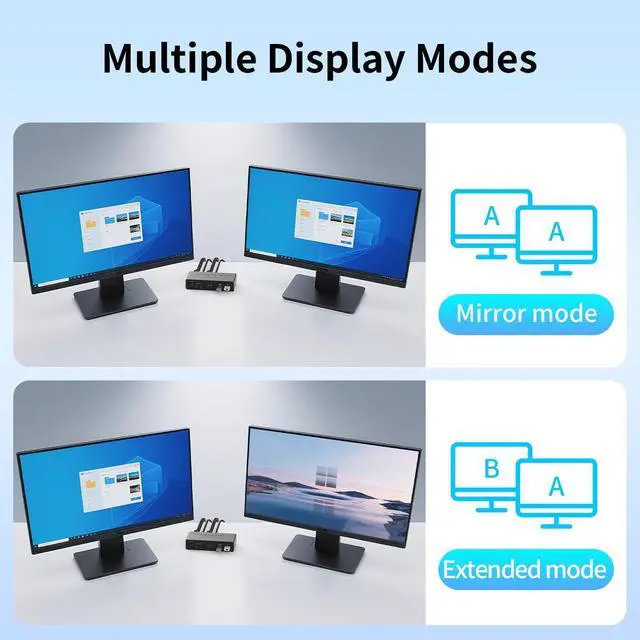
    • HDMI KVM Switch 2 Monitors 2 Computers: This KVM switch allows you to easily manage and switch between 2 computers with just one set of keyboard and mouse while simultaneously controlling two monitors. Support extend mode and mirror mode. Note: This KVM switch requires your computer to have dual graphics cards (2 HDMI output ports) and support copy, extend mode.
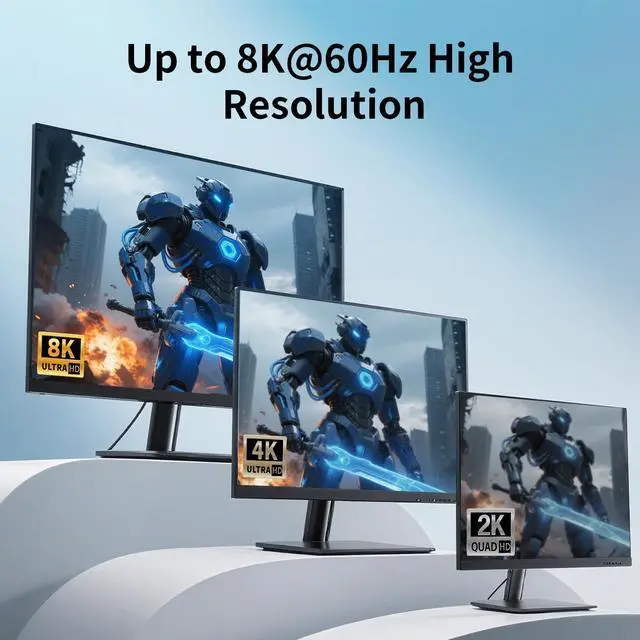
    • Ultra HD 8K@60Hz Resolution: Supports resolutions up to 8K@60Hz and 4K@120Hz. It is also backward compatible with 4K60@Hz, 1080P or lower resolutions for compatibility with various HDMI devices.
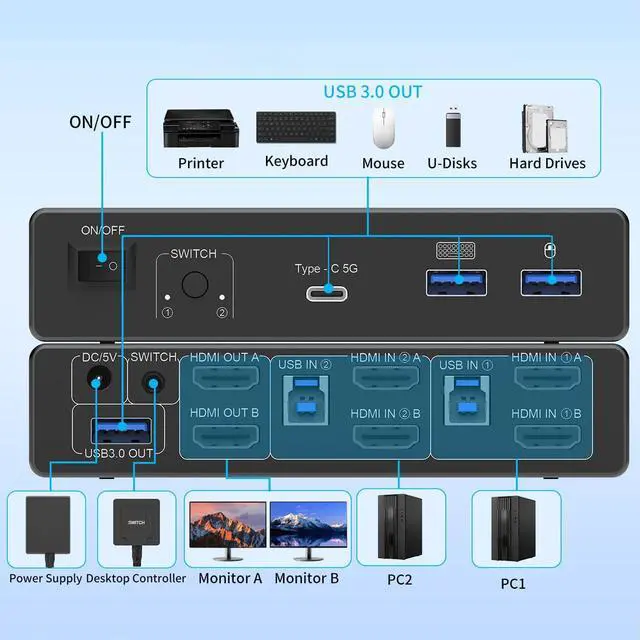
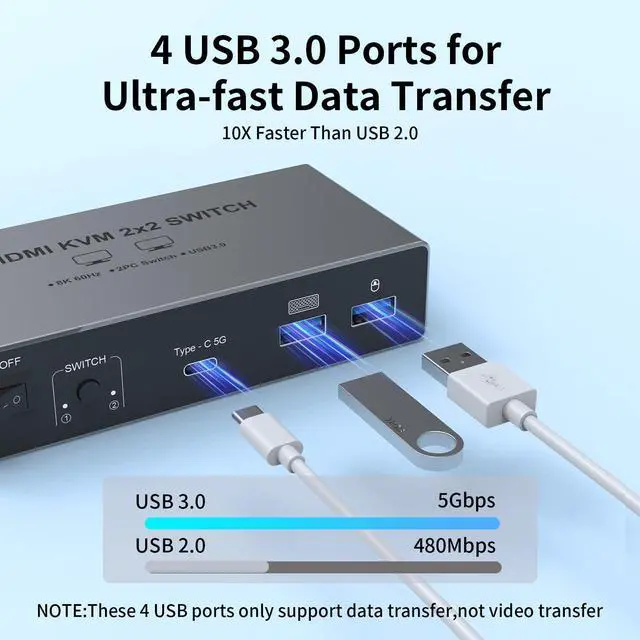
    • With 4 USB 3.0 Ports: This KVM switch has 4 USB 3.0 ports (3 USB-A+1 USB-C) for sharing mouse, keyboard, printer and other USB devices. USB 3.0 offers data transfer speeds of up to 5Gbps, which allows faster data transfer to make work more efficient.
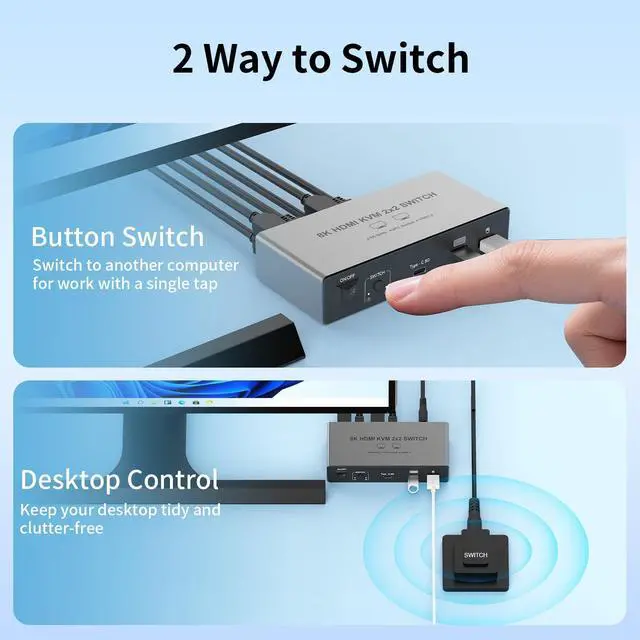
    • 2 Switch Modes: Supports button switching and desktop controller switching, freely switching between 2 computers. With the desktop controller, you can place this HDMI switcher outside your work area, making your desktop cleaner and tidier. NOTE: Not support Keyboard shortcuts (hotkeys) toggles
    • Wide Compatibility: This KVM switch supports Windows, MacOS, and Linux systems. HDMI KVM switch supports connecting to a wide range of input devices including computers, laptops, MacBook Pro, etc., and is widely used in offices, multimedia teaching, conference rooms, and other applications. PACKAGE LIST: 1*HDMI KVM switch, 2*USB A-B cables, power adapters,1*desktop controller, 1*user guide
    +
    +
    Overview
    Specs
    Reviews
    avatar

    Any questions? Our AI beta will help you find out quickly.

    8K@60Hz HDMI KVM Switch 2 Monitors 2 Computers, Aluminum KVM Switch with 4 USB 3.0 Ports
    8K@60Hz HDMI KVM Switch 2 Monitors 2 Computers, Aluminum KVM Switch with 4 USB 3.0 Ports
    8K@60Hz HDMI KVM Switch 2 Monitors 2 Computers, Aluminum KVM Switch with 4 USB 3.0 Ports
    8K@60Hz HDMI KVM Switch 2 Monitors 2 Computers, Aluminum KVM Switch with 4 USB 3.0 Ports
    8K@60Hz HDMI KVM Switch 2 Monitors 2 Computers, Aluminum KVM Switch with 4 USB 3.0 Ports
    8K@60Hz HDMI KVM Switch 2 Monitors 2 Computers, Aluminum KVM Switch with 4 USB 3.0 Ports
    8K@60Hz HDMI KVM Switch 2 Monitors 2 Computers, Aluminum KVM Switch with 4 USB 3.0 Ports
    8K@60Hz HDMI KVM Switch 2 Monitors 2 Computers, Aluminum KVM Switch with 4 USB 3.0 Ports
    8K@60Hz HDMI KVM Switch 2 Monitors 2 Computers, Aluminum KVM Switch with 4 USB 3.0 Ports
    8K@60Hz HDMI KVM Switch 2 Monitors 2 Computers, Aluminum KVM Switch with 4 USB 3.0 Ports
    8K@60Hz HDMI KVM Switch 2 Monitors 2 Computers, Aluminum KVM Switch with 4 USB 3.0 Ports

    About this item

    1. HDMI KVM Switch 2 Monitors 2 Computers: This KVM switch allows you to easily manage and switch between two computers with just one set of keyboard and mouse while simultaneously controlling two monitors. Support extend mode and mirror mode. Note: This dual monitor KVM switch requires your computer to have dual graphics cards (2 HDMI output ports) and support copy, extend mode. If your computer only supports a single monitor, this product will not help you get dual monitor functionality.
    2. Ultra HD 8K@60Hz Resolution: : This 8K HDMI KVM switch supports resolutions up to 8K@60Hz and 4K@120Hz, providing an incredible viewing experience with stunningly lifelike images and vibrant colors. It is also backward compatible with 4K60@Hz, 1080P or lower resolutions for compatibility with various HDMI devices. NOTE: If need to achieve 8K@60Hz resolution, your computers and monitor need to support 8K resolution, and you need to use standard 8K HDMI2.1 cable with a length of less than 2 meters to connect the device. (HDMI cables not included)
    3. With 4 USB 3.0 Ports: This HDMI KVM switch has 4 USB 3.0 ports (3 USB-A+1 USB-C) for sharing mouse, keyboard, USB flash drives, printer, mobile hard drives, and other USB devices. USB 3.0 offers data transfer speeds of up to 5Gbps, which allows faster data transfer to make work more efficient. (NOTE: To ensure USB devices normal usage, please make sure to connect the power supply via the power adapter)
    4. KVM Switch 2 Switch Modes: HDMI KVM switch 2 in 2 out supports button switching and desktop controller switching, freely switching between 2 computers. With the desktop controller, you can place this HDMI switcher outside your work area, making your desktop cleaner and tidier. NOTE: Not support Keyboard shortcuts (hotkeys) toggles
    5. Wide Compatibility: This KVM switch dual monitor supports Windows, MacOS, and Linux systems. HDMI KVM switch 2 computers 2 monitors supports connecting to a wide range of input devices including computers, laptops, MacBook Pro, etc., and is widely used in offices, multimedia teaching, conference rooms, and other applications. PACKAGE LIST: 1*HDMI KVM switch, 2*USB A-B cables, power adapters, 1*desktop controller, 1*user guide
    6. Product connection steps: Connect PC1 to the two HDMI ports on the KVM switch's PC1IN using two HDMI cables, then connect to the USB3.0 port on PC1IN using a USB-B to USB-A cable; connect PC2 to PC2IN in the same manner as PC1; connect the two monitors to the KVM's HDMI OUTA and HDMI OUTB ports using one HDMI cable each; connect the power supply to use. Note: The two monitors can only output the video source from one computer, and cannot output the signal source of PC1 and PC2 at the same time.


    Warranty & Returns

    Warranty, Returns, And Additional Information

    Warranty

    • Please contact the Seller directly for warranty information. Warranty information may also be found on the Manufacturer's website.
    • CONTACT

    Return Policies

    Manufacturer Contact Info

    LOADING...