




 here!
I’m your shopping assistant for PC builds, upgrades, and everything tech.
Got questions? Ask away!
Start a conversation
here!
I’m your shopping assistant for PC builds, upgrades, and everything tech.
Got questions? Ask away!
Start a conversation



Any questions? Ask CelesteSM will help you find out quickly.

High-Quality Sound
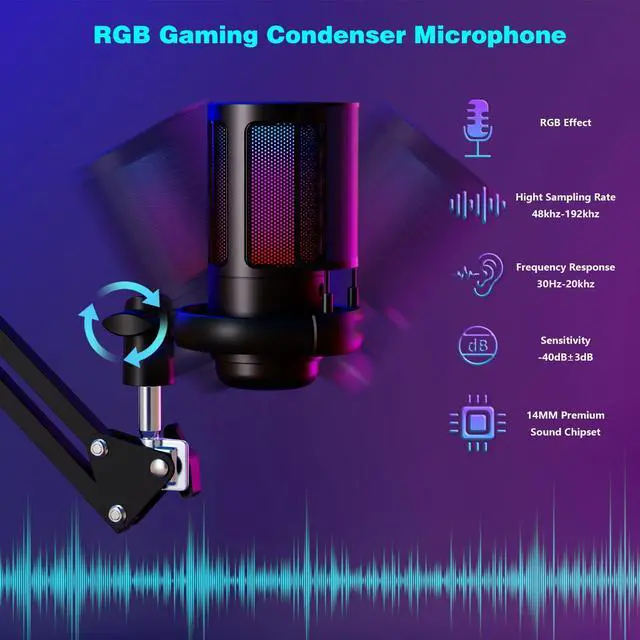
The Bailink gaming usb microphone for pc uses a 14mm audio chipset and 48kHz-192kHz high sampling rate, delivering detailed sound for gaming and professional recording; Clear sound ensures excellent performance, reducing noise bothers.
Cool Dynamic RGB Lighting:
This gaming microphone for pc features RGB lighting cycling through 7 colors, enhancing your streaming setup with visual effects; Easily monitor status with visual cues, avoiding mishaps in broadcasts.

Convenient Control Design:
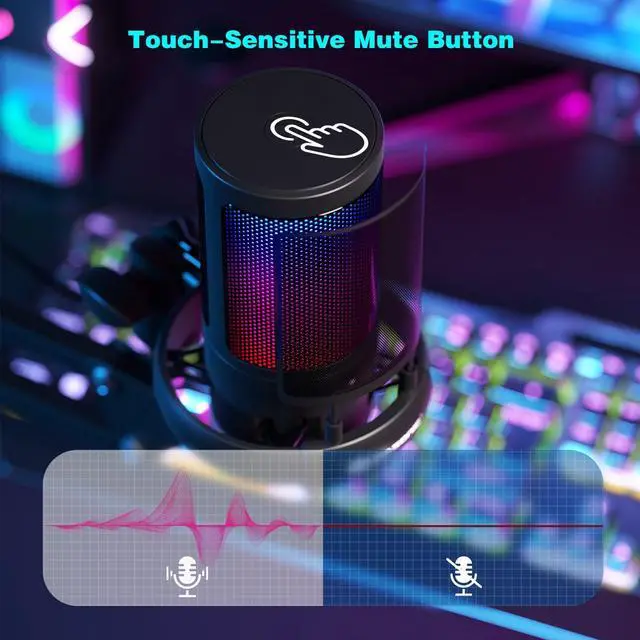
The quick mute button and mic gain knob on this usb gaming microphone provide easy volume adjustments and muting; Smooth, instant operation enhances efficiency without interrupting your performance
Professional Real-Time Monitoring:
With a 3.5mm jack, this microphone for pc allows real-time audio monitoring during recordings and streaming sessions; Keep control of sound, reduce post-editing hassles, saving valuable time.

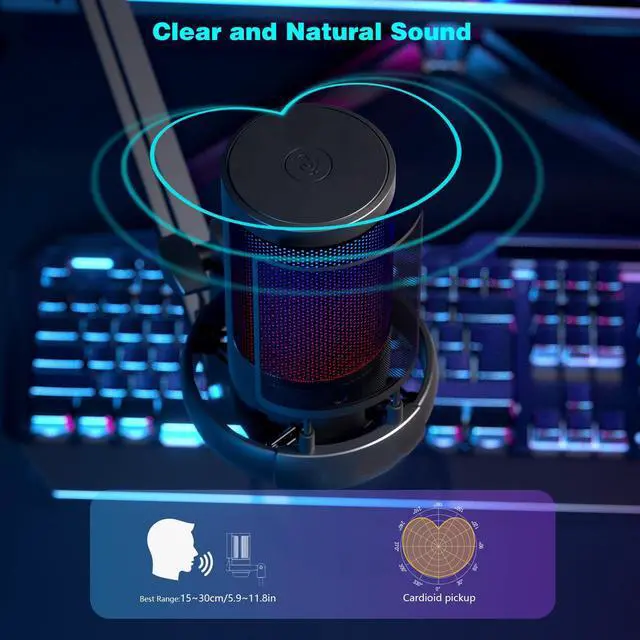
Cardioid Polar Pattern:
This microphone for pc gaming focuses on capturing clear voice while reducing side and background noise with its cardioid pattern; Make your voice clearer with professional sound quality for streaming and gaming.
Stable and Durable Design:
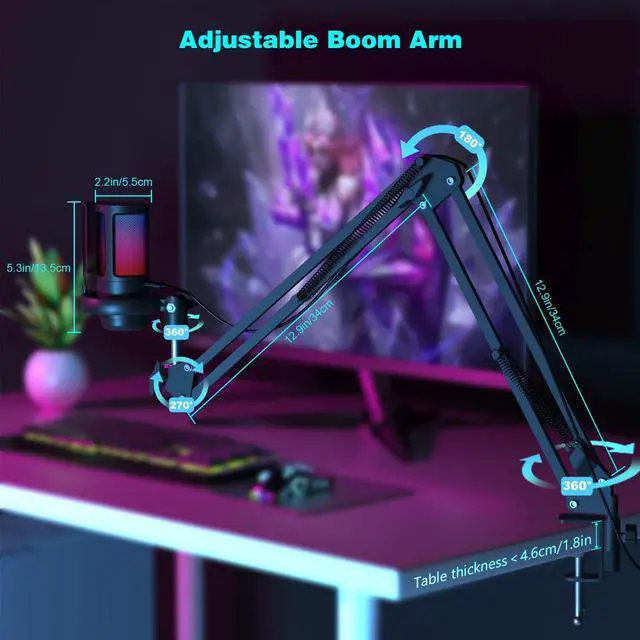
The gaming microphone pc with boom arm features a reinforced carbon steel base, staying stable during intense gaming sessions; Reduced background noise and vibration let you focus on key sounds.
Plug and Play, Easy and Convenient:
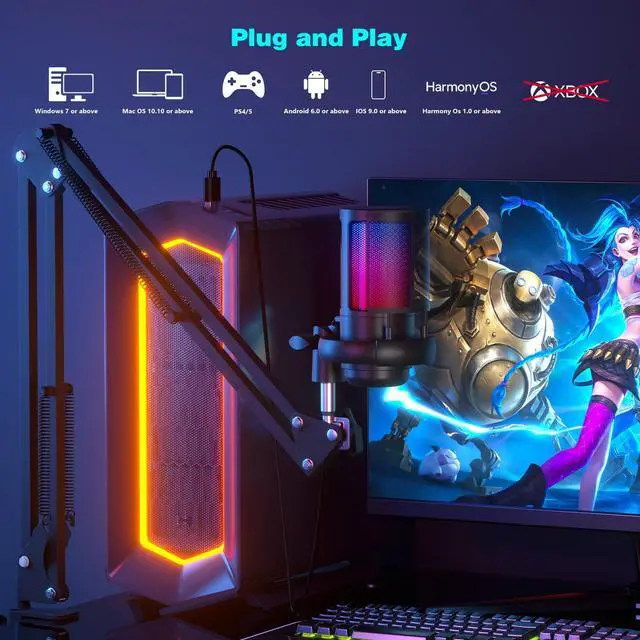
This gaming usb microphone is compatible with Mac, PS4/5, and Windows without extra drivers; Quickly start creating or gaming without setup delays.


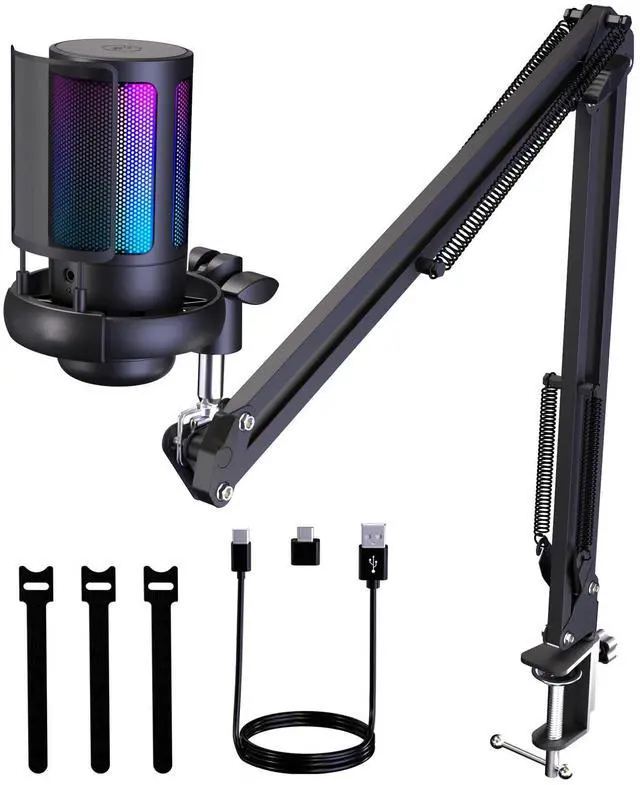
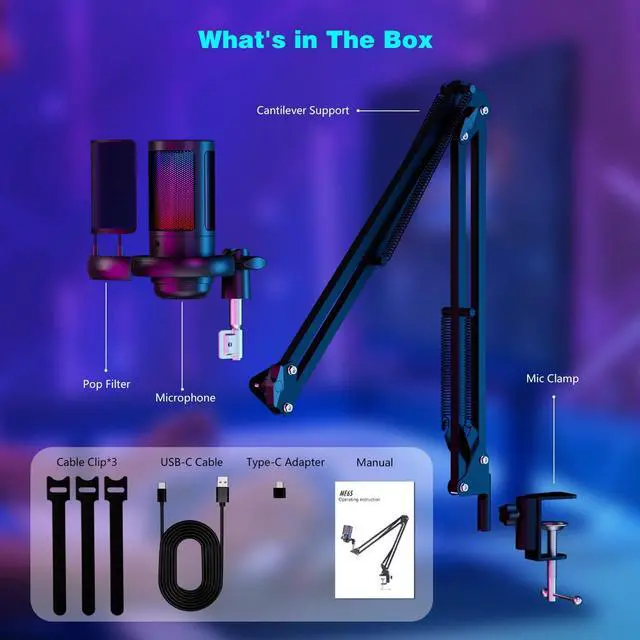
The Bailink BL-GAMEMICP is a cardioid USB condenser microphone with a boom arm, pop filter, RGB lighting, gain control, mute button, and 3.5mm monitoring jack, making it suitable for PC gamers, streamers, podcasters, and home-studio creators.
| Attribute | Value |
|---|---|
| Best For | PC, Mac, PS4/PS5 gaming, streaming, podcast recording, and home-studio voice capture with USB connectivity, cardioid pickup, and boom-arm positioning |
| Audio Capture | 14 mm audio chipset with 48 kHz–192 kHz sampling, 20 kHz frequency response, 120 dB signal-to-noise ratio, and a cardioid pattern that focuses on voice while reducing side and background noise |
| Connectivity And Compatibility | USB and 3.5 mm connections with plug-and-play compatibility for Windows, Mac, and PS4/PS5 without extra drivers |
| Controls And Monitoring | Quick mute button, microphone gain knob, and 3.5 mm headphone jack for real-time audio monitoring during recording and streaming |
| Lighting And Physical Design | Seven-color cycling RGB lighting with a reinforced carbon-steel boom-arm base for stable positioning and reduced vibration during use |
| Model Identifiers | Bailink High Performance RGB Gaming USB Microphone, model BL-GAMEMICP, in black |
Q: Should I choose the Bailink BL-GAMEMICP or the HyperX SoloCast for streaming?
A: Choose the Bailink BL-GAMEMICP if you want a boom arm, RGB lighting, a gain knob, and 3.5mm real-time headphone monitoring included in the setup. Choose the HyperX SoloCast if you prefer a smaller, simpler USB microphone with tap-to-mute control and a compact adjustable stand. Independent testing describes the SoloCast as capable of clear voice capture but notes that it does not include a gain dial or headphone-monitoring output, giving the Bailink a feature advantage for hands-on streaming control. Neither product should be selected solely from sampling-rate claims because comparable real-world sound quality depends heavily on microphone distance, room noise, and software settings.
Q: Is the Bailink BL-GAMEMICP a better upgrade than the FIFINE K669B?
A: The Bailink BL-GAMEMICP is the more complete choice for a fixed gaming or streaming desk because it adds a boom arm, quick mute button, RGB lighting, pop filter, and headphone monitoring. The FIFINE K669B is better suited to buyers who want a compact, straightforward USB condenser microphone with an on-mic volume control and tripod stand. Choose Bailink when desk mounting and live monitoring matter; choose K669B when portability, simpler setup, and lower accessory requirements are more important. Available reviews describe the K669B as strong value for basic voice recording, but they do not establish that the Bailink has superior raw audio quality.
Q: Should I buy the Bailink BL-GAMEMICP or step up to the FIFINE AM8?
A: Choose the Bailink BL-GAMEMICP for an all-in-one USB kit with a boom arm, RGB lighting, gain control, mute control, pop filtering, and headphone monitoring. Step up to the FIFINE AM8 if you want a dynamic microphone design and USB/XLR connectivity for better compatibility with audio interfaces and future recording upgrades. The AM8 is also positioned for louder or less-treated rooms because its dynamic capsule is designed to reduce sensitivity to background noise. Bailink is the more convenient plug-and-play bundle, while AM8 is the more upgradeable platform.
Q: Is the Bailink BL-GAMEMICP suitable for portable recording, or should I get a smaller USB mic?
A: The Bailink BL-GAMEMICP is better for a permanent gaming or home-studio setup than for travel because its boom arm, pop filter, and reinforced base add equipment to pack and position. A compact microphone such as the HyperX SoloCast is more practical for moving between desks or carrying in a bag, while still offering plug-and-play USB operation and a cardioid pickup pattern. Choose Bailink when stability, desk ergonomics, and monitoring are priorities; choose a compact USB microphone when portability and fast setup matter more.
Q: Will this microphone work with Windows, Mac, PS4, and PS5 without extra drivers?
A: Yes. The microphone is designed for plug-and-play use with Windows, Mac, PS4, and PS5 through USB, without requiring extra drivers. Phone compatibility may depend on the phone’s USB connection and any adapter required.
Q: Can I listen to my voice in real time while recording or streaming?
A: Yes. The built-in 3.5 mm headphone jack supports real-time monitoring, allowing you to hear the microphone input while recording, streaming, or gaming. The product information does not specify whether monitoring is completely latency-free.
Q: Does it have a physical mute button and microphone gain control?
A: Yes. The microphone includes a quick mute button and a gain knob for adjusting input level directly on the device. These controls are useful for gaming, live streaming, meetings, and recording because they reduce the need to open software menus.
Q: Is this microphone good for gaming, streaming, meetings, and podcast recording?
A: It is suitable for users who want one USB microphone for gaming, streaming, video meetings, voice recording, and basic podcasting. Its cardioid pattern focuses on sound from the front, while the boom arm positions the microphone near the speaker. As a condenser microphone, it can still pick up nearby room noise, so placement and room conditions affect results.
Q: Will the cardioid pattern eliminate background noise?
A: No. The cardioid pattern is designed to emphasize sound from in front of the microphone and reduce pickup from the sides and rear, but it does not eliminate background noise. Keyboard sounds, fans, nearby conversations, and room reflections may still be captured.


