• $36.99
  • $44.38
  • Save: $7.39 (16%)
  • Free 30-day Returns
  • Price alert
    Sold by Direct from manufacturerKOUKJU Store
    Top Rated
    4.7 (66 seller ratings)

    Shipped by Newegg

    Shop it at NeweggBusiness.

    Meet Your Seller

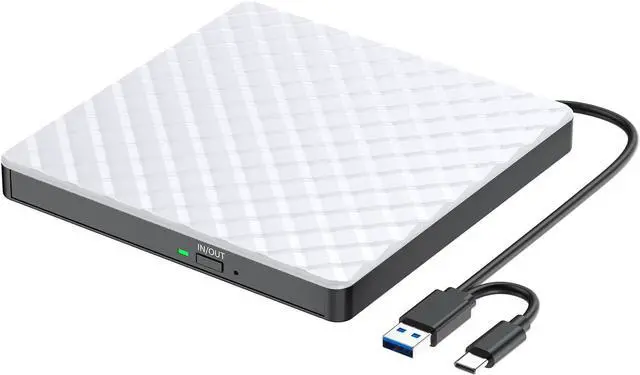
    2026 Updated External CD DVD Drive for Laptop, USB 3.0 USB C CD Burner DVD/CD ROM Drive Reader External DVD Drive DVD Player for Laptop Desktop PC Windows 11/10/8.1/7 MacBook Mac Linux OS Apple White

    Limited time offer, ends 02/08 By KOUKJU Store

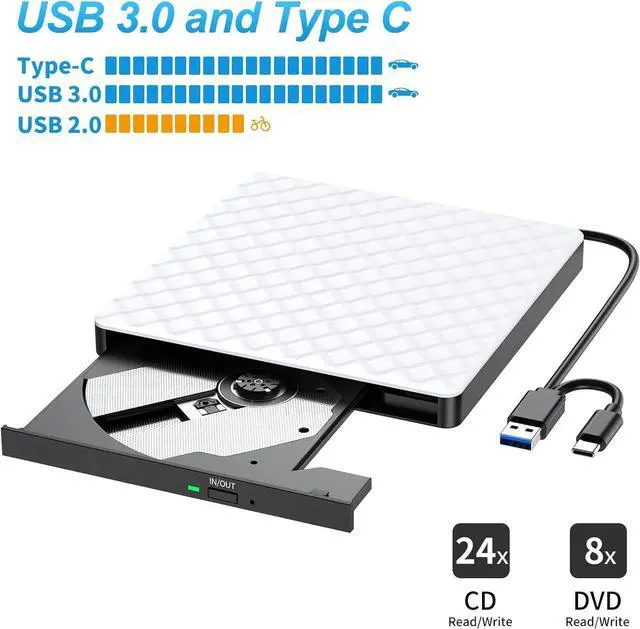
    • External Optical Drive CD ROM Burner CD Reader For Both USB A and USB C
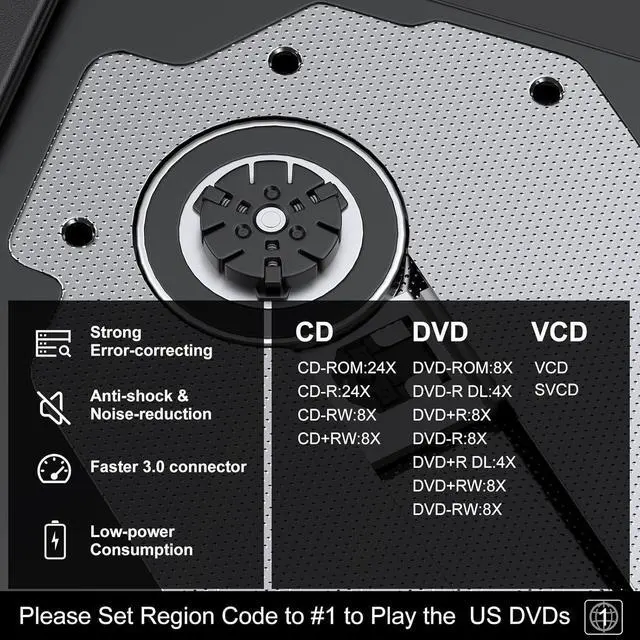
    • High Writing and Reading Speed: Max 8x DVD Write Speed and Max 24x CD Write Speed provide high writing and reading speed. External CD Drive supports playing music, movies or copying/burning movies and music to DVD or CD.
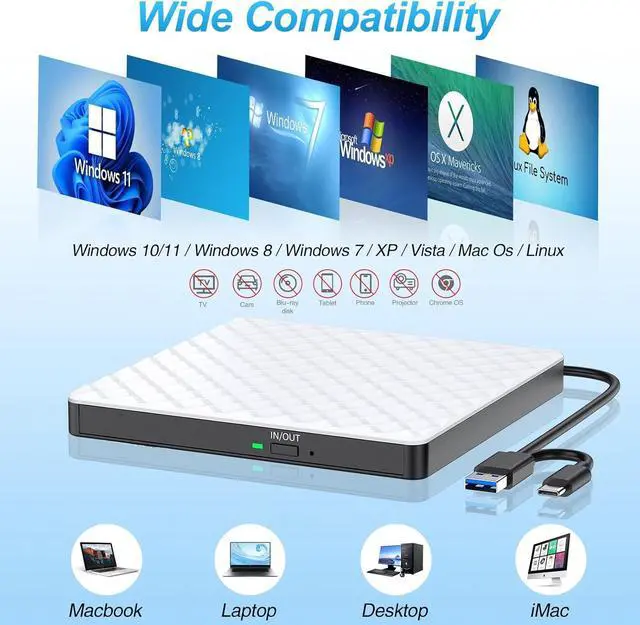
    • Great Compatibility:External DVD Drive ideals for various devices,Windows 11/10/8.1/7/XP/2003/Vista, Linux, all version Mac OS (8.6 to 10.14) system Laptop, Notebook, PC, Desktop Computer.
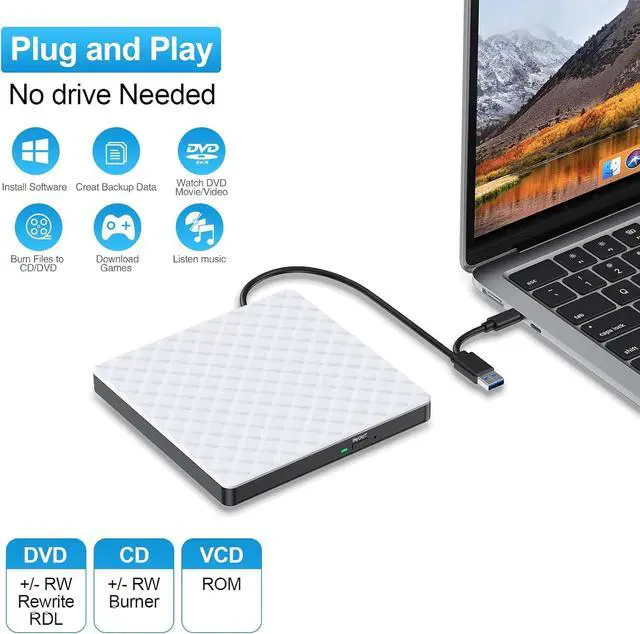
    • PLUG & PLAY:Easy to use,it powered by USB port. No external driver and power needed. Just plug it into your USB port and the DVD driver will be detected.
    • USB 3.0 & Type C:External CD/DVD Drive for Laptop with USB 3.0 and Type-C dual interface. Backwards compatible with USB2.0 USB1.0, bringing you faster data transmission speed (up to a maximum of 5Gbps) and stable performance with strong fault tolerance.
    • Trendy Design 100% guarantee service, 2 year quality guarantee
    +
    +
    Overview
    Specs
    Reviews
    avatar

    Any questions? Our AI beta will help you find out quickly.

    External Optical Drive CD ROM Burner CD Reader For Both USB A and USB C
    Shipped from USA, Processed By Newegg Directly !
    External CD/DVD Drive for Laptop
    How to use on windows and Mac system computer?

    How to use on windows and Mac system computer?

    For Windows

    First, Plug the usb 3.0/usb c port into your laptop usb port or type c port. (If your device is desktop, please connect the cd drive to the motherboard usb port).

    Then, click the windows laptop's "my computer", you will see the cd/dvd icon. You need confirm that the laptop's has recognized the external cd drive.

    Third, use VLC Media Player to play the video. If you want to burn cd, please use the NERO software. It can help you quickly finish.


    For Mac OS

    First, you need insert a cd into the External CD Drive. Then you will see the cd/dvd icon.

    Second, put the cd into the cd drive.Waite a moment, you will see the cd content. (If the files was can't be seen, the External CD Drive may have problem.)

    Third, use VLC Media Player to play the video. If you want to burn cd, please use the NERO software. It can help you quickly finish.


    Compatibilty and Incompatibility:

    Compatibilty: External DVD Drive is compatible with Windows 11/10/8.1/7/XP, Vista 7/8, Linux, Mac OS 10.6 or later such as Apple MacBook Air and MacBook Pro.

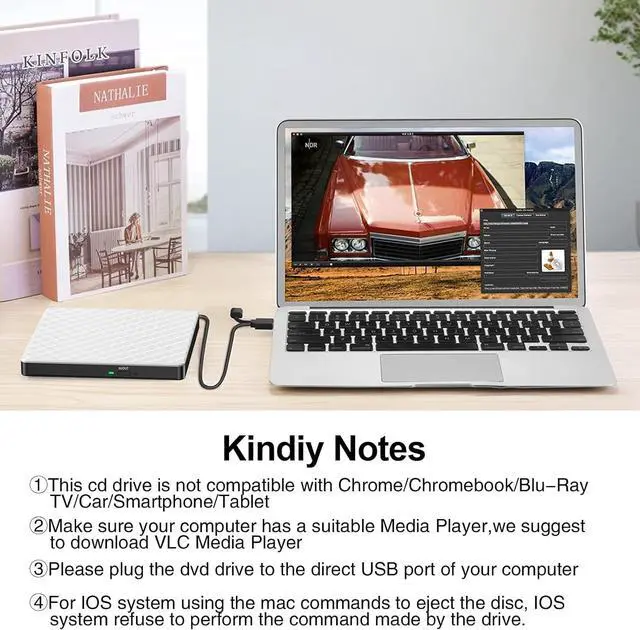
    Incompatibility: It does not compatible with TV / Car / Truck / Blu Ray / Projector / Tablet / iPad / Smartphone / iPhone / ChromeBook /Chrome OS /Surface Pro / Ubuntu System /HD,3D, 4K discs /gaming consoles (PS4/PS5, Xbox, Nintendo Switch).

    Compatibilty and Incompatibility:  Compatibilty: External DVD Drive is compatible with Windows 11/10
    Compatibilty and Incompatibility:  Compatibilty: External DVD Drive is compatible with Windows 11/10
    Compatibilty and Incompatibility:  Compatibilty: External DVD Drive is compatible with Windows 11/10
    Compatibilty and Incompatibility:  Compatibilty: External DVD Drive is compatible with Windows 11/10
    Compatibilty and Incompatibility:  Compatibilty: External DVD Drive is compatible with Windows 11/10

    Things should be noted about this external cd/dvd drive for laptop

    1.If your computer(Windows 10 / 11) does not recognize the External DVD Drive or it fails to read discs, you might find a solution by searching for AyPhnwzyuoI on YouTube. There are repair methods shown in the video that may help.

    2. Windows 10/11 requires a media player (such as VLC) and network connection.

    3. Remember to set the DVD Region to United States on the player -  Properties -  click Hardware Tab -  click Properties button -  then choose country Region (US is 1) and OK to apply. Remember you can only reset the country 4 -  5 times.

    4. Please directly connect it to the USB port of the laptops. Connection through a USB hub or USB extension cord may affect the device 's functioning. For desktops, please connect it to the back USB port of the motherboard because of potential power issue.

    5. For macbook, to eject a disc, you have to use the drop-down "eject" button on your computer under the file tab. Pushing the button on the disc drive won't do anything. Mac OS computers do not display the device icon before placing a disc into disc tray.

    6. Before playing or burning cd/dvd for laptop on your laptop, please make sure you have corresponding software on your laptop.Computers does not natively support DVD movie playback, so a third-party application, such as VLC, must be downloaded and installed in order to watch DVDs using this cd/dvd player. You could download any one of a plethora of burning software utilities available on the Internet. Or try the following:


    No fee playing software: Any Media Player, Any DVD

    No fee burning software for Windows OS: InfraRecorder, Ones, Express Disc Burner

    No fee burning software for mac OS: Burn for mac

    No fee burning software for Linux OS/Unix OS: K3b (KDE Burn Baby Burn)

    7. Just because you have a series of video files doesn't mean they are compatible with DVDs. In fact, most computer and phone video formats are not compatible. So you need a third-party software to convert your file format to one that can be shown on discs. It won't work even you burn your file onto discs without converting format.

    8. The maximum read capacity is 8.5GB, so portable CD/DVD drive cannot play discs exceeding 8.5GB.

    External CD DVD Drive for Laptop USB 3.0 Type-C CD Player Ultra Slim Portable CD DVD +/-RW External Optical Drive CD ROM Burner CD Reader Compatible with Laptop Desktop PC Windows MacBook Linux Mac OS


    High-Speed CD/DVD Drive

    This external USB 3.0 Type-C disc player ensures a high writing and reading speed. With the capacity of maximum 5Gbps data transmission, the external cd dvd drive can provide Max 8x DVD Write Speed and Max 24x CD Write Speed. No more CD stuttering and noise nor jammed discs.


    Easy to Use & Plug and Play

    The external DVD player for laptops with USB A and USB C ports doesn't need to install the driver program or power supply. Just plug this CD burner into your laptop, insert the disk, and the drive was recognized immediately.


    Wide Compatibility USB DVD drive External

    This USB 3.0 external cd drive for laptop is widely compatible with Windows XP/2003/Vista/7/8/10/11, Linux, and all versions of Mac OS. (Windows 11 requires a media player and network.). Our DVD drive is external for laptop, desktop, Mac, PC, computer without drive hardware.


    Multifunction External CD & DVD Drives

    This cd rom external drive for laptop feature with shockproofing, low noise, anti-interference, and high durability made it smoother during playing or burning. You can use this cd burner for mac to play or burn music or movies, back up, store or transfer all files or material you wanted.


    Ultra-Slim & Compact Design

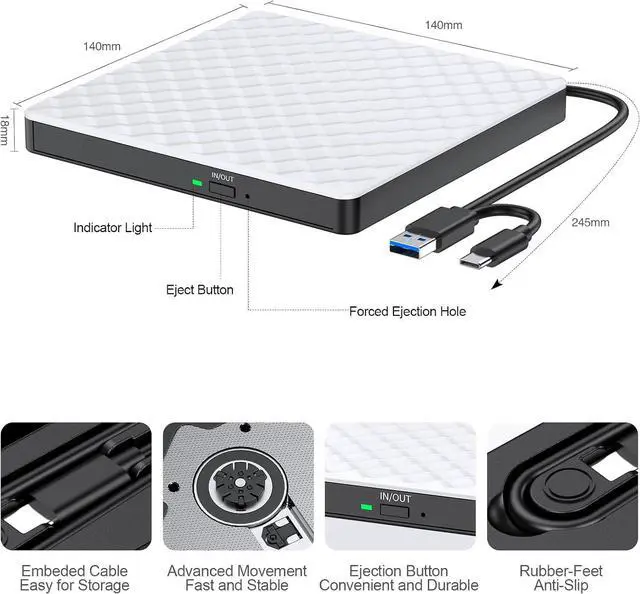
    This external CD drive is well designed with an ultra-slim with a height of only 0.55 inches, lightweight, embedded cable (the USB cable length is about 10 inches), and fashion shell. You can easily put this USB CD burner into your travel bag, take it with you anywhere, and hooked up at any time. Just burning a CD is enough, which is ideal for business and travel.


    Purchase WARRANTY

    100% guarantee service, 60 days full refund and 2 year quality guarantee.HYRIPE professional external CD drive manufacturing experience ensures reliable quality and professional customer service. If you have any questions about an external CD burner for laptop, please feel free to contact us. We will solve your problem within 24 hours.


    USB 3.0 & USB-C Two Connectors

    - High Speed with this USB 3.0 & USB-C portable external CD/DVD drive burner.

    - Easy to use,just Plug and play.

    - Compact and Ingenious Design, ultra-slim, grid pattern and embedded cable.

    - The CD burner is perfectly compatible with Windows XP/2003/Vista/7/8/10, Linux, and All versions of Mac OS.


    Specification:

    - Supported OS: Windows XP/2003/Vista/7/8/10,Linux OS,all version Mac OS system.

    -Supportive Disk Format :DVD-ROM, DVD-R, DVD+R, DVD-RW, DVD-RDL, CDA, CD-ROM, CD-R,VCD, SVCD, CD-RW

    - Read Speed: CD-ROM: 24x Max; DVD-ROM: 8x Max; DVD-ROM(DL): 8x Max W

    - Write speed: 24x CD-R, 8x CD-RW


    Please Pay Attention:

    - The external DVD/CD drive doesn't support Blu-ray Discs / TV / Car / Truck / Android Phone & Tablet / Chromebook / Chrome OS/ iPhone / iPad / Ubuntu OS.

    - Before using external disk drive, please make sure your computer has "Media Player". For playing software, please download free software: VLC media player or Kmplayer. For burning software, please download free software: Nero.


    software for mac OS: Burn for mac software for Linux OS/Unix OS: K3b (KDE Burn Baby Burn)

    - If you connect it to a non-powered hub or extender, it will keep the drive from getting enough power to function.

    - The data cable is on the back of the CD/DVD drive.

    - For desktop PC, please connect the external cd/dvd drive for laptop to the back-end USB interface, because the front-end USB port of the PC extends outward and the power supply is insufficient.

    - Please must set region code to #2 to play discs. (Device Manager> Right-click DVD/CD Rom> Properties> Area. Mac:Menu-System Preference-Language & Region - Region - Select Country - Apply)


    Remember you can only reset the country 5 times.

    - If your devices don't have enough power to support the external CD drive, its better to use an external power adapter to increase the power.

    - If you use the dvd/cd drive on PC, its better to plug the drive into the back end interface for more strong power supply.


    Other Useful Tips for mac os

    1. Mac OS computers do not display the device icon before placing a disc into disc tray.

    2. For Mac OS, use the mac command to eject disc. If eject button/computer command not working, stick emergency hole to force eject a disc.

    Warranty & Returns

    Warranty, Returns, And Additional Information

    Warranty

    • Please contact the Seller directly for warranty information. Warranty information may also be found on the Manufacturer's website.
    • CONTACT

    Return Policies

    Manufacturer Contact Info

    LOADING...