


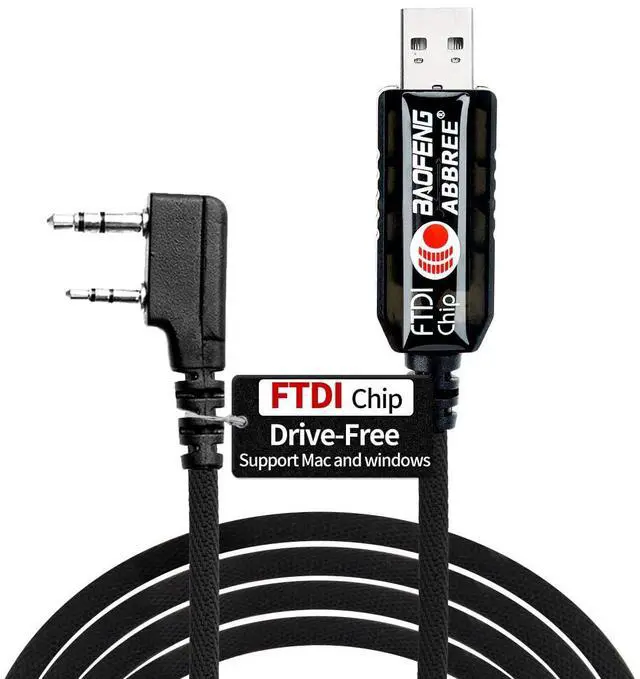
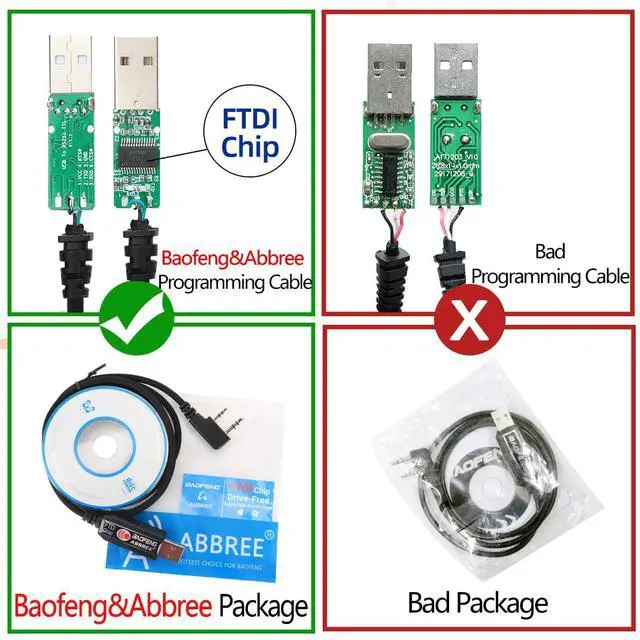
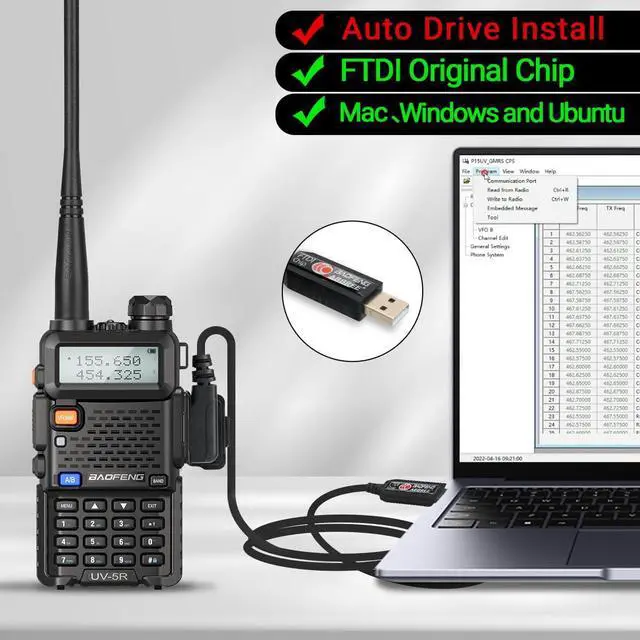
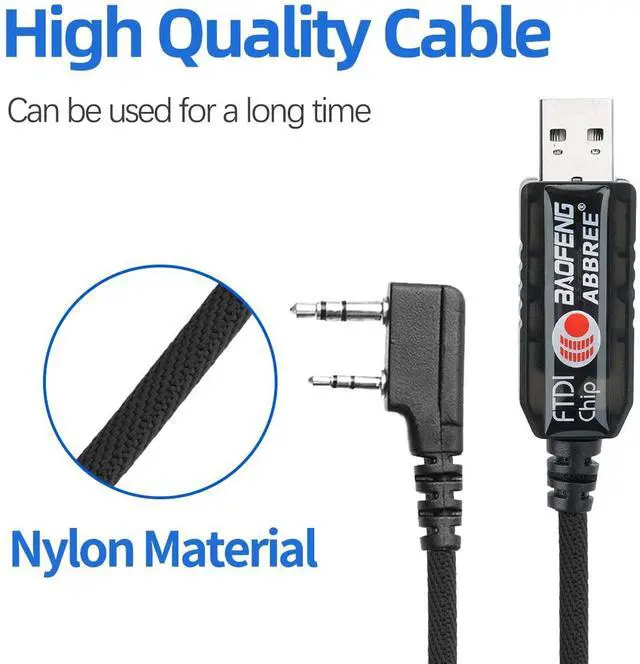


- Original FTDI CHIP:Work with MAC OS Windows OS And Ubuntu Operation System.The cable is made of high-quality nylon material to ensure long-term use!
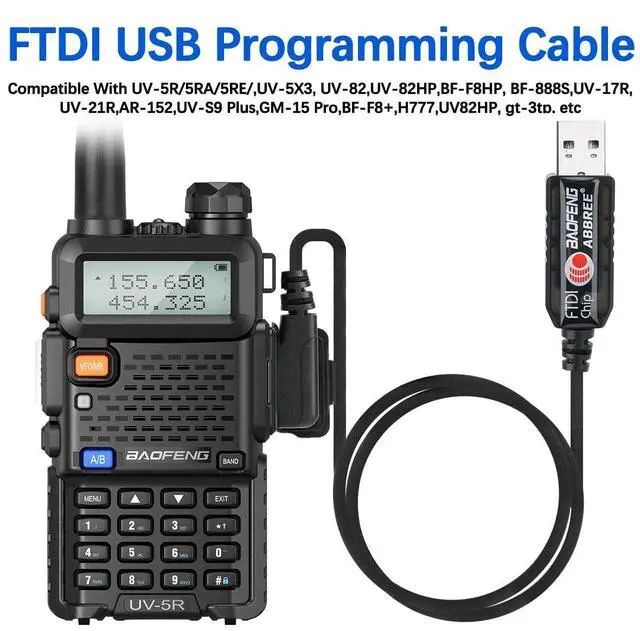
- Compatible Wth Most Ham Radio:For Quansheng UV-K5,Baofeng Two Way Radio UV-5R BF-F8HP 5RM UV-17R BF-888S UV-21R UV-5G Plus AR-152 UV-82 GM-15PRO UV-K5 GM-5RH etc
- Plug & Play:This item is the cable that using to connect your Radio and PC, then writes the program setting and frequency of the two way radio by PC.
- Compatible Models: UV-5R BF-F8HP 5RM UV-17R BF-888S UV-21R UV-5G Plus AR-152 UV-82 GM-15PRO UV-K5 GM-5RH Handheld Two Way Radio
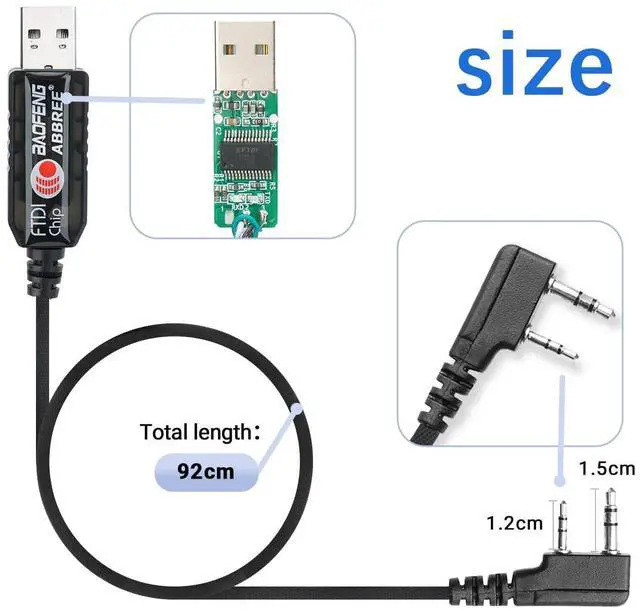
- Two-pin standard diameter: Ear 3.5mm stereo (top pin). Mic 2.5mm stereo (bottom pin).
- Space of two-pin: 11mm.
- Length: 92cm.
- Weight: 40g.

FTDI Chip for Two Way Radio
- Baofeng programming cable use FTDI chip,work with Windows MAC Ubuntu peration System.
- This item is the cable that you can use to connect your Radio and PC, and then write the program setting and frequency of the walkie talkie by PC.

High Quality Cable
Cable length:36.22inch/92cm,PU Material more durable,Can be used for a long time,PU Material more durable.

2-Pin Connector
- Type: USB Programming Cable Accessories
- 2-pin standard diameter: Ear 3.5mm stereo (top pin). Mic 2.5mm stereo (bottom pin). Space of two-pin: 11mm.
- Note:Almost All with a two pin plug, former pin diameter of 3.5 mm and 2.5 mm in diameter after pin, double pin from 8 mm within, 11 mm center distance of 2 pin.

The programming process be very easy!
Preparation before Programming
- Computer System Requirements
- Manufacture Programming Software Operating System: Windows 7, Windows 8 and Windows 10;
- CHIRP Programming Software Operating System: Windows 7\8\10, Windows 2000, Mac OS, Linux
- MAC OS Ubuntu Operation System
- Ubuntu Operation System
Package Include
1XProgramming Cable
1XCD
Manufacture Software Programming Process
- 1.Download the programming software
- 2.Open “Device Manager” and select the port (COM & LPT)
- 3.Click the "Programming-Read" button
- 4.The parameters of the Radio can be modified or adjusted as needed(Channel, Band, Frequency,tc)
- 5.Then click "write" to read the data.-sucess!
- Original FTDI CHIP:Work with MAC OS Windows OS And Ubuntu Operation System.The cable is made of high-quality nylon material to ensure long-term use!
- Compatible Wth Most Ham Radio:For Quansheng UV-K5,Baofeng Two Way Radio UV-5R BF-F8HP 5RM UV-17R BF-888S UV-21R UV-5G Plus AR-152 UV-82 GM-15PRO UV-K5 GM-5RH etc
- Plug & Play:This item is the cable that using to connect your Radio and PC, then writes the program setting and frequency of the two way radio by PC.
- Compatible Models: UV-5R BF-F8HP 5RM UV-17R BF-888S UV-21R UV-5G Plus AR-152 UV-82 GM-15PRO UV-K5 GM-5RH Handheld Two Way Radio
- Two-pin standard diameter: Ear 3.5mm stereo (top pin). Mic 2.5mm stereo (bottom pin).
- Space of two-pin: 11mm.
- Length: 92cm.
- Weight: 40g.
FTDI Chip for Two Way Radio
- Baofeng programming cable use FTDI chip,work with Windows MAC Ubuntu peration System.
- This item is the cable that you can use to connect your Radio and PC, and then write the program setting and frequency of the walkie talkie by PC.
High Quality Cable
Cable length:36.22inch/92cm,PU Material more durable,Can be used for a long time,PU Material more durable.
2-Pin Connector
- Type: USB Programming Cable Accessories
- 2-pin standard diameter: Ear 3.5mm stereo (top pin). Mic 2.5mm stereo (bottom pin). Space of two-pin: 11mm.
- Note:Almost All with a two pin plug, former pin diameter of 3.5 mm and 2.5 mm in diameter after pin, double pin from 8 mm within, 11 mm center distance of 2 pin.
The programming process be very easy!
Preparation before Programming
- Computer System Requirements
- Manufacture Programming Software Operating System: Windows 7, Windows 8 and Windows 10;
- CHIRP Programming Software Operating System: Windows 7\8\10, Windows 2000, Mac OS, Linux
- MAC OS Ubuntu Operation System
- Ubuntu Operation System
Package Include
1XProgramming Cable
1XCD
Manufacture Software Programming Process
- 1.Download the programming software
- 2.Open “Device Manager” and select the port (COM & LPT)
- 3.Click the "Programming-Read" button
- 4.The parameters of the Radio can be modified or adjusted as needed(Channel, Band, Frequency,tc)
- 5.Then click "write" to read the data.-sucess!