• $13.60
  • Free 30-day Returns
  • Price alert
    Shop it at NeweggBusiness.

    Meet Your Seller

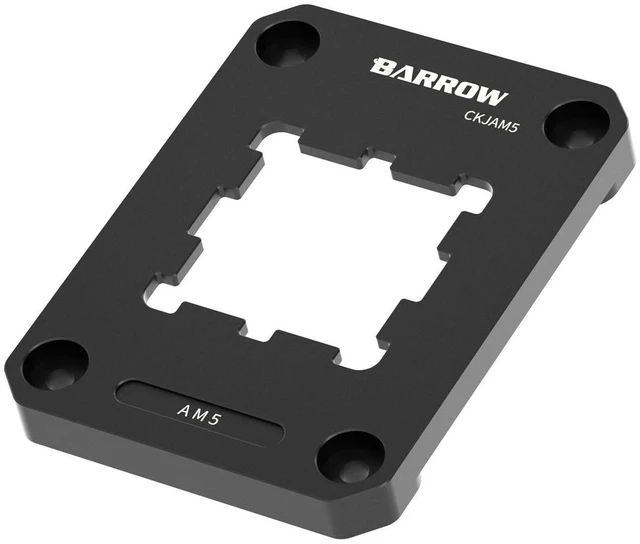
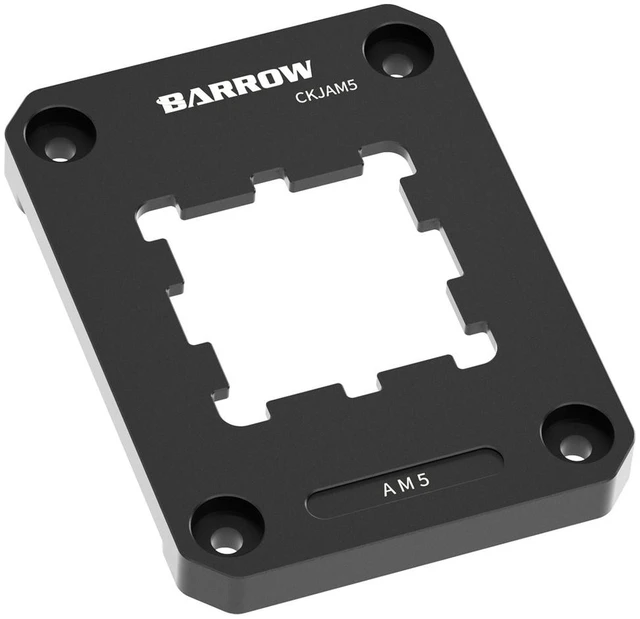
    Barrow AM5 CPU Socket Anti-Warp Contact Frame, Aluminum, Black (CKJAM5)

    • The Barrow AM5 CPU Socket Anti-Warp Contact Frame is a sturdy accessory that prevents warping and bending of the CPU socket during CPU installation or removal
    • Its anti-warp design ensures stability and prevents damage to the CPU or socket
    • It's compact, easy-to-use, and a reliable accessory for any PC build.
    • The Barrow AM5 CPU Socket Anti-Warp Contact Frame is a sturdy accessory that prevents warping and bending of the CPU socket during CPU installation or removal.
    • Its anti-warp design ensures stability and prevents damage to the CPU or socket.
    +
    +
    Overview
    Specs
    Reviews

    Any questions? Ask CelesteSM will help you find out quickly.

    The Barrow CKJAM5 is a contact frame for AMD AM5 sockets. It replaces the stock socket loading mechanism and presses the CPU down evenly along its edges, which Barrow says stops the CPU and socket from bending. The heat spreader stays flat for good contact with the CPU block or cooler.

    Properties

    • Type: CPU socket contact frame (anti-warp)
    • Socket: AMD AM5
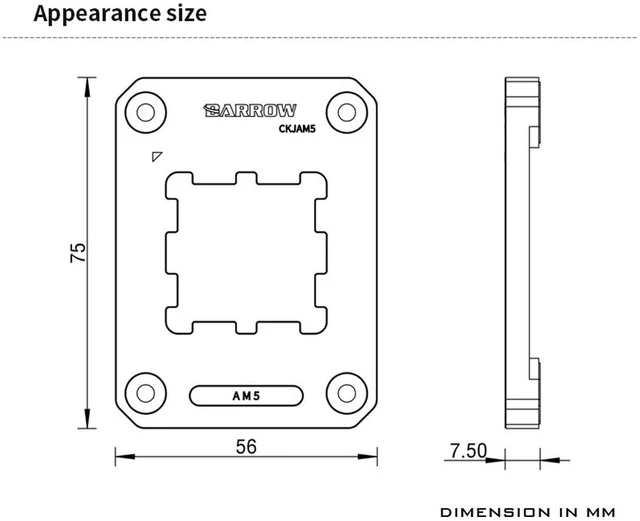
    • Size: 75 x 56 x 7.5 mm
    • Material: 6063 aluminum alloy, anodized
    • Color: Black
    • Pieces in the pack: 1

    Why a contact frame

    Barrow calls this frame an anti-bending and anti-deformation fastener. In place of the stock loading mechanism it holds the CPU flat along all edges, so the heat spreader sits flat against the cold plate of your water block.

    Made for the AM5 shape

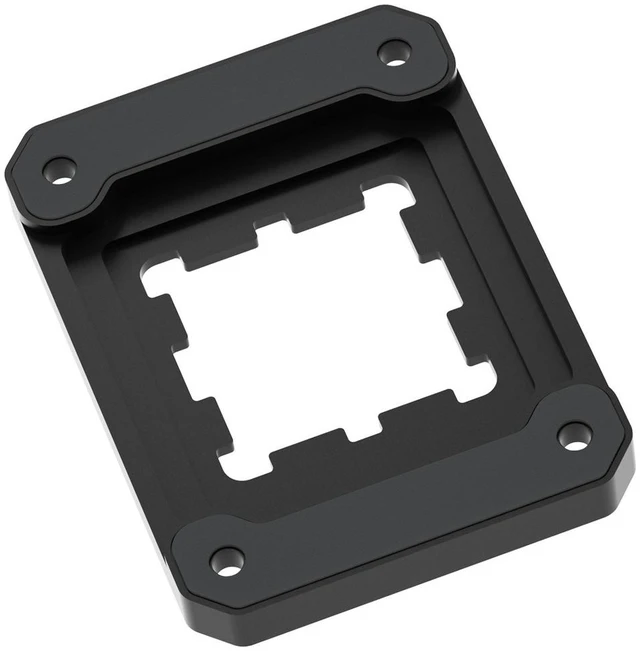
    The window follows the outline of the AM5 heat spreader with its side cut-outs, and the frame screws onto the four mounting points of the socket, inside the stock cooler mounting brackets.

    CNC-machined 6063 aluminum

    The frame is CNC-machined from 6063 aluminum alloy. Barrow lists more than 20 production steps, among them engraving, milling, sandblasting and anodizing, and says the frame copes easily with the heat and pressure around the CPU.

    Kind to the motherboard

    Protective foot pads sit where the frame touches the motherboard, so the metal does not rub on the board.

    Installation

    • Install the CPU first.
    • Remove the original loading mechanism from the motherboard with a fitting screwdriver or wrench, and keep it.
    • Put the frame in place over the CPU and fasten it with the original screws.
    • Work corner to corner: first set all four corners, then tighten the four screws in turn.

    Technical data

    • Model: CKJAM5
    • Type: Anti-deformation contact frame
    • Socket: AMD AM5
    • Dimensions (L x W x H): 75 x 56 x 7.5 mm
    • Material: 6063 aluminum alloy, CNC-machined, anodized
    • Color: Black

    Notes

    • Keep the original loading mechanism and put it back if the motherboard goes back for repair.
    • The frame reuses the original socket screws.
    • Barrow notes that it may update the look or construction of the product without notice; the product you receive is the current version.

    In the box

    • 1x Barrow AM5 CPU Socket Anti-Warp Contact Frame

    Warranty & Returns

    Warranty, Returns, And Additional Information

    Warranty

    • Please contact the Seller directly for warranty information. Warranty information may also be found on the Manufacturer's website.
    • CONTACT

    Return Policies

    • Return for refund within: 30 days
    • Return for replacement within: 30 days
    • This item is covered by ModMyMods Return Policy

    Manufacturer Contact Info

    LOADING...