




 here!
I’m your shopping assistant for PC builds, upgrades, and everything tech.
Got questions? Ask away!
Start a conversation
here!
I’m your shopping assistant for PC builds, upgrades, and everything tech.
Got questions? Ask away!
Start a conversation




Any questions? Ask CelesteSM will help you find out quickly.


120mm PWM high-speed
IMPRESSIVE LIGHTING, SUPERIOR COOLING
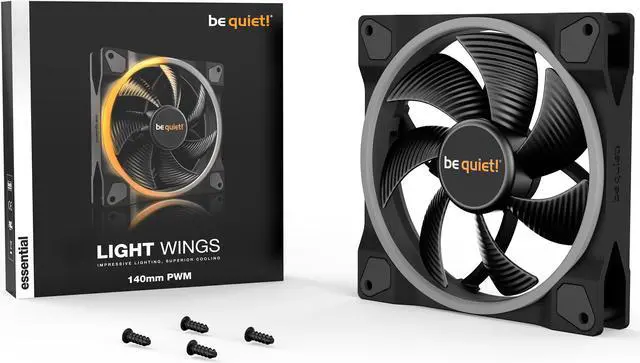
Light Wings 120mm PWM high-speed offers impressive illumination for a vibrant unique look, strong performance and quiet operation with efficient cooling.
If you are looking for a high performance fan with an impressive look from every angle, Light Wings 120mm PWM high-speed is your fan of choice.

Lots of illumination possibilities
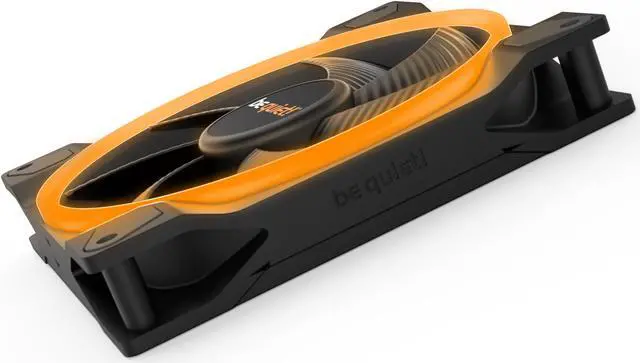
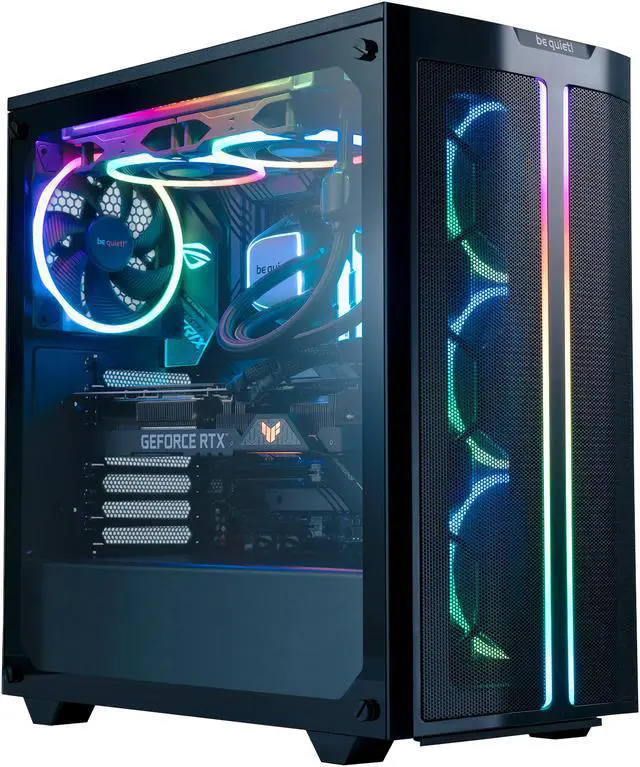
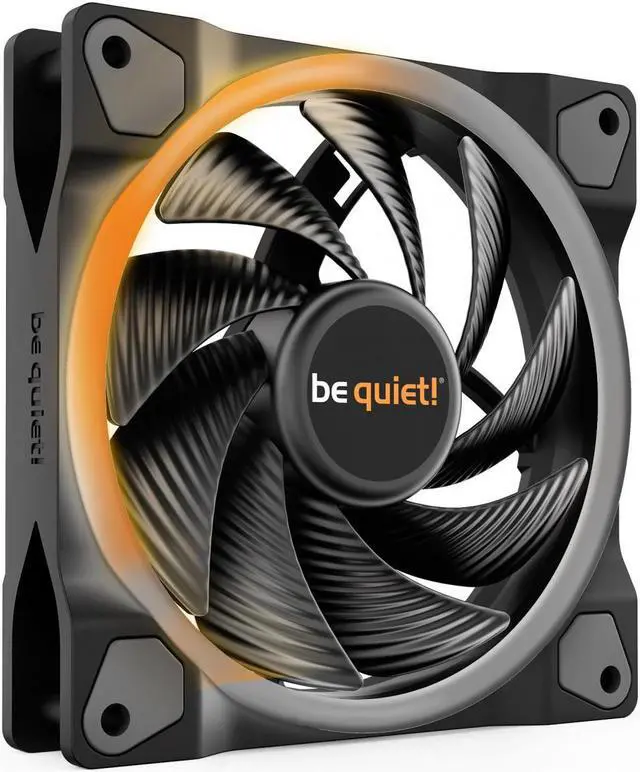
Light Wings 120mm PWM high-speed offers ARGB lighting at the front and rear. The subtly lit ring at the back combined with the bright one at the front make for a magnificent appearance from every angle. 18 ARGB LEDs give you many opportunities to individualize your PC build.

Fan blades optimized for high pressure
With a remarkably high air pressure of up to 2.6mm/H2O, Light Wings 120mm PWM high-speed is the best choice for water-cooled and air-cooled systems alike. The nine airflow-optimized fan blades provide enough air pressure to make this fan perfect, even in demanding configurations.

Acclaimed be quiet! low noise level
A highly optimized impeller achieves the silent operation be quiet! is famous for. With a noise level of 31dB(A) at maximum fan speed, it proves that instead of being a replacement the lighting is an addon to silent and very powerful operation. All features combine to make Light Wings 120mm PWM high-speed the fan of choice for silent show cases and gaming systems alike.

Adjusts the fan speed and associated noise level
Pulse Width Modulation (PWM) allows compatible 4-pin controllers, including those built into many motherboards, to intelligently vary the speed and thus the noise level of the fan. With PWM the system can ramp up the cooling when it’s needed, or operate in maximum quiet mode when it’s not.
The be quiet! LIGHT WINGS 120mm PWM high-speed is a single 120mm ARGB case fan for PC builders who want strong airflow and customizable lighting, with front-and-rear LEDs, motherboard-synced ARGB, and PWM speed control; its high-speed mode reaches 2,500 rpm and is rated at 31 dB(A).
| Attribute | Value |
|---|---|
| Best For | Desktop case cooling where a 120mm fan with ARGB lighting is desired |
| Cooling Performance | Airflow of 50–55 CFM at 2,500–2,999 RPM, with a 30–35 dBA noise rating |
| Fan Design | Single 120mm fan with a 25mm thickness and rifle bearing |
| Lighting And Appearance | Black fan with ARGB lighting |
| Power And Control | 12V, 5.4W, 4-pin power connection; PWM high-speed model with a 4-pole fan motor and no included controller |
| Model Identifiers | be quiet! Light Wings 120mm PWM High Speed |
Q: Light Wings 120mm PWM High-Speed vs regular Light Wings 120mm PWM: which should I choose?
A: Choose the High-Speed model when you want more airflow and pressure headroom for a radiator or heatsink: it is rated for 2,500 RPM, 52.3 CFM, and 2.6 mmH₂O, compared with 1,700 RPM, 41.5 CFM, and 1.66 mmH₂O for the regular PWM model. Choose the regular model for a lower maximum speed and its case-fan-focused configuration. Both have PWM control and front-and-rear ARGB lighting.
Q: Should I get the Light Wings 120mm PWM High-Speed or the 140mm PWM High-Speed?
A: Choose this 120mm model if your case, radiator, or heatsink uses 120mm fan mounts. Choose the Light Wings 140mm PWM High-Speed if the mounting space supports 140mm fans and you want its rated 71.7 CFM airflow. Both models provide high-speed PWM control and front-and-rear ARGB lighting.
Q: Light Wings 120mm PWM High-Speed or Light Wings LX 120mm PWM: which fits an ARGB build better?
A: Choose the Light Wings 120mm PWM High-Speed for its front-and-rear illuminated rings and higher maximum speed of 2,500 RPM. Choose the Light Wings LX 120mm PWM for its illuminated hub and frosted fan blades, plus an ARGB cable with daisy-chain connectivity. Both are 120mm PWM fans with ARGB lighting.
Q: Can I control the fan speed and ARGB lighting through my motherboard?
A: Yes, if your motherboard has compatible headers: use a 4-pin PWM header for fan-speed control and a 5V 3-pin ARGB header for lighting synchronization. The fan’s product listing does not include a separate controller.
Q: Is this fan quiet enough for a noise-conscious PC?
A: At its maximum speed of 2,500 RPM, the fan is rated at 31 dB(A). PWM control lets a compatible motherboard reduce fan speed—and associated noise—when maximum cooling is not needed; actual noise depends on the speed setting and system setup.
Q: Can I use this fan on a radiator or heatsink?
A: Yes. Its 120 mm frame and stated 2.6 mm H₂O air pressure make it suitable for radiator and heatsink use, as well as case airflow. Check that your mounting space supports a 120 × 25 mm fan.
Q: Does it include a fan controller, and how many fans are in the package?
A: This listing is for one fan and specifies that no fan controller is included. Plan to connect it to a compatible motherboard header or another suitable controller you already have.
Q: Is the Light Wings 120mm High Speed a good choice for an AIO radiator?
A: It is a reasonable option if you want a 120mm ARGB fan for a radiator: a Reddit comparison points to the High Speed version’s higher static pressure than the standard Light Wings 120mm. It can reach 2,500rpm, so consider its noise at higher speeds when choosing it for a quiet build.
Q: Can I control the fan speed and ARGB lighting through my motherboard?
A: Yes, if your motherboard has a 4-pin PWM fan header and a compatible 3-pin 5V ARGB header. The single-fan model does not include a controller, so check your motherboard connections or obtain a compatible controller separately.
Q: Is the High Speed version quiet enough for a quiet PC build?
A: It may suit a quiet build when run below maximum speed, but it is not silent at full speed: the listed maximum is 2,500rpm and 31dB(A). Community reports about Light Wings noise vary, so noise-sensitive buyers should plan to tune the PWM fan curve and assess their tolerance for fan noise.



