• $57.99
  • Free 30-day Returns
  • Shipped by ExcelRise Store

    Price alert
    Shop it at NeweggBusiness.

    Meet Your Seller

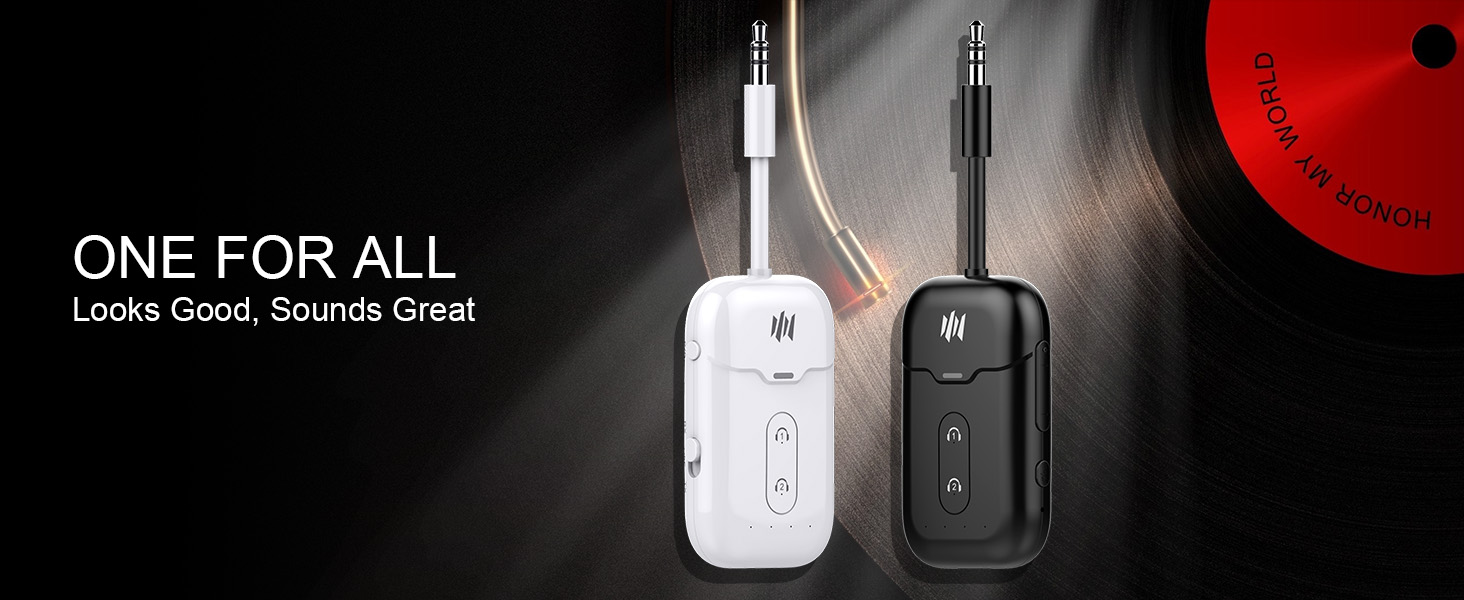
    Bluetooth Transmitter Receiver, Wireless Audio Adapter for Airplane/TV | 2-in-1 TX/RX | aptX LL & Adaptive | Works with 2 AirPods/Headphones | Flight/TV/Gym/Car | 24H Battery

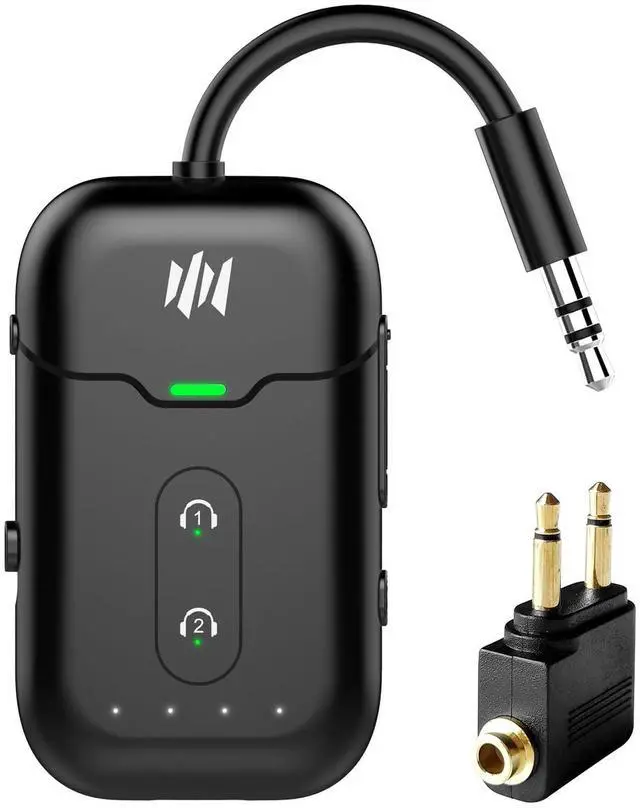
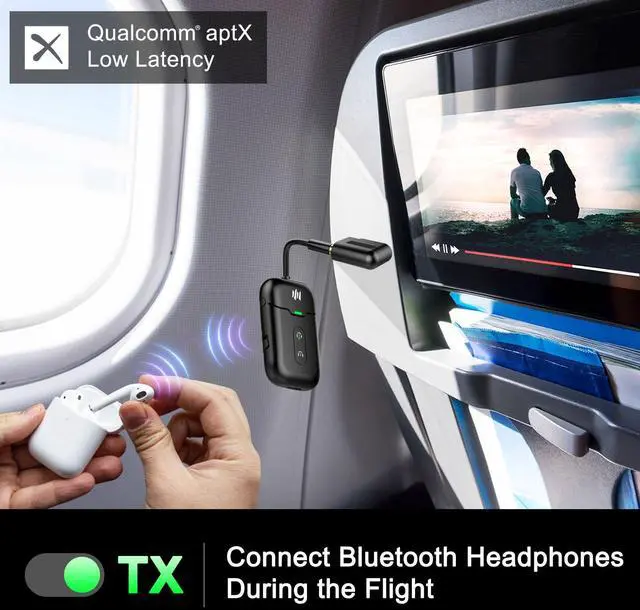
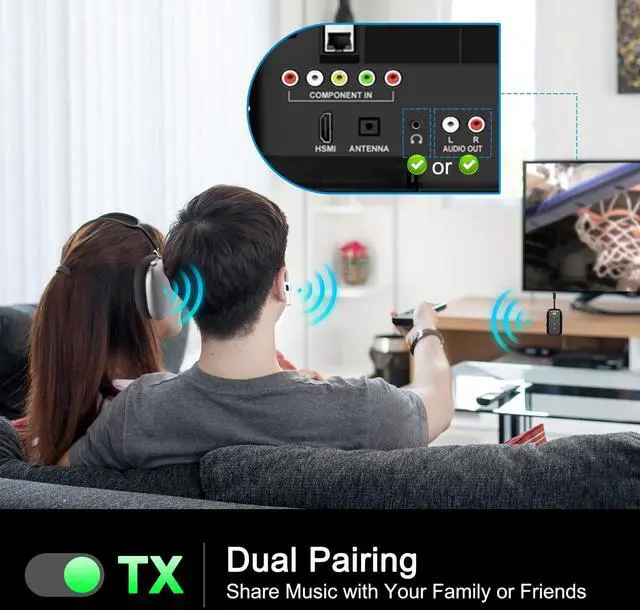
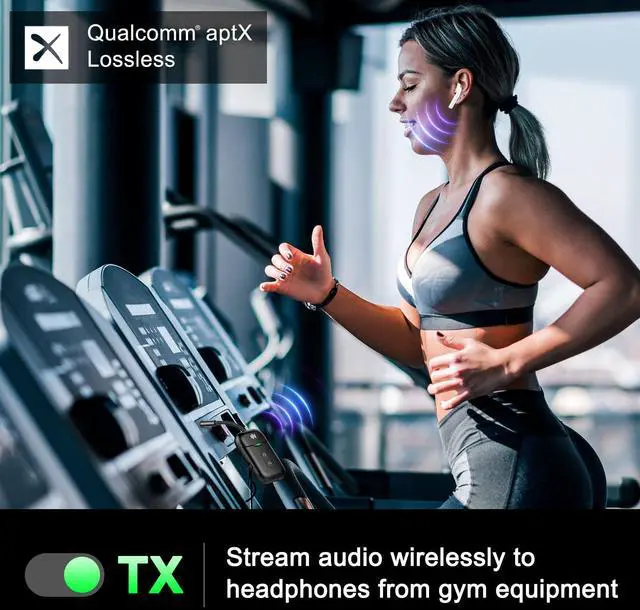
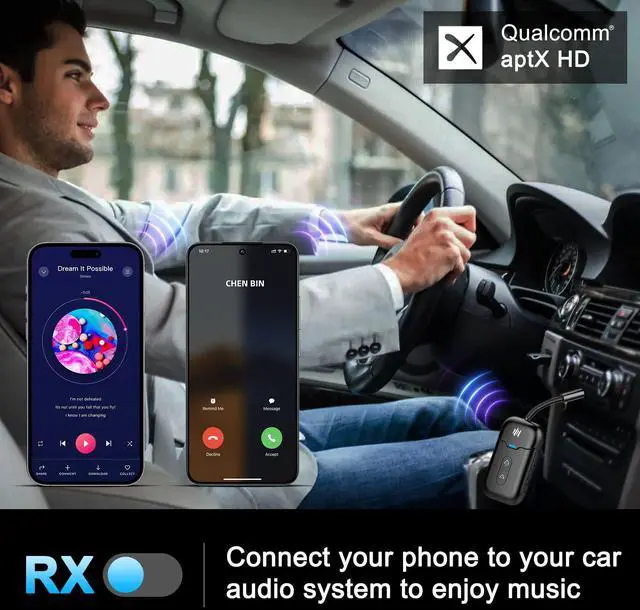
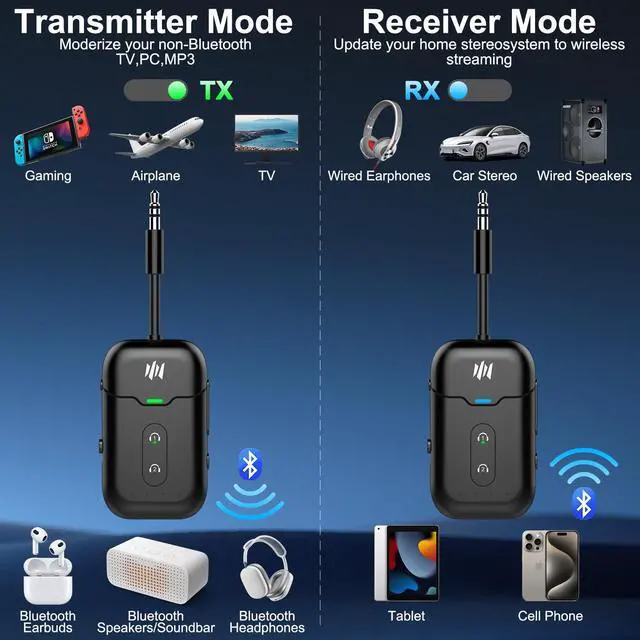
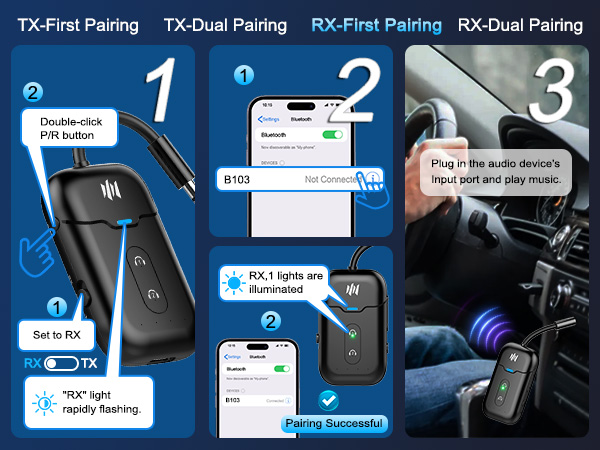
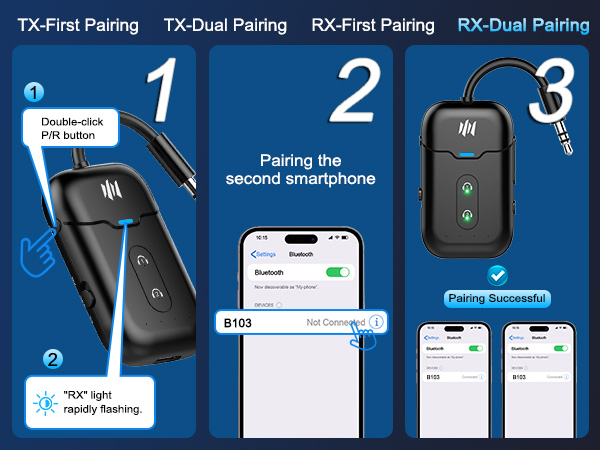
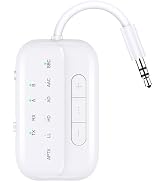
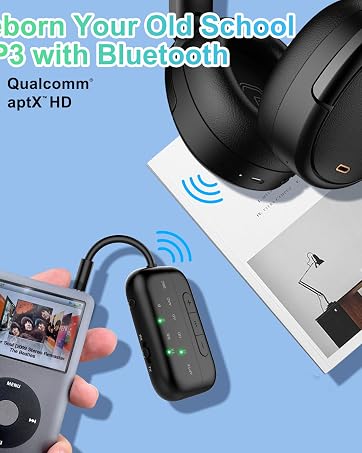
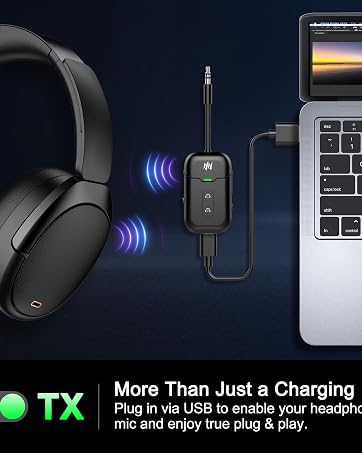
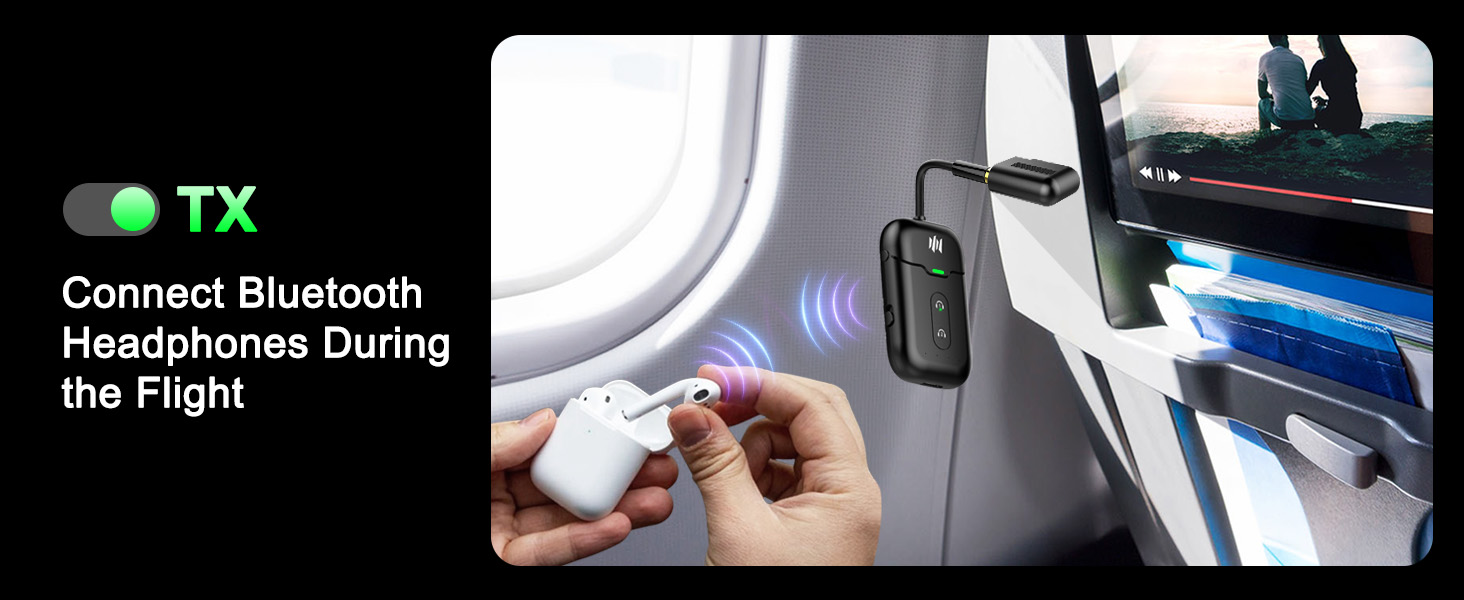
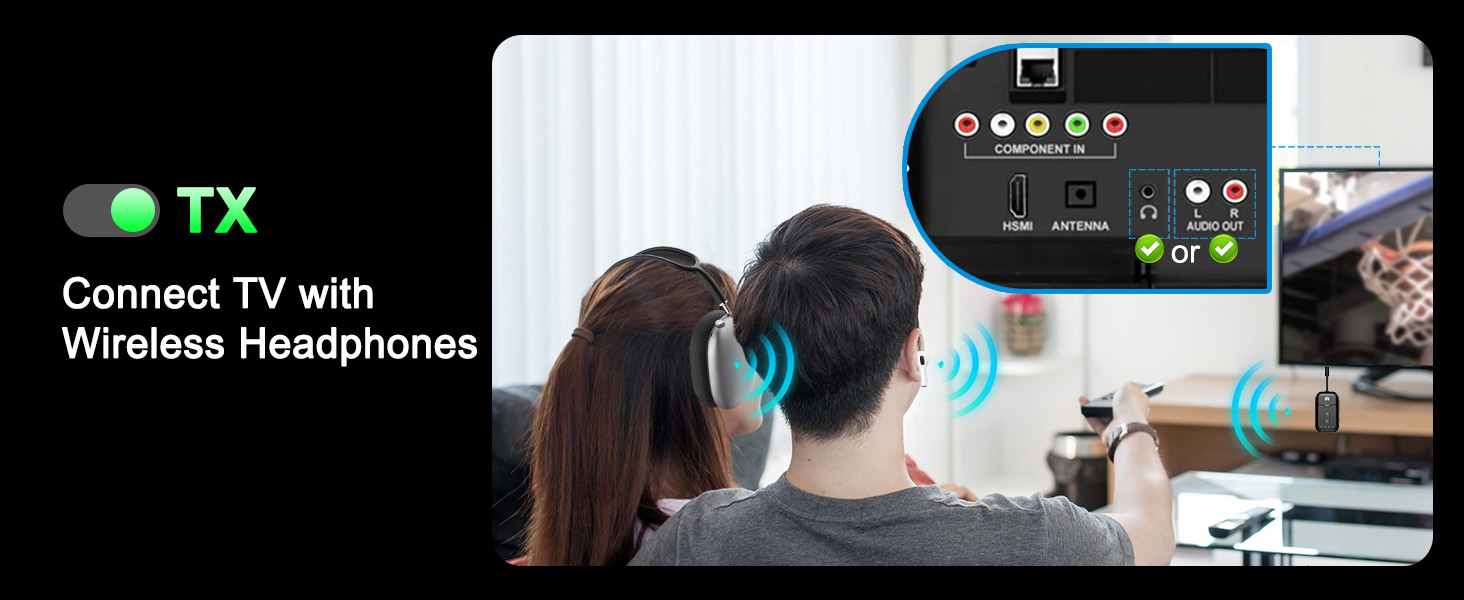
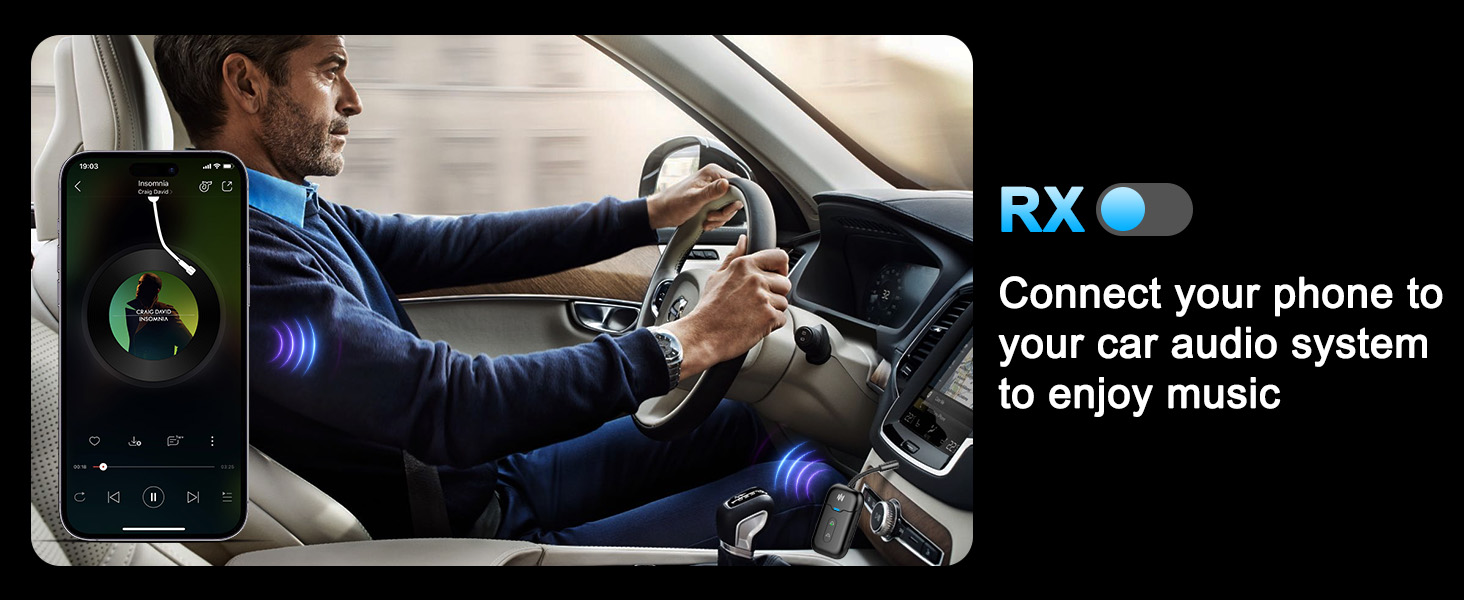
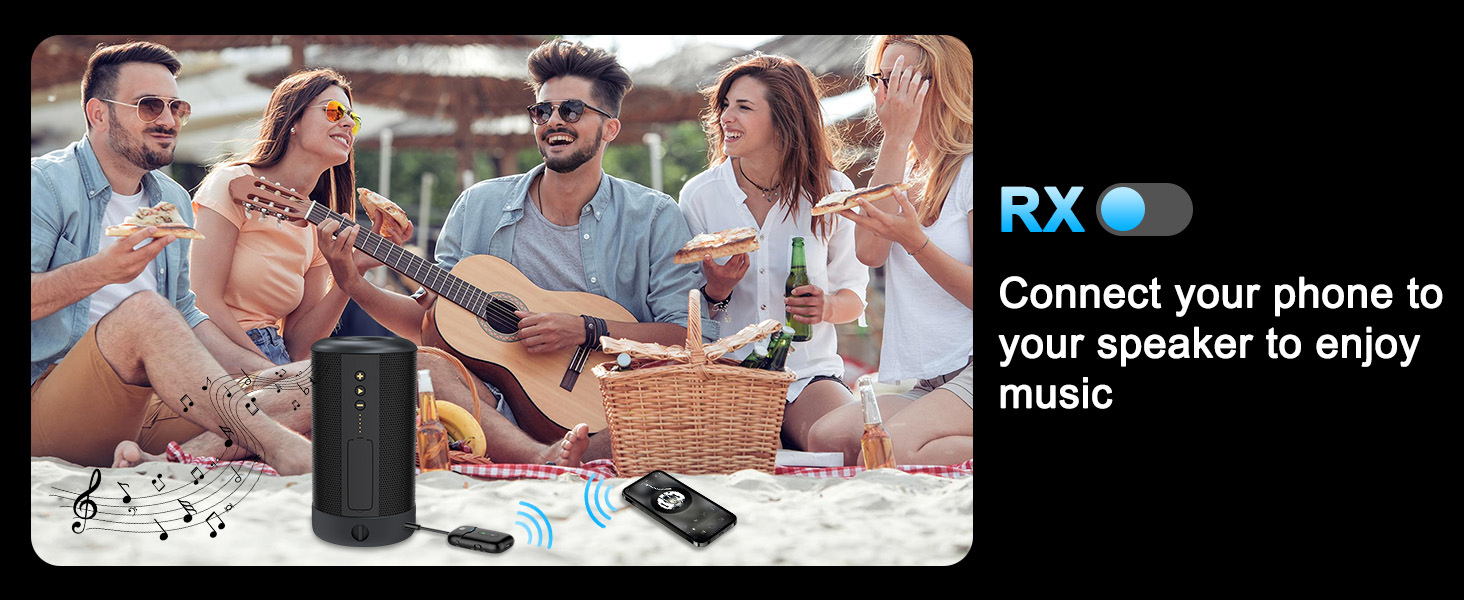
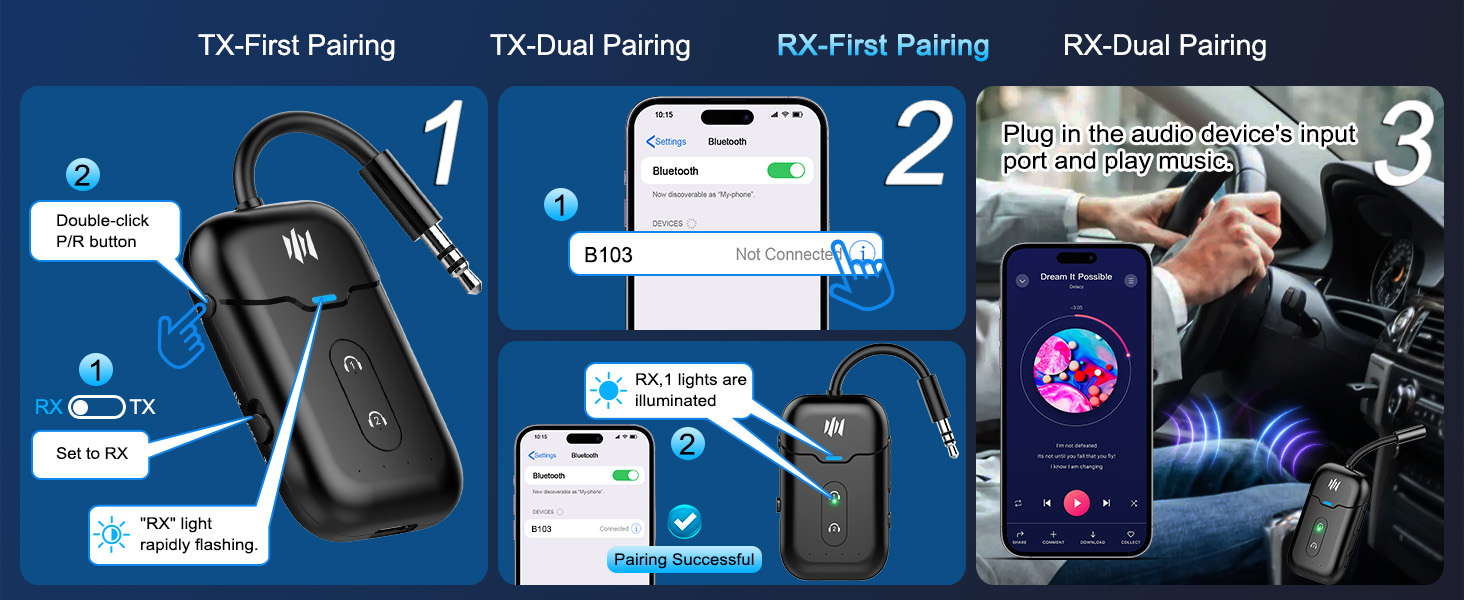
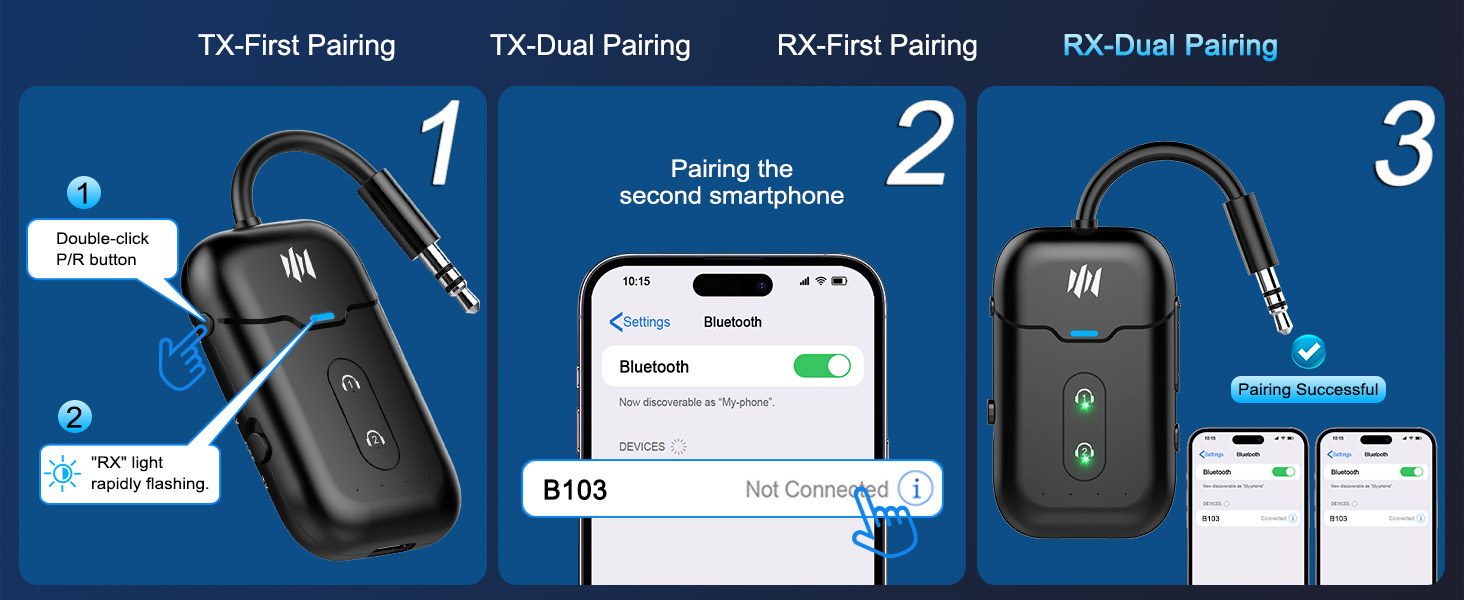
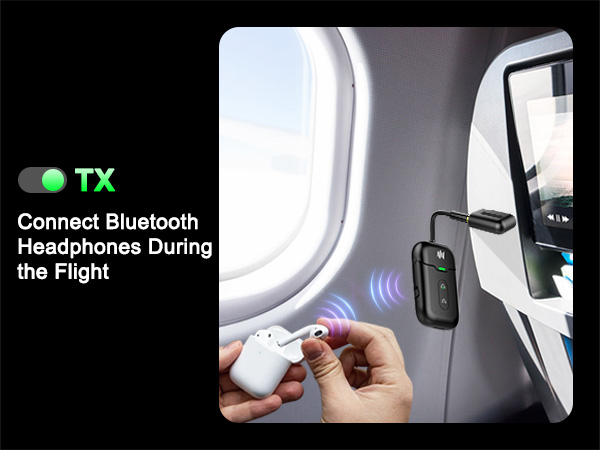
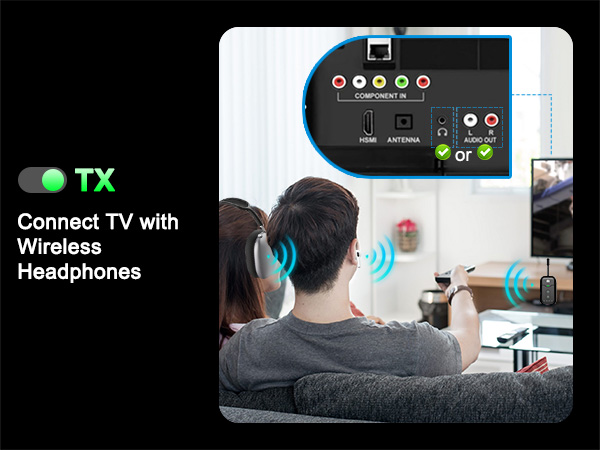
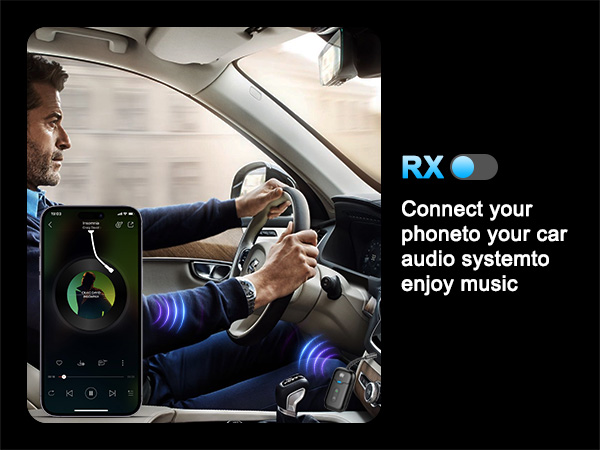
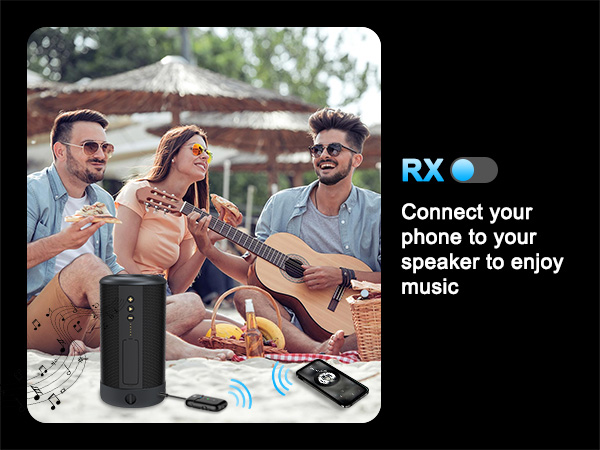
    • True 2-in-1 TX/RX More Than a Transmitter. Unlike standard adapters, this device works in both TX and RX modes. Use it as a bluetooth transmitter for TV or a bluetooth transmitter for airplane to stream from TVs, PCs, or airplane screens to your headphones or pair your phone to wired speakers and car stereos.
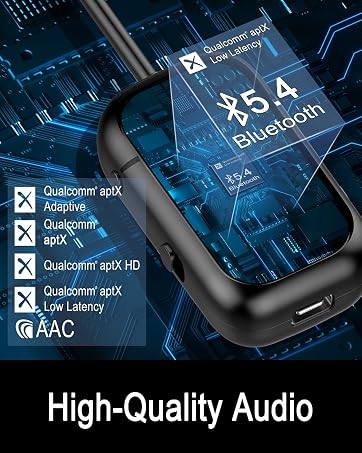
    • Qualcomm aptX LL Low Latency, Stable Connection. Powered by Bluetooth 5.4 and Qualcomm with aptX LL, this bluetooth audio transmitter delivers under 40ms lag for perfectly synced movies and gaming. Connection stability improved by 72%.
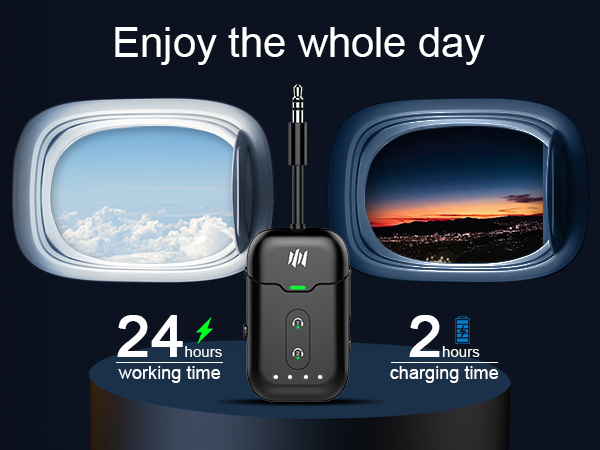
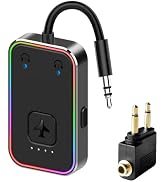
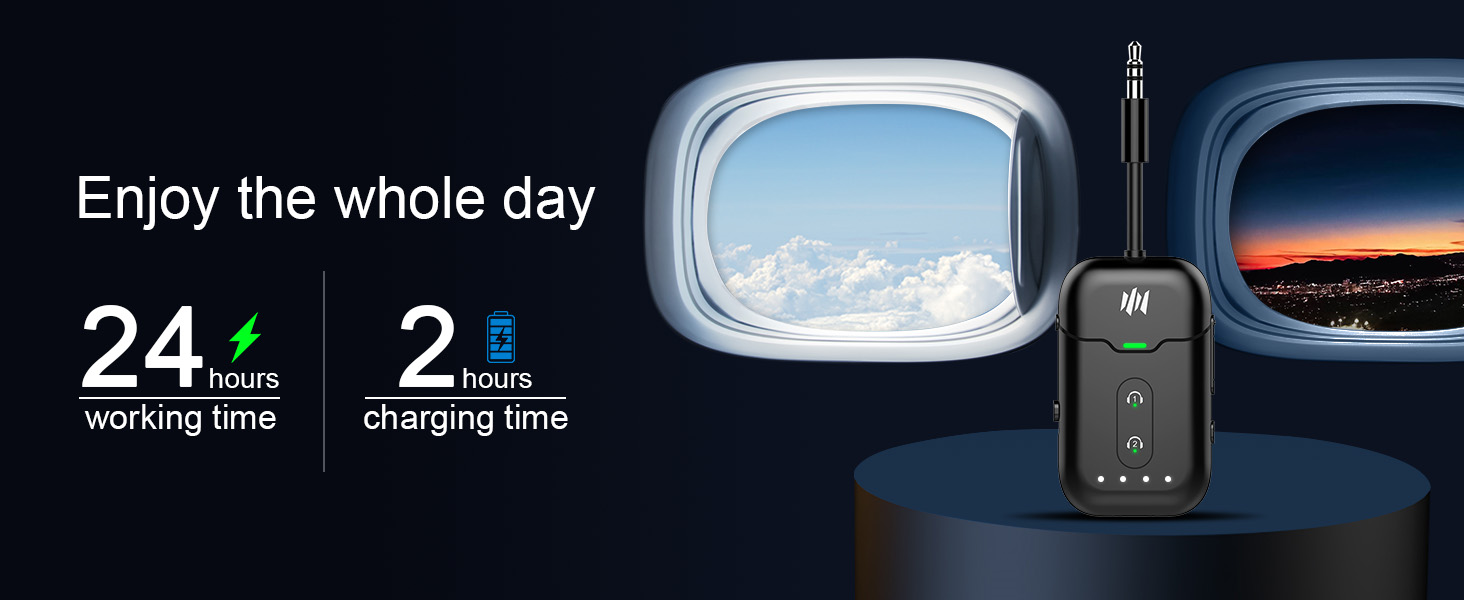
    • 24H Battery & Dual 3.5mm Adapter Included. Over 24 hours of playtime on a 2-hour USB-C charge. Includes a dual-prong airplane bluetooth adapter for all in-flight systems no extra purchase needed. Also works as a bluetooth adapter for PC and bluetooth adapter for TV.
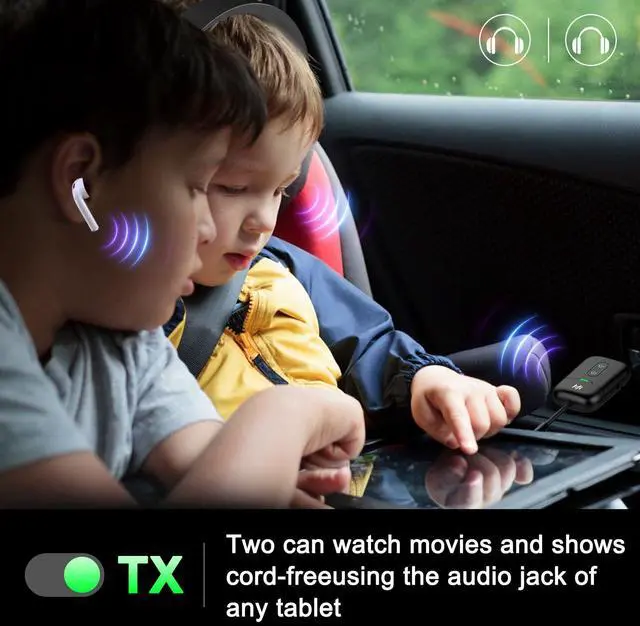
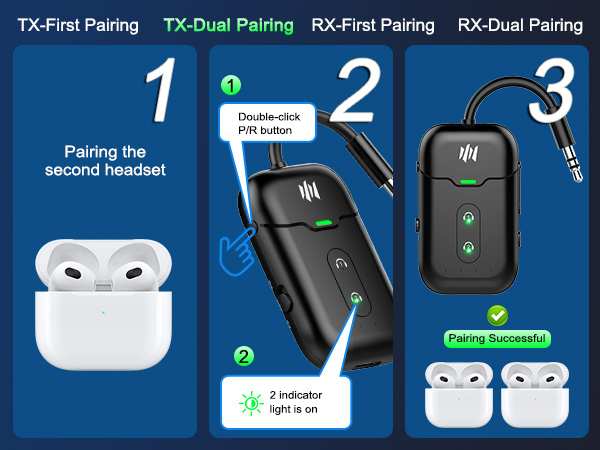
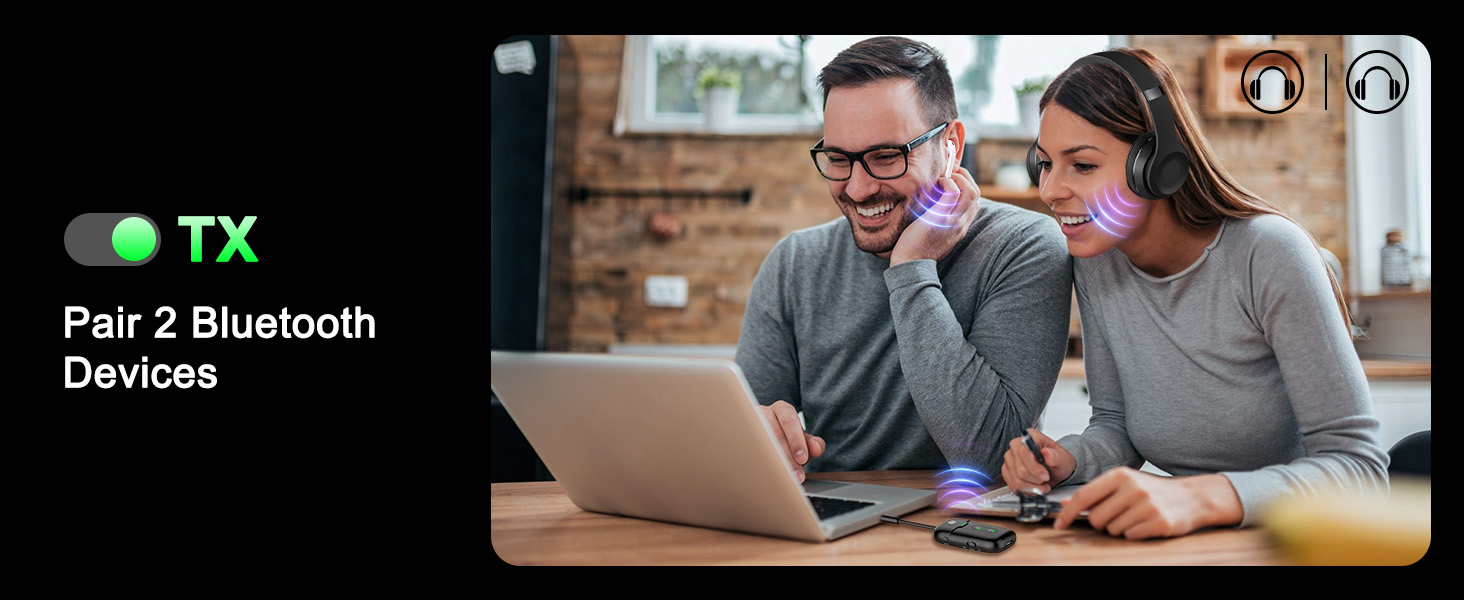
    • Share the Experience Dual Headphone Link. Connect two pairs of Bluetooth headphones simultaneously in TX mode. Perfect for watching a movie with your travel partner on a long flight a true airplane travel essential.
    • Compact & Travel-Ready Essential for Every Trip. Lightweight, pocket-sized, and built for life on the move. A true airplane travel essential that works with AirPods, Bose, Sony, and any Bluetooth headphones.
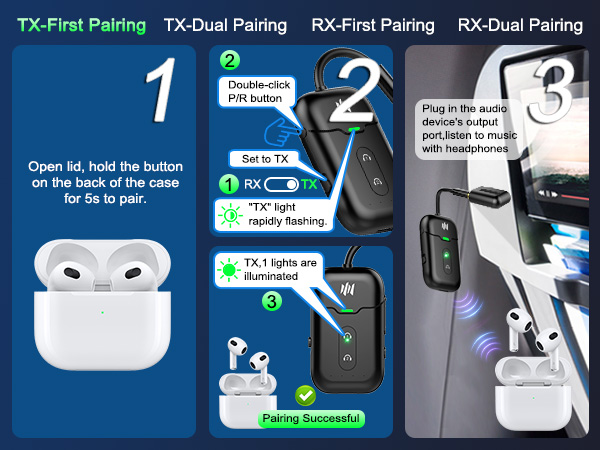
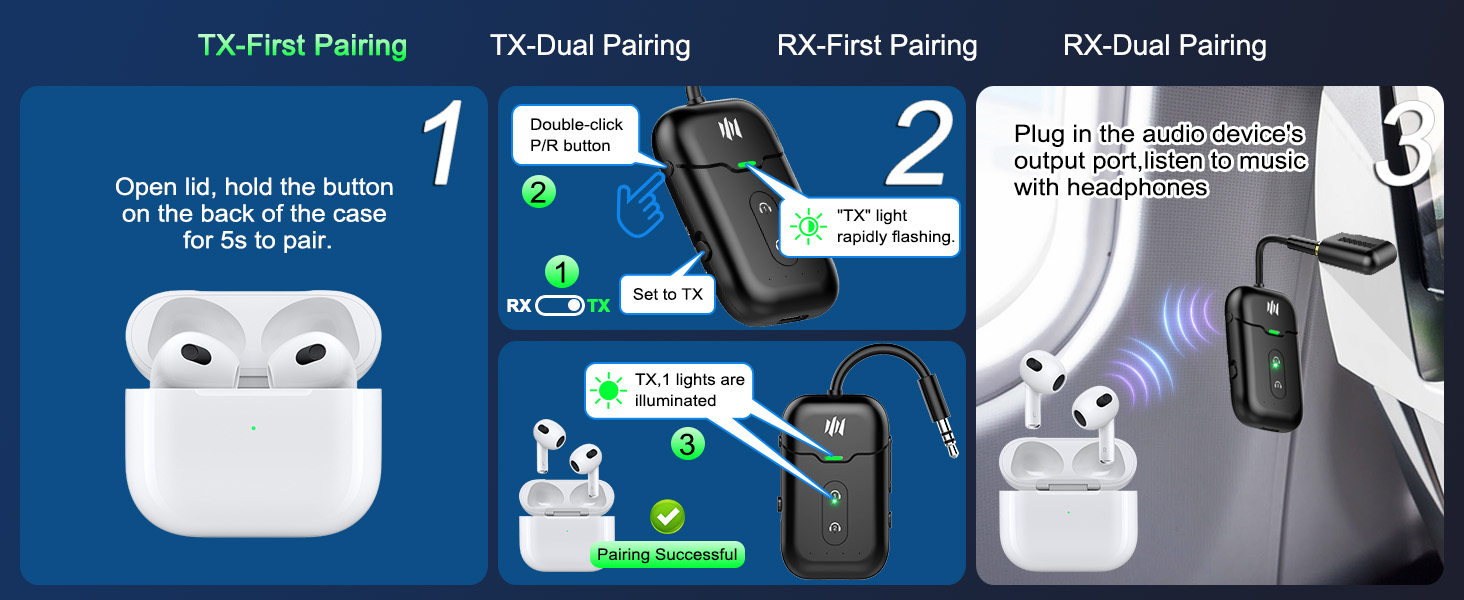
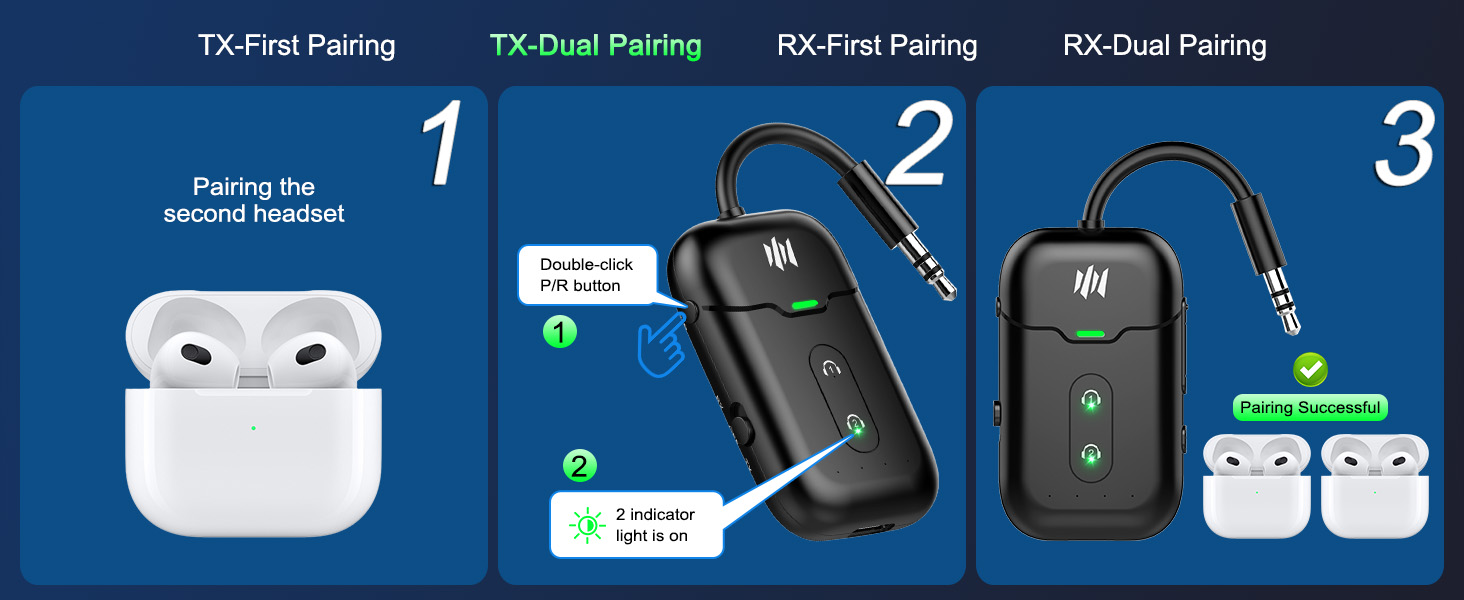
    • Note: For pairing, keep AirPods inside their case. Turn off nearby Bluetooth devices (phones, iPads) during pairing.
    +
    +
    Overview
    Specs
    Reviews
    avatar

    Any questions? Our AI mode will help you find out quickly.

    airfly pro bluetooth transmitter airplane

    Important Notice Before Purchase: The Bluetooth Transmitter is not suitable for live music, musical instruments, or karaoke. We do not recommend using it for electronic pianos or guitars that require 2.4G transmission for audio synchronization. It is also not work with bluetooth hearing aids.
    airpod bluetooth adapter for airplane
    Not suitable for musical. The Bluetooth Transmitter is not suitable for live music, musical instruments, or karaoke. We do not recommend using it for electronic pianos or guitars that require 2.4G transmission for audio synchronization. It is also not work with bluetooth hearing aids.
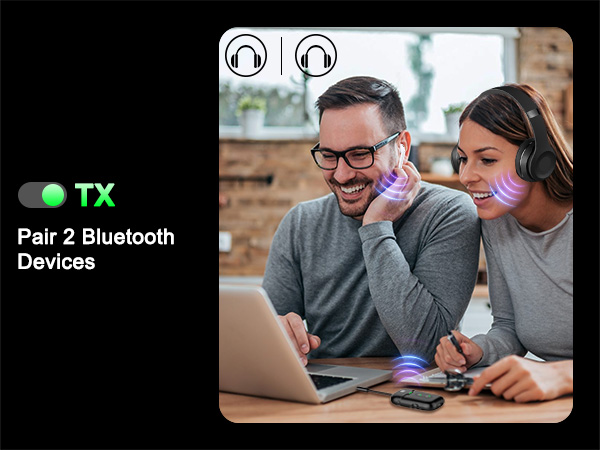
    Dual Link Mode Audio Format In Dual Link mode (connecting with 2 headphones simultaneously), the audio format will be limited to SBC only, and you cannot change it to other formats.
    How to reset the B103? When the device is powered on, press and hold the "P/R" key for 8 seconds. All LED lights will illuminate simultaneously, indicating a successful reset.
    How to connet to you TV? 1.Turn off any nearby Bluetooth devices and remove the headphones from the Bluetooth lists of nearby devices, such as phones or iPads. 2.Turn on your Bluetooth headphones or speaker and set it to Bluetooth pairing mode.3.Set the B103 to "TX" mode and double-click the "P/R" button to enter pairing mode; the indicator light will flash rapidly. When the "1" light turns on, pairing is successful. 4.Plug the B103 into the audio output jack of the TV.
    No sound from headphone? Please ensure that the aux cable is securely plugged into the "AUDIO OUT" or headphone jack on your TV, and confirm that both devices are successfully paired. Then, adjust the TV's sound settings from "TV speaker" to "Audio out."
    Does it fit AirPods 3 &Pro 2? Absolutely! You can use these AirPods, as well as all other versions of AirPods, with the Bluetooth transmitter. If you encounter any difficulty connecting one or both earbuds, try resetting both the AirPods and the B103, then pair them again. Please make sure to turn off any nearby Bluetooth devices and remove the AirPods from the Bluetooth lists of any nearby devices, such as phones or iPads, before pairing.
    How to pair AirPods with B103? 1.Turn off any nearby Bluetooth devices and remove your AirPods from the Bluetooth lists of any nearby devices, such as phones or iPads. 2.Open the lid of the charging case. Press and hold the button on the back of the charging case until the indicator light flashes white.3.Set the B103 to "TX" mode, then double-click the "P/R" button to enter pairing mode. The indicator light will flash rapidly. When the "1" indicator light turns on, the pairing is successful.
    Suddenly stopped working? Please check if there are any other Bluetooth devices nearby, such as phones or iPads. Sometimes, the headphones may be occupied by a phone or iPad's Bluetooth, causing the Bluetooth connection to unexpectedly disconnect. To prevent this, turn off any nearby Bluetooth devices and remove the headphones from the Bluetooth lists on those devices.
    Only one ear works? This might be because the earbuds were not paired correctly. I recommend placing both earbuds back in the charging case to ensure they are fully charged. Then, wait for them to pair with each other. You should see a confirmation light or hear a sound indicating a successful pairing. Once the left and right earbuds are paired successfully, try pairing them with the B103 again.
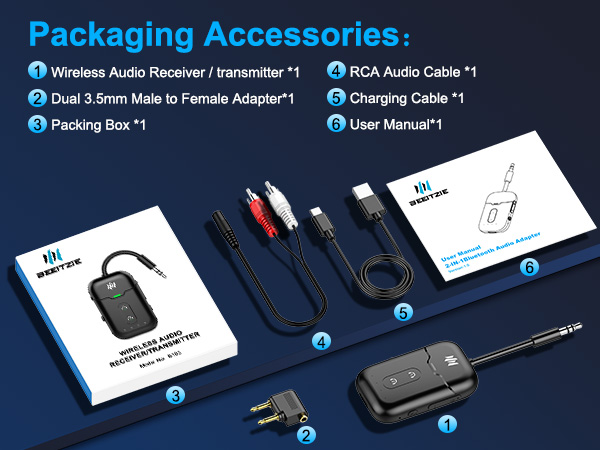
    What's in the box? 1 x Bluetooth Transmitter Receiver; 1 x Audio connector for aircraft;1 x USB charging cable (21.5 inches); 1 x 3.5mm Audio Female Plug; 1 x RCA Audio Cable (9 inches); 1 x User Manual
    bluetooth adapter for airplane

    Important Notice Before Purchase: The Bluetooth Transmitter is not suitable for live music, musical instruments, or karaoke. We do not recommend using it for electronic pianos or guitars that require 2.4G transmission for audio synchronization. It is also not work with bluetooth hearing aids.
    ifly bluetooth transmitter
    Not suitable for musical. The Bluetooth Transmitter is not suitable for live music, musical instruments, or karaoke. We do not recommend using it for electronic pianos or guitars that require 2.4G transmission for audio synchronization. It is also not work with bluetooth hearing aids.
    Dual Link Mode Audio Format In Dual Link mode (connecting with 2 headphones simultaneously), the audio format will be limited to SBC only, and you cannot change it to other formats.
    How to reset the B103? When the device is powered on, press and hold the "P/R" key for 8 seconds. All LED lights will illuminate simultaneously, indicating a successful reset.
    How to connet to you TV? 1.Turn off any nearby Bluetooth devices and remove the headphones from the Bluetooth lists of nearby devices, such as phones or iPads. 2.Turn on your Bluetooth headphones or speaker and set it to Bluetooth pairing mode.3.Set the B103 to "TX" mode and double-click the "P/R" button to enter pairing mode; the indicator light will flash rapidly. When the "1" light turns on, pairing is successful. 4.Plug the B103 into the audio output jack of the TV.
    No sound from headphone? Please ensure that the aux cable is securely plugged into the "AUDIO OUT" or headphone jack on your TV, and confirm that both devices are successfully paired. Then, adjust the TV's sound settings from "TV speaker" to "Audio out."
    Does it fit AirPods 3 &Pro 2? Absolutely! You can use these AirPods, as well as all other versions of AirPods, with the Bluetooth transmitter. If you encounter any difficulty connecting one or both earbuds, try resetting both the AirPods and the B103, then pair them again. Please make sure to turn off any nearby Bluetooth devices and remove the AirPods from the Bluetooth lists of any nearby devices, such as phones or iPads, before pairing.
    How to pair AirPods with B103? 1.Turn off any nearby Bluetooth devices and remove your AirPods from the Bluetooth lists of any nearby devices, such as phones or iPads. 2.Open the lid of the charging case. Press and hold the button on the back of the charging case until the indicator light flashes white.3.Set the B103 to "TX" mode, then double-click the "P/R" button to enter pairing mode. The indicator light will flash rapidly. When the "1" indicator light turns on, the pairing is successful.
    Suddenly stopped working? Please check if there are any other Bluetooth devices nearby, such as phones or iPads. Sometimes, the headphones may be occupied by a phone or iPad's Bluetooth, causing the Bluetooth connection to unexpectedly disconnect. To prevent this, turn off any nearby Bluetooth devices and remove the headphones from the Bluetooth lists on those devices.
    Only one ear works? This might be because the earbuds were not paired correctly. I recommend placing both earbuds back in the charging case to ensure they are fully charged. Then, wait for them to pair with each other. You should see a confirmation light or hear a sound indicating a successful pairing. Once the left and right earbuds are paired successfully, try pairing them with the B103 again.
    What's in the box? 1 x Bluetooth Transmitter Receiver; 1 x Audio connector for aircraft;1 x USB charging cable (21.5 inches); 1 x 3.5mm Audio Female Plug; 1 x RCA Audio Cable (9 inches); 1 x User Manual
    Bluetooth Transmitter Receiver, Wireless Audio Adapter for Airplane/TV | 2-in-1 TX/RX | aptX LL & Adaptive | Works with 2 AirPods/Headphones | Flight/TV/Gym/Car | 24H Battery

    Warranty & Returns

    Warranty, Returns, And Additional Information

    Warranty

    • Please contact the Seller directly for warranty information. Warranty information may also be found on the Manufacturer's website.
    • CONTACT

    Return Policies

    Manufacturer Contact Info

    LOADING...