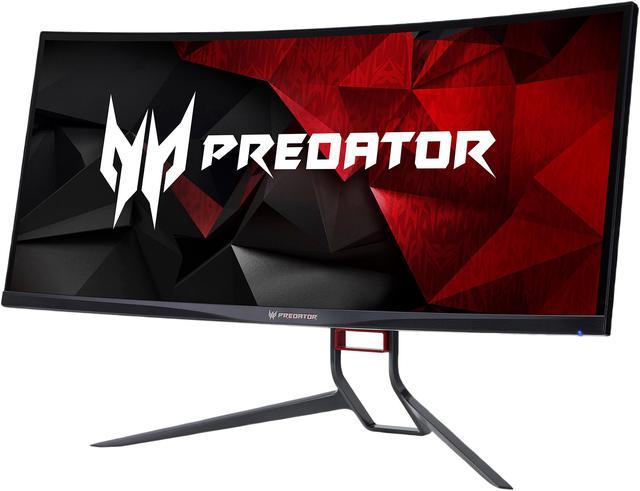
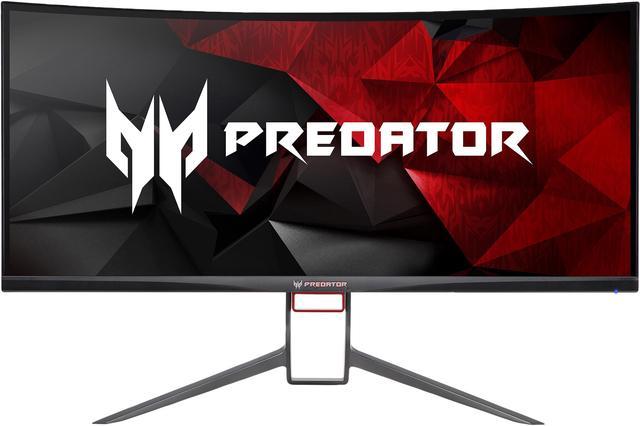
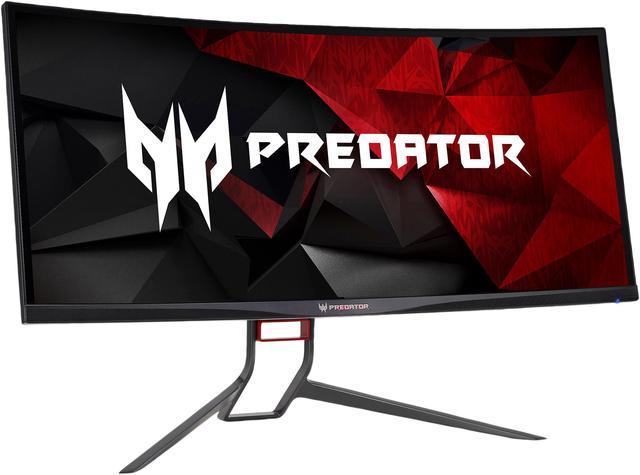
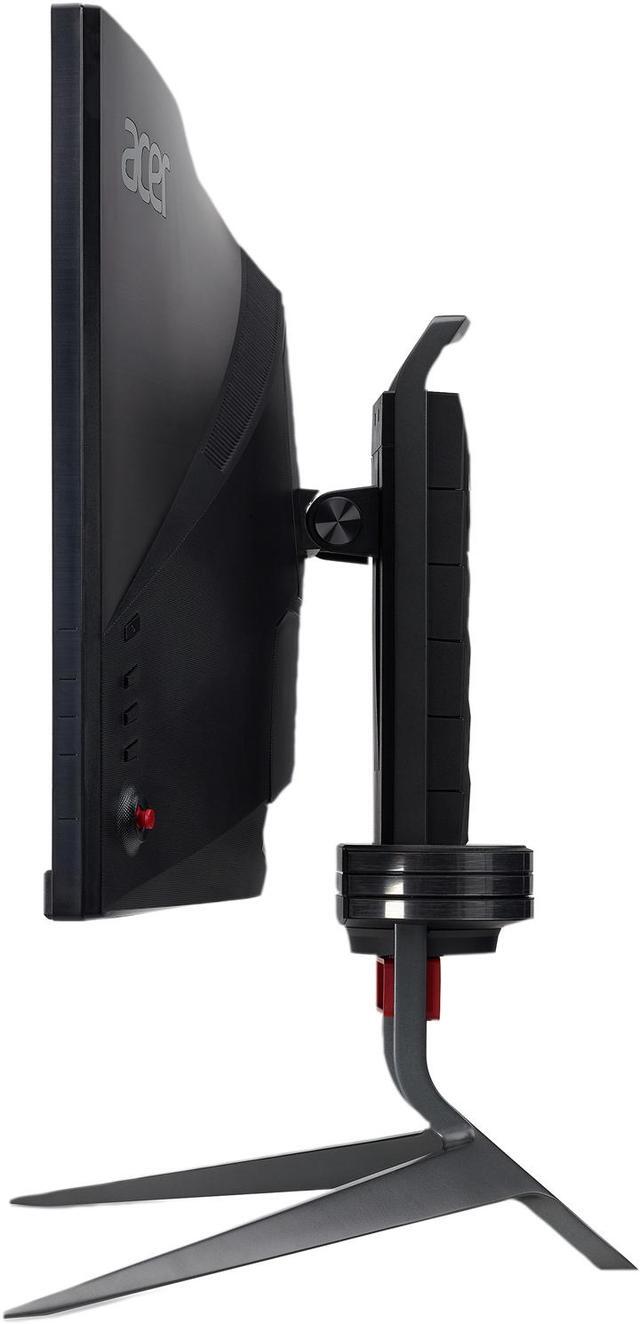
Newegg.com - A great place to buy computers, computer parts, electronics, software, accessories, and DVDs online. With great prices, fast shipping, and top-rated customer service - Newegg shopping upgraded ™
If you are reading this message, Please click this link to reload this page.(Do not use your browser's "Refresh" button). Please email us if you're running the latest version of your browser and you still see this message.
Newegg.com - Computer Parts, Laptops, Electronics, HDTVs, Digital Cameras and More!
Ships from United States.
Sold and Shipped by Newegg
LOADING...
Pros:
- beautiful crisp clean picture
-ultrawide g-sync
Cons:
-dead Display port cable on arrival
-awful customer support from Acer
Overall Review:
i recomend the monitor it is by far the best monitor i have ever owned.
i would rate 3.5 eggs instead of 4 because of the dead display cable on arrival and awful customer support on acers team. people did not know anything about the product they were supposed to be helping me with.
once i got a new DP cable this monitor worked fine.
Pros: Monitor does have a very nice picture with great color. Great viewing angle. A huge upgrade from my last monitor.
Cons: Just like many other reviewers have pointed out, after about 4 or 5 months I started getting random screen flicker issues. Wasn't too bad at first, but now it can flicker every one or two seconds. It took me about 3 months just to figure out the issue was in fact with the monitor and not my PC. Finally figured it out when I left the monitor on while shutting down the PC...right after the PC was off but monitor was still on not in sleep mode, I caught it flicker again. Now I have to submit a warranty claim and figure out how i'm going to ship this huge **s thing back to Acer without the original box.
Overall Review: A huge disappointment. Very Frustrating. Awful first impression of Acer and the quality of their products. I don't recommend this product or brand.
Pros: Looks great.
Cons: Can’t get a warranty or any supoort
Overall Review:
At first, this display was amazing. Looked great. Beautiful.
Then on day, the support for the swivel decides snap off. The screen falls. I manage to catch most of it, but some of it hit my desk and ruined the image slightly. Note that this portion of the support is preassembled, so its not like I could have messed it up. So, my thought, this is what warranties are for. A defect with the device and get a replacement. I was very wrong with Acer. They proceeded to tell me that since there was damage to the device, it would be $500 to repair it. Device is about 6 months old with a 3 year warranty. Even though the damage was obviously caused by a manufactured defect, apparently the customer is still at fault. I don’t recommend buying any Acer product if you hope to have any support on it. I’m out $1000 now. Thanks Acer.
Pros:
The good stuff...
+ Amazing picture
+ Perfect pixels
+ Smooth picture
+ Immersive
+ Frame rate counter
+ Ambient light
Once I got the color balanced, the picture quality and experience is truly amazing. Take the excellent 1440p IPS screen quality and add the extra wide screen, overclocked to 120Hz, curved screen, smoothed video with G-Sync, and effective anti-glare that preserves the picture quality along the curve. Put all of that together and you get a truly amazing picture and experience.
I have had no issues with pixels. All are working as expected. While researching monitors, it seemed like a gamble on getting a high-end monitor without a dead or stuck pixel. Either they got it all worked out with the Pbmiphzx model or I was lucky. Either way, I'll take the good fortune.
Every quality IPS monitor I have seen has some level of light-bleed compared to a quality TN panel, but nothing that has degraded the picture. When running a black screen test on the X34, I only see a small light bleed in both the bottom right and left corners. I would say the bleeds are smaller than most IPS monitors I have seen and I do not notice it other than on a black screen test.
The combination of the extra wide curved screen, G-Sync, and overclocking, the experience really is immersive. I was skeptical of the "immersive" claim for wide curved monitors. What does that really mean? But now having the majority of my field of view captured by the monitor pulls me that much more into the game. I have never had a flat screen this wide before, so I cannot attest to how much of the immersion is contributed to the curve, but my suspicion is it does put the monitor in my field of view better than if it were a flat monitor.
Acer provided some additional features on the X34 Pbmiphzx that are more icing on the cake and appreciated as such. In particular the frame rate counter and the ambient light under the monitor. I only used the frame rate counter when I first started using the monitor to gauge the performance of my system. It gave me confidence that all the pieces parts were working well together.
I didn't think I would like the ambient light feature which is a strip of LEDs under the monitor, but it turned out to be a nice touch. By default, it's a subtle blue that allows you to see your desk in the dark and does not affect how you see the picture on screen. This feature also became a vital tool in diagnosing an issue that almost drove me to the brink of insanity. More on that in the Cons section.
Cons:
Issues during my experience...
- Slow flickering after starting game due to G-Sync recognition issue
- Rare single flicker in game
- Color configuration out of the box is pretty bad
- Confusing part numbers
The reason for cracking an egg on this monitor is a long frustrating story which I will do my best to condense.
There was about a 75% chance that when starting a game, the screen would flicker on and off in a 2 second interval. Two seconds off, two seconds on, two seconds off, and so on and so forth. I tried a lot cumbersome and ineffective attempts to correct the problem. I eventually found a work-around that was acceptable enough to not send the monitor back. Rebooting the monitor when it began flickering at the start of the game would correct the issue. I was able to reboot the monitor by navigating to the monitor's menu > Gaming > Apply & Reboot while the screen was visible. I still did not know the cause of this problem yet.
I really like the quality of the picture and game play, so I felt this work-around was enough to buy me some time to find a solution without rushing to a decision on whether to return it within the return period. Unfortunately, 5 months later and I don't have a solution. I have discovered the reason, but not a full solution.
I dug deep into reviews, forums, knowledge base documents, etc., but not much to go on as if I were the only one at the time with the issue. I posted on the Acer support forum and within a week, someone replied and stated that they had the same issue and was able to fix it by getting a high-speed gold plated DisplayPort cable and the recommendation was much appreciated. The person stated that the issue was caused by G-Sync not being recognized by the monitor and the video card was expecting a G-Sync compatible monitor. They further explained that I can use the ambient light feature to show whether the monitor is in G-Sync mode by navigating in the menu to System > Ambient Light > LED Color and setting it to "MNT Status". If the monitor is in G-Sync mode, the LEDs will be red, otherwise they will be white. By setting the ambient light to MNT Status, I was able to determine that when I turn my monitor on, it doesn't always recognize that it should be in G-Sync mode and the lights would be white. I owe my sanity to this masked forum poster.
It wasn't easy to find a DisplayPort that was advertised for high speed, high refresh, high resolution monitors. I found the "Nixeus VESA Certified DisplayPort™ 1.4 HBR3 Cable (6 ft) - Supports HDR Gaming Monitors, FreeSync™, G-Sync™, 4K 144Hz and up to 240Hz Ultra High Refresh Rate" cable on Newegg and now the issue only occurs about 25% of the time. It doesn't sound like I can get a cable more dedicated to supporting gaming than that. My pursuit of issue free gaming is still afoot, but less stressful.
This issue clearly deserves at least one egg cracking. Perhaps I should have cracked more due to the frustration and the fact that Acer should have included the best cable there can be with such a high-end, high demand, monitor.
Another potentially related issue that, fortunately, rarely occurs is that during game play the screen will flicker once for about 1 second or less. I have not been quick enough to see if the LEDs switched to white at that moment. When it does occur, it only happens once regardless of how long I play.
Considering the cost of the monitor and how much it would cost to ship this mammoth, I am maintaining optimism that this will be fixed (or perhaps I am in complete denial).
I agree with others that the colors are pretty horrible out of the box, but it's not a show stopper and can easily be fixed. I found a technical review that suggested the below settings which worked out great for me. It is odd that the monitors are shipped so far off from "normal".
Brightness: 25
Contrast: 50
Gamma: 1.9
Red: 48
Green: 47
Blue: 52
Saturation: 100
My final issue is with the company's part numbering. It took me a while during my research to figure out that the X34 Pbmiphzx is 100Hz overclockable to 120Hz and that there was a previous X34 that was 60Hz overclockable to 100Hz that was not always successful in overclocking. I almost moved on to another manufacturer, but I suspected something wasn't adding up. What was wrong with naming the later model X35? Over even X34 3/4?
Overall Review:
I am using a EVGA GeForce GTX 1080 FTW video card and it doesn't flinch with the X34.
I upgraded my monitor from an Asus PB278Q (27" 5ms 2560 x 1440 PLS WQHD LED) which has an excellent picture itself. Even so, I can't go back to a 27" flat screen.
Speakers? Who cares? Personally, I think they should just leave speakers out of gaming monitors.
I cannot say whether I would recommend this monitor based on my experience with it. If someone were to ask, I would say that I really like the monitor, describe the features and then give full disclosure on the issues I have experienced. I would then leave at that for them to decide.
To the question on whether I would buy it again if I had the chance to do it all over, that is a long internal debate with no answer. Based on my research, it would be a high risk of trading one problem for another regardless of which high-end gaming monitor I purchase. It is costly to take the risk and have to return or RMA a monitor this large.
You may ask, why not RMA? I have no experience with Acer's RMA process, but I have been burned so many times without recourse from other companies that an RMA is a doomsday button of last resort for me. Which is probably the industries master plan. I'd rather continue to figure things out myself.
If/when I figure out the periodic G-Sync recognition issue, the monitor will be perfect.
If you found this review helpful, please let me know by clicking the Like below.
Pros: Great monitor when it works
Cons: after 3 months of use got flickering
Overall Review: Called support and they will be eager to help until you ask for a box to ship it because of course if you ship with original box you wont get it back and they wont help and if you package it yourself and it breaks YOU have to deal with the carrier Will never buy from acer again. Just stay away from ACER period.
Pros:
deliever high refresh rate.
have gsync.
amazing look.
nice curve.
ips panel.
flexible with adjustments.
Cons:
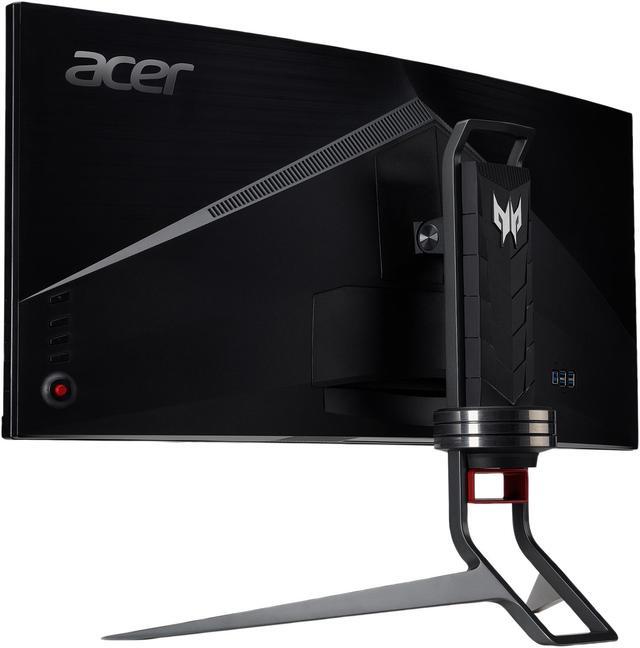
agressive stand.
over price.
"zero frame design" not that zero.
color in my opinion not that accurate.
yellowish look(even though i look online for suggest setting 4 this monitor).
Overall Review:
1 thing i think is the worse is about you newegg! how dare you 2 send 900 dollars product with no protection?! how dare you? the package was all ruin lucky 4 me i have only 2 scratches on the back of the monitor and even that is not acceptable, i paid for shiping y should i get that kind of disrespect for my products?
this will give me a second thought if i will ever buy from you again if you dont try to save your clients products.
Pros:
One year update:
For owners with a 1080ti. I just picked up a gigabyte waterforce 2080ti slight overclock gets a boost to like 2055-2100 ~55-60c with a 7820x @ 4.8 no HT (I have bad ventilation in my pc) But the card makes the world of difference on this monitor compared to the 1080ti (oced on water). I had a feeling of input lag when fps gaming on the 1080ti but not really much at all now. I think a 144hz version would cure that issue...
I play games with textures set to highest, low/med AA and much of the other effect on low/med... with the monitor at 120 hrz.. playing mostly pubg, bo4 blackout, overwatch.. all get well over 110/120fps-190-200 fps ranges with the 2080ti.... have not tried bf1 rtx, I have i but haven't fired it up yet. I have run no benchmark.
I still have had had no flickering. I've seen many posters saying that it's most likely b/c your gpu isn't strong enough or clocked properly. I've also found if you use "extreme" setting in the osd overclock it taxes the monitor too much and washes images out. I set to normal.
I would like a higher refresh for fps but otherwise, it's been a year now since I got this, no dead pixels, no flicker same mild bleed but still running strong.
As for color settings, I feel it's very personal so don't think posting my color settings matters as much... plus I like a little bluer world... I really got this for the curve and wide angles.
Day 3... IMHO perfect viewing for desktop gaming. The curve fills the view just right imho.
I was using the Acer Predator XB271HU 27" 165hz monitor. And it was so stellar I decided to upgrade. I run the 34" at 120 oc using a display port.. no problems getting it up and going. been on a 120 hz for may years and went to the 165hz could not go back to 60hz. I was going to by the 100hz version but frankly its worth the extra $ to get the 120 imho.
My framerates only suffer slightly pubg still hits 120-144 mostly mid to higher settings, overwatch 280-300fps mid/lower setting . bf1 100-120+ mostly ultra settings. since this has so many pixels really don't need to keep settings high imho.
Running a WC zotac artic storm 1080ti at 2050mz and have a 7820 8 core w/o HT on at 5.0gz.
Color out of box is solid but I'm sure color-a-files might disagree. I like a colder setting changed this.
The track light under the bottom edge is easily changed by color, affect and can be turned off via OSD.
There is a joystick that moved the osd screen takes a little getting used to but if you game .. it's a joystick :)
In generally the games look better and run smoother that the oc 165hz.
Cons:
Major CON is shipping. This box is huge, so newegg/fedex doesn't box the original box. (sort of like buying a TV online.. I accidentally ordered the 100hz version and it came in a very damaged box. I RMAed for the the 120hz and notified NE the box was damaged. The rma was approved. Just be there when your monitor arrives...
Price - but you get what you pay for - as another mentioned you could wait till they push out a 144 or 165hz .. but I can barely tell the differnce from 120hz to 160hz.
Overall Review: Will report back if pixels die or issue happen. but well worth the coin IMHO
Loading...

Newegg’s website and online services use cookies and similar technology for a number of reasons: Some technologies allow the site to function. These functional cookies are required to use the site and complete purchases. Another set of technologies improve the browsing experience and personalize it. Here are all the details about Newegg’s Cookie and Privacy Policies. Please select and accept your settings before you continue. Thank you.
To use this third-party content we need your approval to share your data with them. Here are all the details about Newegg’s Cookie and Privacy Policies. Please accept if you wish to continue with third-party features. Thank you.
Pros: -Excellent picture quality out of box.
-monitor looks AMAZING when paired w/ high-end graphics.
-G-Sync works fantastic. It really is amazingly smooth.
Cons: -Broke before it was a year old.
-Picture now artifacts then goes black.
-might be a little too big. It is so large that gaming prompts on some UI are less noticeable because of it's enormous size.
Overall Review: I would not recommend this monitor. I have swap tested and isolated this issue to the monitor. It's cheap compared to others like it, and mine broke within 6 months of regular use.