


Out of stock
This item is currently out of stock and it may or may not be restocked.
Most customers receive within 5-9 days.
Add to wish list(Found on 2 wish lists)
Shop it at NeweggBusiness.

Meet Your Seller

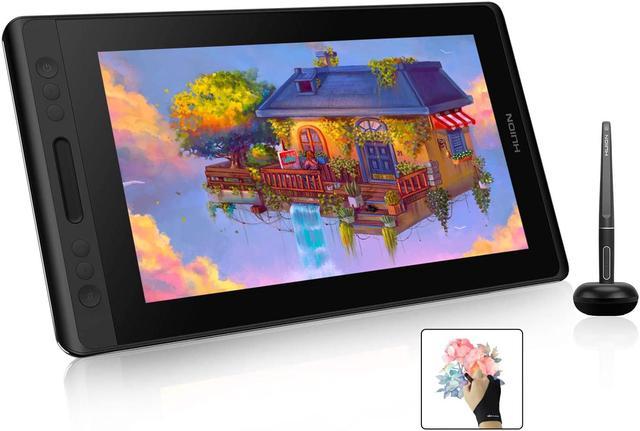
Huion KAMVAS Pro 13 Graphics Drawing Monitor Pen Display Tilt Function 8192 Pen Pressure Battery-Free Stylus, Full-Laminated Screen, 120% sRGB(No Stand)

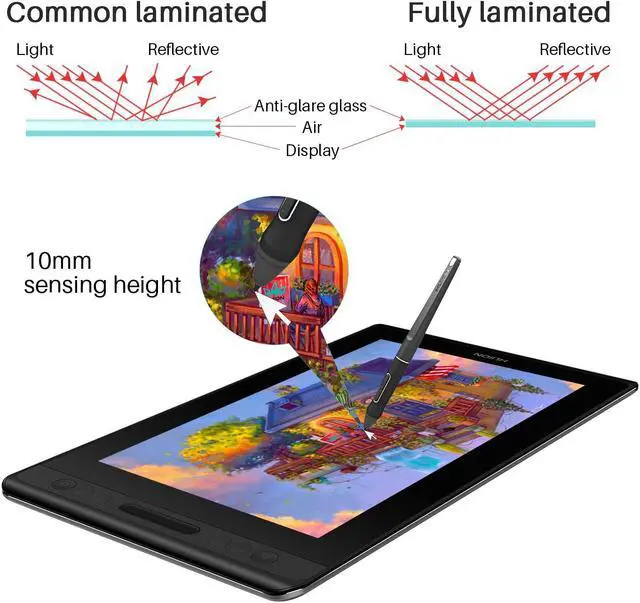
  • Huion Kamvas Pro 13 adopts the latest full-laminated technology, no air gap between the IPS screen and AG glass.
  • 8192 levels of pen pressure sensitivity allow your work to be more vibrant with diverse lines and layers.
  • Battery-free stylus can be used continuously and no need to be powered.
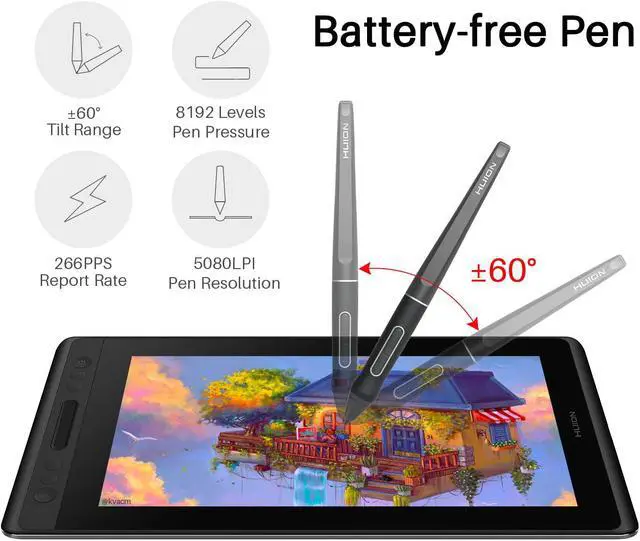
  • It support ±60° tilt function on tablet screen, you don't need to adjust the brush direction in the software again and again. Fastest reaction with 266PPS report rate and 10mm sensing height, providing you higher accuracy
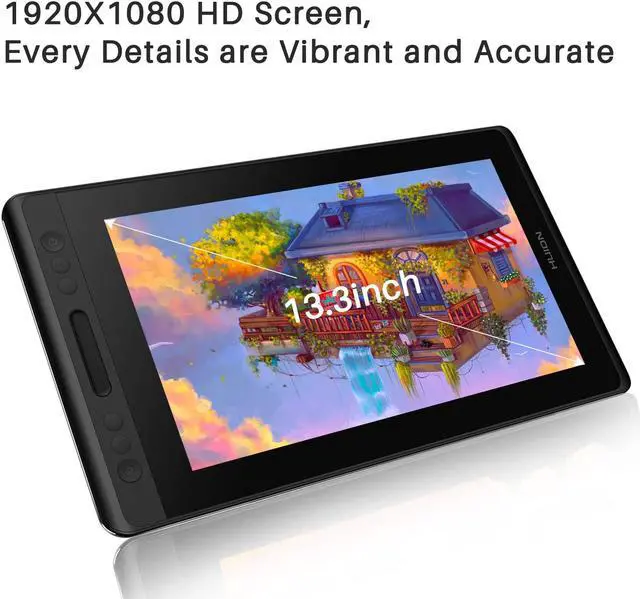
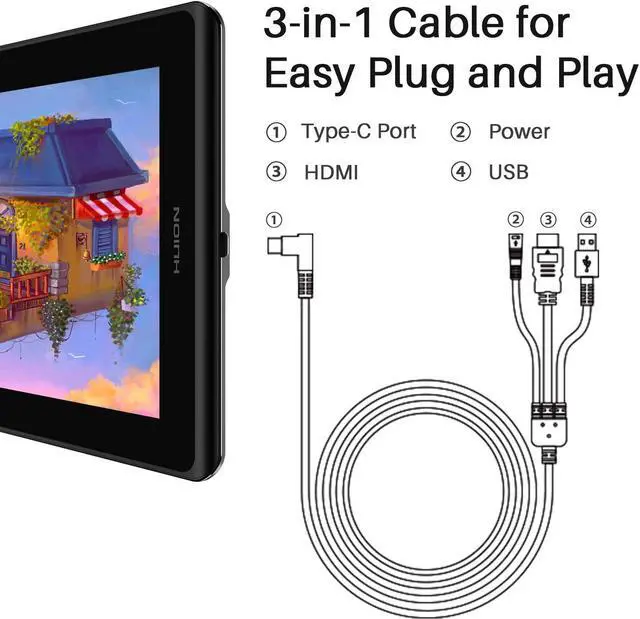
  • Simply connect the monitor tablet to the computer or laptop with 3-in-1(HDMI) cable, 1920x1080 HD drawing monitor to lively display every details, anti-glare glass panel to keep your screen clear even bright light, 178°wide viewing angle ensure the image quality.
  • 16.7 million colors brought by 120%sRGB enables everything under your hand is very vibrant and crisp.
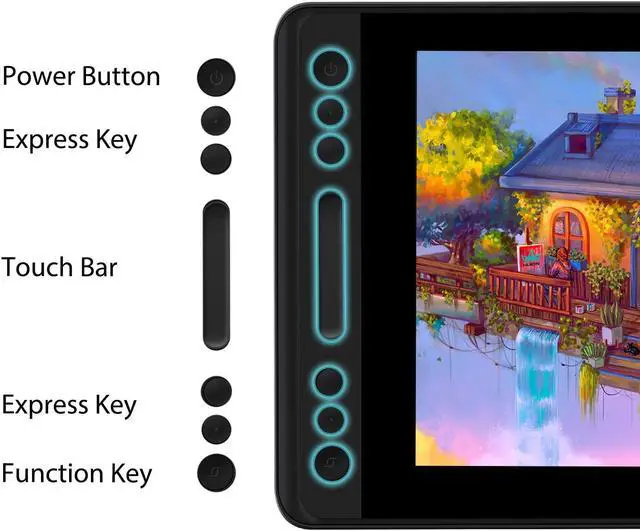
  • 4 express keys and 1 touch bar, keep your favorite express keys in your finger.
Overview
Specs
Reviews (1)
avatar

Any questions? Our AI beta will help you find out quickly.

image for this item

Important Reminders:

1.Huion Kamvas Pro 13 is Not a standalone product!! It have to connect a laptop or a desktop which runs windows or mac system to work.

2. Tips for Windows User to install Huion driver:

Please uninstall other brands driver on your computer first.

Close all drawing program and protection software before installation.

Unplug the cable on Huion drawing monitor.

Download driver from Huion website and install it as an Administrator.

Reboot the computer and wait until it finishes rebooting.

Plug the tablet back in.

3. Pen Display Connection:

Please make sure completely plug USB cable & HDMI cable into pen display. Make sure there is no gap left when cables plugged into pen display.

If you connect it to desktop, please plug the HDMI cable into pen display graphic card directly.


KAMVAS PRO 12 

image for this item
image for this item
Supports ±60 Degrees of Tilt Function
  • It support ±60° tilt function on tablet screen, you don't need to adjust the brush direction in the software again and again, drawing with smooth and delicate line presentation.
  • Fastest reaction with 266PPS report rate and 10mm sensing height, providing you higher accuracy-- cursor goes right at the tip of the nib.
image for this item
Draw at anytime, anywhere.

11mm thick, 765g in weight, easy to carry.

Frosted finish on the top and aluminum alloy rear case,comfortable to touch and durable in use.

Application of full lamination crafts optimizes color presentation when the screen is on, eliminating a visible frame when the screen is off.

image for this item
Outstanding color display
  • The 120% sRGB wide color gamut presents 16.7 million colors vividly. Thanks to the wide color gamut, Kamvas Pro 12 has an outstanding color display effect and can greatly reduce the color difference.
  • 1920x1080 HD drawing monitor to lively display every details, anti-glare glass panel to keep your screen clear even bright light, 178°wide viewing angle ensure the image quality.
image for this item
Three-in-one Cable
  • Deepened hidden type-C interface to reinforce wire connection, three-in-one cable to reduce wire bundles.
  • Support interface: Type-C.
image for this item
Create on whatever software you like
  • Kamvas Pro 12 is compatible with Windows 7 or later and mac OS 10.11 or later. It is also compatible with mainstream software like Adobe Photoshop, Clip Studio, Paint Tool Sai and more.
image for this item
Package including
  • Pen Display KAMVAS PRO 12
  • Digital Pen PW507 & Pen Holder
  • 3-in-1 Cable & Power Adapter &Plug
  • Pen Nibs x 10 (inside the pen holder) & Nib Clip (inside the pen holder)
  • Cleaning Cloth & Quick Start Guide
Huion Pro 13 drawing tablet with screen adopt the latest full-laminated technology, create the paper feel-like surface and almost no parallax. Equip with anti-glare glass panel to keep your screen clear even bright light. Each line came out exactly like you wanted, smooth tapers, no shaky lines, no blotches and no parallax.

1.Huion Kamvas Pro 13 is Not a standalone product!! It have to connect a laptop or a desktop which runs windows or mac system to work.

2. Touch Bar and 4 Express Keys :
4 user-defined express keys and a touch bar to control canvas zooming, brush adjusting and page scrolling.

3. Outstanding color display:
The 120% sRGB wide color gamut presents 16.7 million colors vividly. Thanks to the wide color gamut, Kamvas Pro 12 has an outstanding color display effect and can greatly reduce the color difference.
1920x1080 HD drawing monitor to lively display every details, anti-glare glass panel to keep your screen clear even bright light, 178°wide viewing angle ensure the image quality.

4. Supports ±60 Degrees of Tilt Function:
It support ±60° tilt function on tablet screen, you don't need to adjust the brush direction in the software again and again, drawing with smooth and delicate line presentation.
Fastest reaction with 266PPS report rate and 10mm sensing height, providing you higher accuracy-- cursor goes right at the tip of the nib.

5. Battery-free Pen:
Battery-free stylus can be used continuously and no need to be powered, 8 replacement pen nibs included.
8192 levels of pen pressure sensitivity allow your work to be more vibrant with diverse lines and layers. No parallax issues and each line came out exactly like you wanted, you’ll get more precision on hand.

6. 3-in-1 Cable
Deepened hidden type-C interface to reinforce wire connection, three-in-one cable to reduce wire bundles.
Support interface: Type-C.

7. Draw at anytime, anywhere:
11mm thick, 765g in weight, easy to carry.
Frosted finish on the top and aluminum alloy rear case,comfortable to touch and durable in use.
Application of full lamination crafts optimizes color presentation when the screen is on, eliminating a visible frame when the screen is off.

8. Create on whatever software you like
Kamvas Pro 13 is compatible with Windows 7 or later and mac OS 10.11 or later. It is also compatible with mainstream software like Adobe Photoshop, Clip Studio, Paint Tool Sai and more.

9. Package including
Pen Display KAMVAS PRO 13
Digital Pen PW507 & Pen Holder
3-in-1 Cable & Power Adapter &Plug
Pen Nibs x 10 (inside the pen holder) & Nib Clip (inside the pen holder)
Cleaning Cloth & Quick Start Guide
Glove

10. Huion provide lifetime technical support on all Huion drawing pen tablets/monitors.
If you have any questions on using the Huion drawing monitor tablet, please check the Quick Guide on package, email us by [email protected] or search Huion online to find us for more assistance, we are always here to help you!
Here to download Driver or User Manual: https://www.huion.com/download/
Here to Find all the product FAQ: https://support.huion.com/support/home

Painting/Sketching
For the professional artist, new designer and amateur hobbyist, Huion drawing tablets Compatible with Windows 7 or above /Mac OS 10.12 or above/ Android 6.0 or above, as well support most of the drawing software such as PS, SAI, CorelPainter, Illustrator, SketchBook Pro, Manga Studio, Krita and more. The advanced pen technology offer better and precise control of drawing lines in digital drawing and photo-editing.

E-leaning /Teaching
For the teacher and students, it’s really perfect replacement for traditional mouse and paper! Teachers may want to broadcast your courses in real-time to your streaming platforms such as YouTube, Facebook, Bloc, Twitch, Udemy, Khan Academy, Codecademy, and more. And Students can take fast note-taking, tutoring, writing and calculating when learning courses online.

Online Meeting/Remote Work
If you want to work from new location like home or outside, you can use Huion tablets to capture ideas, create mind-maps, draw diagrams & share them with colleagues and friends when web-conferencing, as it compatible with Microsoft Office programs like Word, PowerPoint, OneNote PDF and more. Visually present your handwritten notes and signatures precisely.

Video Edit/More Fun
What’s more, you can play OSU! Game, or even edit/personalize your photos & videos to help you stand out on your social media channels. Huion drawing tablets is ideal choice for gameplay, drawing, painting, sketching, E-signatures etc. Waiting for you to discover more fun!

Warranty & Returns

Warranty, Returns, And Additional Information

Warranty

  • Please contact the Seller directly for warranty information. Warranty information may also be found on the Manufacturer's website.
  • CONTACT

Return Policies

Manufacturer Contact Info

LOADING...