




 here!
I’m your shopping assistant for PC builds, upgrades, and everything tech.
Got questions? Ask away!
Start a conversation
here!
I’m your shopping assistant for PC builds, upgrades, and everything tech.
Got questions? Ask away!
Start a conversation
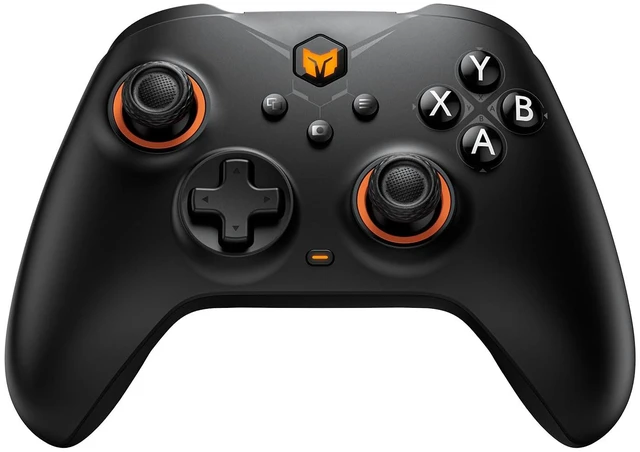
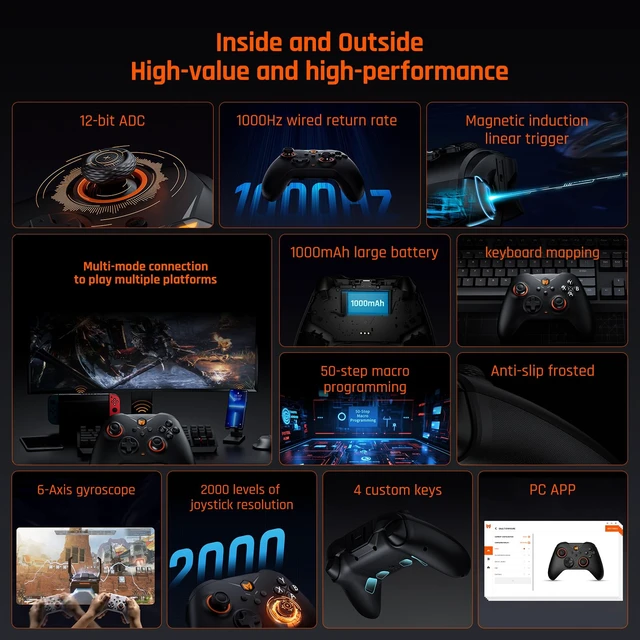


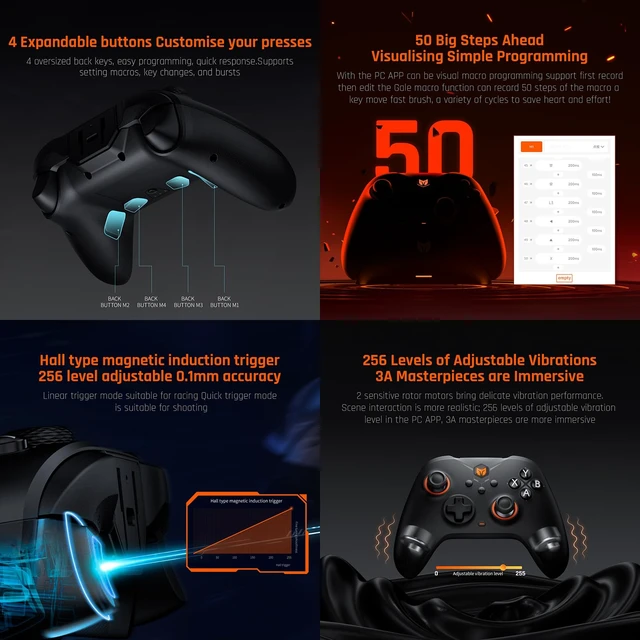
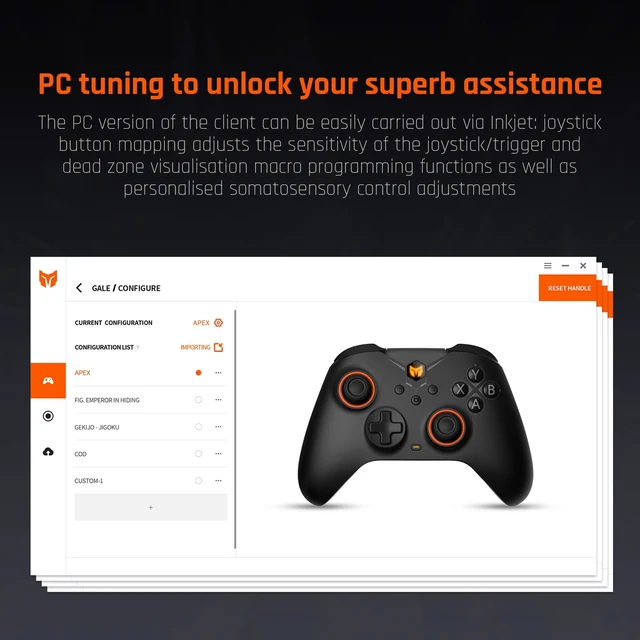



Any questions? Ask CelesteSM will help you find out quickly.
How to download App on PC for Gale wireless controller?
Please download the correct software from the official website, bigbigwon.com/support/controller/gale-app/
Is Gale gaming controller wireless or wired?
Gale game controller supports both wireless and wired connection. Bluetooth / 2.4G adapter (packaged)/ Type-C Cable (packaged)
How to switch to Switch or Xinput mode?
Press&hold ”A+HOME“ for 2s until the HOME light turns red to switch to Switch mode.
Press&hold “B+HOME” for 2s until the HOME indicator turns green to switch to Xinput mode. (iOS and Android must switch to Xinput mode when bluetooth connection)
How to reset BIGIBG WON gale pc controller?
Long press the HOME button for 10s until the controller vibrates.
If the controller is misconfigured or functions abnormally, you can try to reset the controller to recover
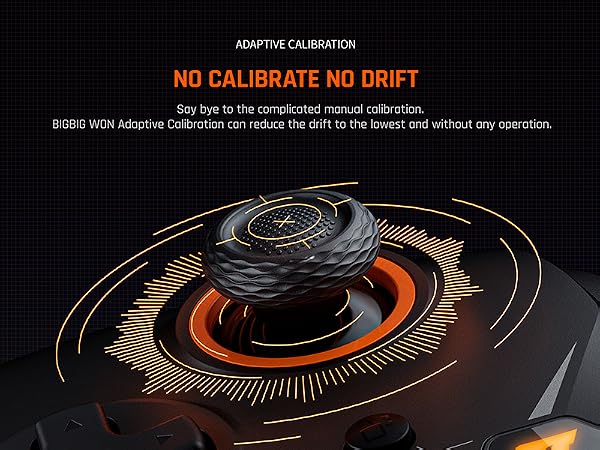
How to solve the issue of drifting severely, or the trigger firing automatically?
Please help calibrate the joystick and trigger per the methods stated in user manual.
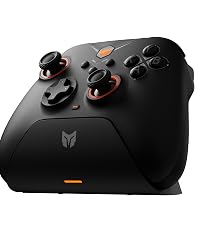 Gale with Charging Dock-B | 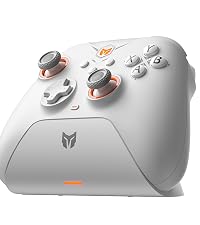 Gale with Charging Dock-W | 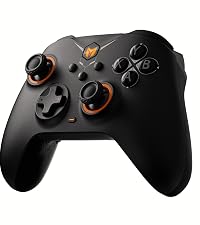 Gale without ChargingDock | Gale with Charging Dock-B | |
|---|---|---|---|---|
Customer Reviews | — | — | — | — |
Price | — | — | — | — |
Supported Platforms | PC/Switch/iOS/Android | PC/Switch/iOS/Android | PC/Switch/iOS/Android | PC/Switch/iOS/Android |
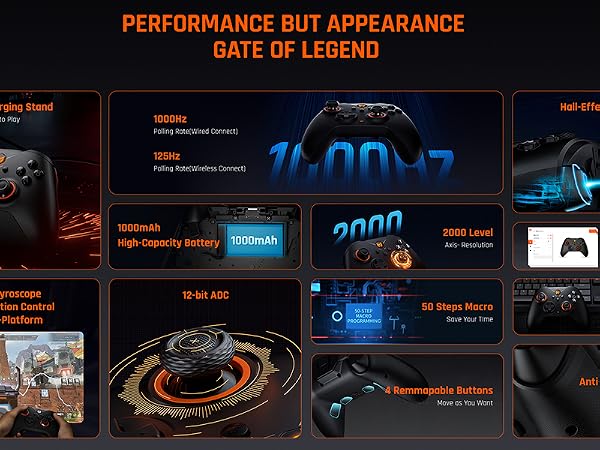
Connection Ways | 2.4G & Bluetooth & USB-C Cable | 2.4G & Bluetooth & USB-C Cable | 2.4G & Bluetooth & USB-C Cable | 2.4G & Bluetooth & USB-C Cable |
Custom Buttons | 4 Back Buttons | 4 Back Buttons | 4 Back Buttons | 4 Back Buttons |
Motion Control | 6-axis Gyro | 6-axis Gyro | 6-axis Gyro | 6-axis Gyro |
Joystick | 2000 levels Axis Resolution | 2000 levels Axis Resolution | 2000 levels Axis Resolution | 2000 levels Axis Resolution |
APP | PC (not for mobile) | PC (not for mobile) | PC (not for mobile) | PC (not for mobile) |
Hall Effect Trigger | ? | ? | ? | ? |
Keyboard Mapping | ? | ? | ? | ? |
Audio | ? | ? | ? | ? |
Charging Dock | ? | ? | ? | ? |
Screenshot | ? | ? | ? | ? |
Turbo | ? | ? | ? | ? |




How to download App on PC for Gale wireless controller?
Please download the correct software from the official website, bigbigwon.com/support/controller/gale-app/
Is Gale gaming controller wireless or wired?
Gale game controller supports both wireless and wired connection. Bluetooth / 2.4G adapter (packaged)/ Type-C Cable (packaged)
How to switch to Switch or Xinput mode?
Press&hold ”A+HOME“ for 2s until the HOME light turns red to switch to Switch mode.
Press&hold “B+HOME” for 2s until the HOME indicator turns green to switch to Xinput mode. (iOS and Android must switch to Xinput mode when bluetooth connection)
How to reset BIGIBG WON gale pc controller?
Long press the HOME button for 10s until the controller vibrates.
If the controller is misconfigured or functions abnormally, you can try to reset the controller to recover
How to solve the issue of drifting severely, or the trigger firing automatically?
Please help calibrate the joystick and trigger per the methods stated in user manual.
Gale with Charging Dock-B | Gale with Charging Dock-W | Gale without ChargingDock | Gale with Charging Dock-B |
|---|---|---|---|
| Customer Reviews | |||
| — | — | — | — |
| Price | |||
| — | — | — | — |
| Supported Platforms | |||
| PC/Switch/iOS/Android | PC/Switch/iOS/Android | PC/Switch/iOS/Android | PC/Switch/iOS/Android |
| Connection Ways | |||
| 2.4G & Bluetooth & USB-C Cable | 2.4G & Bluetooth & USB-C Cable | 2.4G & Bluetooth & USB-C Cable | 2.4G & Bluetooth & USB-C Cable |
| Custom Buttons | |||
| 4 Back Buttons | 4 Back Buttons | 4 Back Buttons | 4 Back Buttons |
| Motion Control | |||
| 6-axis Gyro | 6-axis Gyro | 6-axis Gyro | 6-axis Gyro |
| Joystick | |||
| 2000 levels Axis Resolution | 2000 levels Axis Resolution | 2000 levels Axis Resolution | 2000 levels Axis Resolution |
| APP | |||
| PC (not for mobile) | PC (not for mobile) | PC (not for mobile) | PC (not for mobile) |
| Hall Effect Trigger | |||
| ? | ? | ? | ? |
| Keyboard Mapping | |||
| ? | ? | ? | ? |
| Audio | |||
| ? | ? | ? | ? |
| Charging Dock | |||
| ? | ? | ? | ? |
| Screenshot | |||
| ? | ? | ? | ? |
| Turbo | |||
| ? | ? | ? | ? |
About BIGBIG WON
BIGBIG WON is specialized in research and production of a wide range of controllers for game consoles, joysticks for video games and video game consoles to improve your gaming experience and let you enjoy the fun of game playing.
Strict quality control is implemented in all aspects of operations to meet the needs of customers', high-qualified products thanks to our experienced development, production engineers and skilled industrial workers.
We have built up a good reputation among our customers due to our quality-assured products and perfect pre-sales and after-sales system. We warmly welcome you to contact us if you have any queries on our products.


