




 here!
here!
I’m your shopping assistant for PC builds, upgrades, and everything tech.
Got questions? Ask away!
Start a conversation
here!
I’m your shopping assistant for PC builds, upgrades, and everything tech.
Got questions? Ask away!
Start a conversation



Any questions? Ask CelesteSM will help you find out quickly.
Welcome to BOSSFULTON:
BOSSFULTON is positioned for quality, simplicity and durability. With our own R&D team and manufacturing plant, we are a full-service provider of development, production, sales and service. Here you can find your own laptop replacement battery.
Specification:
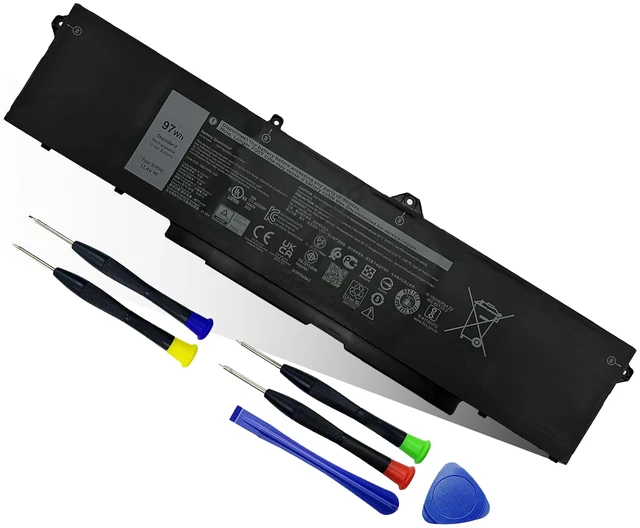
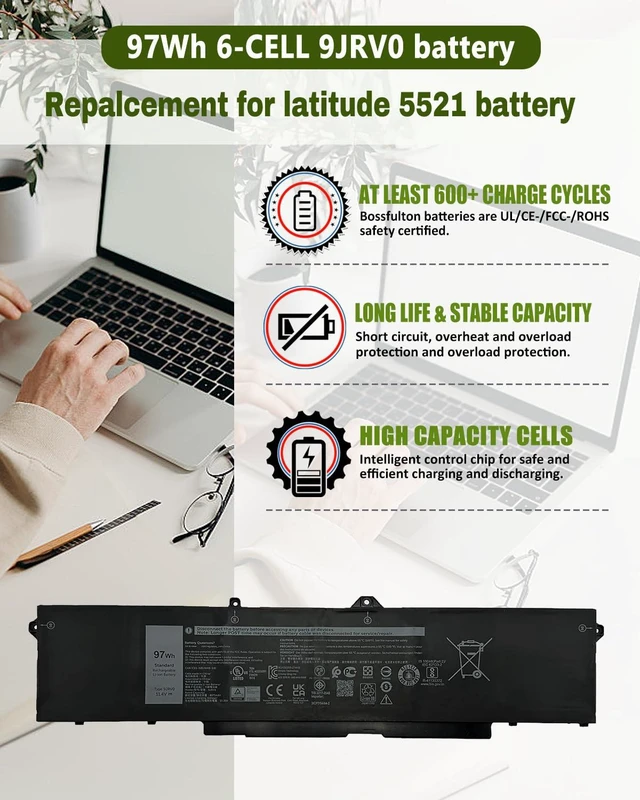
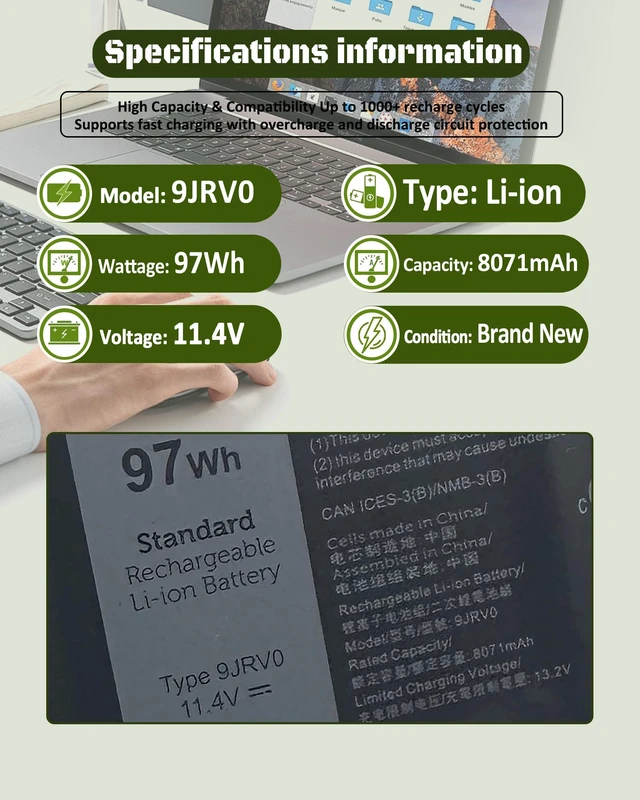
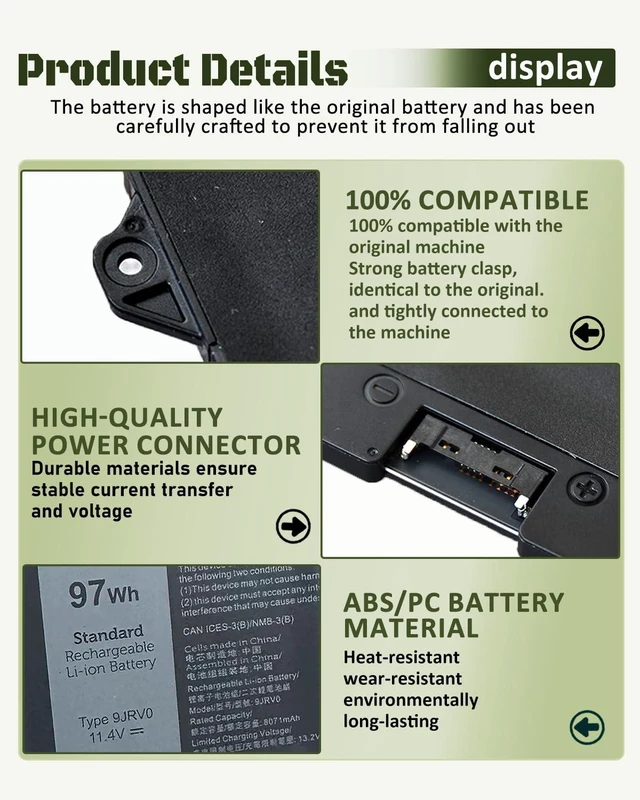
Model: 9JRV0
Battery Type: Li-ion
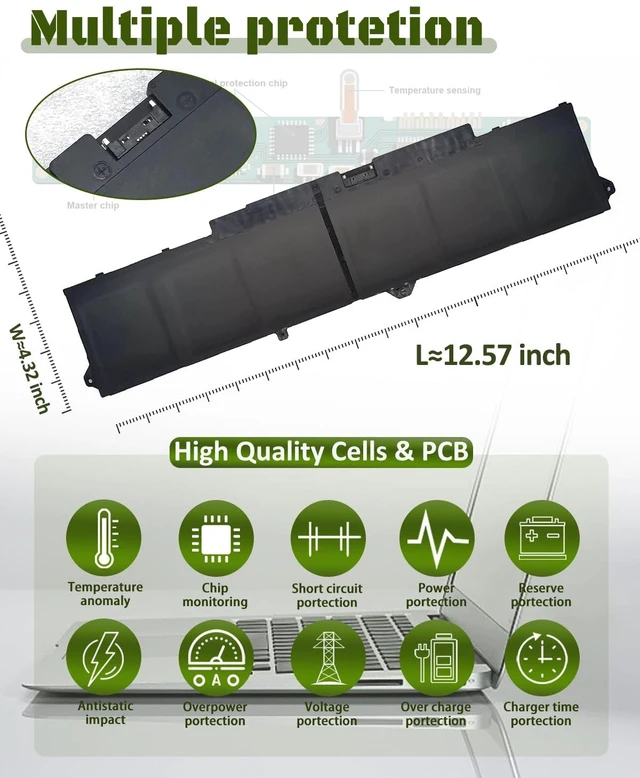
Voltage:11.4V Capacity: 97Wh 8071mAh 6-Cell
Replacement Part Number:
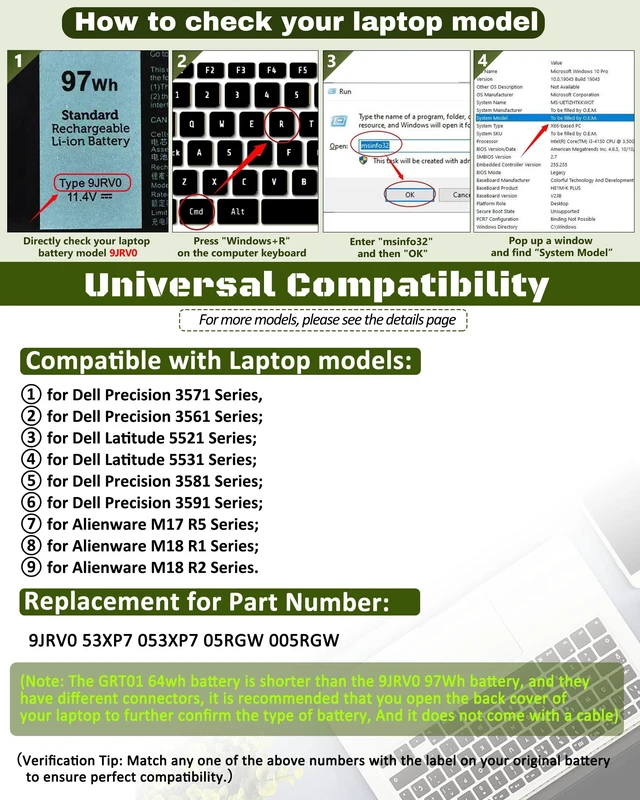
9JRV0 53XP7 053XP7 05RGW 005RGW for 97Wh 9JRV0 battery
Compatible Models: (use "Ctrl+F to find your model quickly")
for Dell Precision 3571 Series,
for Dell Precision 3561 Series;
for Dell Latitude 5521 Series;
for Dell Latitude 5531 Series;
for Dell Precision 3581 Series;
for Dell Precision 3591 Series;
for Alienware M17 R5 Series;
for Alienware M18 R1 Series;
for Alienware M18 R2 Series.
Note: For more accurate, please check the part number of your original battery
Warm tips:
(1)Please open your laptop case, check and confirm your original battery model and appearance, compared with our battery image, make sure that's what you need.
(2)Location of connector and Cable length: Please refer to the battery picture and compare with your original battery.
(3)If the new battery is not recognized during the initial installation, please reinstall and check if the interface is fully connected. Discharge the new battery to 10-20% (not 0%), then charge and cycle 3-4 times to wake up the new battery.
(4)This compatibility list is non-exhaustive. If your original part NO. or your laptop model NO. is not included in the compatibility list, but our battery may still fit your laptop. Please feel free to contact directly for confirm the compatibility.
How to choose the correct battery?
Check your laptop model:
Press Windows + R
Type "msinfo32",then click OK
Find "System Model" in the pop-up window


