




CableCreation USB Type C to HDMI Cable 4K@60Hz

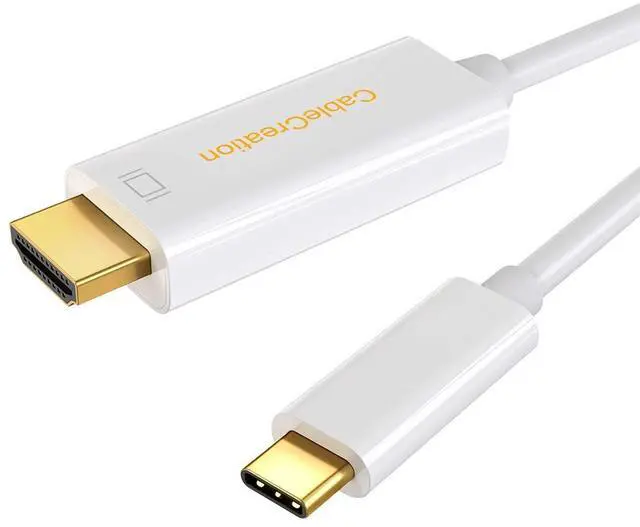
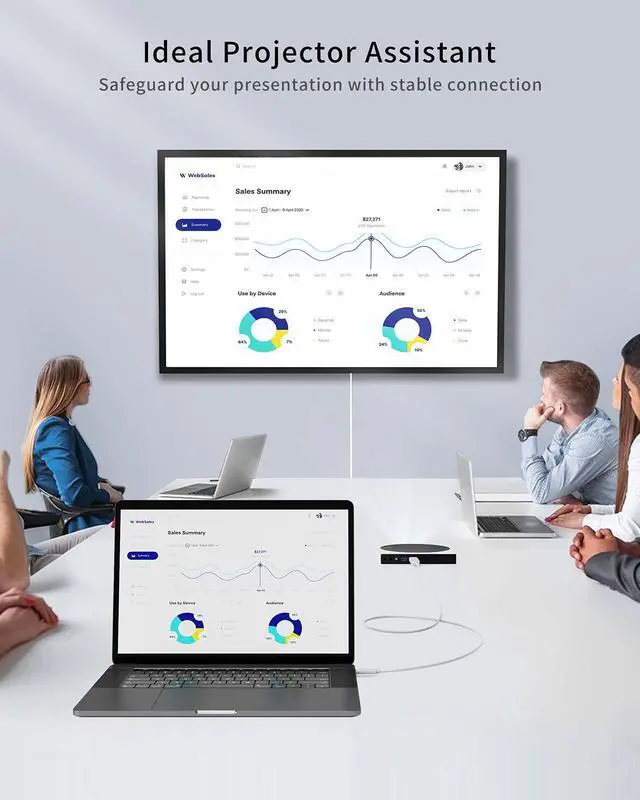
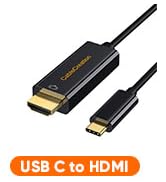
CableCreation USB C to HDMI Cable (4K@60Hz) enables you to connect a USB C computer or phone to an HDMI-equipped display, monitor, projector from small screen to large screen. It can stream sports events, HD movies, gaming, PPT, photos, albums directly from your smartphone/laptop to TV. Never miss the game-winning touchdown or your favorite TV episodes.
HDMI to USB C Cable Support Mirror & Extend Dual Mode

Support Mirror & Extend Dual Mode
-- Mirror and Extend Mode Settings:
For MacOS, Top left corner icon-->System Preferences-->Displays-->Mirror or Extend Displays;
For Windows 10, press Windows key + P combination command-->choose Duplicate or Extend.
For Windows system laptop, if the external monitor could not work, please update the BIOS and graphic card driver from laptop official website.
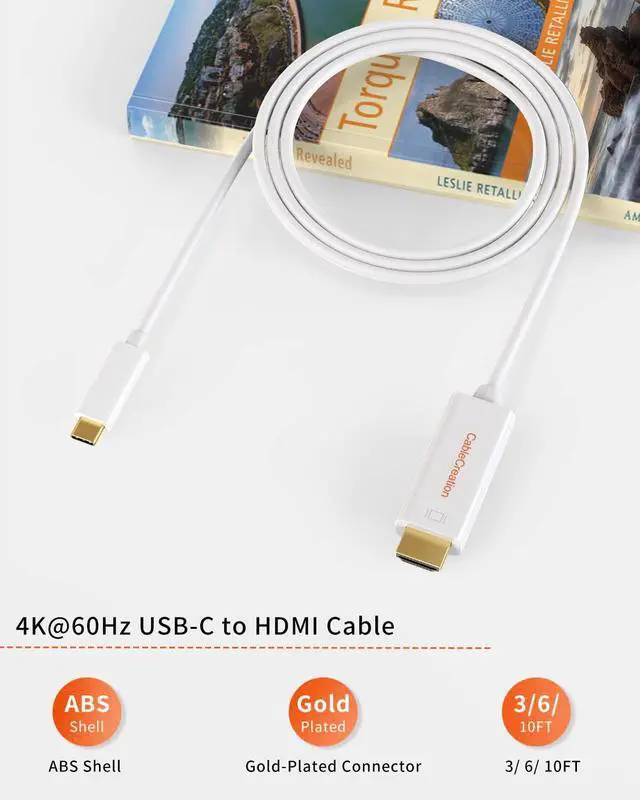
4K@60Hz USB-C to HDMI Cable

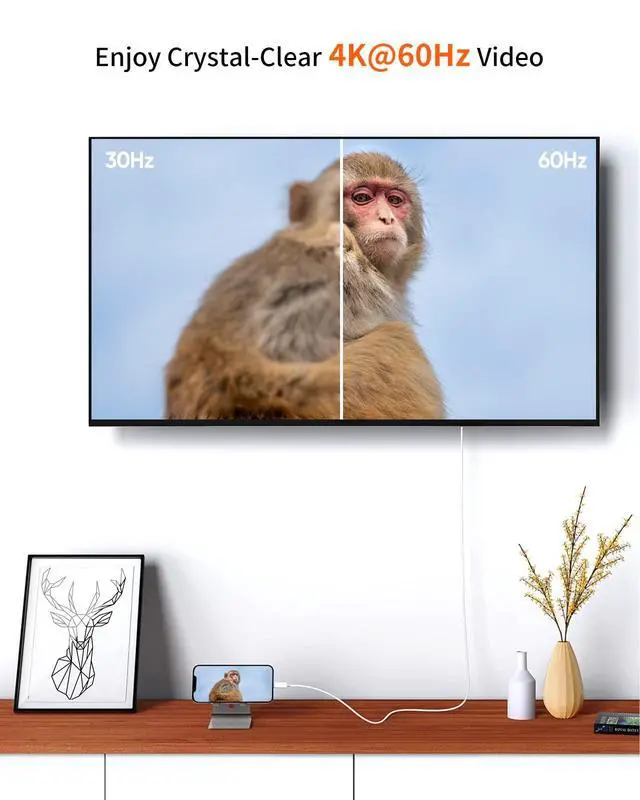
Enjoy 4K@60Hz Ultra HD
1. Max 4K@60Hz - Provide the smoothest experience, supports resolution up to 3840x2160 (4K)@60Hz, backward compatible with 3840x1440, 2560x1440 (2K), 2560x1080, 1920x1080 (1080P), 720P@60Hz and more.
2. NOTE - Supports resolution up to 4K@60Hz, but we recommend you to make sure your monitor/tv could supply corresponding output. That means if your computer supports 4K@60Hz, while your monitor/TV only supports 1080P, you can only output 1080P rather than 4K.
3. Resolution Settings:
For Windows:
Windows Menu--> Setting--> Display--> Advanced Display Settings, set your laptop's resolution same as or lower the resolution of external monitor.
For MacOS:
Left-upper icon-->System Preferences-->Displays-->Mirror displays. Then your HDMI monitor would mirror your Mac. However here you have two choices. One is "Optimize For" your built-in Retina Display, the other is "Optimize For" your HDMI monitor. You can choose which one you like.

Stream from a Bigger Screen

Better Online-Learning Experience

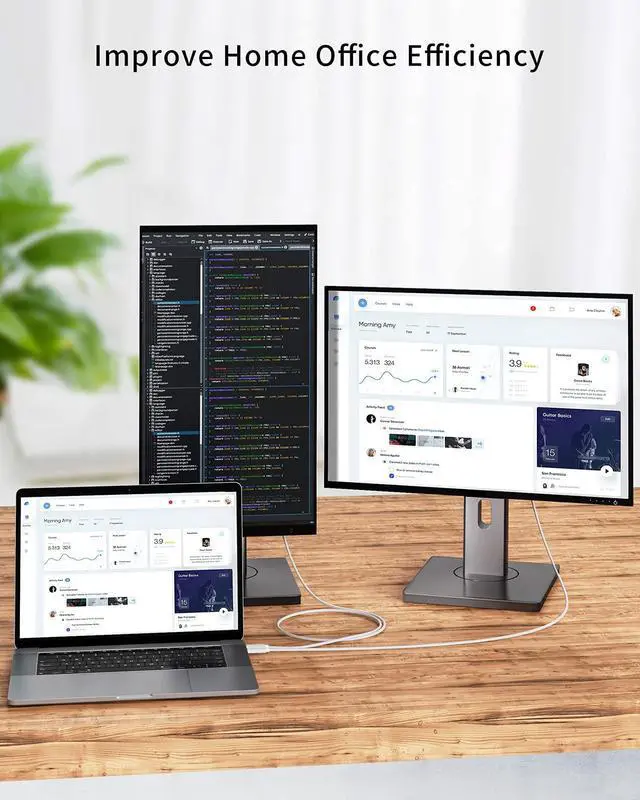
Ideal for Home Office
FAQs:
Q: I have a laptop / smartphone with USB C female port, is this cable compatible with it? Looks has the same interface though.
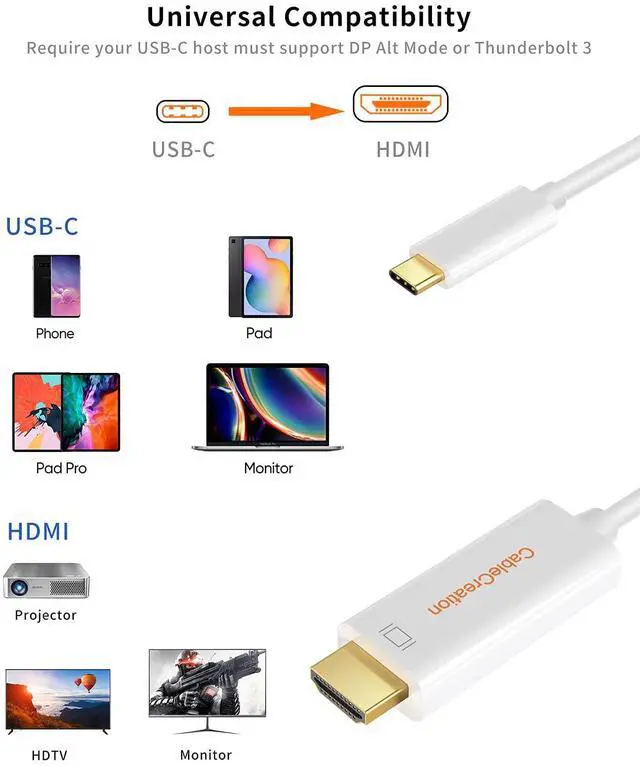
A: Not all the USB C laptop / smartphone is compatible with this cable. This cable requires laptop /desktop /tablet / smartphone must support DP ALT mode(display output) or Thunderbolt 3. We have listed some Popular device models below.
Q: Can I use this cable to connect my Macbook Pro to TV?
A: Yes, It is prefect compatible with Macbook Pro. You can use it to enable your laptop/ smartphone to TV / monitors / projector. Please make sure chosen “HDMI” as input source when you use for TV/ Projector.
Q: Why do I can not get sound when use this cable? Is it plug and play cable?
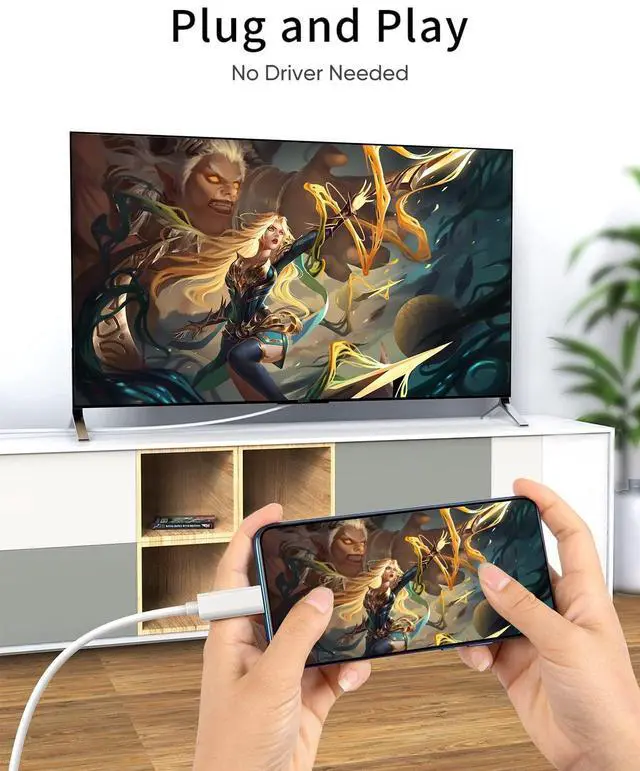
A: Yes, this is a plug and play cable. Sometimes the device's audio settings do not allow the an external device as a sound output preference. In this case, you can chosen manual setting to get audio output.
--For MacOS, Please go to left corner icon-->System Preferences-->Sound-->Output, choose your TV as the sound output.
--For Windows 10, please click right bottom of your sound emailicon-->choose your TV as the sound output.
--For Sony TV, if you are running MacOS, you probably need to go to Launchpad-->Other-->Audio MIDI Setup-->DisplayPort-->Output-->Please choose 2 ch 16-bit integer.
Q: The cable will stop working when my laptop / smartphone go to sleep mode, is it normal?
A: Yes this is a normal phenomenon. This cable is only designed to transfer video signal, it does not allow to awake your host devise’s screen. Please keep the screen awake during use.
Q: I checked the tech specs of my Windows laptop and it is Compatible, all the setting is correct, the cable still not work. Is there any thing I need do?
A: Please unplugged this cable, update the BIOS and graphic card driver from laptop official website, restart your laptop and wait about 4 minutes then re-plug it to try again.
Compatible Devices (Not a Full List)
 USB C to HDMI Cable |  USB C to HDMI Cable |  USB C to HDMI Cable | USB C to HDMI Cable |  USB C to HDMI Cable |  USB C to HDMI Cable | |
|---|---|---|---|---|---|---|
| Price | — no data | — no data | — | — no data | — no data | — no data |
| Length | 3FT | 6FT | 6FT | 10FT | 16.5FT | 16FT |
| Resolution | 4K@60Hz | 4K@60Hz | 4K@60Hz | 4K@60Hz | 4K@30Hz | 4K@30Hz |
| Material | ABS Shell + PVC Jacket | ABS Shell + PVC Jacket | Aluminum Shell+Braided Jacket | ABS Shell + PVC Jacket | ABS Shell + PVC Jacket | ABS Shell + PVC Jacket |



CableCreation USB Type C to HDMI Cable 4K@60Hz
CableCreation USB C to HDMI Cable (4K@60Hz) enables you to connect a USB C computer or phone to an HDMI-equipped display, monitor, projector from small screen to large screen. It can stream sports events, HD movies, gaming, PPT, photos, albums directly from your smartphone/laptop to TV. Never miss the game-winning touchdown or your favorite TV episodes.
HDMI to USB C Cable Support Mirror & Extend Dual Mode
Support Mirror & Extend Dual Mode
-- Mirror and Extend Mode Settings:
For MacOS, Top left corner icon-->System Preferences-->Displays-->Mirror or Extend Displays;
For Windows 10, press Windows key + P combination command-->choose Duplicate or Extend.
For Windows system laptop, if the external monitor could not work, please update the BIOS and graphic card driver from laptop official website.
4K@60Hz USB-C to HDMI Cable
Enjoy 4K@60Hz Ultra HD
1. Max 4K@60Hz - Provide the smoothest experience, supports resolution up to 3840x2160 (4K)@60Hz, backward compatible with 3840x1440, 2560x1440 (2K), 2560x1080, 1920x1080 (1080P), 720P@60Hz and more.
2. NOTE - Supports resolution up to 4K@60Hz, but we recommend you to make sure your monitor/tv could supply corresponding output. That means if your computer supports 4K@60Hz, while your monitor/TV only supports 1080P, you can only output 1080P rather than 4K.
3. Resolution Settings:
For Windows:
Windows Menu--> Setting--> Display--> Advanced Display Settings, set your laptop's resolution same as or lower the resolution of external monitor.
For MacOS:
Left-upper icon-->System Preferences-->Displays-->Mirror displays. Then your HDMI monitor would mirror your Mac. However here you have two choices. One is "Optimize For" your built-in Retina Display, the other is "Optimize For" your HDMI monitor. You can choose which one you like.
Stream from a Bigger Screen
Better Online-Learning Experience
Ideal for Home Office
FAQs:
Q: I have a laptop / smartphone with USB C female port, is this cable compatible with it? Looks has the same interface though.
A: Not all the USB C laptop / smartphone is compatible with this cable. This cable requires laptop /desktop /tablet / smartphone must support DP ALT mode(display output) or Thunderbolt 3. We have listed some Popular device models below.
Q: Can I use this cable to connect my Macbook Pro to TV?
A: Yes, It is prefect compatible with Macbook Pro. You can use it to enable your laptop/ smartphone to TV / monitors / projector. Please make sure chosen “HDMI” as input source when you use for TV/ Projector.
Q: Why do I can not get sound when use this cable? Is it plug and play cable?
A: Yes, this is a plug and play cable. Sometimes the device's audio settings do not allow the an external device as a sound output preference. In this case, you can chosen manual setting to get audio output.
--For MacOS, Please go to left corner icon-->System Preferences-->Sound-->Output, choose your TV as the sound output.
--For Windows 10, please click right bottom of your sound emailicon-->choose your TV as the sound output.
--For Sony TV, if you are running MacOS, you probably need to go to Launchpad-->Other-->Audio MIDI Setup-->DisplayPort-->Output-->Please choose 2 ch 16-bit integer.
Q: The cable will stop working when my laptop / smartphone go to sleep mode, is it normal?
A: Yes this is a normal phenomenon. This cable is only designed to transfer video signal, it does not allow to awake your host devise’s screen. Please keep the screen awake during use.
Q: I checked the tech specs of my Windows laptop and it is Compatible, all the setting is correct, the cable still not work. Is there any thing I need do?
A: Please unplugged this cable, update the BIOS and graphic card driver from laptop official website, restart your laptop and wait about 4 minutes then re-plug it to try again.
Compatible Devices (Not a Full List)
| 1 | MacBook 2015/2016/2017, MacBook Pro 2016/2017/2018/2019, MacBook Air 2018, iMac 2017/iMac Pro, Mac Mini 2018, iPad Pro 2020/2018 |
| 2 | Latitude 5400/5490/7373, Inspiron 5570, XPS 12/13/15 |
| 3 | Yoga 7i/9i,ThinkPad X1 Nano,Yoga Slim 7i/7i pro Thinkpad A485/A285/E485/E580/E585/T470/T470s/T480/T480s, Thinkpad X1 Carbon 2017/2018/2019, Thinkpad X270, Legion |
| 4 | Y520/Y530/Y7000/Y740, Yoga 900/910 |
| 5 | Swift 3/ 3X/ 5, TravelMate P2, R13/Tab 10, Nitro 5 Spin, Spin 5, Switch 5 |
| 6 | EliteBook Folio G1, Spetre 13/14/X360, Zbook (Studio), Spectre x360, Zbook Studio x360, Probook 430 G6, x2, Envy 13 x360 2018/2019 |
| 7 | ThunderboltEX 3 Thunderbolt 3 AIC, Zen AiO, ZenFone 3 Ultra, ZenFone AR, ROG Phone,VivoBook Flip 14,ZenBook Flip 13/15/S,9310,ExpertBook B9,VivoBook S13/S14/S15, Zenbook 13/14/15 |
| 8 | Pixelbook, Pixel Slate, Pixel (2015) |
| 9 | S20/S20 Plus/S20 Ultra/S10/S10e/S10+/S9/S9+/S8/S8+, Note 10/10+/9/8, Tab S4/S6/S5e |
| 10 | G5/G7/G8, Q8, V20/V30/V30+/V35/V35+/V40/V50,Gram |
| 11 | U Ultra, U11/U11+/U12+/U19e/Exodus 1 |
| 12 | Surface Book 2, Surface Go, 7 (Pro)/7T (Pro), Essential Phone, and more USB C devices that support DP Alt Mode or Thunderbolt 3 |
| 13 | Blade Stealth 13/Book 3 |
| 14 | Modern 14/15,Prestige 14,Summit B14/A15/E14/E15 |
USB C to HDMI Cable | USB C to HDMI Cable | USB C to HDMI Cable | USB C to HDMI Cable | USB C to HDMI Cable | USB C to HDMI Cable | |
|---|---|---|---|---|---|---|
| Price | — no data | — no data | — | — no data | — no data | — no data |
| Length | 3FT | 6FT | 6FT | 10FT | 16.5FT | 16FT |
| Resolution | 4K@60Hz | 4K@60Hz | 4K@60Hz | 4K@60Hz | 4K@30Hz | 4K@30Hz |
| Material | ABS Shell + PVC Jacket | ABS Shell + PVC Jacket | Aluminum Shell+Braided Jacket | ABS Shell + PVC Jacket | ABS Shell + PVC Jacket | ABS Shell + PVC Jacket |
More Choice
New Arrivals
USB C Hub
Charging Cables
Video Cables
Audio Cables
USB Adapters
Others
Limited-time Monthly Specials
