









CableCreation USB-C to VGA Adapter 1080P at 60Hz

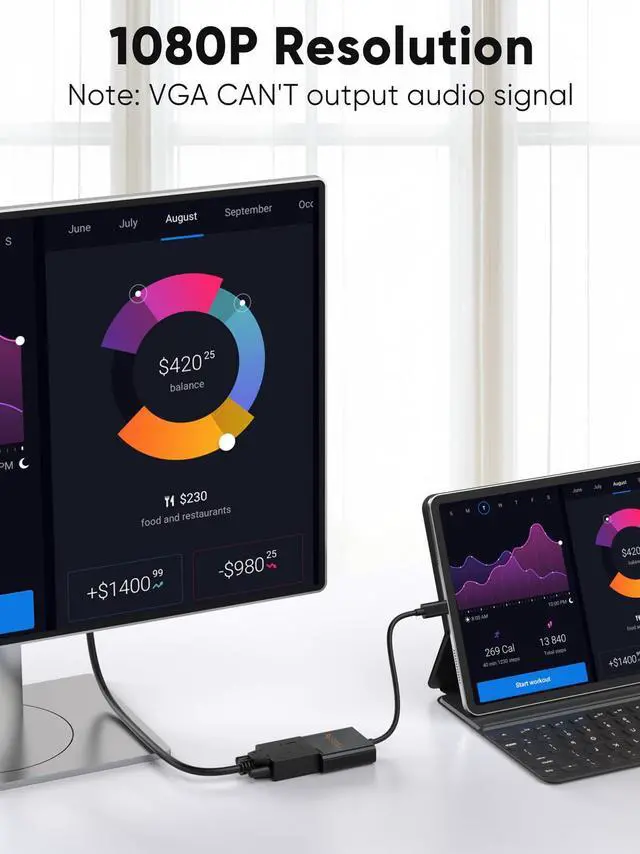
Supports resolution up to 1080P @ 60Hz, but we recommend you to make sure your monitor/TV could supply corresponding output.
If the resolution of your laptop is higher than the external monitor:
- For Windows: Windows Menu--> Setting--> Display--> Advanced Display Settings, set your laptop's resolution same as or lower the resolution of external monitor.
- For MacOS: Left-upper Apple icon-->System Preferences-->Displays-->Mirror displays. Then your VGA monitor would mirror your Mac. However here you have two choices. One is "Optimize For" your built-in Retina Display, the other is "Optimize For" your VGA monitor. You can choose which one you like.


Achieve Better Connection
CableCreation Focus on the Ideal Design of All of Our Quality Cables.
CableCreation is not Only a Brand But Also a Creative Team With its Own Factory manufacturing.
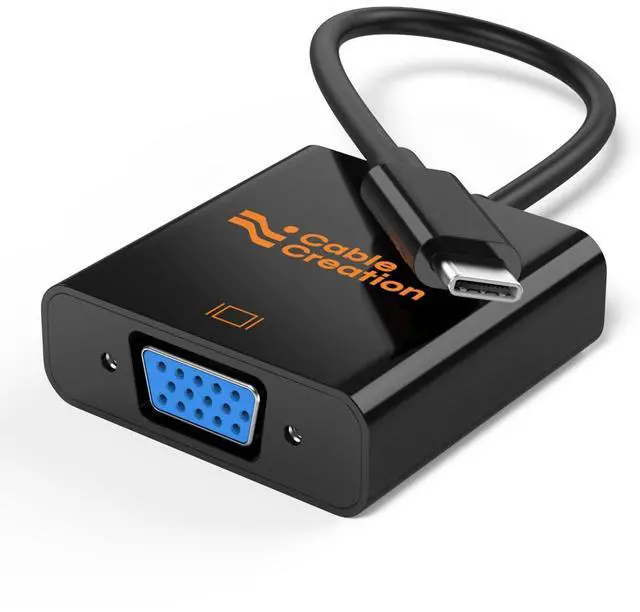
CableCreation Portable USB Type C to VGA Adapter
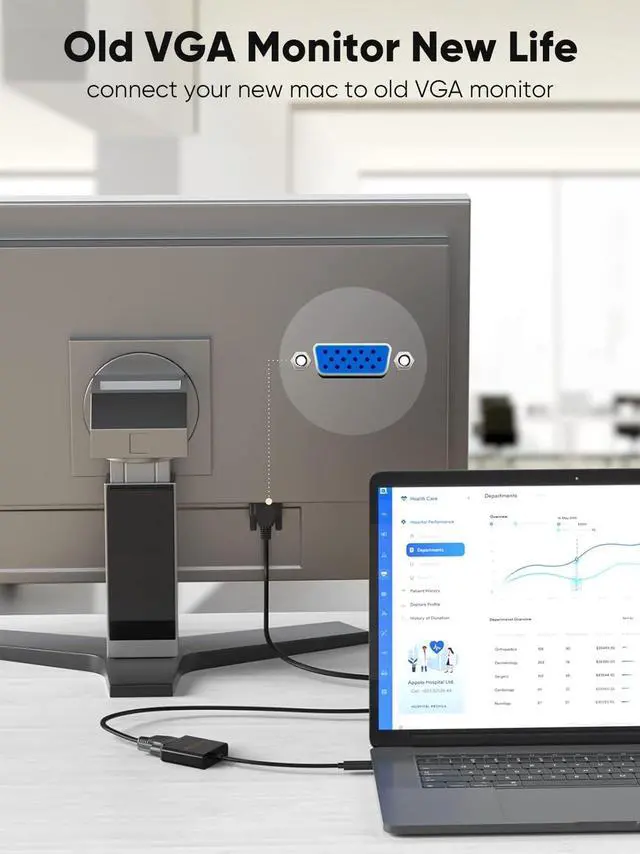
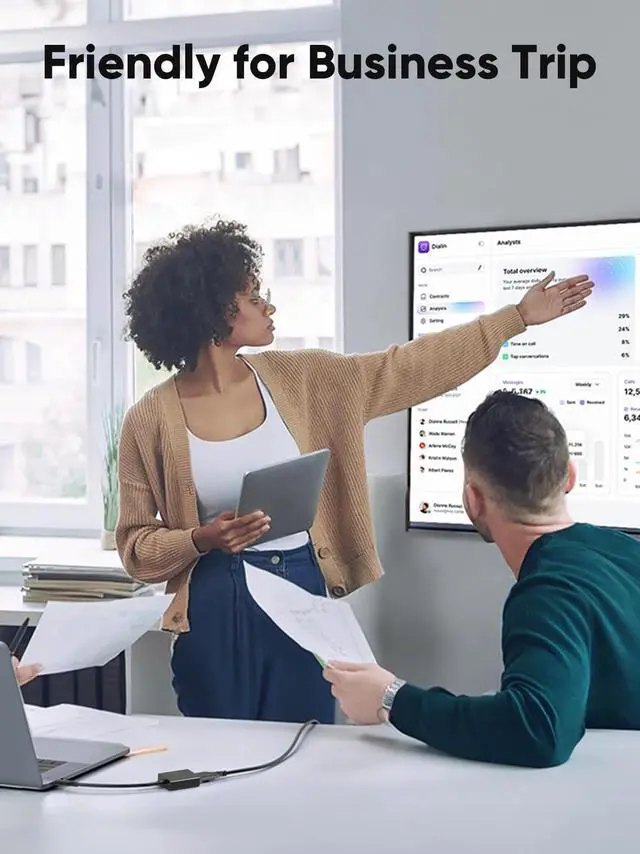
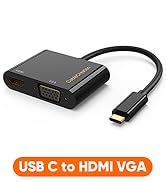
The USB C to VGA male to female adapter enables you to connect a USB C computer or phone to a VGA-equipped display, monitor, projector. A simple and reliable solution for your older monitor that has a VGA port. From small screen to large screen, it’s a good choice to share ideas with your partners or enjoy a better visual feast with your family.
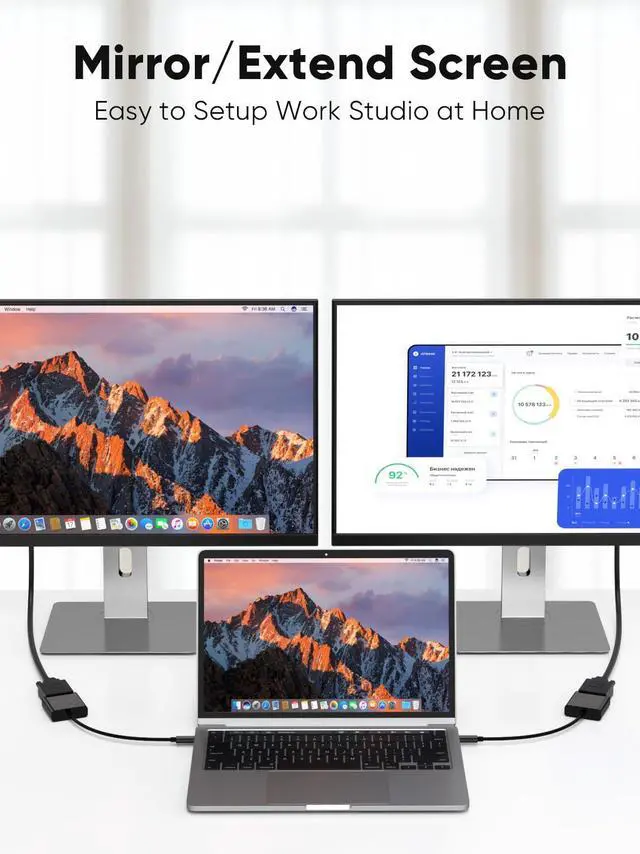
- Support mirror mode and extended mode
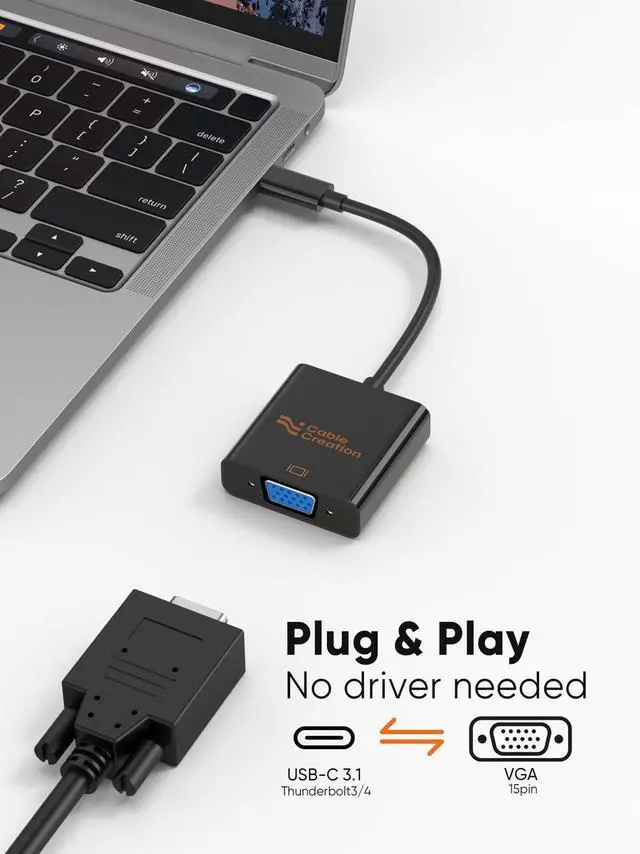
- Support plug and play
- Up to 1080P@60Hz definition
- Compatible with Thunderbolt 3 / Thunderbolt 4 / USB4
CableCreation VGA to USB C Converter

-- Mirror and Extend Mode Settings:
- For MacOS, Top left corner logo icon-->System Preferences-->Displays-->Mirror or Extend Displays;
- For Windows 10, press Windows key + P combination command-->choose Duplicate or Extend.
For Windows system laptop, if the external monitor could not work, please update the BIOS and graphic card driver from laptop official website.
USBC to VGA Adapter 1080P@60Hz

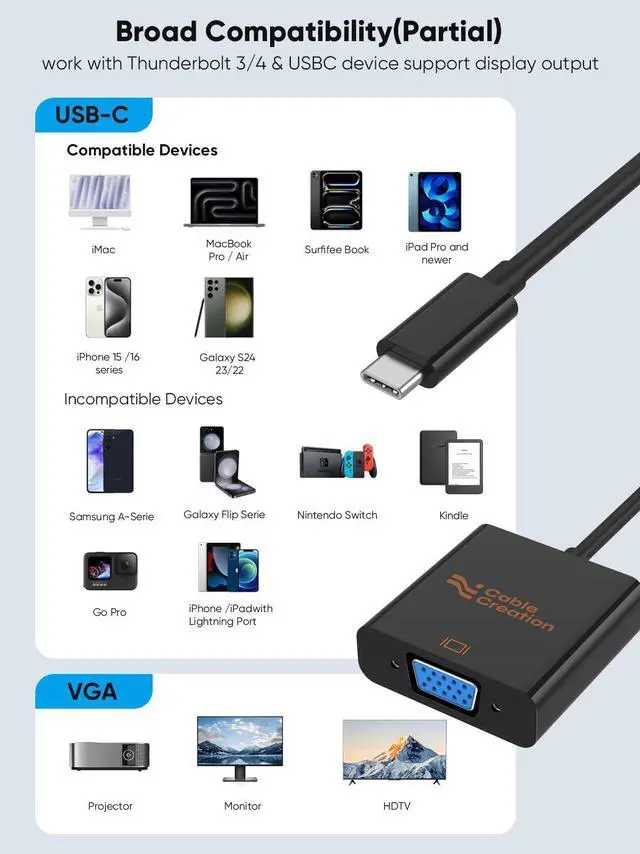
Compatible Devices (Not Full List)
* MacBook Pro M1 2021 / 2020 / 2019 / 2018 / 2017, MacBook 2017 / 2016 / 2015
* MacBook Air 2020 M1 / 2020 / 2018
* iMac (Mid 2017) and newer / iMac Pro
* Mac Mini M1 2020 / 2018
* iPad Pro M1 2021, iPad Pro 2020 / 2018
* New Chromebook Pixel / Pixelbook 2-in-1 / Pixel Slate 2-in-1 / Chromebook Pixel (2015)
* XPS 15 / 13 / 12
* EliteBook Folio G1 / Spectre 13 laptop / Spectre x360 2-in-1
* Thinkpad E580 / T470 / T480 / X1 Carbon (2017) / A485 / A285 / E485 / E585 / Yoga 900 / 910 / 920
* Zen AIO All in One PC
* Surface Book 2 / Surface Go / Surface Pro 7 / Surface Pro 8 / Surface Pro X
* Galaxy S22/ S22 Ultra/ S20/ S20+/ S10/ S10e/ S10+/ S9/ S9+/ S8/ S8+, Note 20/ Note 20 Ultra/ Note 10/ Note 9/ Note 8, Tab S4/ S5e/ S6/ S7
* G5 / G7 / G7+ / Q8 / V20 / V30 /V30+ / V35 / V35+ / V40 / Exodus 1
And more USB-C cellphone/ laptop/ tablet that support DP Alt Mode or Thunderbolt 3 / 4...
Broad Application

FAQs:
Q: I have a laptop / smartphone with USB C female port, is the adapter compatible with it? Looks has the same interface though.
A: Not all the USB C laptop / smartphone is compatible with the VGA to USBC adapter. The adapter requires laptop / desktop / tablet / smartphone must support DP ALT mode (display output) or Thunderbolt 3/4. We have listed some popular device models on up area of Q&A.
Q: Can I use the Type-C to VGA adapter to hoop my MacBook Pro up to TV?
A: Yes, It is prefect compatible with Macbook Pro. You can use it to connect your laptop/ smartphone to TV / monitor / projector. Please make sure to choose “VGA” as input source when you use for TV/ Projector.
Q: The item stops working when my laptop / smartphone goes to sleep mode, is it normal?
A: Yes this is a normal phenomenon. The VGA adapter is only designed to transfer video signal, it does not allow to awake your host devise’s screen. Please keep the screen awake during use.
Q: I check the tech specs of my Windows laptop and it is compatible, all the setting is correct, the item still does not work. Is there any thing I need do?
A: Please unplug the adapter, update the BIOS and graphic card driver from laptop official website, restart your laptop and wait about 4 minutes then re-plug it to try again.
Q: Is the USB C to VGA Adapter for monitor bidirectional? In other words, if my laptop has a VGA output, can I use it to drive a monitor with a USB C input?
A: No, the USB C VGA adapter is not bi-directional. The USB C port of the adapter must connect to host devices with DisplayPort Alt Mode / Thunderbolt 3 like computer/ tablet/ cellphone. It can't connect to input devices like display, TV.
 USB C to VGA Adapter |  USB C to VGA Adapter |  USB C to VGA Adapter |  USB C to DVI Adapter |  USB C to DVI Adapter | |
|---|---|---|---|---|---|
| Customer Reviews | — | — | — | — | — |
| Price | — no data | — no data | — no data | — | — no data |
| Input | USB C | USB C | USB C | USB C | USB C |
| Output | VGA | VGA | VGA | DVI | DVI |
| Resolution | 1080P@60Hz | 1080P@60Hz | 1080P@60Hz | 1080P@60Hz | 1080P@60Hz |
| Material | ABS Shell | Aluminum Alloy Shell | ABS Shell | Aluminum Alloy Shell | ABS Shell |
CableCreation USB-C to VGA Adapter 1080P at 60Hz
Supports resolution up to 1080P @ 60Hz, but we recommend you to make sure your monitor/TV could supply corresponding output.
If the resolution of your laptop is higher than the external monitor:
- For Windows: Windows Menu--> Setting--> Display--> Advanced Display Settings, set your laptop's resolution same as or lower the resolution of external monitor.
- For MacOS: Left-upper Apple icon-->System Preferences-->Displays-->Mirror displays. Then your VGA monitor would mirror your Mac. However here you have two choices. One is "Optimize For" your built-in Retina Display, the other is "Optimize For" your VGA monitor. You can choose which one you like.
CableCreation Portable USB Type C to VGA Adapter
Achieve Better Connection
CableCreation Focus on the Ideal Design of All of Our Quality Cables.
CableCreation is not Only a Brand But Also a Creative Team With its Own Factory manufacturing.
The USB C to VGA male to female adapter enables you to connect a USB C computer or phone to a VGA-equipped display, monitor, projector. A simple and reliable solution for your older monitor that has a VGA port. From small screen to large screen, it’s a good choice to share ideas with your partners or enjoy a better visual feast with your family.
- Support mirror mode and extended mode
- Support plug and play
- Up to 1080P@60Hz definition
- Compatible with Thunderbolt 3 / Thunderbolt 4 / USB4
CableCreation VGA to USB C Converter
-- Mirror and Extend Mode Settings:
- For MacOS, Top left corner logo icon-->System Preferences-->Displays-->Mirror or Extend Displays;
- For Windows 10, press Windows key + P combination command-->choose Duplicate or Extend.
For Windows system laptop, if the external monitor could not work, please update the BIOS and graphic card driver from laptop official website.
USBC to VGA Adapter 1080P@60Hz
Compatible Devices (Not Full List)
* MacBook Pro M1 2021 / 2020 / 2019 / 2018 / 2017, MacBook 2017 / 2016 / 2015
* MacBook Air 2020 M1 / 2020 / 2018
* iMac (Mid 2017) and newer / iMac Pro
* Mac Mini M1 2020 / 2018
* iPad Pro M1 2021, iPad Pro 2020 / 2018
* New Chromebook Pixel / Pixelbook 2-in-1 / Pixel Slate 2-in-1 / Chromebook Pixel (2015)
* XPS 15 / 13 / 12
* EliteBook Folio G1 / Spectre 13 laptop / Spectre x360 2-in-1
* Thinkpad E580 / T470 / T480 / X1 Carbon (2017) / A485 / A285 / E485 / E585 / Yoga 900 / 910 / 920
* Zen AIO All in One PC
* Surface Book 2 / Surface Go / Surface Pro 7 / Surface Pro 8 / Surface Pro X
* Galaxy S22/ S22 Ultra/ S20/ S20+/ S10/ S10e/ S10+/ S9/ S9+/ S8/ S8+, Note 20/ Note 20 Ultra/ Note 10/ Note 9/ Note 8, Tab S4/ S5e/ S6/ S7
* G5 / G7 / G7+ / Q8 / V20 / V30 /V30+ / V35 / V35+ / V40 / Exodus 1
And more USB-C cellphone/ laptop/ tablet that support DP Alt Mode or Thunderbolt 3 / 4...
Broad Application
FAQs:
Q: I have a laptop / smartphone with USB C female port, is the adapter compatible with it? Looks has the same interface though.
A: Not all the USB C laptop / smartphone is compatible with the VGA to USBC adapter. The adapter requires laptop / desktop / tablet / smartphone must support DP ALT mode (display output) or Thunderbolt 3/4. We have listed some popular device models on up area of Q&A.
Q: Can I use the Type-C to VGA adapter to hoop my MacBook Pro up to TV?
A: Yes, It is prefect compatible with Macbook Pro. You can use it to connect your laptop/ smartphone to TV / monitor / projector. Please make sure to choose “VGA” as input source when you use for TV/ Projector.
Q: The item stops working when my laptop / smartphone goes to sleep mode, is it normal?
A: Yes this is a normal phenomenon. The VGA adapter is only designed to transfer video signal, it does not allow to awake your host devise’s screen. Please keep the screen awake during use.
Q: I check the tech specs of my Windows laptop and it is compatible, all the setting is correct, the item still does not work. Is there any thing I need do?
A: Please unplug the adapter, update the BIOS and graphic card driver from laptop official website, restart your laptop and wait about 4 minutes then re-plug it to try again.
Q: Is the USB C to VGA Adapter for monitor bidirectional? In other words, if my laptop has a VGA output, can I use it to drive a monitor with a USB C input?
A: No, the USB C VGA adapter is not bi-directional. The USB C port of the adapter must connect to host devices with DisplayPort Alt Mode / Thunderbolt 3 like computer/ tablet/ cellphone. It can't connect to input devices like display, TV.
USB C to VGA Adapter | USB C to VGA Adapter | USB C to VGA Adapter | USB C to DVI Adapter | USB C to DVI Adapter | |
|---|---|---|---|---|---|
| Customer Reviews | — | — | — | — | — |
| Price | — no data | — no data | — no data | — | — no data |
| Input | USB C | USB C | USB C | USB C | USB C |
| Output | VGA | VGA | VGA | DVI | DVI |
| Resolution | 1080P@60Hz | 1080P@60Hz | 1080P@60Hz | 1080P@60Hz | 1080P@60Hz |
| Material | ABS Shell | Aluminum Alloy Shell | ABS Shell | Aluminum Alloy Shell | ABS Shell |
More Choice
New Arrivals
USB C Hub
Charging Cables
Video Cables
Audio Cables
USB Adapters
Others
Limited-time Monthly Specials
