




CableCreation 6-IN-1 USB-C Hub Multiport Adapter
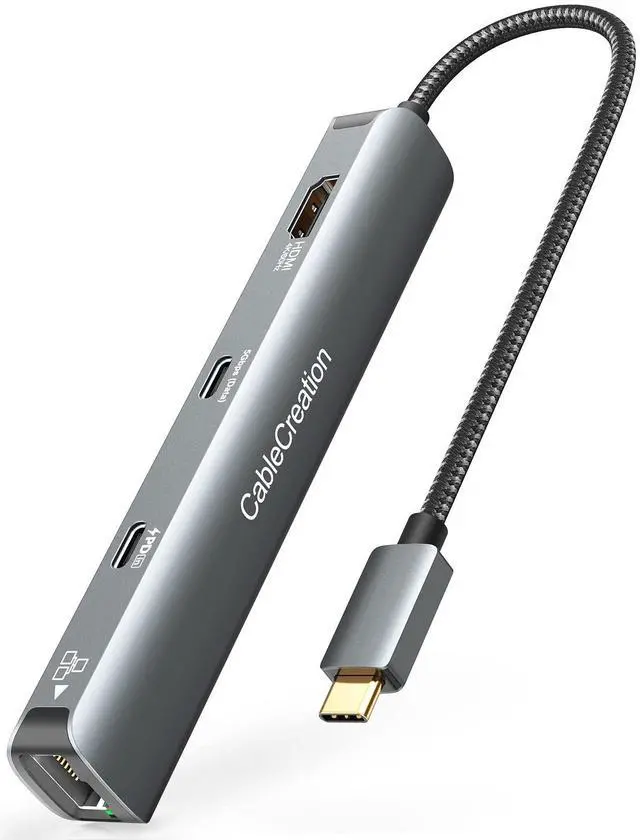
A MUST HAVE multifunctional docking station! USB C to multiport adapter has a good combination of ports and a very compact form factor. usb c port hub expander is excellent for laptops with only one USB-C port. Type C hub gives you a more efficient experience for your business conferences, home office, presentations, streaming movies, games, and travel. Plug and Play, No software/ drivers or complicated installation required.
Technical Specifications:
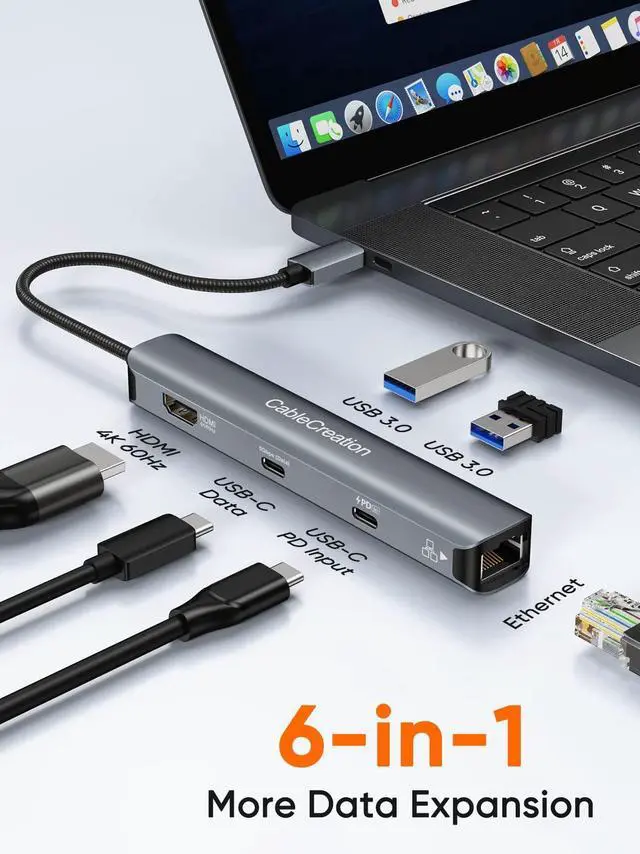
- 1 x HDMI Port: Up to 4K @ 60Hz
- 1 x USB-C PD Charging Port: Up to 100W power delivery
- 1 x USB-C Data Port: Up to 5Gbps (Do not support video output)
- 2 x USB-A Ports: Up to 5Gbps
- 1 x RJ45 Ethernet port: Up to 1Gbps
Note:
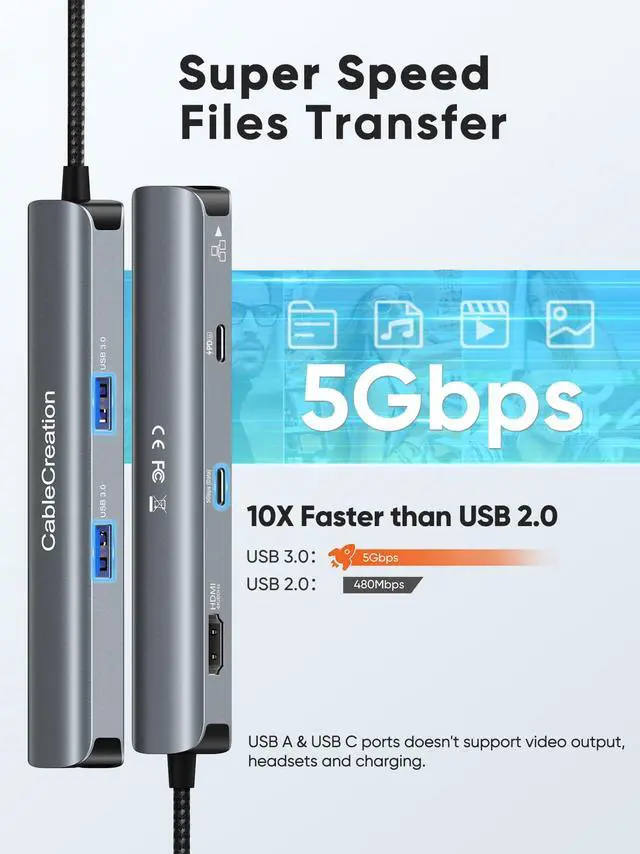
USB A and USB C data ports doesn't support video output, headsets and charging your laptop.

USB C Hub 4K 60Hz HDMI
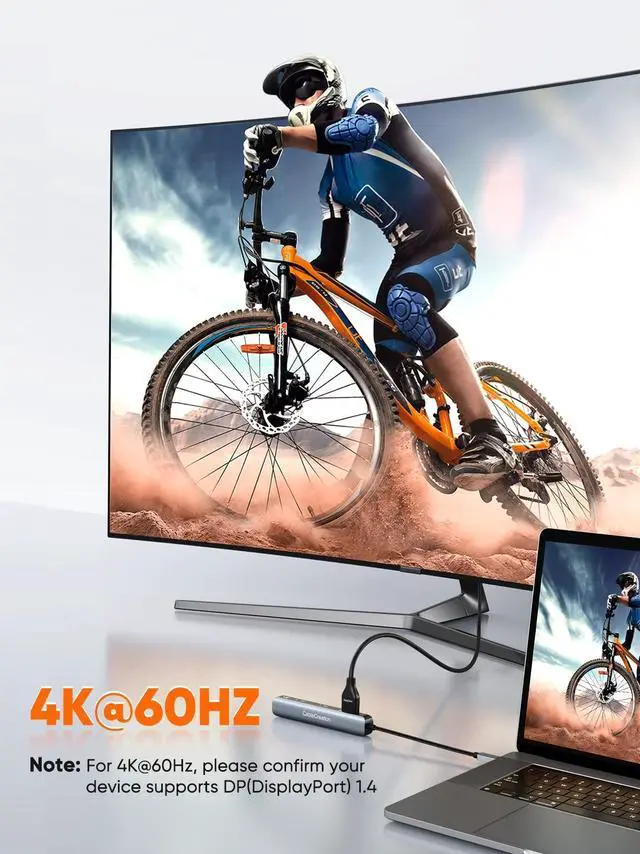
USB C hub HDMI port up to 4K@60Hz, and mirror or extend mode. You can enjoy HD display content on HDTV, Monitor, or projectors.

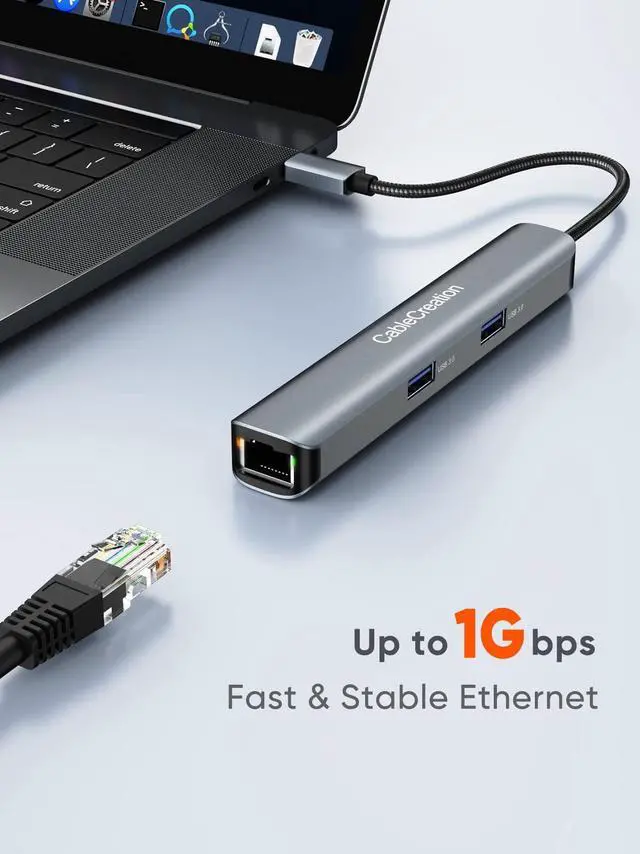
Stable and Faster Internet
USB C ethernet adapter connection up to 1 Gbps. LED indicators: Orange light: network connection. Green light: transmitting data.

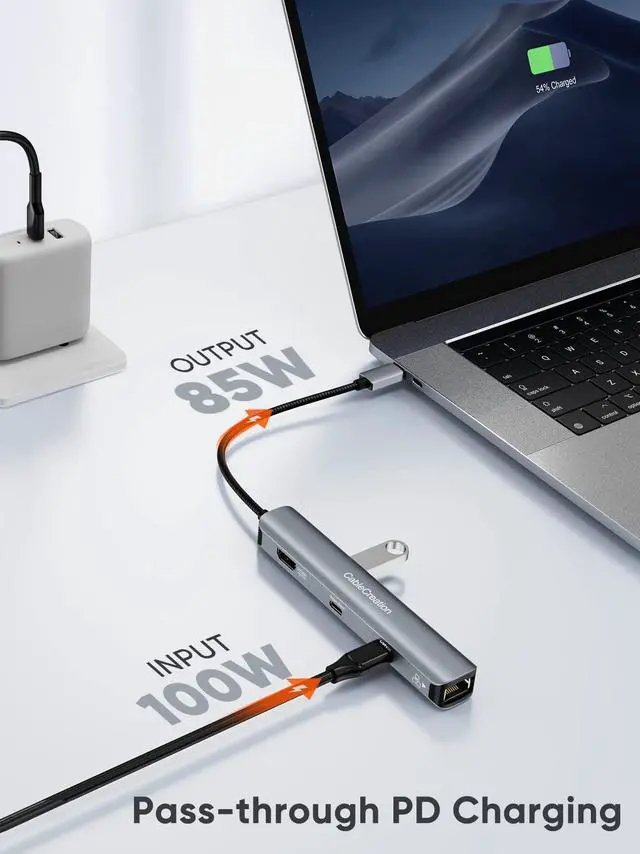
100W Pass-through charging
USB-C PD port up to 100w usb c hub power delivery input. You can connected to power and connect the thunderbolt hub's other functions simultaneously.

Transfer Files in Seconds
High-speeds up to 5Gbps via the USB-C data port and dual USB-A ports. Hub USB C allows you to plug in the hard drive, flash drive, keyboard & mouse, printer, camera, and other USB peripherals.

Works perfect with Steam Deck
USB-C hub with the output up to 4k@60hz, and plug in a USB keyboard/mouse while also being able to charge your Steam Deck all at the same time. This hub will fulfil all of your Steam Deck needs.

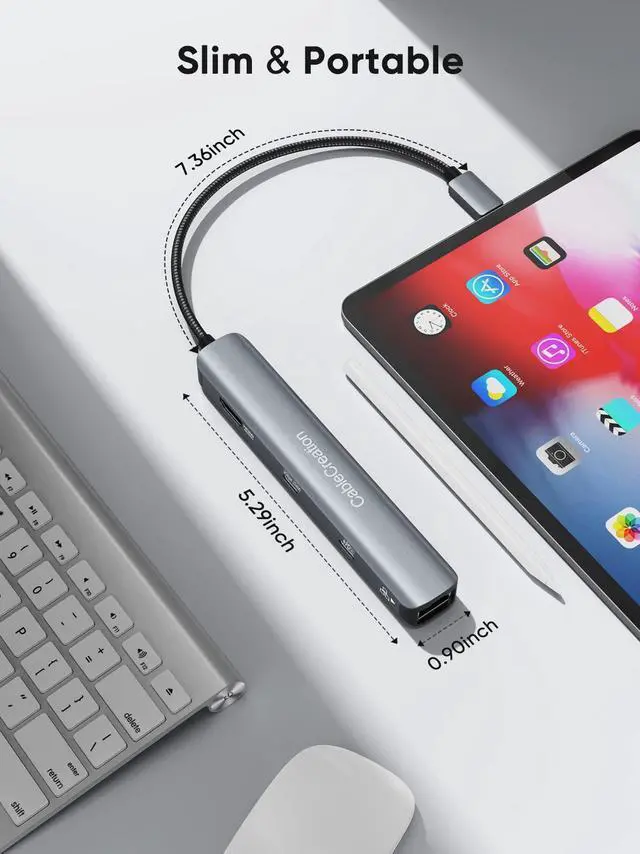
Slim and Portable
This USB C dongle is compact and easy to carry, with a little pouch for storage and fits into your laptop case.

Compatible Devices ( AN INCOMPLETE LIST )
QA (Frequently Asked Questions) :
Q1: Does it support 4K@60Hz?
The 4K@60Hz is only available for laptops with DisplayPort 1.4 and 8K enabled. If your host just supports DP1.2, it will only output max 4K@30Hz.
Compatible with 4K@60Hz Devices ( we have tested so far ): MacBook Pro ( 16-inch, 2019 ) ( 15-inch, 2017/2018/2019)(13-inch, 2020 )( M1, 2020 ), MacBook Air ( 13-inch, 2020 )( M1, 2020 ), iPad Pro ( 11/12.9-inch, 2018/2019/2020/2021 ), iMac ( 24-inch, M1, 2021 ), Surface Pro 7/8, HP EliteBook 745 G5/1050 G1, XPS 13/15.
Q2: Does this usb c multiport hub get hot?
usbc hub may become heat while working. This is normal for products of this kind, in the condition the ambient temperature is 77°F. As long as the temperature of the hub does not exceed 140°F when full-loaded, it is safe, and please rest assured to use it.
Q3: How can I use this hub to get pass-through charging?
We recommend that you connect a wall charger with 85W or more. The hub will consume 15W of power.
Q4: Does this USB A and USB C ports support charging?
Yes, you could charging through the USB A and USB C ports, but please note that the USB ports do not support high-performance phone charging. (Max 900mA charging)
Q5: I can't get the HDMI port to work. What should I do?
1) Confirm if the connected USB-C port of your device supports DP Alt Mode
2) Try a different computer and HDMI cable to see if the issue still exists
3) Plug your HDMI cable directly into your device. If you can't get a stable connection, then it is the issue of your HDMI cable
4) Verify that your monitor is configured to the correct input (HDMI)
Q6: I can't get the Ethernet port to work. What should I do?
1) please reinstall the network driver
2) Try this device with a different computer or ethernet cable to see if the issue persists
3) If the lights are on, find AX88179A in your computer's network preferences when using it for the first time, select it and make sure to use it.
 CableCreation Hub 6-IN-1 | 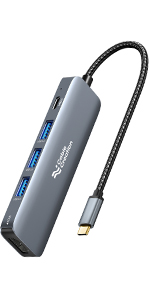 CableCreation Hub 5-IN-1 | 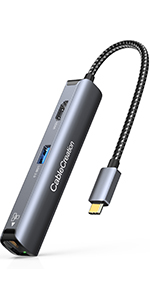 CableCreation Hub 5-IN-1 | 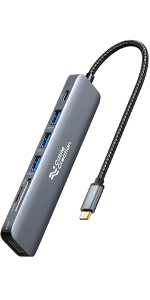 CableCreation Hub 7-IN-1 | 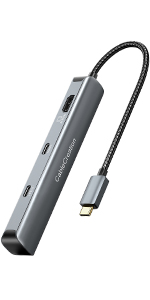 CableCreation Hub 7-IN-1 |  CableCreation Hub 7-IN-1 | |
|---|---|---|---|---|---|---|
| Customer Reviews | — | — | — | — | — | — |
| Price | — | — | — | — | — | — |
| USB-A Data Port | 2 | 3 | 3 | 3 | 2 | 2 |
| USB-C Data Port | 1x 5Gbps | no data | no data | no data | 1x 5Gbps | no data |
| USB-C PD Input | 1 | 1 | no data | 1 | 1 | 1 |
| HDMI Port | 1x 4K@60Hz | 1x 4K@30Hz | 1x 4K@30Hz | 1x 4K@30Hz | 1x 4K@60Hz | 1x 4K@60Hz |
| Ethernet | 1 | no data | 1 | no data | no data | 1 |
| SD / TF Slot | no data | no data | no data | 2 | 2 | 2 |
CableCreation 6-IN-1 USB-C Hub Multiport Adapter
A MUST HAVE multifunctional docking station! USB C to multiport adapter has a good combination of ports and a very compact form factor. usb c port hub expander is excellent for laptops with only one USB-C port. Type C hub gives you a more efficient experience for your business conferences, home office, presentations, streaming movies, games, and travel. Plug and Play, No software/ drivers or complicated installation required.
Technical Specifications:
- 1 x HDMI Port: Up to 4K @ 60Hz
- 1 x USB-C PD Charging Port: Up to 100W power delivery
- 1 x USB-C Data Port: Up to 5Gbps (Do not support video output)
- 2 x USB-A Ports: Up to 5Gbps
- 1 x RJ45 Ethernet port: Up to 1Gbps
Note:
USB A and USB C data ports doesn't support video output, headsets and charging your laptop.
USB C Hub 4K 60Hz HDMI
USB C hub HDMI port up to 4K@60Hz, and mirror or extend mode. You can enjoy HD display content on HDTV, Monitor, or projectors.
Stable and Faster Internet
USB C ethernet adapter connection up to 1 Gbps. LED indicators: Orange light: network connection. Green light: transmitting data.
100W Pass-through charging
USB-C PD port up to 100w usb c hub power delivery input. You can connected to power and connect the thunderbolt hub's other functions simultaneously.
Transfer Files in Seconds
High-speeds up to 5Gbps via the USB-C data port and dual USB-A ports. Hub USB C allows you to plug in the hard drive, flash drive, keyboard & mouse, printer, camera, and other USB peripherals.
Works perfect with Steam Deck
USB-C hub with the output up to 4k@60hz, and plug in a USB keyboard/mouse while also being able to charge your Steam Deck all at the same time. This hub will fulfil all of your Steam Deck needs.
Slim and Portable
This USB C dongle is compact and easy to carry, with a little pouch for storage and fits into your laptop case.
Compatible Devices ( AN INCOMPLETE LIST )
| For MacBook | For MacBook Pro M2 2022 / M1 2021 / 2020 / 2019 / 2018 / 2017 / 2016, MacBook Air M2 2022 / M1 2020 / 2019 / 2018, iMac 2021 |
| For iPad | For iPad Pro 2022 / 2021 / 2020 / 2019 / 2018, iPad Air 5th / 4th, iPad Mini 6, |
| For Microsoft | Surface Book 2 / Surface Pro 7 / Surface Pro X / Surface Laptop 3 / Lumia 950 |
| For Chromebook | Chromebook Pro / Plus / Notebook 9 13 "/ Galaxy Book 12" / 10.6 / Tab Pro S 12 "/ S8 / S7 / S6 / S5e |
| For Galaxy | Galaxy S22 /S21 / S20 / S20 Plus / S20 Ultra / S10 / S10 + / S10E / S9 / S9 + / S8 / S8 + / Note 10+ / 10 / 9 / 8 |
| For Dell | XPS 13/15/12 / Latitude 7000 / 5000 / 9250 / Inspiron 7000 |
| For More | Pixelbook 2019 / 2018 / 2017, Specter 13 / Specter X 360 / ENVY 15 13 X 360 / EliteBook Folio G1 X 360, Lenovo Yoga 920/910/900 / Yoga 4 Pro / ThinkPad X 1 X 390 |
| For More | ChromeCast TV / Stream Deck / Steam Deck |
| Supported Systems: | Windows 11, 10, 8, 7, Vista, XP, Mac OS X 10.6 or later, Linux 2.6.14 or Later |
| Incompatible Devices | Nintendo Switch |
QA (Frequently Asked Questions) :
Q1: Does it support 4K@60Hz?
The 4K@60Hz is only available for laptops with DisplayPort 1.4 and 8K enabled. If your host just supports DP1.2, it will only output max 4K@30Hz.
Compatible with 4K@60Hz Devices ( we have tested so far ): MacBook Pro ( 16-inch, 2019 ) ( 15-inch, 2017/2018/2019)(13-inch, 2020 )( M1, 2020 ), MacBook Air ( 13-inch, 2020 )( M1, 2020 ), iPad Pro ( 11/12.9-inch, 2018/2019/2020/2021 ), iMac ( 24-inch, M1, 2021 ), Surface Pro 7/8, HP EliteBook 745 G5/1050 G1, XPS 13/15.
Q2: Does this usb c multiport hub get hot?
usbc hub may become heat while working. This is normal for products of this kind, in the condition the ambient temperature is 77°F. As long as the temperature of the hub does not exceed 140°F when full-loaded, it is safe, and please rest assured to use it.
Q3: How can I use this hub to get pass-through charging?
We recommend that you connect a wall charger with 85W or more. The hub will consume 15W of power.
Q4: Does this USB A and USB C ports support charging?
Yes, you could charging through the USB A and USB C ports, but please note that the USB ports do not support high-performance phone charging. (Max 900mA charging)
Q5: I can't get the HDMI port to work. What should I do?
1) Confirm if the connected USB-C port of your device supports DP Alt Mode
2) Try a different computer and HDMI cable to see if the issue still exists
3) Plug your HDMI cable directly into your device. If you can't get a stable connection, then it is the issue of your HDMI cable
4) Verify that your monitor is configured to the correct input (HDMI)
Q6: I can't get the Ethernet port to work. What should I do?
1) please reinstall the network driver
2) Try this device with a different computer or ethernet cable to see if the issue persists
3) If the lights are on, find AX88179A in your computer's network preferences when using it for the first time, select it and make sure to use it.
CableCreation Hub 6-IN-1 | CableCreation Hub 5-IN-1 | CableCreation Hub 5-IN-1 | CableCreation Hub 7-IN-1 | CableCreation Hub 7-IN-1 | CableCreation Hub 7-IN-1 | |
|---|---|---|---|---|---|---|
| Customer Reviews | — | — | — | — | — | — |
| Price | — | — | — | — | — | — |
| USB-A Data Port | 2 | 3 | 3 | 3 | 2 | 2 |
| USB-C Data Port | 1x 5Gbps | no data | no data | no data | 1x 5Gbps | no data |
| USB-C PD Input | 1 | 1 | no data | 1 | 1 | 1 |
| HDMI Port | 1x 4K@60Hz | 1x 4K@30Hz | 1x 4K@30Hz | 1x 4K@30Hz | 1x 4K@60Hz | 1x 4K@60Hz |
| Ethernet | 1 | no data | 1 | no data | no data | 1 |
| SD / TF Slot | no data | no data | no data | 2 | 2 | 2 |