




4K UHD

Notes:
- If you are unable to access Windows 10's preinstalled Skype with this 4K webcam, please go to the Skype official website to download the desktop version.
- Make sure that you plug the webcam directly into your computer, NOT a USB hub. USB hubs are often too underpowered to operate a webcam.
- If you're using a Mac, you'll most likely need to buy a USB to USB-C adapter in order to fit a normal webcam.
- If your webcam's microphone isn't working, you need to disable the built-in camera or microphone of your PC itself on device manager, then enable the webcam's microphone.
- For desktop, it is recommended that customers use the USB interface on the back of the computer, the stability will be better.
- The default setting of some video software is 480P or 720P, so it will cause a bad webcam experience, you can set the resolution of the corresponding software.
- It's a plug and play type so it won't come with a CD. You only need to plug the camera into your computer, then you can use video software such as Skype to make a video call or record.
- Please avoid using in high-exposure scenes, such as those opposite to windows or other intense light sources.
1/2.55'' Sony Sensor

Advanced Features

Plug and Play
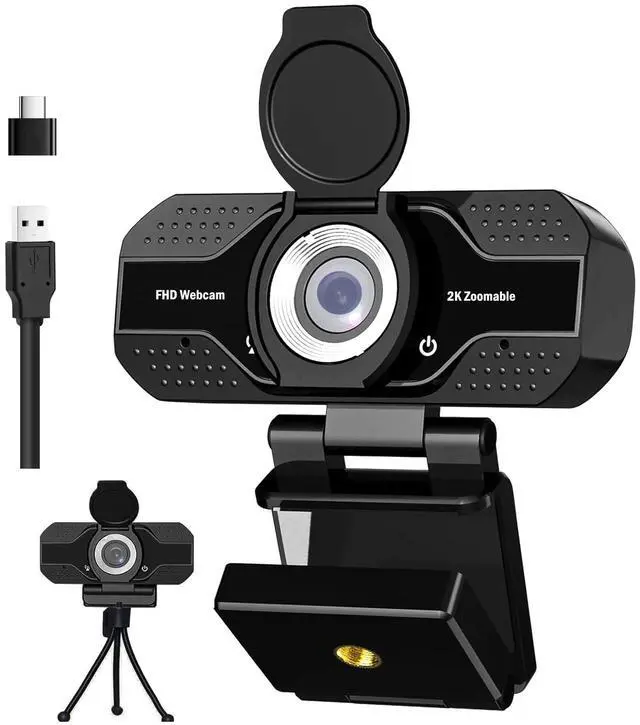
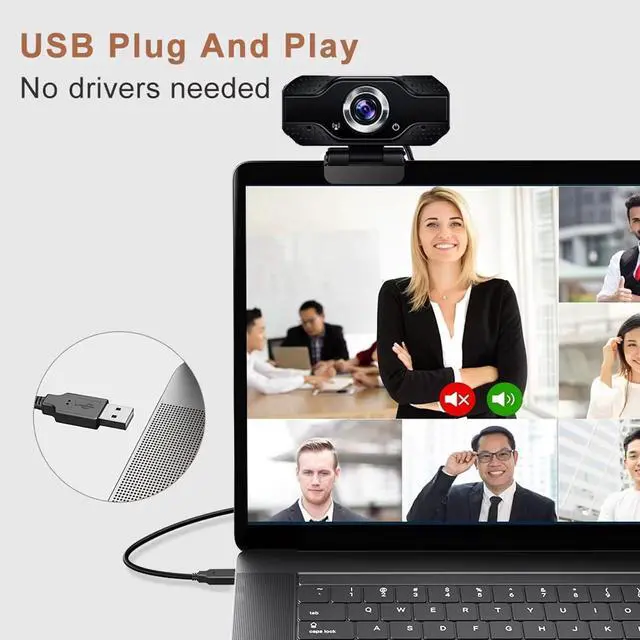
Designed with the standard UVC/UVA protocol USB connector so it can be used with nearly any device with a USB port. No need to download any other driver or software, just plug and play!

Wide Angle Webcam with Tripod Clip
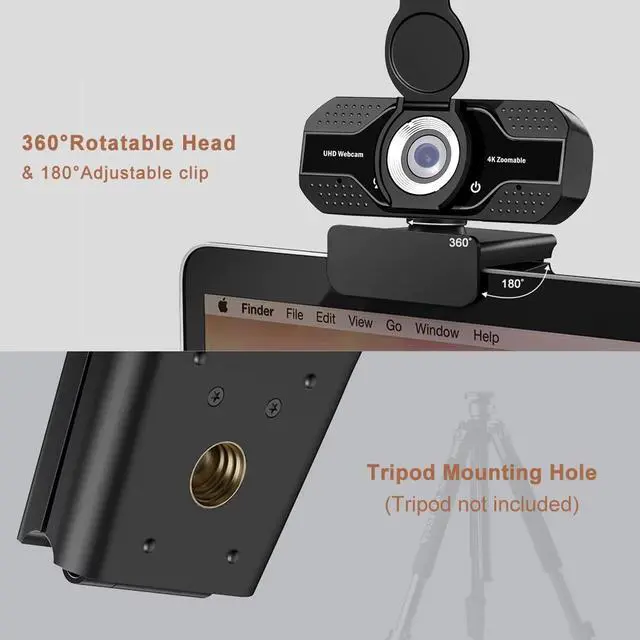
Featured a adjustable webcam tripod clip fits your multi-angle needs on computers, laptops, desktops and all flat surfaces.

Noise-Cancelling Technology
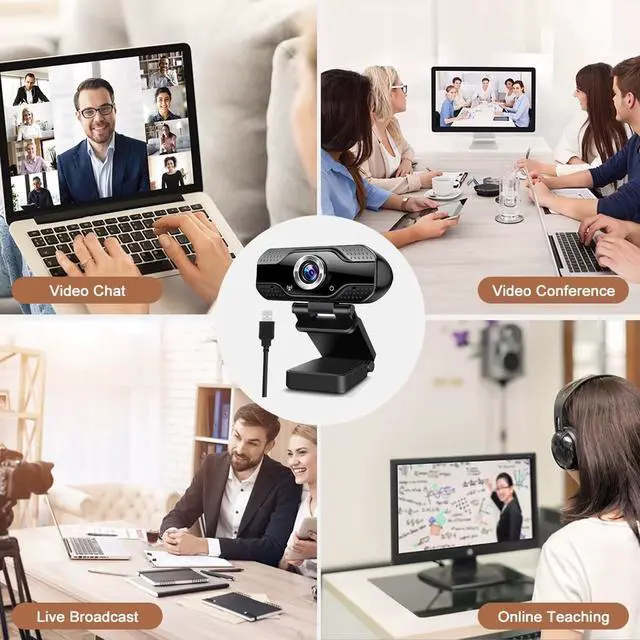
Great for webinars, video conferencing, live streaming, etc. The built-in Noise-canceling microphone reduces ambient noise to enhance the sound quality of your video. Even in noisy surroundings you can capture the sounds you want.


Question: Why my computer couldn't recognize this webcam ?
Answer: If your computer has a built-in camera, please disable that one firstly. On Windows 10, right click the start button---go to device manager--- look for Cameras--- click on the little arrow next to it. You should see two devices, your integrated camera and the one you bought which says HD Camera. Right click on your integrated camera and you should be given an option that says disable device.
Question:
My computer has separate speakers for the sound, will this cause an echo with the camera?
Answer:
No. You can choose which speakers you want to use, which mic you want to use, and which video source you want to use from your computer... you are only able to choose one of each. You will not have the problem you are describing. You will only get an echo if there is another computer close by that is in the same meeting, etc., as you are. see less
Question:
Is it manual-focus or auto-focus?
Answer:
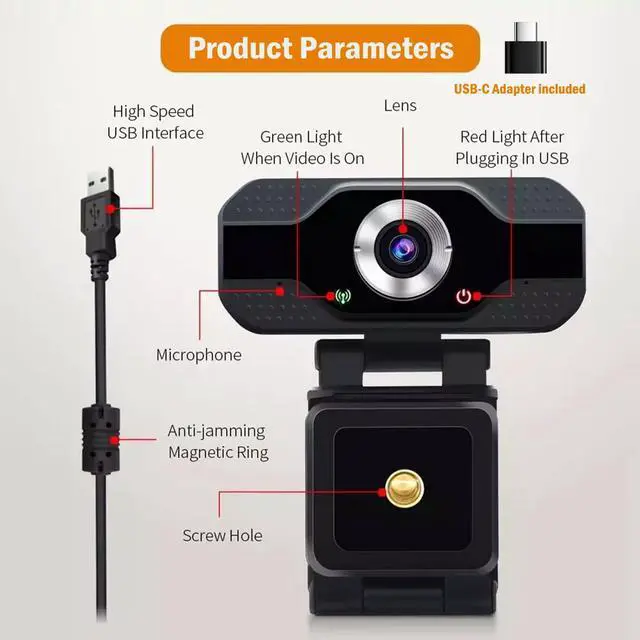
This webcam is manual-focus. You can rotate the camera lens to adjust the focusing. the pictures is more clear than auto focus webcam
Looking for more FAQ to troubleshoot issues ? Please go to our official website and search FAQ for YOUPECK webcams.
 Model: V4 2K AutoFocus Webcam with 3X Digital Zoom & 1080P 60FPS |  Model: V3 2K AutoFocus Webcam with 3X Digital Zoom & 1080P 60FPS |  Model: W3 1080P Webcam with Microphone and Built-in Privacy Cover |  Model: V2 1080P AutoFocus Webcam with 3X Digital Zoom & 1080P 60FPS |  Model: W4 1080P Webcam with Microphone and Built-in Light |  Model: V1 1080P AutoFocus Webcam with 3X Digital Zoom & 1080P 30FPS | |
|---|---|---|---|---|---|---|
| Customer Reviews | — | — | — | — | — | — |
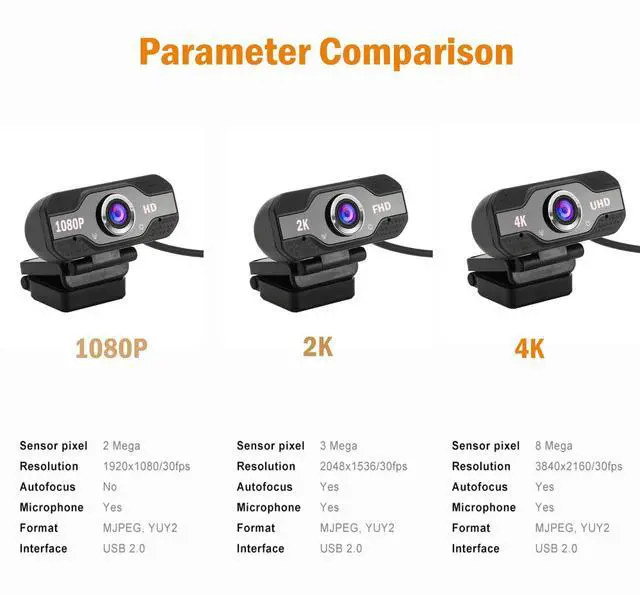
| Resolution | 5MP Sony Sensor 2K (2592*1944) | 5MP Sony Sensor 2K (2592*1944) | 3MP Full-HD (1920x1080) | 3MP Full-HD (1920x1080) | 2MP Full-HD (1920x1080) | 2MP Full-HD (1920x1080) |
| Refresh Rate | 60ft | 60ft | 30ft | 60ft | 30ft | 30ft |
| Focus | Aoto Focus | Aoto Focus | Aoto Focus | Aoto Focus | Aoto Focus | Aoto Focus |
| Privacy Cover | ? | no data | ? | ? | no data | no data |
| Tripod | ? | ? | ? | ? | no data | no data |
| Compatibility | Windows 2000/XP/ 7/8/10/vista 32bit, Chrome OS, Mac OS, Android 5.0 or above Smart TV, etc/ super wide for major software like Skype, Zoom, Facetime, Facebook, YouTube, PotPlayer and more | Windows 2000/XP/ 7/8/10/vista 32bit, Chrome OS, Mac OS, Android 5.0 or above Smart TV, etc/ super wide for major software like Skype, Zoom, Facetime, Facebook, YouTube, PotPlayer and more | Windows 2000/XP/ 7/8/10/vista 32bit, Chrome OS, Mac OS, Android 5.0 or above Smart TV, etc/ super wide for major software like Skype, Zoom, Facetime, Facebook, YouTube, PotPlayer and more | Windows 2000/XP/ 7/8/10/vista 32bit, Chrome OS, Mac OS, Android 5.0 or above Smart TV, etc/ super wide for major software like Skype, Zoom, Facetime, Facebook, YouTube, PotPlayer and more | Windows 2000/XP/ 7/8/10/vista 32bit, Chrome OS, Mac OS, Android 5.0 or above Smart TV, etc/ super wide for major software like Skype, Zoom, Facetime, Facebook, YouTube, PotPlayer and more | Windows 2000/XP/ 7/8/10/vista 32bit, Chrome OS, Mac OS, Android 5.0 or above Smart TV, etc/ super wide for major software like Skype, Zoom, Facetime, Facebook, YouTube, PotPlayer and more |
4K UHD
Notes:
- If you are unable to access Windows 10's preinstalled Skype with this 4K webcam, please go to the Skype official website to download the desktop version.
- Make sure that you plug the webcam directly into your computer, NOT a USB hub. USB hubs are often too underpowered to operate a webcam.
- If you're using a Mac, you'll most likely need to buy a USB to USB-C adapter in order to fit a normal webcam.
- If your webcam's microphone isn't working, you need to disable the built-in camera or microphone of your PC itself on device manager, then enable the webcam's microphone.
- For desktop, it is recommended that customers use the USB interface on the back of the computer, the stability will be better.
- The default setting of some video software is 480P or 720P, so it will cause a bad webcam experience, you can set the resolution of the corresponding software.
- It's a plug and play type so it won't come with a CD. You only need to plug the camera into your computer, then you can use video software such as Skype to make a video call or record.
- Please avoid using in high-exposure scenes, such as those opposite to windows or other intense light sources.
1/2.55'' Sony Sensor
Advanced Features
Plug and Play
Designed with the standard UVC/UVA protocol USB connector so it can be used with nearly any device with a USB port. No need to download any other driver or software, just plug and play!
Wide Angle Webcam with Tripod Clip
Featured a adjustable webcam tripod clip fits your multi-angle needs on computers, laptops, desktops and all flat surfaces.
Noise-Cancelling Technology
Great for webinars, video conferencing, live streaming, etc. The built-in Noise-canceling microphone reduces ambient noise to enhance the sound quality of your video. Even in noisy surroundings you can capture the sounds you want.
Question: Why my computer couldn't recognize this webcam ?
Answer: If your computer has a built-in camera, please disable that one firstly. On Windows 10, right click the start button---go to device manager--- look for Cameras--- click on the little arrow next to it. You should see two devices, your integrated camera and the one you bought which says HD Camera. Right click on your integrated camera and you should be given an option that says disable device.
Question:
My computer has separate speakers for the sound, will this cause an echo with the camera?
Answer:
No. You can choose which speakers you want to use, which mic you want to use, and which video source you want to use from your computer... you are only able to choose one of each. You will not have the problem you are describing. You will only get an echo if there is another computer close by that is in the same meeting, etc., as you are. see less
Question:
Is it manual-focus or auto-focus?
Answer:
This webcam is manual-focus. You can rotate the camera lens to adjust the focusing. the pictures is more clear than auto focus webcam
Looking for more FAQ to troubleshoot issues ? Please go to our official website and search FAQ for YOUPECK webcams.
Model: V4 2K AutoFocus Webcam with 3X Digital Zoom & 1080P 60FPS | Model: V3 2K AutoFocus Webcam with 3X Digital Zoom & 1080P 60FPS | Model: W3 1080P Webcam with Microphone and Built-in Privacy Cover | Model: V2 1080P AutoFocus Webcam with 3X Digital Zoom & 1080P 60FPS | Model: W4 1080P Webcam with Microphone and Built-in Light | Model: V1 1080P AutoFocus Webcam with 3X Digital Zoom & 1080P 30FPS | |
|---|---|---|---|---|---|---|
| Customer Reviews | — | — | — | — | — | — |
| Resolution | 5MP Sony Sensor 2K (2592*1944) | 5MP Sony Sensor 2K (2592*1944) | 3MP Full-HD (1920x1080) | 3MP Full-HD (1920x1080) | 2MP Full-HD (1920x1080) | 2MP Full-HD (1920x1080) |
| Refresh Rate | 60ft | 60ft | 30ft | 60ft | 30ft | 30ft |
| Focus | Aoto Focus | Aoto Focus | Aoto Focus | Aoto Focus | Aoto Focus | Aoto Focus |
| Privacy Cover | ? | no data | ? | ? | no data | no data |
| Tripod | ? | ? | ? | ? | no data | no data |
| Compatibility | Windows 2000/XP/ 7/8/10/vista 32bit, Chrome OS, Mac OS, Android 5.0 or above Smart TV, etc/ super wide for major software like Skype, Zoom, Facetime, Facebook, YouTube, PotPlayer and more | Windows 2000/XP/ 7/8/10/vista 32bit, Chrome OS, Mac OS, Android 5.0 or above Smart TV, etc/ super wide for major software like Skype, Zoom, Facetime, Facebook, YouTube, PotPlayer and more | Windows 2000/XP/ 7/8/10/vista 32bit, Chrome OS, Mac OS, Android 5.0 or above Smart TV, etc/ super wide for major software like Skype, Zoom, Facetime, Facebook, YouTube, PotPlayer and more | Windows 2000/XP/ 7/8/10/vista 32bit, Chrome OS, Mac OS, Android 5.0 or above Smart TV, etc/ super wide for major software like Skype, Zoom, Facetime, Facebook, YouTube, PotPlayer and more | Windows 2000/XP/ 7/8/10/vista 32bit, Chrome OS, Mac OS, Android 5.0 or above Smart TV, etc/ super wide for major software like Skype, Zoom, Facetime, Facebook, YouTube, PotPlayer and more | Windows 2000/XP/ 7/8/10/vista 32bit, Chrome OS, Mac OS, Android 5.0 or above Smart TV, etc/ super wide for major software like Skype, Zoom, Facetime, Facebook, YouTube, PotPlayer and more |