


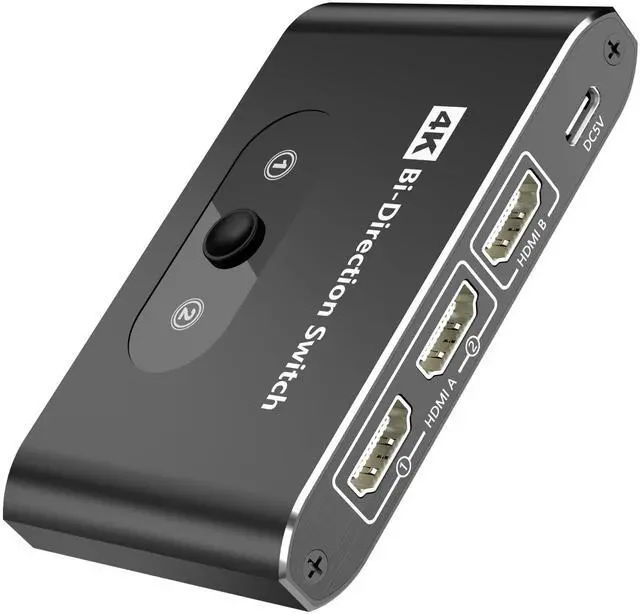


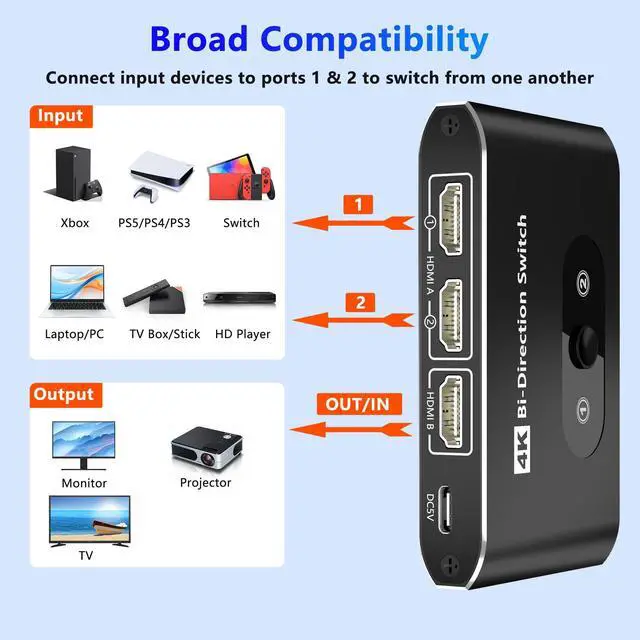


Bidirectional HDMI Switcher – 3-Port HDMI Switch
Key Features:
?Dual-Mode Flexibility – Connect 2 HDMI sources (e.g., gaming console, streaming device) to 1 display or 1 source to 2 displays (only one display active at a time).
?3-Port Design – Versatile connectivity for home theaters, offices, or gaming setups.
?LED Indicators – Instantly identify the active port with clear visual feedback.
Note:
Manual switching required (no auto-detection).
Supports standard HDMI resolutions up to 4K@60Hz, 2K@144Hz.

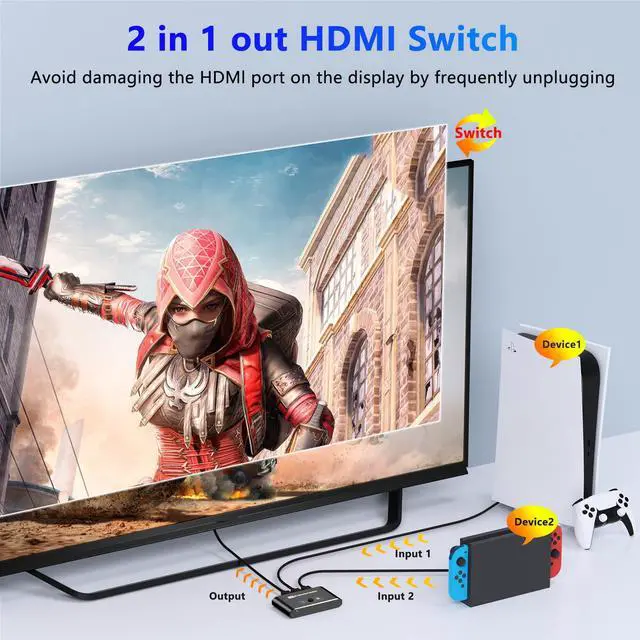
HDMI Switch Mode 1 - Dual Input to Single Output
? Protect Your Ports - Eliminate frequent cable swapping to extend HDMI port lifespan
? Simple Switching - Manually select between 2 connected devices (PC/PS4/Streaming Box)
? Plug & Play - No drivers required, supports 4K@60Hz.
How to Use:
Connect sources to INPUT ports
Link OUTPUT to your display (TV/Monitor)
Press SELECT button to toggle between devices
Note:
• Ensure display is set to correct HDMI input
• Only 1 input active at a time
• LED indicator shows current source

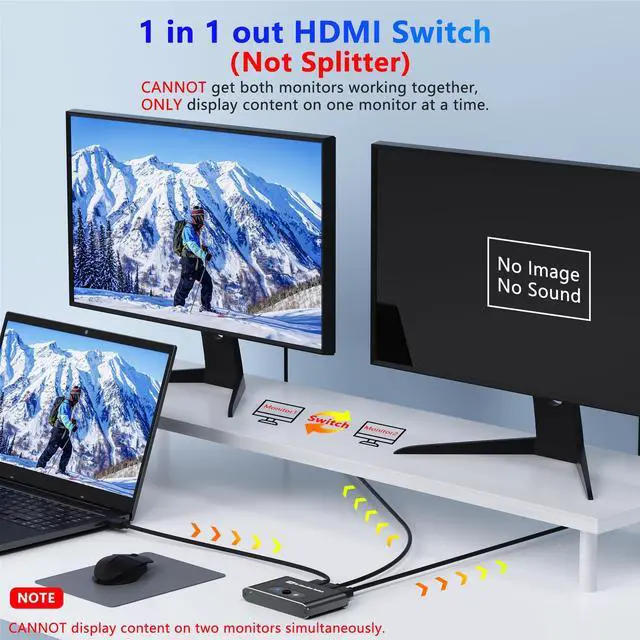
HDMI Switch Mode 2 - Single Input to Dual Output
? Flexible Display Options - Share 1 source (TV Box/Streaming Stick) with 2 displays
? Manual Selection - Choose which display is active via SELECT button
? Signal Integrity - Supports 4K@60Hz
Setup Guide:
Connect your source to INPUT port (HDMI cable not included)
Link OUTPUT ports to 2 displays (TV + Monitor)
Press SELECT to toggle active display
Important Notes:
• Only 1 display active simultaneously (non-mirrored)
• Ensure displays are set to correct HDMI input
• LED indicator shows active output port

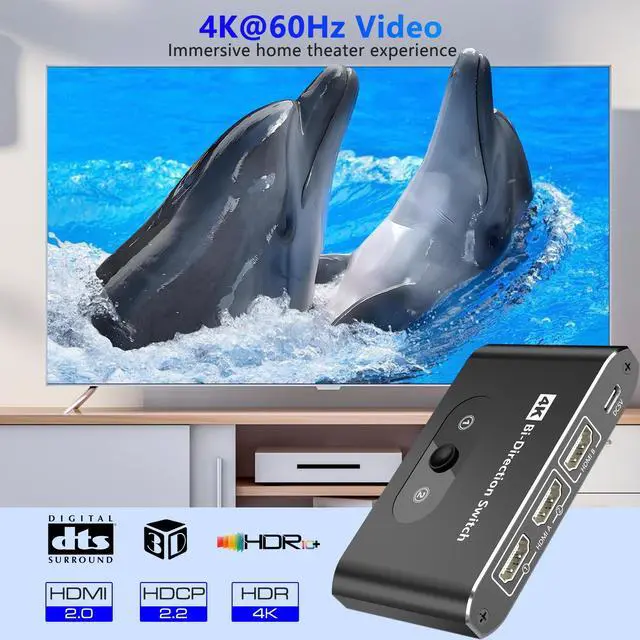
Bi-directional HDMI Switch 4K@60Hz
Support resolution: 4K@60HZ, 4K@30hz, 2160p, 480i, 1080p, 1080i, 720p, 720i, 576p, 576i, 480p
Support audio: DTS-HD/Dolby-trueHD /LPCM7.1 /DTS/DOLBY-AC3/DSD.
Ideal for home entertainment, set up a home theater, work efficiently and more.
Support 3D, HDR, HDCP 2.2: Help you solve HDCP issues with Cable boxes, Firestick, Playstation and more.


Package Contents
- HDMI Switch
- Type-C power cable
- User Manual

Manual HDMI Switching
?Effortless Device Control - Toggle between connected devices with a single button press
? Port Protection - Minimizes wear on HDMI connectors from frequent cable changes
? Instant Response

LED Indicators
The blue indicator displays the currently active HDMI source, which transmits both video and audio signals simultaneously.
 HDMI Switch 4K@60hz Splitter, Bidirectional Switcher Selector 2 in 1 Out/1 in... |  HDMI Switch 3 in 1 Out 4K@60Hz, HDMI Splitter Switcher with 1.4 FT HDMI 2.0 C... |  HDMI Switch 3 in 1 Out, 4K@30hz HDMI Splitter Supports Full HD 1080P 3D Compa... | |
|---|---|---|---|
| Customer Reviews | — | — | — |
| Price | — | — | — |
| Input | 2 Port | 3 Port | 3 Port |
| Resolution | 4K@60hz | 4K@60hz | 4K@30Hz |
| With HDMI Cable | no data | ? | ? |
Bidirectional HDMI Switcher – 3-Port HDMI Switch
Key Features:
?Dual-Mode Flexibility – Connect 2 HDMI sources (e.g., gaming console, streaming device) to 1 display or 1 source to 2 displays (only one display active at a time).
?3-Port Design – Versatile connectivity for home theaters, offices, or gaming setups.
?LED Indicators – Instantly identify the active port with clear visual feedback.
Note:
Manual switching required (no auto-detection).
Supports standard HDMI resolutions up to 4K@60Hz, 2K@144Hz.
HDMI Switch Mode 1 - Dual Input to Single Output
? Protect Your Ports - Eliminate frequent cable swapping to extend HDMI port lifespan
? Simple Switching - Manually select between 2 connected devices (PC/PS4/Streaming Box)
? Plug & Play - No drivers required, supports 4K@60Hz.
How to Use:
Connect sources to INPUT ports
Link OUTPUT to your display (TV/Monitor)
Press SELECT button to toggle between devices
Note:
• Ensure display is set to correct HDMI input
• Only 1 input active at a time
• LED indicator shows current source
HDMI Switch Mode 2 - Single Input to Dual Output
? Flexible Display Options - Share 1 source (TV Box/Streaming Stick) with 2 displays
? Manual Selection - Choose which display is active via SELECT button
? Signal Integrity - Supports 4K@60Hz
Setup Guide:
Connect your source to INPUT port (HDMI cable not included)
Link OUTPUT ports to 2 displays (TV + Monitor)
Press SELECT to toggle active display
Important Notes:
• Only 1 display active simultaneously (non-mirrored)
• Ensure displays are set to correct HDMI input
• LED indicator shows active output port
Bi-directional HDMI Switch 4K@60Hz
Support resolution: 4K@60HZ, 4K@30hz, 2160p, 480i, 1080p, 1080i, 720p, 720i, 576p, 576i, 480p
Support audio: DTS-HD/Dolby-trueHD /LPCM7.1 /DTS/DOLBY-AC3/DSD.
Ideal for home entertainment, set up a home theater, work efficiently and more.
Support 3D, HDR, HDCP 2.2: Help you solve HDCP issues with Cable boxes, Firestick, Playstation and more.
Package Contents
- HDMI Switch
- Type-C power cable
- User Manual
Manual HDMI Switching
?Effortless Device Control - Toggle between connected devices with a single button press
? Port Protection - Minimizes wear on HDMI connectors from frequent cable changes
? Instant Response
LED Indicators
The blue indicator displays the currently active HDMI source, which transmits both video and audio signals simultaneously.
HDMI Switch 4K@60hz Splitter, Bidirectional Switcher Selector 2 in 1 Out/1 in... | HDMI Switch 3 in 1 Out 4K@60Hz, HDMI Splitter Switcher with 1.4 FT HDMI 2.0 C... | HDMI Switch 3 in 1 Out, 4K@30hz HDMI Splitter Supports Full HD 1080P 3D Compa... | |
|---|---|---|---|
| Customer Reviews | — | — | — |
| Price | — | — | — |
| Input | 2 Port | 3 Port | 3 Port |
| Resolution | 4K@60hz | 4K@60hz | 4K@30Hz |
| With HDMI Cable | no data | ? | ? |