





11.5" LCD Writing Tablet – Reusable Digital Notepad & Drawing Pad

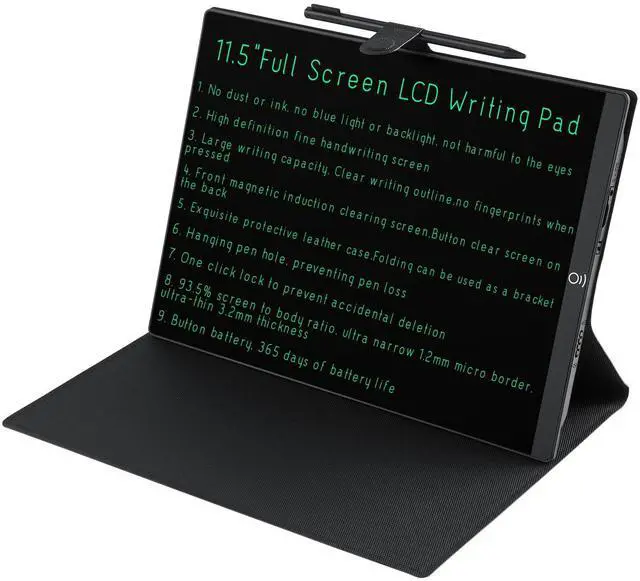
Unleash creativity and save paper with the 11.5-inch LCD writing tablet. The bezel-free full screen offers maximum writing space for doodles, notes, math problems, and daily lists. The eye-protecting LCD display is blue-light-free and flicker-free — comfortable for hours of use.
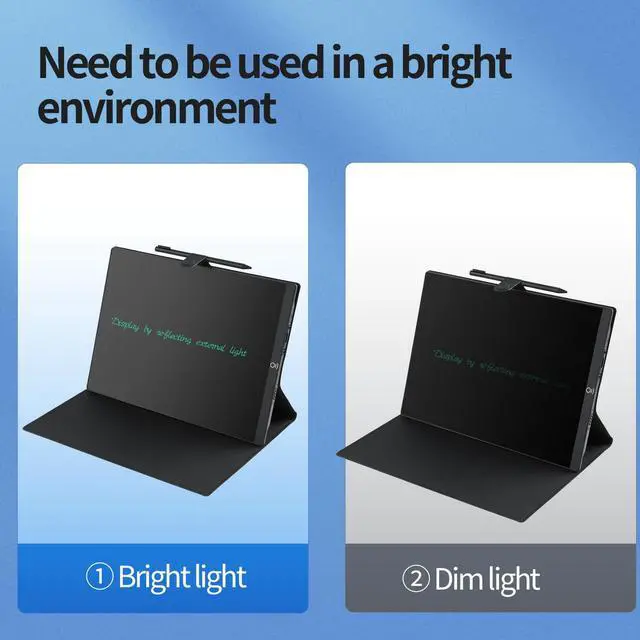
Best in Bright Light – Reflective LCD Screen for Clear, Readable Writing

This LCD writing tablet uses reflected ambient light to display your content — no backlight, no blue light, no eyestrain. It performs best in well-lit rooms, sunny desks, and naturally bright spaces.
PRODUCT DETAIL

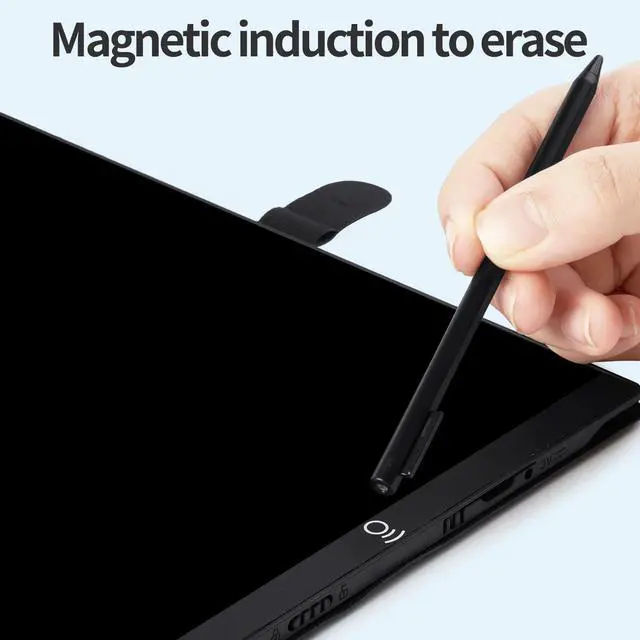
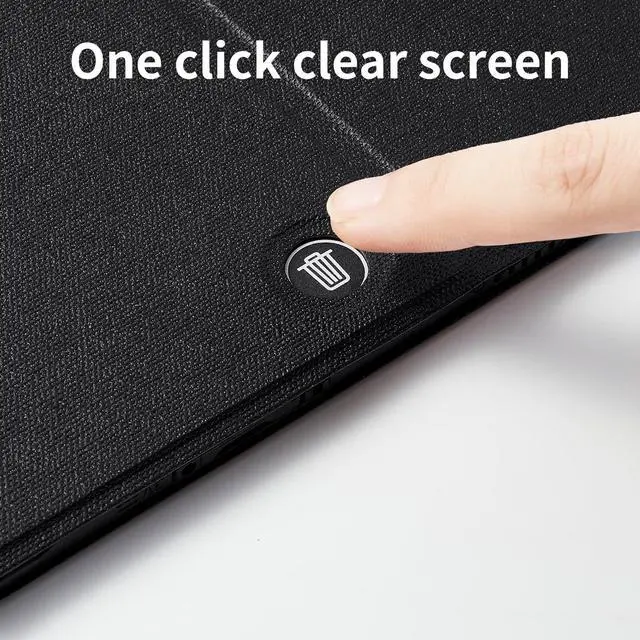
One-Touch Magnetic Erase
Simply touch the magnetic stylus tip to the sensor and the screen clears instantly. Just a quick tap and you're ready for the next note.

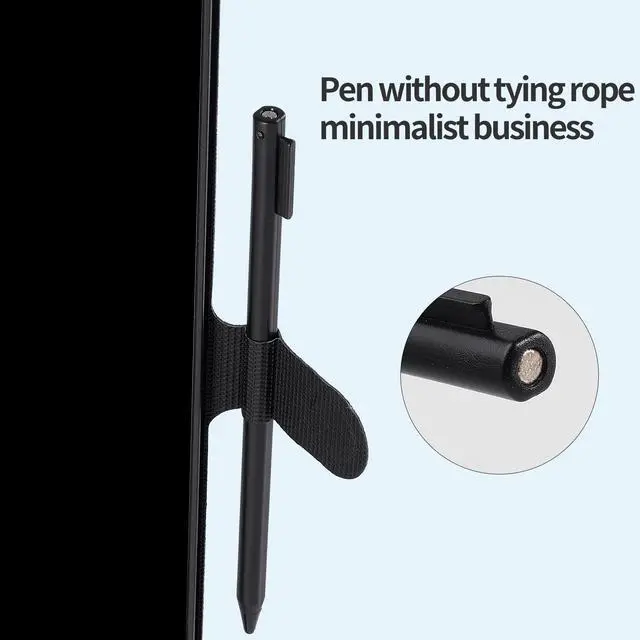
Always-Ready Stylus
The stylus snaps securely into the built-in side holder, always within reach.

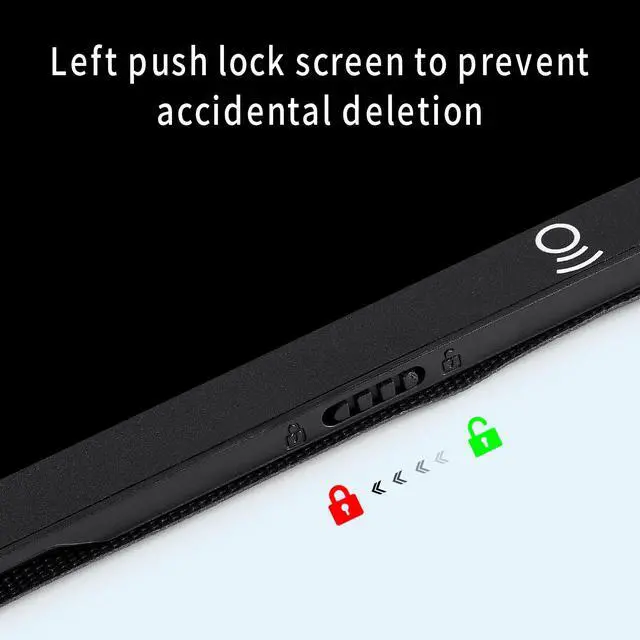
Lock Screen Guard
Slide the switch left to lock the screen and prevent accidental erasure. Your notes, lists, and drawings stay safe until you're ready to clear them.

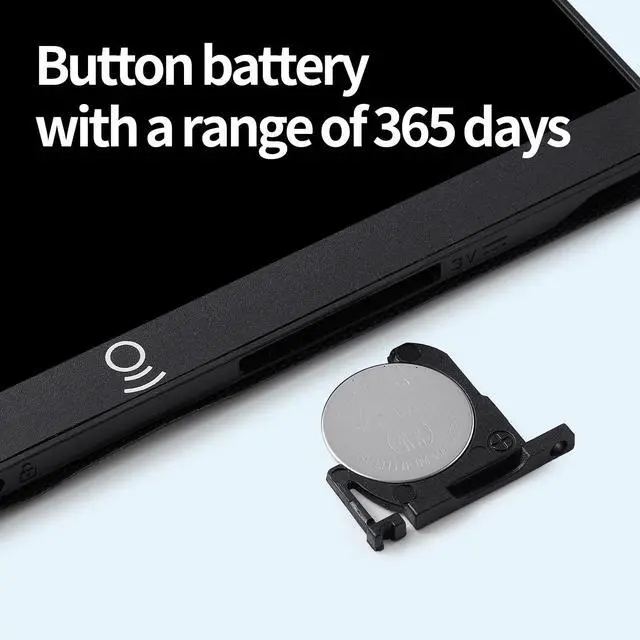
365-Day Battery Life
Powered by a single CR2016 coin cell that lasts up to a full year of daily use. No charging cables, no outlets needed — just write.
Paper-Free Note Taking

Replaces stacks of scratch paper for math problems, quick notes, and daily lists. Write, erase, rewrite — zero waste, endless ideas.
Ultra-Slim, Take Anywhere

Just 0.2 inches thin — lighter than a smartphone, slim enough to slip into any bag. Your portable notepad for meetings, classrooms, and on-the-go ideas.
Can I see the screen in dim light?
The LCD screen uses ambient light with no backlight. In bright rooms or natural light, green writing is sharp and clear. In dim settings, it appears darker — similar to reading paper in low light. Best used in well-lit environments.
Can I erase only part of the screen?
No. Pressing the erase button clears the entire screen at once. To keep some content, cross out what you don't need, or use the double-sided version and flip to the other side. This is a standard limitation of LCD writing tablet technology.
Can I save what I write?
No built-in storage or export. This is a simple, distraction-free LCD board. To save notes, take a photo with your phone before erasing. Many users use free apps like eWriter Jot that auto-invert the image for a clean look.
Will the writing look as bright as the listing photos?
The photos show an enhanced version. In real life, the writing is a soft green that's clearly visible in good light but not as fluorescent as the images suggest.
11.5" LCD Writing Tablet – Reusable Digital Notepad & Drawing Pad

Unleash creativity and save paper with the 11.5-inch LCD writing tablet. The bezel-free full screen offers maximum writing space for doodles, notes, math problems, and daily lists. The eye-protecting LCD display is blue-light-free and flicker-free — comfortable for hours of use.
Best in Bright Light – Reflective LCD Screen for Clear, Readable Writing

This LCD writing tablet uses reflected ambient light to display your content — no backlight, no blue light, no eyestrain. It performs best in well-lit rooms, sunny desks, and naturally bright spaces.
PRODUCT DETAIL
One-Touch Magnetic Erase
Simply touch the magnetic stylus tip to the sensor and the screen clears instantly. Just a quick tap and you're ready for the next note.
Always-Ready Stylus
The stylus snaps securely into the built-in side holder, always within reach.
Lock Screen Guard
Slide the switch left to lock the screen and prevent accidental erasure. Your notes, lists, and drawings stay safe until you're ready to clear them.
365-Day Battery Life
Powered by a single CR2016 coin cell that lasts up to a full year of daily use. No charging cables, no outlets needed — just write.
Paper-Free Note Taking

Replaces stacks of scratch paper for math problems, quick notes, and daily lists. Write, erase, rewrite — zero waste, endless ideas.
Ultra-Slim, Take Anywhere

Just 0.2 inches thin — lighter than a smartphone, slim enough to slip into any bag. Your portable notepad for meetings, classrooms, and on-the-go ideas.
Can I see the screen in dim light?
The LCD screen uses ambient light with no backlight. In bright rooms or natural light, green writing is sharp and clear. In dim settings, it appears darker — similar to reading paper in low light. Best used in well-lit environments.
Can I erase only part of the screen?
No. Pressing the erase button clears the entire screen at once. To keep some content, cross out what you don't need, or use the double-sided version and flip to the other side. This is a standard limitation of LCD writing tablet technology.
Can I save what I write?
No built-in storage or export. This is a simple, distraction-free LCD board. To save notes, take a photo with your phone before erasing. Many users use free apps like eWriter Jot that auto-invert the image for a clean look.
Will the writing look as bright as the listing photos?
The photos show an enhanced version. In real life, the writing is a soft green that's clearly visible in good light but not as fluorescent as the images suggest.