




 here!
here!
I’m your shopping assistant for PC builds, upgrades, and everything tech.
Got questions? Ask away!
Start a conversation
here!
I’m your shopping assistant for PC builds, upgrades, and everything tech.
Got questions? Ask away!
Start a conversation

Joined on 01/10/04
Good looking case, hard to work with
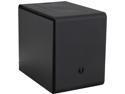
Pros: Good looking case, two nice silent fans, lots of space to put hard drives (though sometimes inconvenient). The internal 5.25 drive bay is a good touch to place more hard drives, though it is harder to thread screws into the bay.
Cons: Alright, this case is an interesting build. The PSU sits vertically so you will have to make sure that you bind your cables well enough that they don't slide down into the lower tower fan. Speaking of which, they install the lower fan to be an outtake fan, which you may want to reverse to have more air going into the case (Dependent on how your Power Supply fan outtakes, its possible that your Power Supply can be exhausting right onto your CPU). I really wish that the power switch, reset switch, usb ports, etc. were mounted on the case instead of the door. It is possible that you can jerk the door off and unplug the power switch from your motherboard. (Which then you would have to unmount the hard drive bracket to get to the motherboard). Hard drive placements are interesting, this is my second mini/micro case and you have options here. I wish I could of placed more in the Internal 5.25 drive bay but with the threading issue with screws and wanting to place a graphics card in it, thats impossible. You can also put the hard drives on a removable plate (if you like your hard drive attached to metal), or you can put your hard drives on the sliding door of the case, which then can become unplugged along with your power switch, usb switch, etc.
Overall Review: I really want to like this case, and after messing with the case fans for awhile I may start to enjoy it, but as for now I really wish they would of redesigned the case a little more. How my PSU exhausts over the motherboard will be an issue for me, also the best placement for my hard drives will be.
Nice looking case, missing parts
Pros: Looks amazing, a little larger then my Mini-ITX case, but expected.
Cons: So I just ordered in the Phenom - Micro ATX and I love the look of this case, though I am missing items within the case. After removing the plastic bracket that is supposed to fit the 5.25 slot, there isn't a drive bay adapter that is mentioned in the guide (Page 11, A) . The thumbscrew (M3) doesnt thread into the plastic bracket (Page 11, D) So the plastic bay can't attach to the case in anyway. I also only have one M3 Thumbscrew, though the guide says there should be two. Also noted in the installation guide it does note that contents and specifications are subject to change without notice.
Overall Review: I'll update this guide once I have everything up and running, but right now I was hoping that this was going to be an easy build.
Free Memory doesn't work!
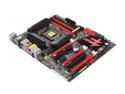
Pros: Well.. once I get it working right, I'll update this
Cons: The free 8 GB (Crucial Ballistix Sport 8GB 240-Pin DDR3 SDRAM DDR3 1600 (PC3 12800) Low Profile Desktop Memory Model BLS8G3D1609ES2LX0) the comes from NewEgg is incompatible with the z77 Motherboard: http://www.asrock.com/mb/Intel/Fatal1ty%20Z77%20Professional/?cat=Memory NewEggs response : We cannot guarantee the incomparability. The memory is a free gift.
Overall Review: So... thats just a heads up if you think you are getting a deal with this board


