




 here!
here!
I’m your shopping assistant for PC builds, upgrades, and everything tech.
Got questions? Ask away!
Start a conversation
here!
I’m your shopping assistant for PC builds, upgrades, and everything tech.
Got questions? Ask away!
Start a conversation

Joined on 08/15/05
Great Price with Great Speed
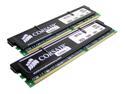
Pros: Great price - don't have to jerk around with any rebates! This stuff is fast - just jammed 4GB into my Intel D865PERL motherboard, and I am officially SMOKIN' !!! No problems at all!
Cons: No cons
Does not work on EVGA X58 SLI Classified motherboard
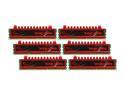
Pros: It is a pretty red color, but doesn't work (as 24GB) on EVGA X58 SLI Classified motherboard, with Core I7-980 Extreme processor, & WIN7 64 Pro.
Cons: Although this is listed as being "compatible" for an EVGA X58 SLI Classified motherboard (as 24GB), it is not. I went to EVGA's website and looked on the QVL for 24GB memory, and this is the exact brand and model number listed (F3-10666CL9T2-24GBRL). However, when installed, it "loses" 1-stick of memory. This is not G.Skill's fault, but rather a non-friendly motherboard from EVGA. Even with a BIOS update, it would "lose" 1-stick of memory. (EVGA MB with Core I7-980 Extreme CPU - Win7 64 Pro). How does it lose one stick? Basically when starting the computer, the BIOS screen shows all 24GB of memory. However, WIN7 64 Pro only shows 18GB of RAM... and what this loss of memory does, is cause random "lock ups" of programs that are memory hogs. (In this case, we use Mastercam CAD/CAM software and it would lock up on creation of large toolpaths - but would run fine when creating "smaller" toolpaths). And what is even stranger, is the more memory sticks I installed (over 12GB) the more my SSD hard drive would "lose" disk space. I am 90% certain that this is a motherboard problem - but there is that 10% chance that it is the 980 Extreme processor causing the problem. Consequently, I ended up taking the first 3-sticks (12BG) and putting them on one computer, and the second 3-sticks and putting them on another identical computer, so both computers now have 12-GB of RAM. And both computers work fine, and all 12-GB is visible in both BIOS and Win7 64 Pro.
Overall Review: After reading many forums, I have come to the conclusion that my EVGA X58 SLI Classified motherboard is the problem. I know some have reported that they were able to get 24GB and 32GB of RAM to work on this particular motherboard - but those people were not using the Core I7 980 Extreme processor. So I'm guessing the Motherboard and extreme processor are not playing well together. I have a notion to replace the Motherboards with an ASUS, but am scared that Asus may have same issue... could it be the 980 Extreme processor to blame? So for now, I'll just let my CAD/CAM guys plus along, and build a new system a year or two down the road.


