

Your Browsing History


Matthew B.
Joined on 11/19/09
0
0
product reviews
- 2
So far, so good
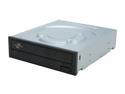
Sony Optiarc DVD Burner with LightScribe 24X DVD+R 8X DVD+RW 12X DVD+R DL 24X DVD-R 6X DVD-RW 48X CD-R 32X CD-RW Black SATA Model AD-7241S-0B LightScribe Support
Pros: Fast Good reliability so far Lightscribe works pretty well
Cons: A bit loud
Overall Review: I'm usually on the lookout for high quality drives because they seem to come and go, and I had heard good things about this one, so I got one to add to my collection. It went in my case alongside a Samsung SH-183 and a Plextor 760A. My main interest was the Lightscribe feature because my other drives don't have it, and I had a use for it. It worked welll for this, without complications. I don't normally burn at top speed because my ancient Panasonic A120 DVD player that I am still using doesn't read the discs as well. So, I haven't tested that. But, I haven't had any problems with the discs I've burned. The drive is on the noisy side. At 8X burning, it is louder than both of my other drives above. This doesn't really bother me. It rips CDs quickly and worked fine with AccurateRip.
12/3/2009See more detail
Fast, but ultimately unreliable
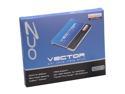
OCZ Vector Series 2.5" 256GB SATA III MLC VTR1-25SAT3-256G
Pros: Fast in all usage situations
Cons: Unreliable - began showing serious drive errors (i.e. corrupt OS files) after about 8 months and the most recent one destroyed the whole OS drive. The drive still works, but all of the files just disappeared after an OS-recommended "restart to fix drive errors" alert.
Overall Review: All usage was under Windows 8 or 8.1. After about 8 months, I started getting Windows "restart to fix drive errors" messages intermittently. To see if it was fixable, I wiped all the partitions and reinstalled Windows 8.1 fresh last week. One week later, I got another of the same errors, restarted to fix the errors, and blue-screened on boot. When I looked at the drive, all of the files were gone on the drive.
2/9/2014See more detail