

Your Browsing History


Lawrence G.
Joined on 06/27/07
0
0
product reviews
- 13
Great so far
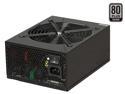
ABS SL series SL1050 1050W Continuous @50°C ,80 PLUS SILVER Certified,Modular Cable Design,Single 12V Rail,ATX12V v2.3/ EPS12V v2.92,SLI Ready,CrossFire Ready,Active PFC"Compatible with Core i7, i5" Power Supply
Pros: So far so good, as others have stated, the cables are extremely stiff. It has the ability to hook into your motherboard so you can monitor the fan speed of the powersupply.
Cons: HUGE
4/9/2010See more detail
Flashes black screen
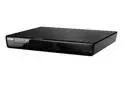
SAMSUNG Blu-ray Player BD-P3600
Pros: Shiny?
Cons: I am on my 2nd one of these players. The first flashed black at random times, and now the 2nd is doing the same along with a grinding sound when it first turns on. I am only on a 2nd cause I sent it in under warranty. Sadly I may have to do it again, though I will be trying to play the pity card at the store I got it so I can exchange it for a Sony.
Overall Review: Simply do not chance buying this product.
3/3/2010See more detail
Dont buy ASUS
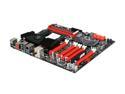
ASUS Crosshair IV Extreme AM3 AMD 890FX USB 3.0 Extended ATX AMD Motherboard
Pros: Pretty?
Cons: I have the Asus Crosshair formula II, I got it just over 1 month ago. It of course is already failing, after digging and digging to finally get a number to call to get a RMA on this product I was informed I would have to pay for the shipping. To me this is highly unacceptable. Why should the consumer pay shipping on something they should not even have to be sending back. I am not sure if I will even waste my time to send this back and be without a computer for about a month.
Overall Review: The reason I am posting this on this site is 2 reason, 1 i cant post on the forum of the actual product. 2 I was going to buy this particular motherboard in about a month or 2. I will no longer buy ASUS products do to the poor customer support. Even when my samsung blu-ray died Samsung paid for all the shipping. That is what customer support is all about. Not making your customer paw for shipping on a product repair/replacement.
10/19/2010See more detail
fixed Cas timing
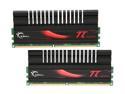
G.SKILL PI Black 4GB (2 x 2GB) DDR2 800 (PC2 6400) Dual Channel Kit Desktop Memory Model F2-6400CL4D-4GBPI-B
Pros: I must say it was nice to see that G.Skill watches feedback on there products. I just installed a new motherboard Asus Crosshair II and with the added abilities to adjust things I was able to really simply change my timings and go to what they are rated for.
Cons: As other have stated they seem a little tall, blocks the lower area of my CPU fan, bit being a 110mm fan and 4 120mm fans on the side of the case, air is no issues.
9/12/2010See more detail
G.SKILL PI Black 4GB (2 x 2GB) DDR2 800 (PC2 6400) Dual Channel Kit Desktop Memory Model F2-6400CL4D-4GBPI-B
Pros: Pretty, SLI ready memory
Cons: not running at the proper Cas timings, defaults at 5-5-5-15
Overall Review: Sadly I cant figure out how to change my Cas timing to what they should be, If I knew they would just run at the same speed as mu old Super Talent ram I would have just bough the cheaper ram and only worried about going from 4 gig to 8 gigs. G.skill Tech support is major lacking.
8/23/2010See more detail
Not bad
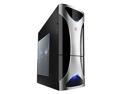
NZXT Zero Black/Silver Aluminum ATX Full Tower Computer Case
Pros: This case has a lot of airflow from the side, I am happy with how much airflow i get out the back as well. The organization ability in this case is great also. Easy to hook up the quick release guides. Also nice key guide built into the motherboard side of the case. It tells you what spots are for what size motherboards.
Cons: No ability to monitor fan speeds in this case short maybe something that is 4 pic friendly. Top fan can not be used do to my power supply being to big. front fan is almost totally useless do to 2 plates being in the way cutting back airflow. I made sure to set my 2 hard drives at the outer edges of the fan to get the what litle air I can. VGA cooling is poor in this case, it sets the board close to the bottom of the case not giving much breathing room, I may set the top fan on the bottom to help some. My cards ran at idle in the low 40s not they run up in the low 50s at idle with fans on max.
Overall Review: This case has a lot of potential, it is quiet and for the most part well thought out. I may do some digging to see what the CFM ratings are on the stock fans so I can move up from there. But don't want my case to be as loud as my last one. You get what you pay for, I think if I were to build another system I may actually spend double on the case to make sure I get all the proper airflow I want.
4/17/2010See more detail