

Your Browsing History


Scott F.
Joined on 12/09/04
0
0
product reviews
- 8
Excellent AVR
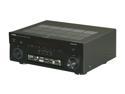
YAMAHA AVENTAGE RX-A820 7.2-Channel Receiver
Pros: Excellent sound quality. Easy to set up. Great features, especially after the firmware update that came out a few days ago, adding Pandora, Sirius/XM, etc. I have it in a large entertainment center and it is cool to the touch. The parametric EQ is wonderful and brought my 5 Polk speakers to life. My LAVA sub is no longer boomy, just deep and tight, but not overwhelming unless I really crank it. The corner placed sub blends beautifully and that was my biggest worry for not getting an Audyssey XT receiver. I researched this for a solid month before buying and am very happy!
Cons: My Onkyo NR605 HDMI board went out after 4 years so I needed an update. When I first set up the Yammy, it sounded really terrible and my family thought I had made a big blunder. You have to spend some time getting the right settings but it is well worth the effort, so it's not really a con at all. You do have to reset the unit to factory default and start over if you screw up the YPAO. Luckily I got it right after one reset.
Overall Review: When I first ran the YPAO I used the 8 point measurement and it sounded awful. The center channel was muffled to the point where we couldn't even understand basic dialogue. My LAVA 12 sub barely had any output. I called Yamaha support at 2a.m. and the rep was miffed so he asked me to call back the next day and speak to a level 2 tech. This guy was most helpful. He said the multi-point had confused the receiver. We reset the unit, and did a single point auto setup. Then I measured the distances for the 5 speakers and did a manual setup. You have to make all of the other speakers set to small to use the sub EQ, and I set the crossover to 90Hz. Then here's the best thing: I used the paramatric EQ, and boosted bands 3 and 4 for the center and surrounds (just 1/2 db) and does it ever sound great!! I'm an audiophile and noticed the treble is smoother than the Onkyo, but even more detailed. My sub has NEVER sounded so good. I am impressed.
11/4/2012See more detail
Major design flaw
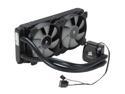
CORSAIR Hydro Series H100i Extreme Performance Water/Liquid CPU Cooler. 240mm
Pros: I wanted my 3770k to achieve 4.6 stable and that was easily accomplished on my Asus Z77 Deluxe mobo. Corsair link software is decent.
Cons: 3 of the 8 fan screws stripped while installing. After you achieve even a slight tightening, one more 1/2 turn renders the screw useless. I went to the hardware store and bought 8 metric screws one size larger and I finally got the fans to tighten. Upgraded the stock noisy fans to the quiet version and it was a real pain, but I got the over-sized screws back in.
Overall Review: Called Corsiar Tech Support yesterday and left a message-as to why they would release a product with such a terrible design flaw-no reply yet.
2/8/2013See more detail
Mine works great

Logitech Harmony 300i Infrared Universal Remote - 3rd party
Pros: Great price. Works great for my 4 devices-Yamaha RX-820, Panny 60 inch plasma, Sony PS3 (got the adapter), and Dish Hopper. I can assign the buttons any way i like and my whole family loves using just one remote instead of having to find and use 4. Less clutter and impressive.
Cons: Wish it was back-lit
Overall Review: Happy camper! It's really a 4 star device, but I gave it 5 stars because it is an exceptional VALUE.
11/4/2012See more detail
No coasters

Verbatim 4.7 GB 16X DVD-R 100 Packs Spindle Disc Model 95102
Pros: Over two thousand burned with Asus DRW 24B1st firmware 1.04 and zero coasters. Quality and reliability.
Cons: None
Overall Review: Asa pro videographer I appreciate the reliability.
5/27/2012See more detail
Good Value of 17" Asus

ASUS 17.3" Intel Core i3-2310M 6GB Memory DDR3 Windows 7 Home Premium 64-Bit A73E-NH31
Pros: I'm a fan of Asus products in general and this was my first notebook from them. My Father's 3 yr old Vista Lenovo was dying so I gave this a try and it's a good value. The hard drive has 2 large partitions so you can move your libraries and data to the second one. Beautiful screen with good contrast and sharpness. Plays HD movies without a glitch. Decent processor and good construction quality
Cons: Obviously not for gaming so don't expect much there. Not really a con but there are no recovery discs, so I just used True Image to backup it up to an external drive after deleting the usual crapware and changing the trial anti-virus to Norton IS 2012. The screen is gorgeous and the overall feel is pretty snappy, but really needs an SSD. I almost got him a Dell Vostro for the backlit keyboard for about the same price but I've been bashing Dell for so long....
Overall Review: Finally I decided to infuse this baby with a 128 GB Samsung 830 SSD. I simply put the SSD in the notebook, and put the stock drive in an external enclosure and used True Image 11 to clone the first partition to the SSD and you can imagine the difference. So for a bit over $800 total Dad has this (relatively) screaming fast laptop that he can use for years, and everything is backed up twice (the original drive and the external drive) just in case.
3/3/2012See more detail
Awesome & Amazing for the price
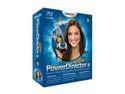
CyberLink PowerDirector 8 Ultra
Pros: Top rated consumer video editing program. Fast, stable, powerful, and simple to use. Nvidia CUDA support makes a difference. Never had a crash on XP Pro, Vista or W7 (Unlike Pinnacle 14) Online templates in the Director Zone are helpful. Quick work flow and output to a wide variety of file formats and Blu-ray. Dual/Quad core support. I've used it with a wide variety of graphics cards, mostly Nvidia Quadro workstation cards, (FX 3800, 4600, and 5800) and they all just sing through rendering and output.
Cons: Decent color correction and audio mixing but not on par with Sony Vegas 9 which costs 5 times more. Magic Movie Wizard is fun but a bit cheesey, sort of like muvee reveal software.
Overall Review: Wonderful program especially if you have a modern computer (Core 2 Duo CPU or better) and a decent graphics card. More stable than Pinnacle products. Works fine in a 64 bit OS environment. Decent but not spectacular slide show capabilities and when Cyberlink updates the software each year there are actually real improvements. Easy up-link to You Tube. Support for JVC camcorders that have proprietary codecs like .TOD.
12/22/2009See more detail