

Your Browsing History


Samuel C.
Joined on 12/02/04
0
0
product reviews
- 15
Good. Solid. Drives
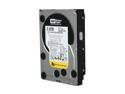
Western Digital WD RE4-GP WD2002FYPS 2TB 64MB Cache SATA 3.0Gb/s 3.5" Hard Drive Bare Drive
Pros: Installed 4 of these in RAID5 using 3ware 9650SE for use with storing large files. Amazing transfer rates and IOPS witnessed. My understanded is that the TLER code on these enterprise drives will allow RAID volume to survive an Unrecoverable Read Error that is now considered 'statistically inevitable'.
Cons: Not much of a con, but drives warmer than most.
Overall Review: It's almost sickening how much space you 'lose' due to drive manufactures marketing their space ratings in binary instead of decimal.
5/18/2010See more detail
Bad BIOS and Bad Support Tarnish an Otherwise Great Product
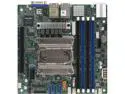
SUPERMICRO MBD-M11SDV-8C-LN4F-O AMD EPYC 3251 SoC 8 Core / 16 Thread Mini ITX Server Motherboard
Pros: - Not DOA - Lot of potential - SR-IOV, IOMMU
Cons: I just want to start by saying I bought parts for two identical 1U servers. The issues I'm stating were present on both system, so hardware defect is not a likely explanation. - Bad BIOS/UEFI. The BIOS/UEFI will not initialize NVMe drives in the M.2 slot. Tried two ADATA SX8200 Pro drives, and a Samsung 960 Evo, and a Samsung 960 Pro. It did initialize all the same drives if I put them in an M.2 rise card (electrical riser only, no controller or muliplex chip). Again, on two boards, so not a hardware defect. Something in the BIOS/UEFI is applying drive security no matter what settings you select in the BIOS. Windows Server will not let me convert the boot disk to Dynamic or configure it for use with storage spaces. This is quite an issue bc the board has no hardware RAID so you are left with zero options for mirroring your boot disk. - Bad Support from SuperMicro. There are no individual drivers available for this board, only an ISO of a driver CD that contains drivers for multiple models of boards. When contacting SuperMicro about the issue I experienced with NVMe drives not being initialized in the M.2 slot I repeatedly received responses that indicated the individual had only skimmed my information. Initially they sent me a screen snip of the manual that showed the BIOS settings to install an OS and boot from an M.2, and when I indicated my issue was getting the drive to even be detected in the first place they told me to reference the M.2 drive validation list for that motherboard, which quite literally consists of 1 model series of NVMe drive from Toshiba and 1 model series of SATA drive from Micron. The models are quite old as well, much older than a board released this year. Even still, I overnighted 2 of the Toshiba drives, cleared CMOS, and still not detected. Detected in the PCI-E slot though. No one could explain to me why the drives initialized in the PCI-E slot and not the M.2. Just told to RMA the boards. I'm almost certain a BIOS update will come out and fix the EFI NVMe driver or the code to initialize NVMe in the M.2 slot. But it's ridiculous and extremely frustrating for a company selling enterprise hardware to have this issues and provide this type of support.
Overall Review: I wouldn't purchase this product if your project relies on the use of M.2. SuperMicro seems to not care about providing proper driver, validation, and tech support for their Epyc products.
6/13/2019See more detail
Falsely advertised speeds
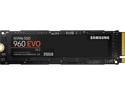
SAMSUNG 960 EVO M.2 250GB NVMe PCI-Express 3.0 x4 Internal Solid State Drive (SSD) MZ-V6E250BW
Pros: Device has excellent read speeds. Low power consumption. Was not DOA.
Cons: Advertised speeds are for the onboard DRAM cache of the SSD, after that cache is saturated your speeds and IOPS will tank as the TLC NAND cells have to be addressed and they are much much slower. Due to this defect in design, these SSDs are greatly overpriced.
Overall Review: I would recommend this for an office computer or laptop and nothing more. If you are looking to buy a fast SSD get one that is MLC NAND and not TLC.
5/5/2017See more detail
Power Hungry, Poor Design
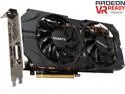
GIGABYTE Radeon R9 390X 8GB GDDR5 PCI Express 3.0 x16 ATX Graphics Card GV-R939XWF2-8GD (rev. 1.0)
Pros: The card worked out of the box. Decent performance improvement over my previous R9 280X.
Cons: I guess I will begin with the power consumption of this card since that was the most glaring fault. While loading this card using Furmark my total system power consumption goes from 320-ish watts consumed to 680-ish watts consumed!!! That's an insane amount of power. Other manufacturers versions of this same card don't even use that much. I have an 80-plus gold 750w power supply and it couldn't sustain this card and my 6-core Intel Core-i7 running maxed at the same time. Ludicrous is the only word for the amount of power this card uses. TDP contrained to boot. This card throttles itself below factory clocks. While loading with Furmark and monitoring clocks I noticed the card could not sustain it's factory clocks. I had to increase power limit by 25% before the stock clocks could be sustained. HOT. Obviously due to the insane power consumption of this card, it will run HOT. Card reached over 90c under Furmark load in a well ventilated case. That's unacceptable for an aftermarket cooler. I even cleaned and used top tier thermal compound (Gelid GC-Extreme) on the cooling solution and it still reached over 90c but just took longer. Gigabyte's custom cooling solution is not sufficient to dissipate the heat generated by the sheer amount of power consumed by this card. The final item of discontent is that this card is marketed with a "silent" cooling solution that turns off when not needed. The only time the card was silent was in the first 5 minutes of a cold boot. The card idled in the high 60's C which would causes the fan to always run. In addition to not being "silent", the fan is actually quite loud when near 40% and intolerably loud as it increases from there. It is the loudest fan in my system of 8 120mm fans.
Overall Review: My past 3 cards have been AMD. My gripe is not with AMD. I have read reviews for other 390X cards from other manufacturers that do not have the problems I've seen. My gripe is with this card from Gigabyte. It's a terrible design and you shouldn't buy it. If you want a 390X do a little research about which manufacturer's version of the 390X is the best.
12/15/2015See more detail
Excellent Router, Good Features
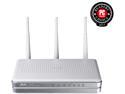
ASUS RT-N16 802.11b/g/n Gigabit Wireless Router up to 300 Mbps DD-WRT Open Source support with USB Storage, Printer and Media Server
Pros: I have purchased and set up 5 of these routers. The only time I have had a locked up router was when one was running DD-WRT. I strongly suggest getting the Merlin modified ASUS-WRT firmware. It has many features and is extremely stable. I also like to take advantage of the AiHome features and access my internal network while I'm away from home.
Cons: Asus has newer models that have all the same features plus better hardware and wireless standards and speeds. This model is still a little pricey for being outdated.
Overall Review: Get the Merlin custom firmware.
1/22/2014See more detail
Don't Play Russian Roulette With These Drives
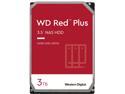
WD Red Plus 3TB NAS Hard Disk Drive - 5400 RPM Class SATA 6Gb/s, CMR, 64MB Cache, 3.5 Inch - WD30EFRX
Pros: 3 of my drives came and are working... so far. I wrote a previous review stating that they were excellent. Now I'm not sure how long they will last.
Cons: 4th drive came DOA. NewEgg/WD still have not solved whatever the problem is with these drives. So many owners getting bad drives. Now both NewEgg and WD want me to pay to get the working drive I paid for in the first place. Stay away from these drives, just don't even chance it. I want to get rid of my other ones now because I can't trust them. Goodbye Western Digital, you have lost my trust.
Overall Review: Just don't. Look at other drives with better owner reviews.
6/13/2013See more detail