
Your Browsing History


Paul S.
Joined on 01/22/13
0
0
product reviews
- 6
Great Color
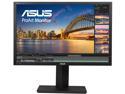
ASUS ProArt PA248Q Black 24" (Actual size 24.1") 6ms (GTG) 16:10, 1920 x 1200, IPS, 100% sRGB, Color Accuracy Delta E< 5, Flicker Free, HDMI, D-Sub, DisplayPort, DVI-D LCD Monitor
Pros: USB 3.0. HDMI Hookup. Etc etc. It has all the plugs and connection one could want. Except for a card reader. But it is a very nice unit. Colors were sharp and vivid on it. ASUS never ends to surprise me with the quality of there products.
Cons: None I can think of.
Overall Review: Was a little difficult to remove there stand so I could install it to my mount I have. Even at the angle it just didnt want to slide backout easily and made me afraid I was go to crack the case with the force I was applying. I didn't and it is mounted nicely now on my dual monitor stand.
3/29/2013See more detail
Update to previous review
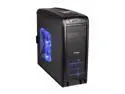
Sentey Extreme Division GS-6410 Arvina Plus Black 1mm SECC ATX Full Tower Computer Case, 1 x USB 3.0, 6 x LED Fans Included, Tool-Less, Multi-Card Reader
Pros: Tooless design is nice feature.
Cons: Plastic parts feel cheap and easily breakable.
Overall Review: The cables were short when using a E-ATX motherboard. To resolve this I had to spend about an additional $45 on cables to extend the ones already in the case to make them easily reach and and connect up. Documentation was poor with this case as well. The instructions that came with it barely inform you of anything. If you have never built a PC on your own before I would look for a different case. (I sent this as an update since I couldn't find a way to update my previous review.)
2/7/2013See more detail
Couldn't be easier.
NETGEAR XAV5001-100NAR Powerline AV 500 Adapter Up to 500Mbps
Pros: Easy to install. Easy to setup. Can you say plug and play? It's that easy.
Cons: If there is one, I haven't found it yet.
Overall Review: I had another unit setup in my house already. So for this one, I plugged it in the wall, connected the ethernet cable, and boom I was on the network. I didn't have to do anything else. That was it! Some say you should use MoCa vs Powerline. I have ready where people have difficulties with the powerline. As long as you are pluggin straight into the wall and not a strip I don't think you will have a problem. Rated 500mbps which is double that of MoCa and I stream HD over this without an issue. I have watched Netflix on my TV going through my Tivo box (who say as well not to use it), I stream HD TV to another PC via my Ceton InfiniTV setup without an issue now. Could not be easier to configure and setup, plug one into your router, and then add a unit whereever that needs to tie into the network.
3/29/2013See more detail
Love it!
PC Power and Cooling Silencer Mk II 950W High Performance 80PLUS Silver SLI CrossFire Intel Haswell Ready Power Supply
Pros: Lots of plugs. Cables have braided sleeves over them. Long so they reach in side of large cases.
Cons: Because they are little longer means a little excess cable. So be sure to have the room for wire management. I don't see this as a reason though to score them poorly.
Overall Review: Couldn't be happier. This is my second power supply from them that I have used and as always it works and performs just how I want. I don't have a need for 950w but it is nice to have something that is over rated so as I add more devices I know it can handle it.
3/29/2013See more detail
Worked like a charm
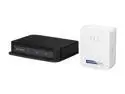
NETGEAR Powerline 500 Mbps 4-port Network Adapter Kit (XAVB5004)
Pros: Easy setup. Small and Compact.
Cons: Can't think of any.
Overall Review: I plugged this unit in. And it worked. I do recommend plugging it directly into the wall and not through an AC outlet strp as this will degrade signal. Once plugged in and streamed Netflix like a charm.
2/11/2013See more detail
Not Bad!
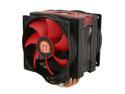
Thermaltake CLP0596 130mm Frio Advanced CPU Cooler
Pros: Lots of fins. Heat Pipes. Dual fan. Fan removal is easy. Website has better documentation on installation as well as a video covering it than what comes in the box. Which was rather nice cause small print is hard to read.
Cons: Directions don't cover how to install if a backplate is already installed on your motherboard. Took me a bit to figure it out but once I did it went together quickly. With the LGA 2011 backplate you use the bolts to assemble it. There was a backplate with threaded posts already installed that require different setup then what was discussed but there were parts included that covered it.
Overall Review: Because of the size of the this CPU cooler. (It is HUGE) I may have wanted to go with a closed loop water cooler instead. The cpu fans cover on top of a couple of my dimm slots and make it hard to access if I was using them.
2/7/2013See more detail