
Your Browsing History
 Holiday Shipping Details & Extended Holiday Returns Holiday Shipping Details & Extended Holiday Returns

Joined on 09/12/07
Gets the Job Done
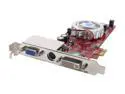
Pros: Excellent image quality once it's set up.
Cons: Getting it set up. I'm having problems with DVI to HDMI conversion. I think I need to get a better (more expensive) adapter cable. DVI to VGA works great.
Overall Review: I put this in a Dell E310 because it's one of the only affordable PCIex1 cards on the market. If you install this in an E310, DO NOT use the found new hardware wizard. Cancel out and insert the CDROM and run the set up from the CD. I would also suggest downloading M$ .NET Framework 2.0 and Windows Installer 3.0. After set up is complete you need to boot into the BIOS and set Video to Auto in order to allow an add on video controller. And finally in the Device Manger you need to disable the MOBO graphics.
????
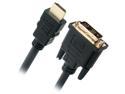
Pros: Price. Looks and feels like a quality product.
Cons: Doesn't seem to be working correctly. Connected between the DVI-D output of my HIS video card and the HDMI input of my Sharp 52 inch LCD TV I get a garbled image. When I connect my Westy 32 inch LCD TV using a DVI-VGA cable on the same output head I have no problems.
Overall Review: I'm going to try this into the HDMI input of the Westy and see if I have the same problem. It's just that I have everything working correctly with the Westy and I don't want to mess up a good thing.
Excellent Work Monitor
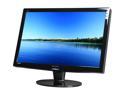
Pros: Size and resolution. Bang for the buck. Excellent successor to the HG281. These are excellent monitors.
Cons: None.
Overall Review: I have a lot of experience with Hanns-G 28s. I'm a data analyst so all of my work requires that I see as many rows and columns as possible. 1920 x 1200 resolution matters to me. On a 22" screen the text is too small. 2-1/2 years ago I purchased two Hanns-G HG281s. Perfect. As for reliability, one of them lost a column of pixels after one year. No big deal, it's my email monitor. The other one just recently started having problems with the inverter board so I bought one of these new HZ281s to replace it. Perfect. I can have the HG repaired and keep it as a spare. This new HZ is a bit slimmer in all proportions and was a great replacement for my HG. Highly recommended.
Works Fine For Me
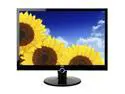
Pros: Stylish appearance, excellent blacks and colors, digital media player. A lot of features for the money.
Cons: As noted by another reviewer there is a limitation in regards to USB or flash memory content in the DMP inputs. I haven't spent the time to determine if it's the number of files or number of bytes. Native resolution is 1680x1050 but the DMP still adds black bars to the sides of 1680x1050 images. 1920x1080 (16:9) images don't have this problem.
Overall Review: I purchased 5 of these to use as digital picture frames. Not the family photo stuff, I use them to display my digital art collection. 4 of them are mounted in an array on a custom bracket that I made. Each one displays the portfolio of a different artist. It makes for an impressive display in my foyer. Very high wife approval factor. Too bad the DMP USB won't accept a wireless dongle. I have to reload the SD cards whenever I want to change artists.
Almost, But Not Quite
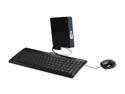
Pros: 5 eggs for general computing like internet, email, spreadsheets, word processing, music streaming, picture viewing, etc. Boots fast. No crapware. Small, quiet, and stays cool to the touch. More than enough computer for casual users.
Cons: 3 eggs for video streaming over the internet. It's too bad that Intel decided to pair the Atom with their GMA950 video processor. Will not play hi def streams from Hulu. Even standard def stutters a little. I believe the GMA950 will only share a maximum of 128mb of system memory.
Overall Review: I bought this in the hopes that it would be a media center extender on steroids. It's not a whole lot more expensive than the Linksys or similar extenders. I have a few more TVs that I want to outfit but I'll wait until they improve the video performance before I buy another. As Maxwell Smart would say, "missed by that much"
Very Nice
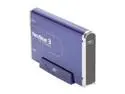
Pros: Looks great, but that's not why I bought it. I just needed a reliable enclosure.
Cons: None
Overall Review: Opened it up, plugged in my drive, plugged it into the USB port and everything works fine. What more can I ask for?