




 here!
here!
I’m your shopping assistant for PC builds, upgrades, and everything tech.
Got questions? Ask away!
Start a conversation
here!
I’m your shopping assistant for PC builds, upgrades, and everything tech.
Got questions? Ask away!
Start a conversation

Joined on 03/09/03
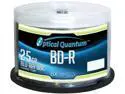
Pros: Using an Asus burner running the Lite-On PL06 firmware from November '13. Imgburn sees the media as 10x compatible so I let it do its thing*. The first disc tried going over 6, but quickly reverted to 6 and finished correctly. Every disc since then has proceeded to 10x, and also finished correctly. So no coasters yet, most burn at 10x, and Verify confirms a solid burn for each. * Source Media Type: BD-R (Disc ID: CMCMAG-BA5-000) (Speeds: 4x, 6x, 8x, 10x)
Cons: none yet
1 of 2 works
Pros: Quiet, cool
Cons: Bought two and immediately ran Bitlocker on both to force a write to the whole drive. One worked fine, and the other reported some bad sectors. Following up on the bad one with chkdsk caught a huge number and the scan virtually stopped making progress.
Overall Review: Newegg is accepting it for refund without a restocking fee, and at least I caught it before there was data to be lost. Remember to do a full write to new HDDs to catch these things before it matters.
SATA timeouts
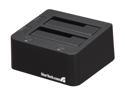
Pros: My comments are all about e-SATA mode, I haven't tried USB. It is connected via an e-SATA bracket through to the Intel SATA ports in RAID mode on a Z77 chipset from Asus. Data transfer rates are fine and it runs stably copying 4TB of weekly backups to a RAID-0 pair of HDDs.
Cons: Certain volume-management tasks cause timeouts for some reason. Formatting a disk, for example, hangs until Windows (server 2012 r2) logs: "The device, \Device\Ide\iaStor0, did not respond within the timeout period." On old 2011 Intel Rapid Storage Tech drivers, the format process completes after a timeout of a couple minutes. On newer 2013 and 2014 drivers, it never formats and often blue-screens. This is true for HDDs and SSDs. Plugging the same drives into the same e-SATA ports on the case directly, without this dock, runs without problems.
Overall Review: I mostly got this to plug big drives into to dump data on every week or so in rotation. It's fine for that. But when I want to add a new drive to the rotation, I have to format it using a different connection which is unfortunate. Why just formatting and some partitioning tasks? Maybe this doesn't pass some cache flush command correctly? I don't know.
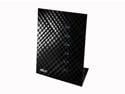
Pros: Bought as the far side of a wireless bridge on the 5GHz band. Required community-enhanced firmware, but then works great, even when the wired end of the bridge is a different brand. This one sits int he living room about 30' from the other, and the PS4 plugged into it can now download at my full 15Mbps speed, rather than an awful 20kbps using the PS4's built-in 2.4GHz wireless. As a bonus, the USB port onboard can charge the PS4 controller, when oddly enough a USB-AC adapter can't.
Cons: in-box firmware didn't have the right options for bridging and security
Remember to adjust the speed
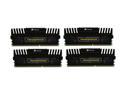
Pros: Good price/density works well so far
Cons: auto-detected speed - as a previous reviewer noted, the motherboard detected 1333 RAM, but is still running fine when manually set to 1600. I'm using an Asus P8Z77-V. Shouldn't be a problem as long as you remember to make this change anytime you reset the BIOS settings
So far so good
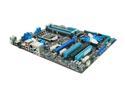
Pros: Easy setup. Works fine, which is all you can hope for, right?
Cons: Nothing major, just a couple cautions that motivated me to write this - First boot after setup was fine, but the next one after I connected everything, the system was dead slow to boot and the BIOS screen was all but hung. Turns out that the culprit was an old Belkin 4-port USB hub I'd plugged in. Removing it made things go back to normal; plugging it back in, even indirectly via my monitor's hub froze things again. No big loss, just an oddity since it worked on all previous Asus boards I've used. Also, it appears to be saying that you have to choose between full-speed USB 3.0 and full-speed x16 graphics. I guess it shares IO lanes between them, and since everyone probably wants their graphics at full x16 speed, I guess the USB will never run at its full speed. Also not a big deal (yet) since I don't have a use for it yet and didn't base my buying on that. Lastly, I think another reviewer made a typo in saying that he was surprised it did come with a floppy port. It doesn't.
Overall Review: The couple things I noted aren't big deals, I just hope there aren't more gotachas to be found.


