
Your Browsing History
BEST SELLERS


BEST SELLERS
In All Laptop
Our most popular products, based on sales and updated frequently.Shop Department
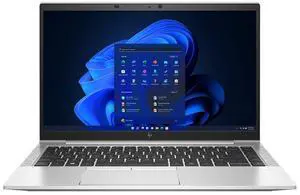
HP EliteBook 845 G8 Laptop AMD Ryzen 5 PRO 5650U 16GB Memory 256 GB SSD 14.0" FHD Windows 11 Pro
- Processor Name: AMD Ryzen 5 PRO 5650U
- Memory: 16GB
- Type: Everyday Value
- Resolution: 1920 x 1080
- Model #: 632556093726
- Item #: N82E16834818214
- Return Policy: 30-Day Return Policy
$249.99
$349.99
Free Shipping
small, light, good speed. Larger than I expected keyboard letters. NEW battery
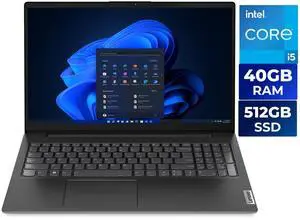
Lenovo V15 G4 15.6" FHD Laptop, Intel Core i5-13420H, 40GB RAM, 512GB SSD, Windows 11 Home, Black
- Processor Name: Intel Core i5-13420H
- Memory: 40GB
- SSD: 512GB NVMe
- GPU/VPU: Intel UHD Graphics
- Model #: 83A100PSUS
- Item #: N82E16834840701
- Return Policy: 15-Day Return Policy
$549.99
$899.99
Free Shipping
Gave it to my daughter. She had her IT guy set it up as part of her business network. She is thrilled.

Acer Aspire Go 15 15.6" Laptop Intel Core i7-13620H 16GB DDR5 RAM 512GB SSD, Windows 11 Home AG15-71P-794K
- Processor Name: Intel Core i7-13620H
- Memory: 16GB DDR5; 2 x 8GB
- SSD: 512GB
- GPU/VPU: Intel UHD Graphics
- Model #: NX.JJKAA.002
- Item #: N82E16834360407
- Return Policy: 15-Day Return Policy
$719.99
$819.99
Free Shipping
Purchased this for a family member who currently has an Acer computer - it's the perfect upgrade, especially if you're already familiar with Acer products.
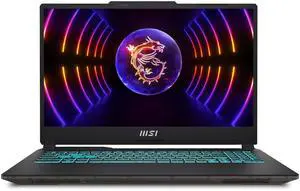
MSI Cyborg - 15.6" GeForce RTX 4050 Laptop GPU - Intel Core i7-13620H - 16GB Memory - 512GB SSD - Windows 11 Home Gaming Laptops - 144 Hz IPS (A13VE-218US )
- GPU/VPU: GeForce RTX 4050 Laptop GPU
- Processor Name: Intel Core i7-13620H
- Memory: 16GB
- SSD: 512GB
- Model #: A13VE-218US
- Item #: 2WC-000C-0GXH3
- Return Policy: 15-Day Return Policy
$899.99
$999.99
Free Shipping
Able to play most games at max or high settings
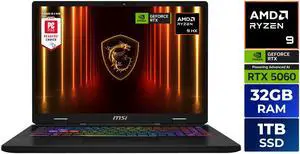
MSI CROSSHAIR A16 16" QHD+ 240Hz AMD® Ryzen™ 9-8940HX RTX 5060 32GBDR5 1TB NVMe SSD Win 11 Gaming Laptop D8WFKG-015US
- GPU/VPU: GeForce RTX 5060 Laptop GPU
- Processor Name: 2.4-5.3GHz
- Memory: 32GB
- SSD: 1TB NVMe SSD Gen4x4
- Model #: Crosshair A16 HX D8WFKG-015US
- Item #: N82E16834156876
- Return Policy: 15-Day Return Policy
$1,449.99
$1,599.99
Free Shipping
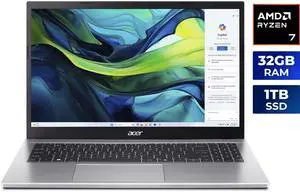
Acer Aspire Go 15.6" Laptop AMD Ryzen 7 7730U, 32GB RAM, 1TB SSD (NX.JQJAA.001)
- Processor Name: AMD Ryzen 7 7730U
- Memory: 32GB DDR4 Memory; 2 x 16GB
- SSD: 1TB
- Brand: Acer
- Model #: NX.JQJAA.001
- Item #: N82E16834360414
- Return Policy: 15-Day Return Policy
$699.99
$849.99
Free Shipping
- Good little machine
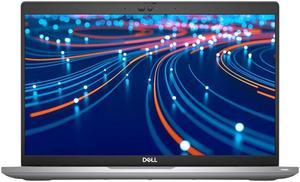
Dell Latitude 5420 Laptop Intel Core i7-1185G7 3.0 GHz 32GB RAM 512GB SSD 14" FHD Windows 11 Pro
- Processor Name: Intel Core i7-1185G7
- Memory: 32GB
- SSD: 512GB
- Brand: DELL
- Model #: LT-DE5420/i7-G11-32-512-11
- Item #: 9SIA4R8K886066
- Return Policy: View Return Policy
$450.00
$19.99 Shipping
Good performance Cost-effective solution
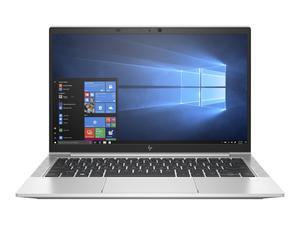
HP EliteBook 830 G7 Laptop Intel Core i7-10610U 32GB Memory 256 GB SSD Intel UHD Graphics 13.3" FHD Windows 11 Pro
- Processor Name: Intel Core i7-10610U
- Memory: 32GB
- SSD: 256GB
- GPU/VPU: Intel UHD Graphics
- Model #: NBR-HP-830g7_i7_10610u
- Item #: N82E16834818182
- Return Policy: 30-Day Return Policy
$289.99
$399.99
Free Shipping
Easy to set-up. Working fast. Shipping speed was very fast.
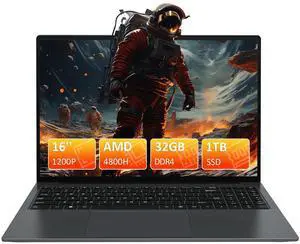
Auusda 16" Gaming Laptop AMD Ryzen 7 4800H 2.9-4.2GHz, 32GB DDR4 RAM, 1TB NVME SSD, Windows 11 Pro Business Computer, SODIMM*2, Slot*2, Backlit, Fingerprint, Gray
- Processor Name: AMD Ryzen 7 4800H
- Memory: 32GB
- SSD: 1TB
- GPU/VPU: Radeon Graphics
- Model #: F152-5700U-32GB
- Item #: 9SIBRFSK2D4863
- Return Policy: View Return Policy
$499.99
$699.99
Free Shipping
The maker had the forsight to have 1 key re-image in the Micron drive after seeing multiple language installation and no win 11 pro. The 1 key reimage solved the problem. The is a nice interation of laptop/notebook. Thanks AUUSDA
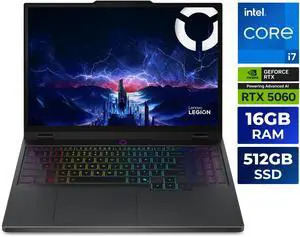
Lenovo Legion 5i - 15.1" GeForce RTX 5060 Laptop GPU - Intel Core i7-14700HX - 16GB Memory - 512GB SSD - 165Hz OLED Display - Windows 11 Home Gaming Laptop (83LY000LUS)
- GPU/VPU: GeForce RTX 5060 Laptop GPU
- Processor Name: Intel Core i7-14700HX
- Memory: 16GB
- SSD: 512GB SSD M.2 2242 PCIe 4.0x4 NVMe
- Model #: 83LY000LUS
- Item #: N82E16834840673
- Return Policy: 15-Day Return Policy
$1,179.99
$1,299.99
Free Shipping
I primarily bought it to run trading simulations and algos; It does well in handling games such as ARK and Subnautica. The temps are kept well below 60 degrees Celsius when elevated Fan noise is minimum when put to max for me and Crisp movement and execution when performing tasks
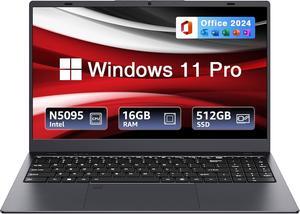
BiTECOOL 15.6-inch Windows 11 Laptop, 16GB RAM, 512GB SSD, FHD IPS Display Laptop Computer, Intel N5095 Quad Core, 2.4/5G WiFi, BT4.2 Backlit and Fingerprint, Lightweight and Portable
- Color: Gray
- CPU Type: N5095
- Number of Cores: 4-core Processor
- Smart Cache: 4MB
- Model #: BTC501
- Item #: 9SIBZ0YKEB8230
- Return Policy: View Return Policy
$239.00
$299.00
Free Shipping
Looks and works great fort his price, I could not miss this great deal. It is light weight and seem fast for a student use. We have not tried it in any gaming but The Office programs runs fast on it.
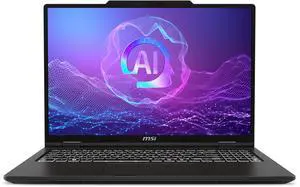
MSI Venture 16 AI TouchScreen Laptop - Intel Core Ultra 7 255H - 32GB DDR5 RAM - 512GB SSD (A2HMTG-046US)
- Processor Name: Intel Core Ultra 7 255H
- Memory: 32GB
- SSD: 512GB NVMe
- GPU/VPU: Intel Arc Graphics
- Model #: Venture 16 AI A2HMTG-046US
- Item #: N82E16834156826
- Return Policy: 15-Day Return Policy
$949.99
Free Shipping
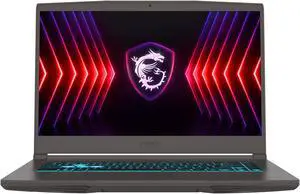
MSI Thin A15 - 15.6" GeForce RTX 4060 Laptop GPU - AMD Ryzen 5 7535HS - 16GB Memory - 512 GB NVMe SSD - Windows 11 Home Gaming Laptops - 144 Hz (Thin A15 B7VF-461US )
- GPU/VPU: GeForce RTX 4060 Laptop GPU
- Processor Name: AMD Ryzen 5 7535HS
- Memory: 16GB
- SSD: 512GB NVMe
- Model #: Thin A15 B7VF-461US
- Item #: N82E16834156873
- Return Policy: 15-Day Return Policy
$799.99
$863.99
Free Shipping
GPU, CPU and Ram are perfect for gaming at any title in my opinion. Its smooth, runs my homework and gaming all together at ease. I used the student discount and got it for even cheaper
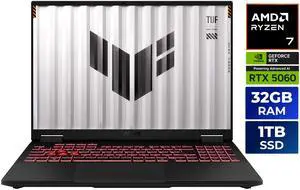
ASUS TUF Gaming A16 - 16" GeForce RTX 5060 Laptop GPU - AMD Ryzen 7 260 - 32GB Memory - 1TB PCIe SSD - Windows 11 Home Gaming Laptop - 165 Hz IPS (FA608UM-NS76 )
- GPU/VPU: GeForce RTX 5060 Laptop GPU
- Processor Name: AMD Ryzen 7 260
- Memory: 32GB
- SSD: 1TB PCIe
- Model #: FA608UM-NS76
- Item #: N82E16834236636
- Return Policy: 15-Day Return Policy
$1,499.99
$1,799.99
Free Shipping
Strong mid-range gaming and multitasking performance. Robust build and excellent cooling. Fast 1TB SSD and 32GB RAM. Great port selection and upgradeability.
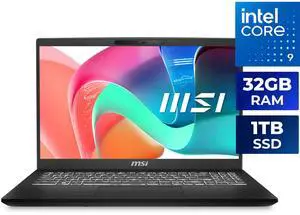
MSI Modern 15 H 15.6" TouchScreen Laptop Intel Core 9 270H 32GB RAM 1TB NVMe SSD Windows 11 Home (C2RMTG-401US)
- Processor Name: Intel Core 9 270H
- Memory: 32GB
- SSD: 1TB NVMe
- GPU/VPU: Intel Graphics
- Model #: Modern 15 H C2RMTG-401US
- Item #: N82E16834156803
- Return Policy: 15-Day Return Policy
$899.99
$949.99
Free Shipping
Minimal amount of bloatware (take note, HP). I was set up in short order. Shipping was fast.

Lenovo ThinkPad T14 Gen 1 AMD Ryzen 5 PRO 4650U 16GB Memory 256 GB SSD 14.0" Windows 11 Pro
- Processor Name: AMD Ryzen 5 PRO 4650U
- Memory: 16GB
- SSD: 256GB
- Brand: Lenovo
- Model #: 682683641161
- Item #: N82E16834840710
- Return Policy: Extended Holiday Return Policy
$269.99
$349.99
Free Shipping
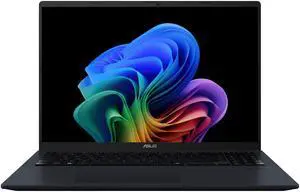
Asus VivoBook 16" Copilot+ PC Laptop AMD Ryzen AI 7 350 16GB DDR5 Memory 512GB PCIE SSD Windows 11 Home
- Processor Name: AMD Ryzen AI 7 350
- Memory: 16GB DDR5
- SSD: 512GB PCIE G4 SSD
- Series: VivoBook
- Model #: M1607KA-NS76
- Item #: N82E16834236650
- Return Policy: 15-Day Return Policy
$849.99
Free Shipping
Fast, plenty of memory, SSD is big enough.
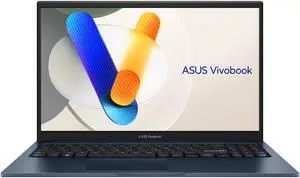
ASUS Vivobook 15.6" TouchScreen Intel Core i5-1334U 16GB Memory 512 GB SSD Windows 11 Home
- Processor Name: Intel Core i5-1334U
- Memory: 16GB
- SSD: 512GB
- GPU/VPU: Intel Iris Xe Graphics
- Model #: F1504VA-BS51T
- Item #: N82E16834236645
- Return Policy: 15-Day Return Policy
$599.99
$699.99
Free Shipping
Relatively easy to set up. Nice screen, keypad is very nice, good tactile feel, illuminated. Took about an hour to set it up, lots a gibberish to go through for Microsoft, nothing the fault of Asus. Had McAfee installed, I removed it. Windows Defender will suffice. Had trial period for MS Office installed, did not accept it, OpenOffice will suffice. Loaded Chrome and set up the Google Account. Touch pad was set to medium sensitivity, too sensitive, so set it to low and that worked better.
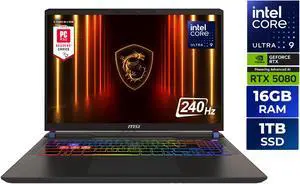
MSI Vector - LCD 16" QHD+ GeForce RTX 5080 Laptop GPU - Intel Core Ultra 9 275HX - 16GB Memory - 1 TB SSD - Windows 11 Home Gaming Laptop - 240 Hz (Vector 16 HX AI A2XWIG-050US )
- GPU/VPU: GeForce RTX 5080 Laptop GPU
- Processor Name: Intel Core Ultra 9 275HX
- Memory: 16GB
- SSD: 1TB
- Model #: Vector 16 HX AI A2XWIG-050US
- Item #: N82E16834156737
- Return Policy: 15-Day Return Policy
$1,999.99
$2,499.99
Free Shipping
Everything so far.

Acer Nitro V15 - 15.6" GeForce RTX 5050 Laptop GPU - Intel Core i7-13620H - 16GB Memory - 512GB SSD - 165Hz IPS Display - Windows 11 Home Gaming Laptop (ANV15-52-778V)
- GPU/VPU: GeForce RTX 5050 Laptop GPU
- Processor Name: Up to 4.90 GHz
- Memory: 16GB
- SSD: 512GB PCIe
- Model #: NH.U1PAA.003
- Item #: N82E16834360405
- Return Policy: 15-Day Return Policy
$929.99
$1,049.99
Free Shipping